The 60-second verdict
Quick answer: a dedicated recorder is usually better for deliberate, visible session-based capture; a wearable recorder is better for hands-free personal capture while moving. Wearables can collect more irrelevant audio, so boundaries, microphone position and participant awareness matter more than convenience alone.
Best fit: choose the option that passes your capture, recovery, privacy and total-cost gates. Do not decide on: price or a single accuracy claim in isolation.
Evidence basis and limits
- Decision factors covered: Define the two form factors; Dedicated recorder strengths; Wearable recorder strengths.
- Evidence rule: A claim earns weight only when the source, date, configuration and limitation are clear enough for a reader to check.
- Boundary: Examples and workflow recommendations must be tested with representative recordings, the intended users and the actual approval process before rollout.

Define the two form factors
A dedicated recorder is normally started for a defined meeting, interview, lecture or debrief and positioned for that session. A wearable stays on the body and may be available across changing locations, making it convenient but easier to use beyond the original purpose.
Dedicated recorder strengths
- Clear start and stop decision.
- Visible participant process.
- Flexible central placement.
- Less unrelated ambient capture.
- Separate controls, battery and storage.
- Strong fit for structured meetings.
Wearable recorder strengths
- Hands-free operation.
- Rapid personal idea capture.
- Useful while walking or working away from a desk.
- Less chance of leaving the recorder behind.
- Consistent proximity to the wearer.
- Convenient post-task debriefs.
Compare the practical risks
Balanced comparison matrix
Balanced decision rule: a cloud tool should win where automation and collaboration matter most; a dedicated recorder should win where independent capture and mobility matter most; manual notes should win when recording is inappropriate.
| Factor | Dedicated recorder | Wearable |
|---|---|---|
| Microphone position | Can be central | Close to wearer |
| Movement noise | Low when stationary | Clothing and body movement |
| Transparency | Usually more visible | Can be less obvious |
| Over-collection | Easier to limit by session | Higher ambient-capture risk |
Compare across real environments
| Environment | Dedicated recorder | Wearable recorder | What to test |
|---|---|---|---|
| Walking interview | May need carrying or deliberate repositioning | Hands-free and close to wearer | Wind, clothing noise, footsteps and the other speaker’s distance |
| Meeting table | Can sit near the acoustic centre | May over-capture the wearer and under-capture others | Quietest speaker, overlap and table vibration |
| Site visit | Useful for deliberate safe-position notes | Convenient after hands-on tasks | PPE, machinery, traffic, bystanders and stop-recording rules |
| Lecture or seminar | Can be placed closer to the speaker where permitted | Usually remains close to the student | Room distance, permission, side conversations and visual references |
| Personal memo | Requires deliberate retrieval and start | Fastest for short hands-free capture | Accidental recording, file naming and daily processing |
Microphone placement changes the result
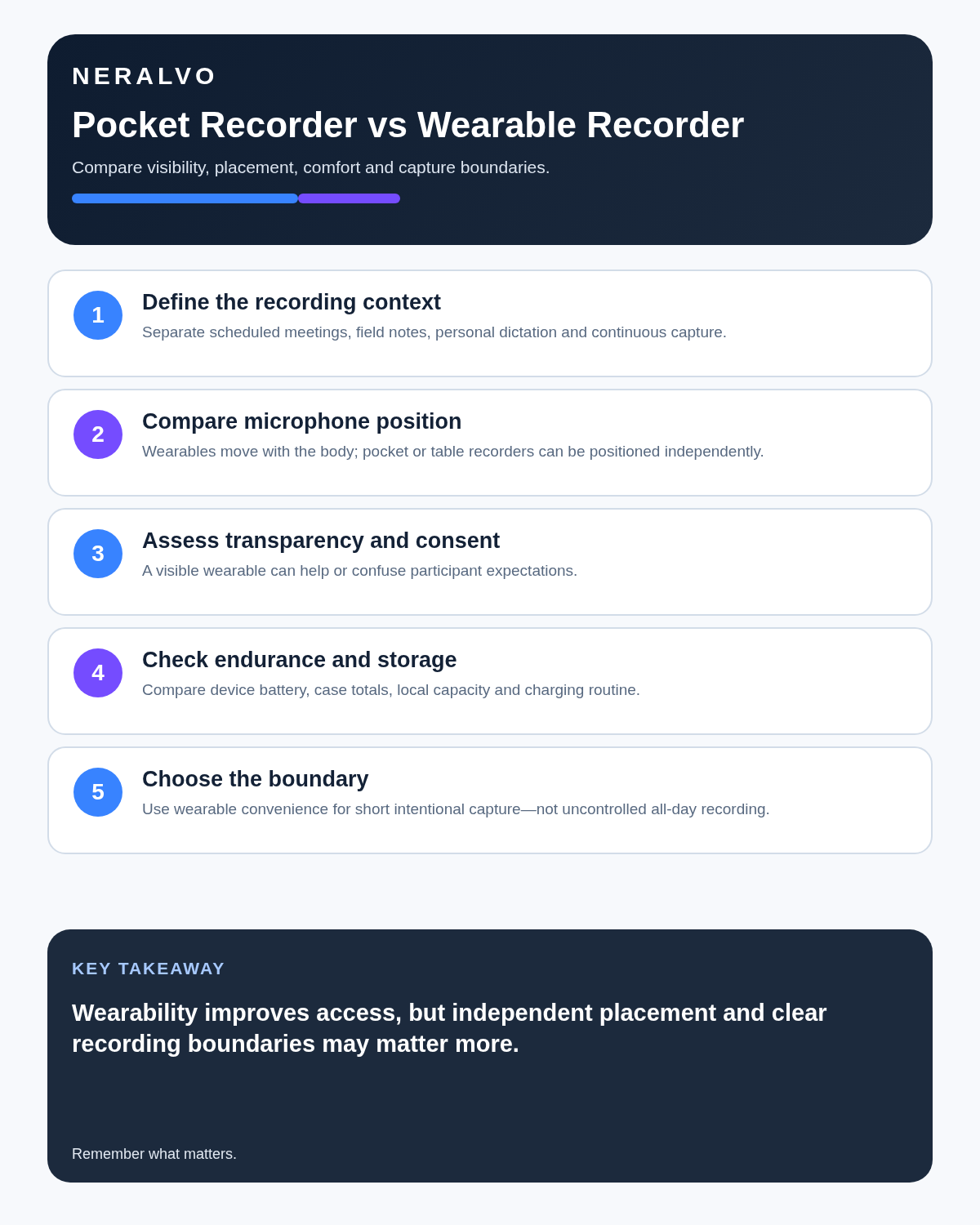
A wearable generally captures the wearer strongly but may struggle with people across a room. Clothing, wind and movement can obscure speech. A dedicated recorder can cover several participants more evenly when placed centrally.
Set explicit recording boundaries
Define the purpose, location, start, stop and excluded situations. Wearable convenience should not lead to recording corridors, breaks, private side conversations, customers or bystanders outside the approved scope.
Compare battery and data volume
Always-ready capture can use more battery and create a large review backlog. Measure successful usable recordings, not only maximum hours. Include syncing, transcription, deletion and the time spent removing irrelevant audio.
Use each form factor for the right work
- Formal meeting: dedicated recorder.
- Client interview: visible dedicated recorder.
- Personal walking ideas: wearable may be convenient.
- Field debrief: either, after safety and privacy checks.
- Large room: whichever can be positioned closest to all speakers.
A seven-point field test
- Boundary test: can the user start and stop capture clearly when the context changes?
- Quiet-speaker test: can the farthest or quietest important person be understood?
- Movement test: walk, turn, sit and handle normal clothing or equipment.
- Noise test: include wind, traffic, fans, machinery or room echo expected in real use.
- Awareness test: can participants easily tell when recording is active and understand the purpose?
- Workflow test: measure file naming, transfer, transcript correction, routing and deletion time.
- Failure test: check battery loss, accidental pause, full storage, app disconnect and recovery of the source file.
Score consequential intelligibility, interruption to the task, unnecessary audio captured and total review time. Do not choose from form factor or claimed battery life alone.
Is cloud software or a physical recorder right for this workflow?
- Choose the software-led option when automated remote-meeting capture and collaboration remove more work than they add.
- Choose the dedicated-recorder option when independent in-person capture, mobility and source recovery matter more.
- A governed hybrid can be best when the same team works both online and in person.
How community feedback is used
Public reviews can reveal recurring friction, but an anonymous anecdote is not treated as measured proof. A pull-quote should appear only when it links to the original post, identifies the relevant product version or date and is presented as one user’s experience—not as universal fact.
Frequently asked questions
Is a wearable better because it is discreet?
No. Less visible recording can make participant awareness harder, not better.
Can a wearable capture a whole meeting room?
Sometimes, but body position and distance often produce uneven coverage. Test the real room.
Which creates less unnecessary data?
A deliberately started session recorder is generally easier to keep within scope.
Can a wearable run continuously?
Technical capability does not establish that continuous capture is appropriate.
What should happen when the wearer changes context?
Stop or pause and reassess purpose, people present and recording authority.
Authoritative guidance and related reading
Final comparison checklist
- Use case and boundary defined.
- Real environments tested.
- Microphone position and quietest speaker checked.
- Participant process clear.
- Movement and ambient noise assessed.
- Data volume and review time manageable.
- Stop rule and failure recovery established.
Bottom line: choose a wearable when hands-free proximity to the wearer genuinely improves the task; choose a dedicated recorder when visible, controlled placement and balanced group capture matter more.
Related AI voice recorder guides
On this page
Related guides
See whether Halo fits this workflow
Review the NERALVO Halo specifications, included services, delivery information and current offer only after completing the guide.
Found an error or an out-of-date claim? Email support@neralvo.com with the article address and a supporting source.