The 60-second verdict
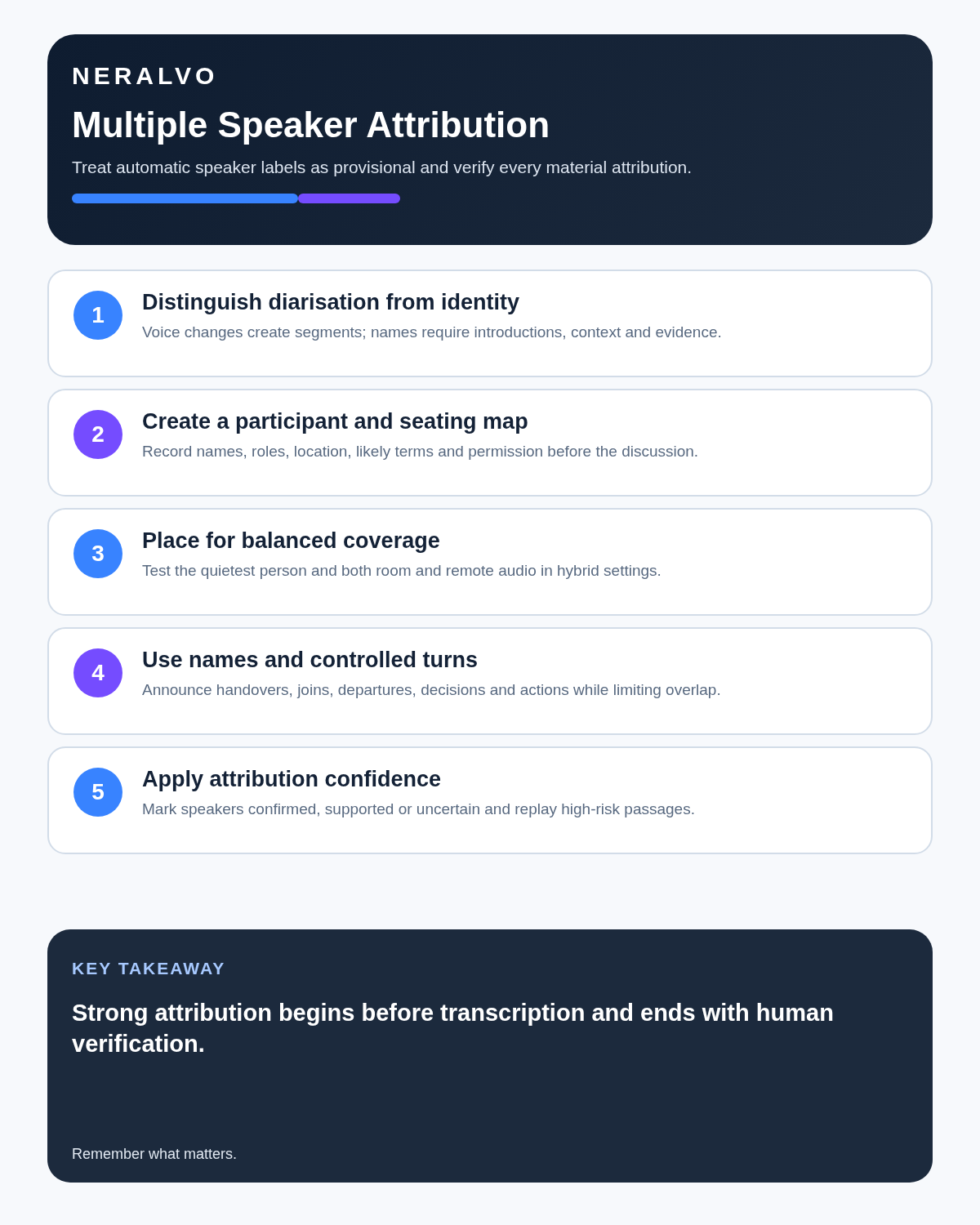
Quick answer: an AI voice recorder can divide a group conversation into draft speaker segments, but it cannot guarantee that “Speaker 1” is the correct person. Multiple-speaker accuracy depends on room layout, balanced microphone distance, deliberate introductions, turn-taking, overlap control and careful human verification.
Decision focus: use the method below only where it produces a recoverable source, a verifiable output and a clear next action. If one of those fails, change the workflow rather than trusting a polished summary.
Evidence basis and limits
- Decision factors covered: Speaker separation is not the same as speaker identity; Why multi-speaker recordings fail; Prepare a participant and seating map.
- Evidence rule: Claims are weighted by consequence: capture failure, changed meaning, access and recovery matter more than polished wording.
- Boundary: Examples and workflow recommendations must be tested with representative recordings, the intended users and the actual approval process before rollout.

Check whether NERALVO Halo fits this workflow can preserve the source and provide DOWAY speaker-separated drafts, while human review protects decisions, quotations and commitments from misattribution.
Speaker separation is not the same as speaker identity
Automatic speaker diarisation attempts to divide audio into sections such as “Speaker A” and “Speaker B”. It may detect changes in voice, but it does not automatically prove who the person is.
A transcript can therefore be correct about the words yet wrong about the speaker. That matters whenever the record contains a decision, quotation, complaint, instruction, admission or commitment.
| Output | What it means | What still needs checking |
|---|---|---|
| Speaker A / B / C | The system detected different voice segments | Who each label belongs to |
| Named speaker | A human or system assigned an identity | Whether introductions, context and audio support it |
| Unknown speaker | Identity is not sufficiently supported | Whether the passage can be clarified without guessing |
Why multi-speaker recordings fail
- Overlapping speech: two or more voices occupy the same moment.
- Unequal distance: one participant is beside the recorder while another is across the room.
- Similar voices: pitch, pace or tone may be difficult to distinguish.
- Movement: participants turn away, walk around or speak outside the main group.
- Side conversations: several discussions occur at once.
- Room echo: hard surfaces blur timing and word boundaries.
- Hybrid audio: room and remote speakers arrive through different acoustic paths.
- Weak introductions: there is no reliable anchor linking a voice to a name.
Prevent unnecessary overlap rather than expecting software to reconstruct every voice afterwards.
Prepare a participant and seating map
Before an important meeting, record:
- Full and preferred name.
- Role or organisation.
- In-room or remote status.
- Seat position or remote connection.
- Specialist names or terms likely to be used.
- Whether the recording process has been completed.
A simple clockwise seating map can help the reviewer connect voices, questions and documents without relying on memory alone.
Record deliberate introductions
Ask each participant to say their name and role in turn. The chair should then use names naturally when directing questions:
- “Aisha, can you explain the delivery risk?”
- “Tom, is that your action?”
- “For the record, Priya has joined remotely.”
- “The decision proposed by Michael is…”
This creates stronger attribution anchors than one group introduction followed by an hour of anonymous discussion.
Place the recorder for balanced voices
| Setting | Better starting point | Main risk |
|---|---|---|
| Two-person interview | Between both speakers, away from laptops and cups | Interviewer dominating the recording |
| Small meeting | Stable central position close to the main discussion | Quiet participants at the edge |
| Focus group | Central position plus disciplined moderation | Dominant voices and simultaneous reactions |
| Large boardroom | Near decision makers or an approved specialist setup | One distant recorder producing weak attribution |
| Hybrid meeting | Test the room speaker, remote platform and recorder together | Remote voices merging into one loudspeaker channel |
Run a short test with the quietest participant, not only the chair sitting nearest the device.
Use meeting behaviour to improve attribution
- One person speaks at a time for important points.
- The chair interrupts persistent overlap.
- Participants use names when handing over.
- Quiet or distant comments are repeated.
- Important figures and decisions are stated slowly.
- Side conversations pause or move outside the session.
- People announce when they join, leave or change location.
- The chair recaps the decision, owner and deadline before moving on.
Separate attribution confidence from transcript fluency
A fluent sentence can still be assigned to the wrong person. Use a simple confidence scale:
| Status | Evidence | Use |
|---|---|---|
| Confirmed | Clear introduction, direct name cue or decisive contextual evidence | May be attributed after checking the words |
| Supported | Voice and context are consistent but no decisive cue exists | Verify before using a quotation or material commitment |
| Uncertain | Overlap, weak audio or conflicting clues | Use a neutral label or seek confirmation; do not guess |
Use a controlled multi-speaker workflow
- Confirm authority and purpose. Explain why the meeting is recorded and how material will be used.
- Create the roster. Record names, roles, attendance mode and seating.
- Test the real setup. Include the quietest in-room and remote speaker.
- Capture introductions. Ask participants to speak in turn.
- Use verbal name cues. Link questions, actions and decisions clearly.
- Generate the draft transcript. Treat speaker labels as provisional.
- Correct in passes. Review sequence, words, speaker boundaries and identities separately.
- Verify high-risk passages. Check decisions, quotations, complaints, instructions, figures and commitments.
- Create the final record. Move checked minutes, evidence and actions into the approved system.
- Apply retention controls. Delete or retain audio and working transcripts according to purpose.
Review quotations and decisions differently
For a general summary, it may be enough to capture substance without naming every speaker. Direct quotations and accountable decisions require a higher standard.
- Replay the passage with surrounding context.
- Check the speaker against introductions and name cues.
- Confirm whether the statement was a proposal, question or decision.
- Preserve qualifications and uncertainty.
- Ask the participant or chair to confirm where appropriate.
- Do not turn uncertain attribution into a confident quotation.
Hybrid meetings need a separate plan
When several remote participants arrive through one room loudspeaker, a recorder may hear them as a similar or combined source. The meeting platform may have clearer individual channels, while the room recorder may capture in-room comments better.
Choose one approved primary source and document gaps. Do not combine outputs automatically without checking timing, duplication and speaker identity.
Privacy and voice identity
A person’s voice can identify them in context, and recordings may contain personal or confidential information. Inform participants, minimise unrelated capture, restrict access and keep material only for a justified period.
Do not describe ordinary diarisation as biometric voice recognition. “Speaker 2” means a voice segment was detected; it does not prove a verified biometric identity.
How NERALVO Halo supports group recording
Halo provides NOTE mode for suitable meetings, interviews and focus groups; supported CALL mode for compatible calls where capture is lawful, disclosed and permitted; 64GB local storage; up to 35 hours of recording; and Bluetooth sync with DOWAY.
DOWAY provides AI transcription, summaries, speaker-separated notes, templates, translation, mind maps and exports, with one year of DOWAY Max included. Halo can create a useful draft, but it does not guarantee speaker identity, especially where voices overlap or arrive from a distance.
Common multi-speaker mistakes
- Assuming automated speaker labels are names.
- Placing the recorder beside the chair instead of balancing the group.
- Allowing side conversations throughout.
- Failing to record introductions.
- Quoting an uncertain speaker.
- Ignoring remote participants during the audio test.
- Using context to guess a complaint or instruction.
- Keeping a full group recording indefinitely without a purpose.
Workflow choice matrix for AI Voice Recording with Multiple Speakers
Choose the method that protects the source and reduces downstream correction. The table makes the non-hardware options explicit.
| Condition | Preferred route | Why |
|---|---|---|
| Repeatable remote work with approved integrations | Cloud software | Automation and central collaboration may outweigh device independence. |
| In-person, mobile or unreliable-connectivity work | Dedicated recorder | Independent capture and a recoverable local source are usually more resilient. |
| Recording is refused, prohibited or unnecessary | Manual notes / no recording | Respecting the boundary is the correct workflow, not a product failure. |
| High-risk or mixed work | Governed hybrid | Separate capture, review, approval and retention rather than trusting one tool. |
Frequently asked questions
Can AI identify every speaker by voice?
No. It may separate voice segments, but identity requires reliable confirmation and appropriate privacy controls.
What happens when people speak at the same time?
Words and speaker boundaries may become impossible to recover accurately. Ask participants to repeat the material point.
Is one central recorder enough for a large room?
Not always. Distance, acoustics and layout may require an approved specialist setup.
Should every speaker be named in final notes?
Only where attribution serves the purpose and has been verified.
How should an uncertain speaker be labelled?
Use a neutral label such as “unconfirmed speaker” with a timestamp. Do not guess.
Final multi-speaker checklist
- Participant map created.
- Introductions recorded.
- Quiet and distant speakers tested.
- Overlap controlled.
- Labels treated as provisional.
- Attribution confidence recorded.
- High-risk passages verified.
- Hybrid primary source chosen.
- Privacy, access and retention controlled.
Bottom line: strong multi-speaker transcription begins before AI runs. Balanced placement, clear introductions, named handovers and controlled turn-taking create better evidence; human review prevents confident misattribution.
Related guides
On this page
Related guides
See whether Halo fits this workflow
Review the NERALVO Halo specifications, included services, delivery information and current offer only after completing the guide.
Found an error or an out-of-date claim? Email support@neralvo.com with the article address and a supporting source.