
Reviewed and fact-checked: 26 July 2026.
The 60-second verdict
Quick verdict: a phone app is often enough for occasional personal voice notes. A dedicated AI voice recorder becomes more useful when recording is frequent, long, business-critical or expected to feed a repeatable transcription and follow-up workflow. Neither option is automatically more accurate or more private; performance depends on the hardware, software, placement, settings and how the user handles the resulting data.
Best fit: choose the option that passes your capture, recovery, privacy and total-cost gates. Do not decide on: price or a single accuracy claim in isolation.
Evidence basis and limits
- Decision factors covered: Dedicated AI recorder vs phone app at a glance; When a phone app is probably enough; When a dedicated AI voice recorder becomes more useful.
- Evidence rule: The decision is based on the complete capture-to-action workflow, not a single feature or marketing accuracy percentage.
- Boundary: Examples and workflow recommendations must be tested with representative recordings, the intended users and the actual approval process before rollout.
The real question is not hardware versus software
The better question is: which workflow captures reliably, protects the recording and turns it into useful checked notes with the least friction?
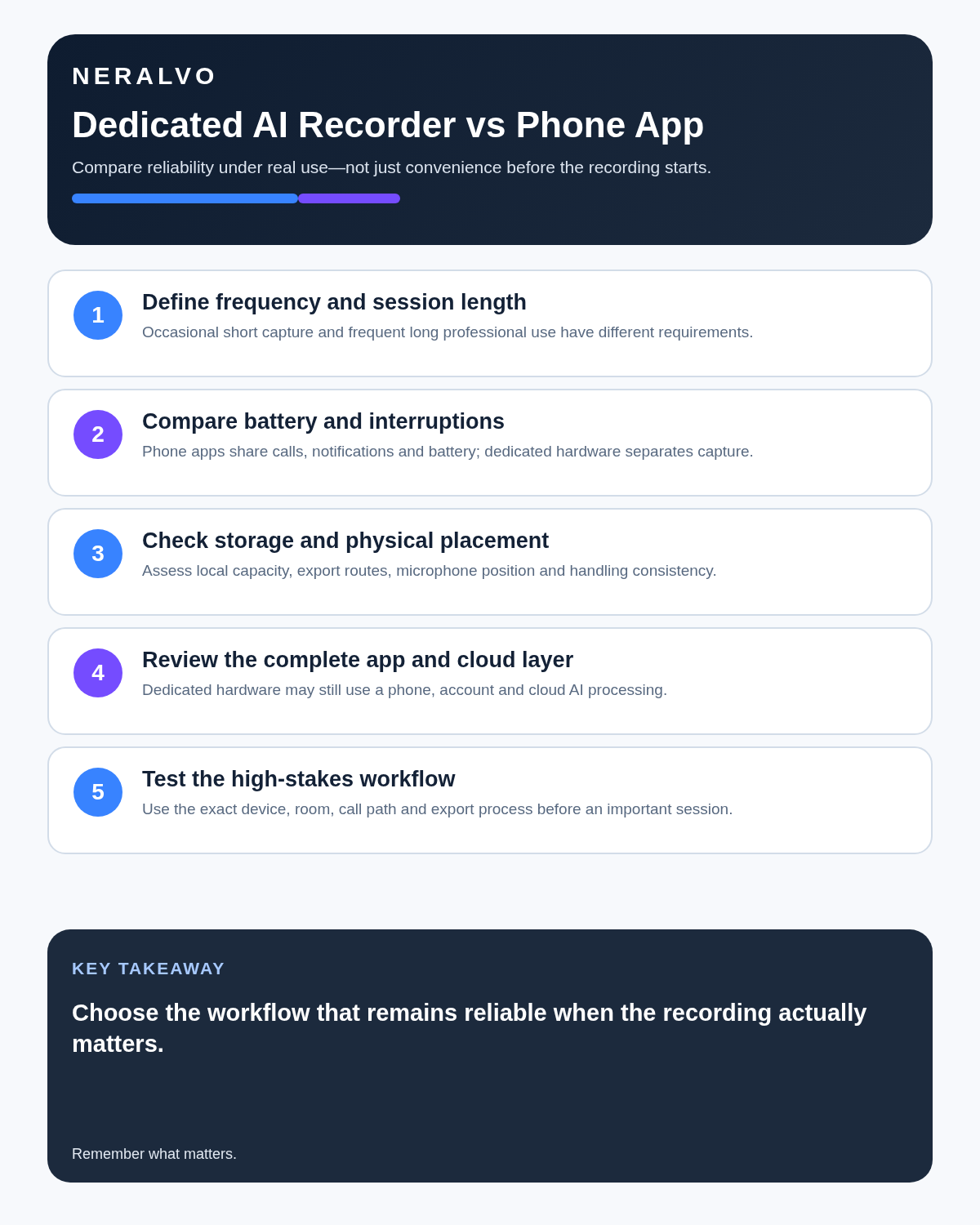
A phone app uses hardware you already own. A dedicated recorder separates capture from normal phone activity and can offer physical controls, local storage and purpose-built room or call modes. Each approach creates different advantages and failure points.
Dedicated AI recorder vs phone app at a glance
Balanced comparison matrix
Balanced decision rule: a cloud tool should win where automation and collaboration matter most; a dedicated recorder should win where independent capture and mobility matter most; manual notes should win when recording is inappropriate.
| Factor | Phone app | Dedicated AI recorder |
|---|---|---|
| Initial cost | Often free or low-cost if you already own the phone. | Requires separate hardware and may include app or AI-service terms. |
| Convenience | Excellent for occasional notes because the phone is already present. | Requires carrying or mounting another device, but provides a dedicated capture routine. |
| Phone availability | The phone is occupied by recording and may be needed for messages, navigation or other work. | Recording can continue while the phone performs other tasks, subject to the device’s workflow. |
| Battery separation | Uses the phone battery. | Uses its own battery, although both recorder and phone may still need charge for syncing or processing. |
| Storage | Uses phone or app storage and may upload quickly to cloud services. | May provide separate local storage before transfer or transcription. |
| Physical control | Usually requires unlocking, opening an app and confirming the recording state. | Often offers a dedicated switch or button and clearer capture habit. |
| Call recording | Support varies by phone, operating system, app, region and call platform. | Some models provide a dedicated call mode, but compatibility and legality still require checking. |
| Transcription | Depends on the chosen app and service. | Usually integrated into the recorder’s companion-app workflow. |
| Privacy | Depends on app permissions, storage and cloud processing. | Separate local storage may help, but companion-app and AI processing still need assessment. |
When a phone app is probably enough
- You record occasional private reminders or short voice memos.
- You do not need the phone for other tasks while recording.
- Your meetings are short and low-risk.
- You are comfortable with the app’s storage, privacy and export options.
- You already tested the exact phone, microphone, operating-system and app combination.
- You do not need a dedicated call-recording workflow.
- You prefer not to buy or charge another device.
For these users, dedicated hardware may add cost without solving a meaningful problem.
When a dedicated AI voice recorder becomes more useful
- You record several meetings, interviews, lectures or site notes each week.
- Long sessions create phone-battery or storage anxiety.
- You need the phone for messages, documents, navigation or calls during capture.
- You want a deliberate physical start-and-stop control.
- You move between in-person NOTE capture and compatible CALL capture.
- You need a repeatable path from audio to transcript, summary, template and export.
- Missing a discussion would create material administrative or commercial cost.
The advantage is operational focus, not magic accuracy. A poorly placed dedicated recorder can perform worse than a well-positioned phone.
Accuracy depends more on conditions than device category
Both phone apps and dedicated recorders can struggle with:
- Several people speaking at once.
- Large rooms and distant speakers.
- Air conditioning, road noise or keyboard noise.
- Quiet voices and strong accents.
- Specialist names, product codes and technical vocabulary.
- Hands, cases or clothing covering microphones.
- Low-quality call audio.
Before relying on either option, record a short test in the real environment. Confirm the audio—not merely that a timer is moving.
The reliability checklist
- Charge the recording device.
- Confirm available storage.
- Test the exact mode and app combination.
- Place the microphone near the main speakers without obstructing it.
- State names and specialist terms clearly.
- Check the recording indicator after starting.
- Mark important decisions aloud.
- Secure the audio immediately after the session.
- Correct the transcript before relying on it.
- Delete or retain the source according to a defined policy.
Phone interruptions: what is real and what is exaggerated?
It is too broad to claim that every incoming notification or call will ruin every phone recording. Behaviour varies by operating system, app permissions, focus settings and the recording method. The practical issue is that a phone is a multi-purpose device: the user may need to unlock it, switch apps, answer a call, share a screen or conserve battery while it is also serving as the recorder.
A dedicated device reduces that competition for attention. It does not remove the need to verify that recording has started and continued correctly.
Call recording needs separate scrutiny
Call capture is one of the biggest reasons users compare a dedicated recorder with an app, but support can change across phone models, operating systems and communication platforms. Always test the specific combination before an important call.
Recording must also be lawful, disclosed and permitted by the organisation and platform. A technical ability to capture a call is not the same as authority to do so.
Storage, cloud processing and data control
“Stored locally” and “processed locally” are different claims. A device may hold the original audio locally but transfer it to a companion app or online service for transcription and summarisation. A phone app may also store locally, in the cloud or both.
Check:
- Where the original audio is stored.
- Whether transcription requires upload.
- Which account controls the files.
- Whether recordings can be exported.
- How files are deleted from the device, app and cloud.
- Whether the provider uses recordings for model training.
- What happens when a subscription ends.
- Whether your employer or client permits the service.
Compare the complete cost, not only the hardware price
A phone app can be free at entry but charge for transcription minutes, storage, exports or advanced summaries. A dedicated recorder has an upfront hardware cost and may also depend on a companion-service plan.
Calculate the likely 12-month cost based on your actual recording volume. Also value the time saved—or lost—correcting transcripts, transferring files and recovering from failed recordings.
If the decision is mainly financial, use the AI recorder return-on-time test. If data handling is the deciding factor, compare local storage with cloud-only recorders. If editable files matter, check the transcript export buyer's guide.
How NERALVO Halo approaches the comparison
Compare Halo with the alternatives in this guide is an ultra-slim dedicated recorder designed to work alongside a phone rather than replace it.
- NOTE mode for meetings, interviews, lectures and spoken reminders.
- CALL mode for compatible phone and social-app calls where recording is lawful, disclosed and permitted.
- 64GB local storage.
- Up to 35 hours of recording.
- Bluetooth syncing with the DOWAY app.
- AI transcription, summaries, templates, translation and mind maps.
- Export options for moving checked notes into the user’s workflow.
- One year of DOWAY Max included.
Halo’s main advantage over app-only recording is separation: dedicated capture hardware with its own storage and battery, while the phone remains available for normal use. It still requires good placement, testing, transcript correction and appropriate data handling.
Use-case recommendations
| Use case | Likely starting point | Reason |
|---|---|---|
| Occasional personal reminder | Phone app | Lowest friction and no extra hardware. |
| Weekly team meetings | Either | Choose based on duration, phone use and follow-up workflow. |
| Frequent client meetings | Dedicated recorder | Separation and repeatable processing can reduce admin friction. |
| Long lectures or conferences | Dedicated recorder | Separate battery and storage can be useful. |
| Sensitive regulated work | Approved system only | Employer, client, security and retention requirements control the choice. |
| Compatible phone calls | Test both | Support varies; disclosure and permission are essential. |
Ten questions to ask before choosing
- How many hours do I record each month?
- Do I need the phone for other tasks during recording?
- Are the sessions long enough to create battery or storage pressure?
- Do I need in-person capture, call capture or both?
- Where is the original audio stored?
- How is transcription processed and priced?
- Can I export the audio and checked notes?
- Can I control deletion and retention?
- Does my employer, client or institution approve the tool?
- Have I tested it in the actual room, phone and app environment?
Is cloud software or a physical recorder right for this workflow?
- Choose the software-led option when automated remote-meeting capture and collaboration remove more work than they add.
- Choose the dedicated-recorder option when independent in-person capture, mobility and source recovery matter more.
- Re-test after any material plan, app, operating-system or policy change.
How community feedback is used
Public reviews can reveal recurring friction, but an anonymous anecdote is not treated as measured proof. A pull-quote should appear only when it links to the original post, identifies the relevant product version or date and is presented as one user’s experience—not as universal fact.
Frequently asked questions
Is a dedicated AI voice recorder automatically more accurate?
No. Microphone quality matters, but placement, room acoustics, speaker distance, overlap and transcription software can matter just as much.
Will a phone app stop when a call or notification arrives?
Behaviour varies. Test the exact phone, operating system and app. The broader advantage of dedicated hardware is that capture does not depend entirely on the same device used for other tasks.
Is a dedicated recorder more private?
Not automatically. Review local storage, app permissions, account security, cloud processing, retention and provider terms for either option.
Can Halo work without a phone?
Halo can capture audio to its local storage. A compatible phone and the DOWAY app are used for syncing, transcription and AI processing.
Does Halo replace a phone?
No. It works alongside the phone as dedicated recording hardware.
Can Halo record calls?
CALL mode supports compatible phone and social-app calls. Test the setup first, and record only where lawful, disclosed and permitted.
What happens after the included DOWAY Max year?
Review the plan options and current service terms before the included period ends, particularly if your workflow depends on a specific monthly transcription volume.
Final verdict
Choose a phone app when recording is occasional, simple and low-risk. Choose a dedicated AI voice recorder when capture is frequent, lengthy or operationally important enough to justify separate hardware, storage and battery.
The strongest professional workflow is not the one with the most AI features. It is the one you can test, trust, secure and consistently turn into accurate human-checked notes.
Compare Halo with the alternatives in this guide as a dedicated alternative to app-only recording, or read the full Halo buyer's guide before deciding.
Related guides
On this page
Related guides
See whether Halo fits this workflow
Review the NERALVO Halo specifications, included services, delivery information and current offer only after completing the guide.
Found an error or an out-of-date claim? Email support@neralvo.com with the article address and a supporting source.