The 60-second verdict
Quick answer: Granola is a bot-free meeting-notes application that captures device audio, uses the user’s rough notes as context and produces enhanced notes after the meeting. It states that meeting audio is deleted after transcription, while transcripts and notes remain subject to separate retention controls. That privacy benefit creates a source-verification trade-off.
Best fit: readers comparing Granola AI against the purchase, workflow and evidence factors below. Do not buy on: headline features alone; a failed compatibility, privacy, recovery or cost requirement should override the overall score.

Evidence basis and limits
- Decision factors covered: What makes Granola different; Strengths; Human-guided note enhancement.
- Evidence rule: Claims are weighted by consequence: capture failure, changed meaning, access and recovery matter more than polished wording.
- Boundary: Manufacturer-controlled prices, plans, compatibility and specifications can change. Retain the article’s stated check date, verify the live supplier terms before purchase and treat community reports as leads unless the original source is linked.
Current plan facts checked in July 2026: Basic is $0 with unlimited meetings but limited accessible history, commonly the most recent 30 days. Business is currently $14 per user per month and adds unlimited history, advanced models, integrations, billing, MCP and API access. Enterprise starts from $35 per user per month and adds SSO, organisation policies, analytics and stronger administration.
What makes Granola different
- No visible meeting bot.
- Device-audio capture across meeting platforms.
- Manual notes act as anchors for AI enhancement.
- Chat across individual or multiple meetings.
- Shared folders, templates and integrations on relevant plans.
- Audio deletion after transcription.
- Separate transcript auto-deletion settings.
The source-audio lifecycle
| Layer | Typical role | Key question |
|---|---|---|
| Live audio | Source conversation | Was capture permitted and complete? |
| Temporary audio cache | Transcription input | When and where is it deleted? |
| Transcript | Search and regeneration source | How long is it retained? |
| Manual notes | User priorities | Were they accurate or selective? |
| Enhanced notes | Final working summary | Can they be verified after audio deletion? |
| Exports and integrations | Downstream work | Who owns retention and access? |
Strengths
Human-guided note enhancement
Users can write what matters during the meeting, then let Granola add supporting detail. The user’s original notes and AI additions remain distinct, which can produce more relevant notes than a generic automatic summary.
Bot-free cross-platform capture
Capturing system and microphone audio avoids bot admission and can work across several meeting applications.
Private-by-default notes
Granola states that notes remain private unless shared, with additional sharing and admin controls on higher plans.
The audio-deletion trade-off
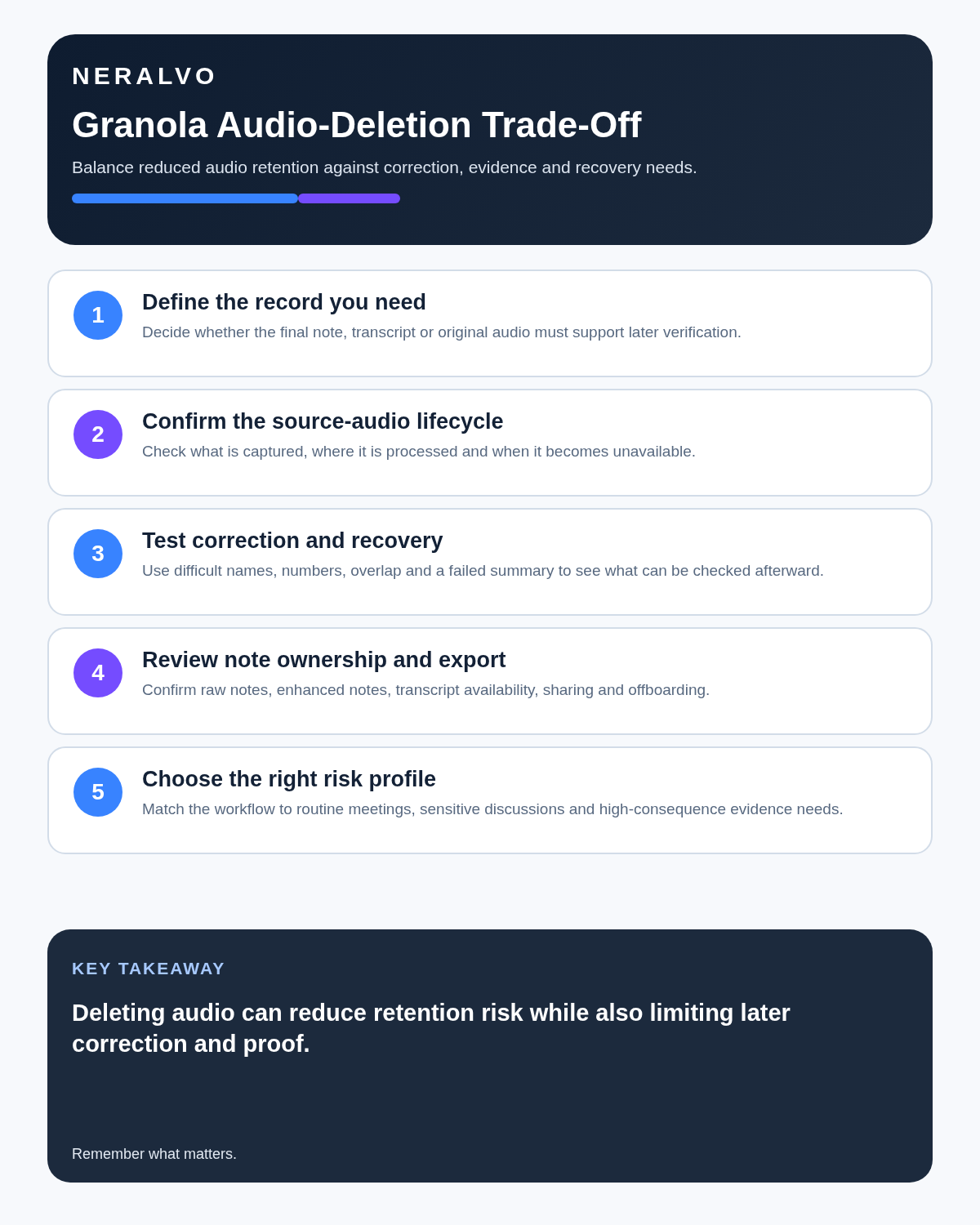
Granola states that source audio is transcribed in real time and deleted rather than stored as a replayable recording. Deleting audio limits long-term recording exposure but removes the strongest source for checking a disputed quotation, speaker attribution, tone, pauses, overlap or transcription error. Granola’s transcript remains useful, yet it is still machine-generated text.
| Benefit | Trade-off |
|---|---|
| Less raw audio remains in the service | No playback when wording is disputed |
| Smaller sensitive-data surface | Harder to verify tone, pauses and overlap |
| Useful for text-first privacy policies | Unsuitable where source audio is the required record |
| Reduced long-term audio retention | Transcript checking must happen promptly |
Transcript auto-deletion is a separate decision
Granola allows transcript retention periods while keeping notes. Once a transcript is deleted, regeneration and meeting chat can become limited. Teams should approve final notes before deletion and understand that notes may survive after the supporting transcript is gone.
Who benefits from audio deletion?
- Founders documenting frequent calls without wanting a permanent audio archive.
- Recruiters who need structured interview notes but do not require replay.
- Consultants whose approved deliverable is a reviewed written note.
- Teams whose policy prefers minimising retained recordings.
- People who dislike visible meeting bots.
Who should not rely on it?
- Journalists verifying publishable quotations.
- Researchers preserving interview source material.
- Legal or evidential work requiring the original recording.
- Formal complaint, investigation or disciplinary processes.
- Anyone who regularly needs to resolve uncertain transcript passages later.
Current pricing and history design
| Plan | Current price | Main boundary |
|---|---|---|
| Basic | $0 per user/month | Unlimited meetings but limited accessible history, commonly 30 days |
| Business | $14 per user/month | Unlimited history, advanced models, integrations, central billing, MCP and API |
| Enterprise | From $35 per user/month | SSO, organisation policies, analytics and stronger administration |
The free plan’s unlimited meeting count does not mean unlimited usable history. Older notes may become inaccessible outside the history window unless the user upgrades or exports authorised information.
Business is mainly a history-and-integration upgrade
Business is most valuable when a user needs long-term searchable history or will move meeting context into tools such as Notion, Slack, HubSpot, Attio, Affinity or Zapier. It also includes advanced models, centralised billing, user management, MCP and current API access.
Review the model-training setting
Granola states that third-party AI providers are contractually prohibited from using customer meeting data to train their models. Granola itself may use de-identified data for service improvement unless the user opts out. Current guidance says all users can opt out in settings, while Enterprise can apply the choice organisation-wide by default.
This setting should be reviewed during setup, not after sensitive meetings have already been processed.
Bot-free does not mean undisclosed
No visible participant joins the call, and no bot announcement automatically interrupts the meeting. Users should still tell participants that transcription is active and follow applicable consent, workplace and professional rules.
Use a controlled Granola workflow
- Inform participants despite bot-free capture.
- Use manual notes to mark decisions and uncertainty.
- Correct names, figures and speaker labels promptly.
- Approve the enhanced note while context is fresh.
- Move actions into project or CRM systems.
- Set transcript retention by meeting category.
- Export records needed outside Granola before downgrade.
- Review shared folders, public links and integrations.
Plan for downgrade and export
A downgrade export may include titles and summaries without full transcripts. Export important authorised records before losing Business access, and verify what remains searchable or regenerable after the plan changes.
Security and location
Granola states that it is SOC 2 Type II certified, encrypts data in transit and at rest, deletes source audio after transcription and stores retained text data on secured US infrastructure. Organisations should still assess the data-processing agreement, subprocessors, retention settings, transfer position and model-training choice.
Direct comparison matrix: Granola AI and NERALVO Halo
How to read this matrix: it is not scored to force a Halo win. The competing option leads where its deployment, integrations, placement or ecosystem is stronger; Halo leads only where its dedicated capture workflow is the better fit.
Granola is strongest for software-led online meetings, user-guided notes and searchable meeting history without storing audio. Compare NERALVO Halo with Granola AI for this workflow is strongest for dedicated local and offline capture, 64GB storage and up to 35 hours of recording. Halo preserves source audio locally until the user deletes it and transfers over Bluetooth to DOWAY. One year of DOWAY Max is included.
Is cloud software or a physical recorder right for this workflow?
- Choose Granola AI when remote or desktop meetings, calendar automation and native workspace integrations are central—and its current plan covers the real team workload.
- Choose NERALVO Halo when in-person, mobile or offline source capture matters more than an auto-joining cloud workflow.
- Use neither when recording is not authorised or a mandatory privacy, compatibility or recovery gate fails.
One public user signal
“My coworker asked that I tell him before every meeting before I use it.”
Read the original Reddit discussion. This is one person’s public report, not a controlled test or community consensus.
Why it matters here: This is a useful reminder that a bot-free interface does not remove the need for clear notice, consent and an organisation-approved recording policy.
How community feedback is used
Public reviews can reveal recurring friction, but an anonymous anecdote is not treated as measured proof. A pull-quote should appear only when it links to the original post, identifies the relevant product version or date and is presented as one user’s experience—not as universal fact.
Frequently asked questions
Does Granola store meeting audio?
Granola states that audio is temporarily cached for transcription and then deleted.
What happens if the transcript is deleted?
Notes remain, but regeneration and chat based on the full transcript can be reduced.
Does bot-free recording remove the need for participant notice?
No. Users remain responsible for the appropriate transparency and permission process.
What happens after the Basic history window?
Older meetings may no longer be accessible through the normal history view unless the user upgrades or has exported the required record.
Final buying checklist
- Bot-free capture tested on real devices.
- Audio-deletion trade-off accepted.
- Transcript retention configured.
- Basic 30-day history boundary understood.
- Business and Enterprise pricing confirmed.
- Model-training opt-out reviewed.
- Manual-note workflow adopted.
- Downgrade export tested.
- Sharing controls reviewed.
- Meeting categories unsuitable for audio deletion identified.
Verdict: Granola is a thoughtful meeting-notes product for people who want AI to enhance their own notes. Its most important design choice—deleting audio—can be either a privacy strength or an evidence limitation depending on the meeting.
Official source and related reading
Software-first route
Need Zoom, Teams, calendar or CRM automation?
Choose cloud software for that job. This page completes the software workflow and evidence first. NERALVO Halo remains an optional later route only when offline, in-person or phone-attached capture matters more than native integrations.
On this page
Related guides
Keep the solution aligned with your original intent
- Choose the reviewed cloud software when Zoom, Teams, calendar automation, CRM workflows or unattended bot capture are essential.
- Consider dedicated hardware later only when offline, in-person, mobile or phone-attached capture is the actual requirement.
- Use neither when permission, governance, compatibility or retention requirements cannot be met.
Check current Granola details at the official source
Verify current plans, compatibility, limits and integrations with Granola before buying. Halo remains a separate optional comparison only for offline, in-person, mobile or phone-attached capture.
Found an error or an out-of-date claim? Email support@neralvo.com with the article address and a supporting source.