Reviewed and updated: 21 July 2026.
The 60-second verdict
A lecture transcript becomes useful only when it is converted into a checked revision pack that supports understanding and active recall. Saving hours of machine-generated text is not the same as studying.
Decision focus: use the method below only where it produces a recoverable source, a verifiable output and a clear next action. If one of those fails, change the workflow rather than trusting a polished summary.
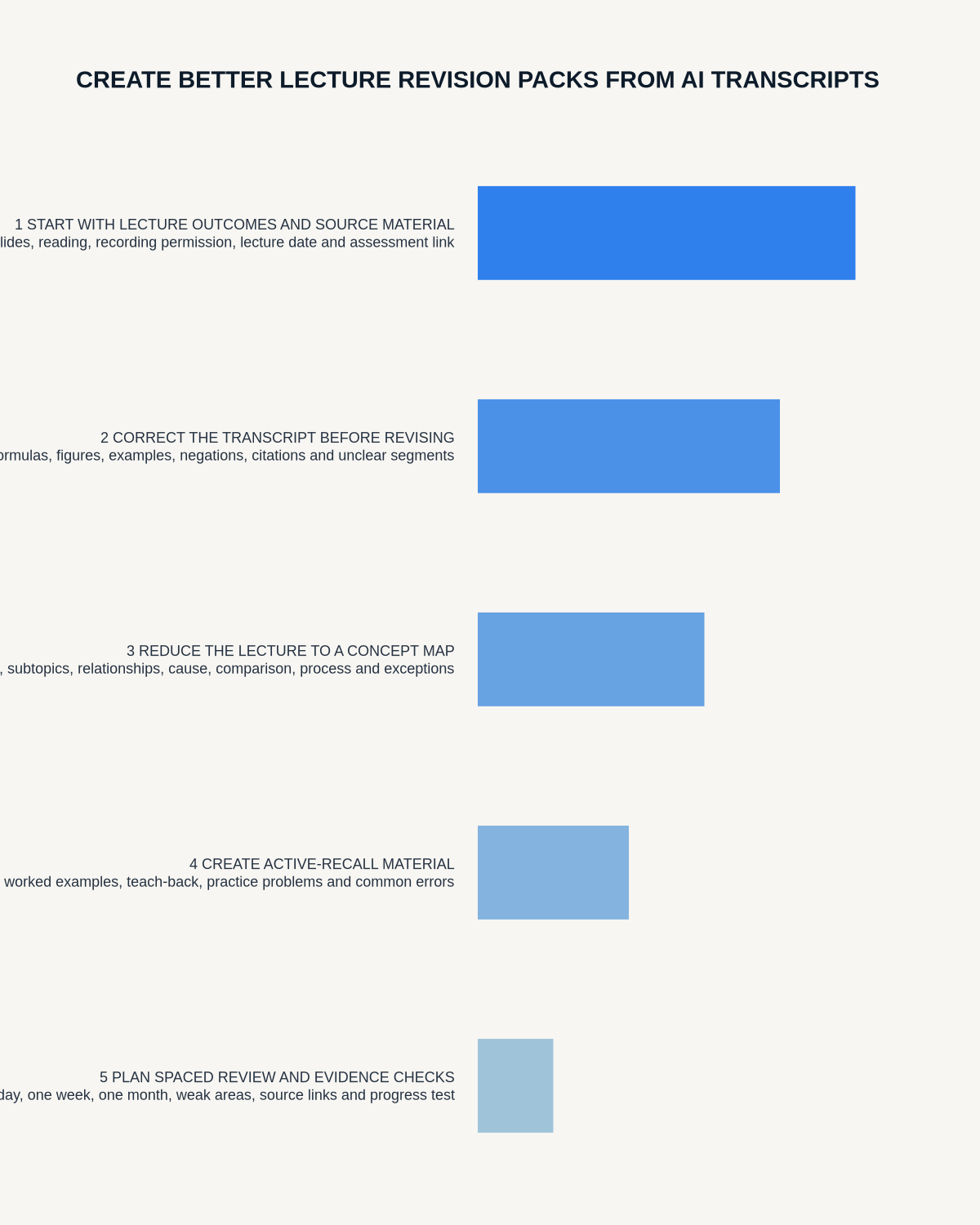
Quick verdict: correct the material terms, organise the lecture around learning objectives, create questions and worked explanations, link important points to slides or timestamps and remove unnecessary source copies under the course rules.
Evidence basis and limits
- Decision factors covered: Confirm the permitted study workflow; Process the lecture within a day; Correct the transcript selectively.
- Evidence rule: A claim earns weight only when the source, date, configuration and limitation are clear enough for a reader to check.
- Boundary: Examples and workflow recommendations must be tested with representative recordings, the intended users and the actual approval process before rollout.
Confirm the permitted study workflow
Before recording or processing a lecture, check:
- University, module and lecturer rules
- Whether AI transcription is permitted
- Whether classmates or guest speakers may be captured
- Whether the recording is for personal study only
- Accessibility arrangements
- Sharing restrictions
- Required retention and deletion
Permission to record does not automatically permit uploading the content to any AI service or sharing the transcript with other students.
Keep the source layers separate
| Layer | Purpose | Main control |
|---|---|---|
| Audio | Verify unclear or important wording | Restricted and purpose-based retention |
| Machine transcript | Searchable working source | Correct material errors |
| Lecture summary | Concise overview | Check omissions and qualifications |
| Revision pack | Active learning and review | Student-generated understanding and questions |
Process the lecture within a day
Context is easiest to reconstruct while the slides, examples and classroom discussion remain fresh. A practical sequence is:
- Confirm the source file is complete.
- Name it by module, date and topic.
- Generate the transcript.
- Correct the highest-risk terms.
- Match the content to learning objectives.
- Create the revision pack.
- Mark unresolved questions.
- Schedule the first recall session.
Allowing several lectures to accumulate creates a backlog that defeats the purpose of recording.
Correct the transcript selectively
Do not spend time perfecting every comma. Prioritise:
- Names of theories, authors, cases or researchers
- Technical vocabulary
- Dates and figures
- Formula wording and units
- Negative statements
- Definitions
- Assessment instructions
- Distinctions between similar concepts
- Audience questions that changed the explanation
Check against slides, course reading and the source audio. Mark uncertain wording rather than inventing a plausible term.
Use the learning objectives as the structure
For each objective, create:
- Core explanation: what the concept means in your own words.
- Evidence or example: the illustration used by the lecturer.
- Contrast: how it differs from a related idea.
- Application: where it is used.
- Limitation: an exception, criticism or condition.
- Recall question: a prompt that can be answered without the notes.
This produces a study document rather than a shortened transcript.
A complete revision-pack template
- Module, lecture and date
- Learning objectives
- Key terms and verified definitions
- Main concepts in plain language
- Examples and applications
- Comparisons and distinctions
- Formulas, diagrams or process steps
- Common errors or misconceptions
- Lecturer emphasis and assessment signals
- Questions to clarify
- Active-recall questions
- Short-answer or essay prompts
- Source slide or timestamp references
- Next review date
Turn transcript content into active recall
Create several question types:
Definition questions
“What is [term], and what distinguishes it from [related term]?”
Explanation questions
“Why does [process] occur?”
Application questions
“How would [concept] apply to this example?”
Comparison questions
“Compare [A] and [B] across purpose, mechanism and limitation.”
Sequence questions
“What are the stages of [process], in order?”
Evaluation questions
“What are the strengths, limitations and assumptions of [theory]?”
Answer from memory before checking the pack. Recognition while rereading is not the same as retrieval.
Create worked explanations
For difficult material, write or speak a short explanation as if teaching another student. Then compare it with the checked transcript and course sources. Record:
- What you explained correctly
- What you omitted
- What you misunderstood
- Which term needs verification
- Which example would improve the explanation
Link audio to slides and diagrams
Audio does not capture the full visual context. Add:
- Slide numbers
- Diagram screenshots where permitted
- Formula references
- Reading-page references
- Demonstration notes
- Timestamps for complex explanations
Do not rely on the transcript to reconstruct a visual argument it never captured.
Use AI summaries carefully
An automated summary may:
- Remove an important exception
- Combine two separate concepts
- Change a tentative claim into fact
- Ignore an example that explains the concept
- Misread a technical term
- Overweight the final part of the lecture
Use it as a starting structure and compare it with the learning objectives, transcript and slides.
Build a spaced-review schedule
A simple cycle is:
- Same day: create and correct the pack.
- Two or three days later: answer the recall questions.
- One week later: explain the topic without notes.
- Two to four weeks later: complete mixed questions with related topics.
- Before assessment: practise application and evaluation rather than replaying the whole lecture.
Use a quality scorecard
| Area | Pass condition |
|---|---|
| Terminology | Material terms checked against course sources |
| Coverage | Every learning objective represented |
| Understanding | Concepts expressed in the student’s own words |
| Visual context | Slides, diagrams and formulas linked |
| Recall | Questions require retrieval, not copying |
| Uncertainty | Unclear material marked for follow-up |
| Workload | Pack completed before backlog forms |
Protect classmates and course content
Remove irrelevant student names and personal disclosures. Do not upload, publish or distribute recordings, transcripts or generated notes beyond the permitted study purpose. Apply the institution’s storage and deletion rules.
Where NERALVO Halo fits
Apply this guide before assessing NERALVO Halo can capture approved lectures to 64GB local storage and synchronise recordings to DOWAY. DOWAY can generate transcripts, summaries, templates, translations and mind maps.
Use those outputs as source material for a checked, student-created revision pack. One year of DOWAY Max is included with the current Halo package. Actual lecture-hall capture should be tested from the normal seat.
Workflow choice matrix for How to Create Better Lecture Revision Packs from AI Transcripts
Choose the method that protects the source and reduces downstream correction. The table makes the non-hardware options explicit.
| Condition | Preferred route | Why |
|---|---|---|
| High-risk or mixed work | Governed hybrid | Separate capture, review, approval and retention rather than trusting one tool. |
| Recording is refused, prohibited or unnecessary | Manual notes / no recording | Respecting the boundary is the correct workflow, not a product failure. |
| In-person, mobile or unreliable-connectivity work | Dedicated recorder | Independent capture and a recoverable local source are usually more resilient. |
| Repeatable remote work with approved integrations | Cloud software | Automation and central collaboration may outweigh device independence. |
Frequently asked questions
Can the transcript replace revision?
No. It preserves information but does not create understanding or retrieval practice.
Should every word be corrected?
No. Prioritise errors that change concepts, terminology, figures, definitions or assessment instructions.
Can AI create flashcards automatically?
It can draft questions, but check that the answers are supported and that the prompts require meaningful recall.
Should the whole recording be replayed?
Usually no. Use timestamps to revisit difficult or important passages.
Final checklist
- Recording and processing rules confirmed
- Source file complete and named
- Material terms corrected
- Learning objectives used as headings
- Concepts rewritten in the student’s own words
- Examples, formulas and visuals linked
- Recall and application questions created
- Unclear points marked
- Spaced review scheduled
- Classmate information protected
- Source retention applied
A strong AI-assisted revision pack reduces transcription effort while keeping the thinking, checking and retrieval with the student.
Related AI voice recorder guides
Workflow map
Visual map for How to Create Better Lecture Revision Packs from AI Transcripts
- Define the decisionState the question, required output and acceptance rule.
- Capture the sourceUse the approved route and preserve context, identity and limitations.
- Verify material detailsReplay or check names, numbers, negatives, decisions and actions.
- Move into the real recordAssign an owner, retain evidence and apply the deletion rule.
On this page
Related guides
See whether Halo fits long-form study capture
After checking permission and your institution’s rules, compare Halo’s stated battery, storage and export workflow with the way you actually study.
Found an error or an out-of-date claim? Email support@neralvo.com with the article address and a supporting source.