The 60-second verdict
Quick answer: when someone refuses to be recorded, stop or pause immediately, acknowledge the concern without pressure, clarify the practical boundary and offer an equivalent note-taking method. Protect any audio already captured and follow the approved restriction, deletion or incident process across every recording system.
Decision focus: use the method below only where it produces a recoverable source, a verifiable output and a clear next action. If one of those fails, change the workflow rather than trusting a polished summary.
Evidence basis and limits
- Decision factors covered: Immediate response; Do not pressure the participant; Use a refusal decision process.
- Evidence rule: A claim earns weight only when the source, date, configuration and limitation are clear enough for a reader to check.
- Boundary: Examples and workflow recommendations must be tested with representative recordings, the intended users and the actual approval process before rollout.
A participant should not need to justify refusal publicly, and refusal should not reduce their ability to take part. The objective is to preserve the purpose of the meeting without coercion, hidden recording or unnecessary disadvantage.
Immediate response
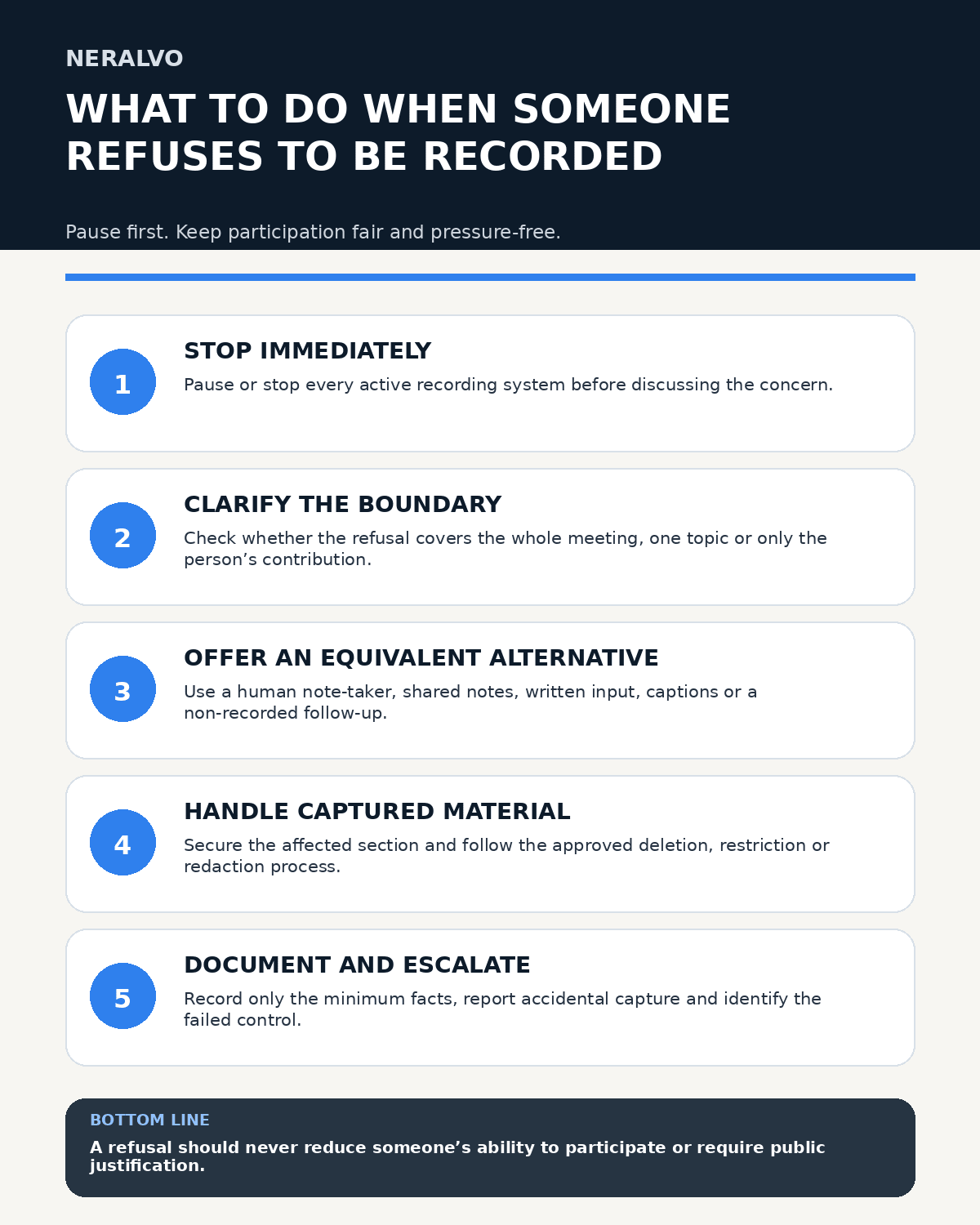
- Pause or stop every recording system.
- Acknowledge the concern calmly.
- Clarify whether refusal covers the entire meeting, one topic or the person’s contribution.
- Offer a practical non-recorded alternative.
- Check the applicable policy or authority if the position is unclear.
- Document only the minimum necessary facts.
Do not continue capturing the discussion about whether recording may continue unless the participant has clearly agreed to that limited recording and the process permits it.
Do not pressure the participant
Avoid phrases such as “everyone else agreed,” “it is only for notes” or “there is nothing to worry about.” Do not make refusal feel obstructive, suspicious or personally critical.
Refusal should not reduce access to information, participation, service quality or the opportunity to contribute. Any unavoidable difference in process should be explained and documented proportionately.
Use a refusal decision process
- Can the meeting continue without recording? Use an alternative note method.
- Can recording pause for the person or topic? Define the stop and restart points clearly.
- Is recording required by a specific authorised procedure? Keep recording paused and obtain guidance; explain the participant’s options and safeguards accurately.
- Would continuing create a safety, fairness, confidentiality or policy problem? Stop and escalate.
- Was material captured after refusal? Secure the source and follow the incident process.
Offer workable alternatives
- a designated human note-taker;
- shared live notes visible to participants;
- a written agenda and post-meeting action confirmation;
- a non-recorded follow-up call or meeting;
- written responses before or after the session;
- a chair’s private post-meeting summary that does not contain participant audio;
- approved captions or accessibility tools;
- formal minutes.
Choose an option that preserves the meeting’s purpose and does not create a hidden disadvantage.
Handle partial refusal carefully
A person may agree to general recording but refuse capture of personal information, a sensitive agenda item or their own contribution. Define the boundary before restarting. The chair should announce pause and restart points and mark the gap in the final notes.
Do not imply that a non-recorded section is complete or verbatim.
Deal with already-captured material
If recording began before the refusal, identify the affected section and secure the source while the responsible owner decides whether it should be deleted, restricted, redacted or retained for a defined reason.
Do not promise immediate deletion unless the person has authority and the workflow can prove deletion across all relevant copies. Explain that the request will be handled through the approved process.
Check every recording system
Stopping a physical recorder may not stop platform recording, live captions, an automated meeting assistant or another authorised device. Confirm each system separately. In hybrid meetings, check room and remote capture paths.
Late arrivals should receive the same explanation and opportunity to raise concerns.
Distinguish optional and authority-based recording
Some settings rely on a person’s agreement; others may use a specific authorised procedure or another lawful basis. Meeting staff should not improvise legal conclusions. When the position is unclear, keep recording paused and consult the designated policy, privacy, legal, safeguarding or governance owner.
Even where individual consent is not the legal basis, participants should receive accurate information about purpose, safeguards, rights and alternatives where applicable.
Document the outcome minimally
Record only:
- meeting reference and date;
- that an objection or refusal was raised;
- the scope of refusal;
- whether recording stopped, paused or changed;
- the alternative used;
- any escalation or follow-up owner;
- the status of already-captured material.
Do not record speculative motives, unnecessary health information or critical commentary about the participant.
Respond to accidental continuation
If recording continued after refusal because of human or technical error:
- Stop capture.
- Secure the device and files.
- Record the approximate affected period.
- Notify the incident owner.
- Follow instructions on restriction, deletion and participant communication.
- Identify the control failure and corrective action.
Do not create unofficial copies or edit the source in a way that destroys the incident evidence before receiving instructions.
Manage regular preferences carefully
Where the same people meet repeatedly, it may be appropriate to record a limited preference such as “use written notes unless separately agreed.” Review it rather than assuming the preference never changes. Do not attach a broad label to the person across unrelated contexts.
How NERALVO Halo fits this workflow
Apply this guide before assessing NERALVO Halo can be paused or stopped as part of an authorised recording process, but the device cannot decide whether recording may continue. The meeting owner must control Halo, any platform recorder, captions and automated assistants separately and follow the organisation’s refusal, restriction and deletion procedure.
Workflow choice matrix for What to Do When Someone Refuses to Be Recorded
Choose the method that protects the source and reduces downstream correction. The table makes the non-hardware options explicit.
| Condition | Preferred route | Why |
|---|---|---|
| Repeatable remote work with approved integrations | Cloud software | Automation and central collaboration may outweigh device independence. |
| In-person, mobile or unreliable-connectivity work | Dedicated recorder | Independent capture and a recoverable local source are usually more resilient. |
| Recording is refused, prohibited or unnecessary | Manual notes / no recording | Respecting the boundary is the correct workflow, not a product failure. |
| High-risk or mixed work | Governed hybrid | Separate capture, review, approval and retention rather than trusting one tool. |
Frequently asked questions
Does a participant have to explain why they refuse?
No. Ask only what is necessary to understand the scope and provide an appropriate alternative.
Can recording continue if everyone else agrees?
Not automatically. Follow the applicable policy and lawful process and do not capture the objecting person contrary to that process.
What if part of the meeting was already recorded?
Secure the material, identify the affected section and follow the approved restriction, redaction or deletion process across every copy.
What if recording is operationally required?
Pause and obtain guidance from the authorised owner. Explain the procedure and available options accurately without pressuring the participant.
Related guides
- How to Explain AI Meeting Recording to Participants
- Recording Meetings in the UK
- How to Ask Permission to Record a Meeting
Useful resources
- ICO guidance on lawfulness, fairness and transparency
- ACAS workplace guidance
- Apply this guide before assessing NERALVO Halo
Refusal-handling checklist
- Every recording system paused
- Concern acknowledged without pressure
- Scope clarified privately and minimally
- Equivalent alternative offered
- Partial-recording boundaries controlled
- Already-captured material secured
- Accidental continuation reported
- Outcome documented without judging the participant
Workflow map
Visual map for What to Do When Someone Refuses to Be Recorded
- Define the decisionState the question, required output and acceptance rule.
- Capture the sourceUse the approved route and preserve context, identity and limitations.
- Verify material detailsReplay or check names, numbers, negatives, decisions and actions.
- Move into the real recordAssign an owner, retain evidence and apply the deletion rule.
On this page
Related guides
See whether Halo fits this workflow
Review the NERALVO Halo specifications, included services, delivery information and current offer only after completing the guide.
Found an error or an out-of-date claim? Email support@neralvo.com with the article address and a supporting source.