Reviewed and updated: 21 July 2026.
The 60-second verdict
A recorder for client calls must handle two different capture paths: the client’s voice from the call and the user’s voice from the microphone. A successful room test does not prove that both sides of a phone or social-app call will be captured.
Best fit: Client Calls who need recoverable audio and human-verified notes in an authorised workflow. Use another method when: recording is prohibited, a participant declines or the approved process requires manual notes.
Quick verdict: test every real call route, verify both speakers in the original audio, check critical client details and route only the approved concise note into the authoritative client system.
Evidence basis and limits
- Decision factors covered: Map every client-call route; Use a two-sided call script; Check original audio before transcript.
- Evidence rule: A claim earns weight only when the source, date, configuration and limitation are clear enough for a reader to check.
- Boundary: Examples and workflow recommendations must be tested with representative recordings, the intended users and the actual approval process before rollout.
Map every client-call route
List:
- Ordinary mobile calls
- Speakerphone
- Internet or social-app calls
- Teams, Zoom or Meet calls
- Business telephony
- Headset use
- Bluetooth in the car or office
- International and roaming scenarios
Each route can behave differently. Test them separately.
Use a two-sided call script
Ask each speaker to state:
- Name
- Organisation
- Reference number
- Date
- Amount
- One negative statement
- One conditional instruction
- One confirmed action
Keep an answer key for comparison.
Check original audio before transcript
| Check | Pass condition |
|---|---|
| Client voice | Complete and intelligible |
| User voice | Complete and balanced |
| Start | Notice and early instructions captured |
| End | Final actions and close captured |
| Interruptions | Hold, transfer and reconnect handled |
| File | Saved once with correct duration |
If one voice is absent or distorted in the source, do not trust the transcript.
Test difficult call events
- Call waiting
- Hold music
- Transfer
- Conference call
- Bluetooth reconnect
- Incoming notification
- Speakerphone change
- Call drop and redial
- Low battery
- Low storage
Check whether the recording stops, splits or duplicates.
Verify client-critical details
Review:
- Identity and reference
- Dates and amounts
- Instructions
- Advice and warnings
- Offers and conditions
- Complaints and objections
- Actions and deadlines
- Whether a proposal became an agreement
Create a controlled client note
The final note should include:
- Date, time and participants
- Purpose
- Verified facts and instructions
- Advice or response given
- Decisions and conditions
- Actions, owners and deadlines
- Unresolved questions
- Reviewer and approval status
Do not automatically place the full transcript into the CRM or client file.
Assess notice and permission
Define:
- Who is told
- What is said
- When notice is delivered
- How objections are handled
- Whether a non-recorded route exists
- Whether sector or jurisdiction rules apply
Technical compatibility does not establish authority to record.
Protect sensitive sections
Pause or exclude payment details, authentication information, passwords, unrelated personal matters, privileged side discussion and other information outside the purpose.
Plan the data route
- Recording stored on device
- Transfer to phone or app
- Transcription processing
- Human review
- Approved client note
- Export to authoritative system
- Retention or deletion of source and drafts
Map every copy and assign an owner.
Measure workflow performance
- Successful two-sided capture rate
- Wrong-mode incidents
- Call-event failures
- Critical transcription error rate
- Correction time
- Note-completion time
- Successful export rate
- Retention compliance
- User and client complaints
Calculate total cost
Include hardware, AI or transcription subscription, support, correction time, failure reconstruction, secure storage, training and compliance administration.
Where NERALVO Halo fits
Assess Halo against the client calls workflow matrix offers CALL mode for supported phone and social-app calls, NOTE mode, 64GB local storage, up to 35 hours of recording and Bluetooth connection to DOWAY. DOWAY supports transcripts, summaries, templates, translations, mind maps and exports, with one year of DOWAY Max included.
CALL compatibility varies by phone, operating system and call setup. Buyers should complete the two-sided test across every route they intend to use.
Client-call buying checklist
- All call routes mapped
- Two-sided script tested
- Original audio verified
- Call waiting, transfer and reconnect tested
- Critical client details checked
- Client-note template tested
- Notice and objection process defined
- Sensitive-section pause available
- Complete data route mapped
- Exports tested
- Retention assigned
- Total cost measured
Cloud software, a dedicated recorder or manual notes?
For Client Calls, the right answer changes with the setting. This matrix deliberately gives each method a situation where it can be the strongest choice.
| Situation | Best starting point | Reason |
|---|---|---|
| scheduled remote meetings | Cloud meeting software | Auto-join and central collaboration can remove routine admin. |
| in-person or mobile work | Dedicated recorder | Dedicated hardware suits movement, variable rooms and offline source capture. |
| recording is refused or prohibited | Manual notes or an approved alternative | A clear alternative respects policy and participant choice. |
| mixed online and offline work | Governed hybrid | One governed process prevents gaps between desk and field work. |
Frequently asked questions
Does CALL mode work with every phone?
No. Compatibility varies by phone, operating system, app and setup.
Can the transcript prove both sides were captured?
No. Listen to the source recording first.
Should the full call transcript enter the CRM?
Usually a concise verified note is more appropriate. Follow the organisation’s rules.
What is the most important client-call test?
Confirm that both speakers, conditions and final actions are complete in the original audio.
Choose dependable two-sided capture
The right client-call recorder preserves both voices, survives common call events and produces a checked note that enters the correct system without over-retaining the conversation.
Related guides
Profession workflow
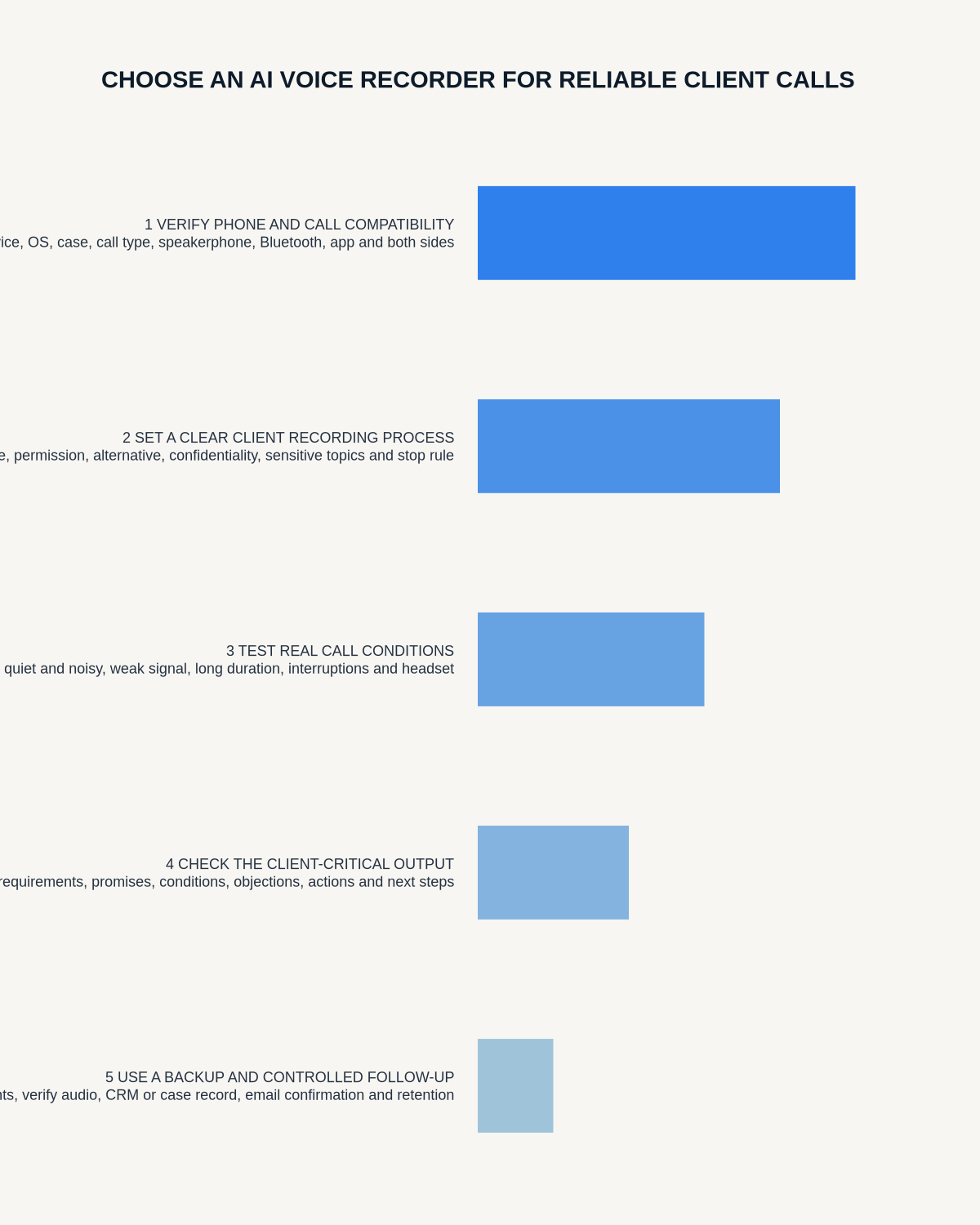
Visual map for AI Voice Recorder for Client Calls: A Two-Sided Capture Test
- Prepare the approved useDefine purpose, safe position, permission and the required formal record.
- Capture context firstState the case, asset, person, location or event identifier before detail.
- Human-verify evidenceCheck technical terms, units, names, dates, decisions and uncertainty.
- Complete the formal recordTransfer only verified information and apply access and retention controls.
On this page
Related guides
See whether Halo fits this workflow
Review the NERALVO Halo specifications, included services, delivery information and current offer only after completing the guide.
Found an error or an out-of-date claim? Email support@neralvo.com with the article address and a supporting source.