The 60-second verdict
Quick answer: use CALL mode for an important conversation only after a disclosed dry run proves that the exact phone, case, app, audio route and recorder capture both sides clearly. During the real call, exclude credentials, verify material details and move the checked outcome into the proper business record.
Decision focus: use the method below only where it produces a recoverable source, a verifiable output and a clear next action. If one of those fails, change the workflow rather than trusting a polished summary.
Evidence basis and limits
- Decision factors covered: Confirm purpose and recording authority; Run a five-minute dry test; Test the full audio route.
- Evidence rule: A claim earns weight only when the source, date, configuration and limitation are clear enough for a reader to check.
- Boundary: Examples and workflow recommendations must be tested with representative recordings, the intended users and the actual approval process before rollout.
Call-recording compatibility varies by phone, operating system, calling app, Bluetooth route, speaker volume and device placement. A successful test on one setup does not prove another route will work.

Confirm purpose and recording authority
Define why the call needs recording and which final record is required. Give the required notice or obtain the required agreement before substantive discussion. A recorder should never be used to bypass a refusal, platform restriction or organisational policy.
Run a five-minute dry test
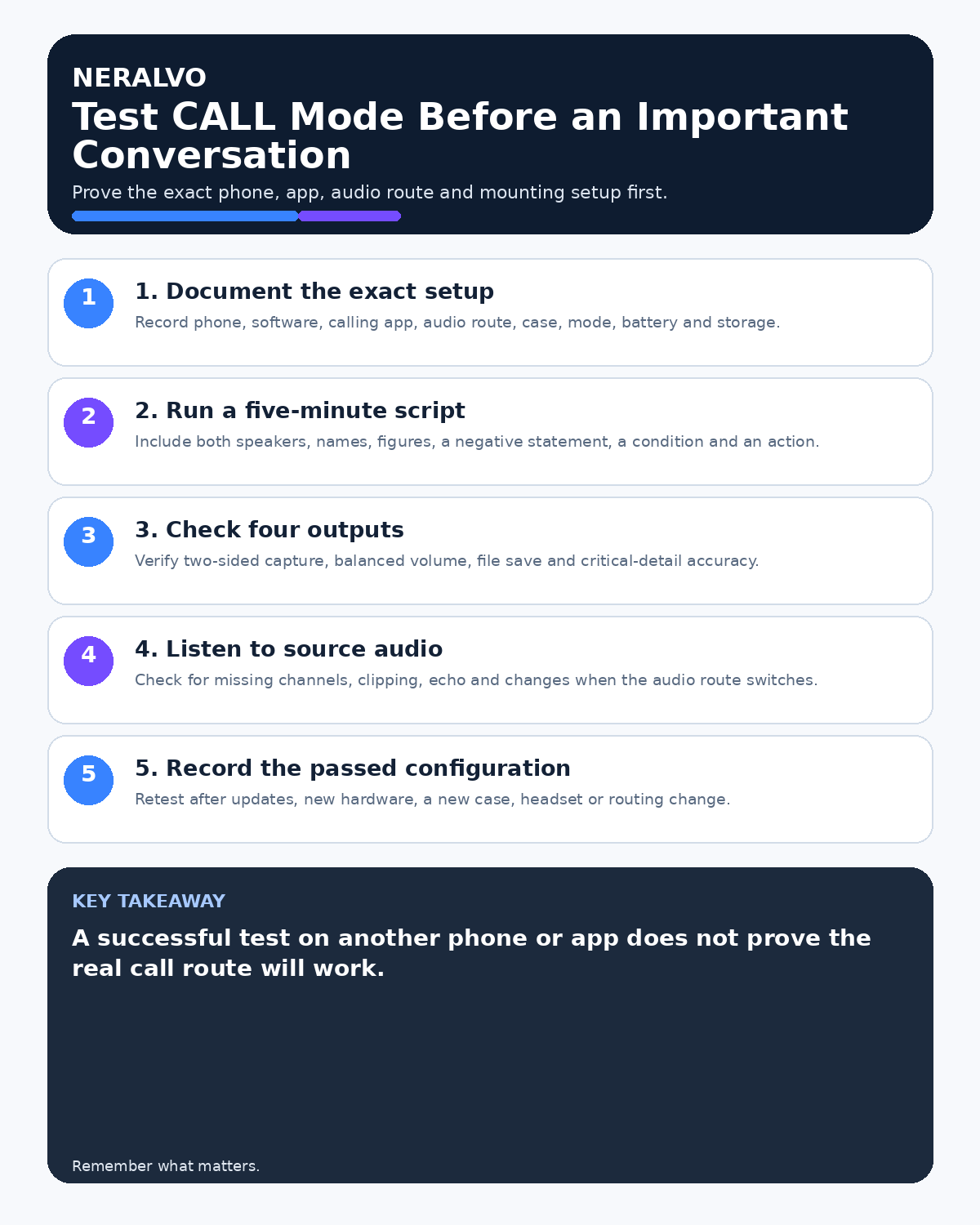
- Use the exact phone, case, operating system and calling app.
- Set the intended call mode and device position.
- Include quiet and normal speech from both sides.
- Say a name, amount, date, negative statement and reference number.
- End the call, confirm the file saved and replay the full source audio.
Inspect the transcript only after checking the audio. A readable transcript can hide a weak or missing channel.
Test the full audio route
Headphones, Bluetooth devices, car systems and operating-system call handling can change where audio is sent. Disconnect unnecessary accessories and confirm that both sides remain audible after the phone locks, receives a notification or changes network.
For more detailed preparation, use the CALL mode dry-run checklist.
Prepare the conversation
- Write the purpose and required outcome.
- List high-risk details that need read-back.
- Prepare the non-recorded fallback.
- Charge the recorder and phone.
- Check local storage and processing allowance.
- Choose a quiet, private location.
Exclude sensitive credentials
Pause or stop before passwords, full payment-card details, security answers, one-time codes and other authentication information. Use the organisation’s approved payment and identity-verification process.
Use explicit status language
Distinguish discussed, proposed, subject to approval, confirmed, declined and deferred. Repeat commitments using the formula: action, owner, deadline and condition.
Monitor without distraction
Do not continually handle the recorder during the call. Watch for obvious warning indicators and use the approved fallback if capture fails. The conversation and participant experience remain more important than salvaging a defective recording.
Verify the result immediately
- Confirm the correct file and duration.
- Replay the beginning, middle and end.
- Check both sides of the call.
- Verify names, amounts, dates, instructions and conditions.
- Mark unclear passages honestly.
- Create the final call note or follow-up.
- Move it to the CRM, case or project system.
Workflow choice matrix for How to Test CALL Mode Before an Important Conversation
Choose the method that protects the source and reduces downstream correction. The table makes the non-hardware options explicit.
| Condition | Preferred route | Why |
|---|---|---|
| High-risk or mixed work | Governed hybrid | Separate capture, review, approval and retention rather than trusting one tool. |
| Recording is refused, prohibited or unnecessary | Manual notes / no recording | Respecting the boundary is the correct workflow, not a product failure. |
| In-person, mobile or unreliable-connectivity work | Dedicated recorder | Independent capture and a recoverable local source are usually more resilient. |
| Repeatable remote work with approved integrations | Cloud software | Automation and central collaboration may outweigh device independence. |
Frequently asked questions
Does CALL mode work on every phone?
No. Compatibility depends on the exact hardware, software and call route, so test it first.
Can Bluetooth headphones remain connected?
Only if the tested approved setup captures both sides reliably. Otherwise disconnect them.
Can the transcript be sent directly to the other person?
Usually a checked, concise follow-up is more useful and proportionate.
Useful resources
- ICO data-protection guidance
- How to Prevent Bluetooth and App Interruptions
- What to Do When Recorder Storage Is Full
- Apply this guide before assessing NERALVO Halo
Final CALL mode checklist
- Purpose and authority confirmed
- Exact setup dry-tested
- Both call sides verified
- Bluetooth and notifications controlled
- Credentials excluded
- Critical details read back
- Final record checked and routed
On this page
More in this topic: Meeting capture and follow-up workflows
Show 6 closely related guides
- How to Standardise AI Meeting Notes Across a Team
- How to Choose One AI Voice Recorder for Calls and Meetings
- AI Voice Recorder for Transcript Export: Portability and File Test
- AI Voice Recorder for Action Items: Accuracy, Owners and Deadlines
- How to Turn Meeting Recordings into Client Follow-Up Emails
- How to Summarise a 60-Minute Meeting in 10 Minutes
Related guides
See whether Halo fits this workflow
Review the NERALVO Halo specifications, included services, delivery information and current offer only after completing the guide.
Found an error or an out-of-date claim? Email support@neralvo.com with the article address and a supporting source.