Reviewed and updated: 21 July 2026.
The 60-second verdict
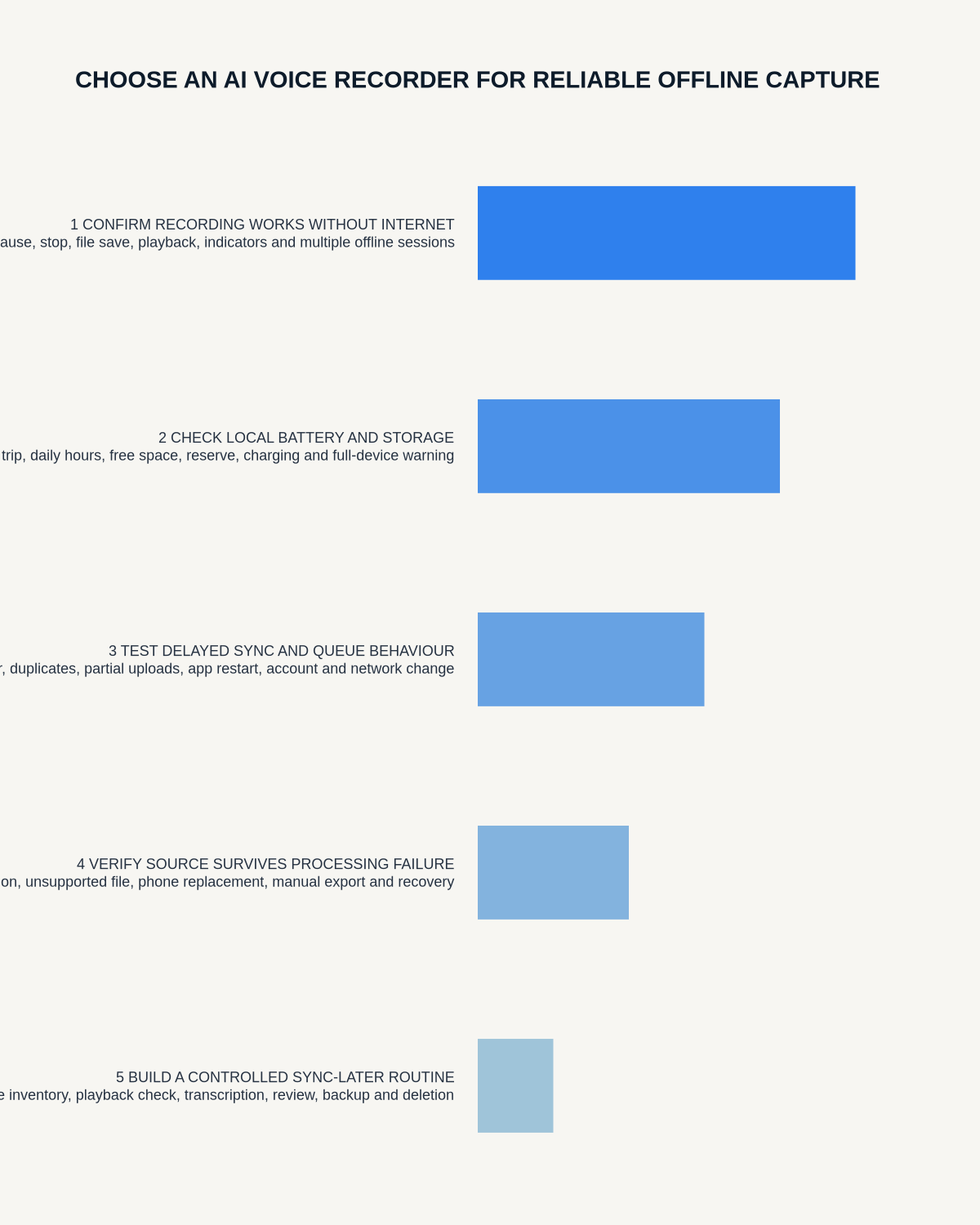
An AI voice recorder for offline capture must preserve a complete source file without a live connection, show whether recording is active and recover safely when synchronisation or processing is interrupted later. “Works offline” should not be treated as a single yes-or-no feature.
Decision focus: use the method below only where it produces a recoverable source, a verifiable output and a clear next action. If one of those fails, change the workflow rather than trusting a polished summary.
Quick verdict: separate offline recording from offline AI, test airplane-mode capture, storage visibility, interrupted sync, duplicate handling and later export before relying on a recorder away from dependable connectivity.
Evidence basis and limits
- Decision factors covered: Define what must work offline; Run an airplane-mode recording test; Check recording-state visibility.
- Evidence rule: The decision is based on the complete capture-to-action workflow, not a single feature or marketing accuracy percentage.
- Boundary: Examples and workflow recommendations must be tested with representative recordings, the intended users and the actual approval process before rollout.
Define what must work offline
| Function | Question |
|---|---|
| Recording | Can a complete file be created with no connection? |
| Playback | Can the source be checked without the app or internet? |
| Naming | Can files be identified before sync? |
| Storage | Is remaining capacity visible? |
| Transcription | Does AI processing wait for connectivity? |
| Export | Can files leave the device through an approved route? |
Local capture does not automatically mean offline transcription, summaries or translation.
Run an airplane-mode recording test
- Charge the recorder and note available storage.
- Put the paired phone in airplane mode or disconnect it completely.
- Record a normal-length sample.
- Include names, numbers, technical terms and a quiet passage.
- Stop and confirm the file saves.
- Start another recording before reconnecting.
- Check whether both files remain distinct and complete.
- Reconnect only after verifying the recorder’s status.
- Synchronise and compare duration and content.
- Export the source and processed output.
Check recording-state visibility
When there is no app feedback, the device itself should make status understandable. Test:
- Start confirmation
- Active-recording indication
- Pause or mode state
- Stop and save confirmation
- Low-battery warning
- Low-storage warning
- Error indication
- Accidental-control protection
Test long offline sessions
Use the longest normal session and include:
- Several stops and starts
- Long continuous capture
- Movement between locations
- Near-full storage
- Low battery
- Several files awaiting sync
Confirm that later files are not corrupted because earlier ones remain unprocessed.
Test interrupted synchronisation
- Begin transferring a long file.
- Disable Bluetooth, close the app or interrupt connectivity.
- Check whether the original remains on the recorder.
- Reconnect and resume or restart.
- Check for duplicates.
- Compare duration and file size.
- Open the transferred audio independently.
- Confirm only one authoritative source remains.
A failed sync should not delete or silently truncate the original.
Understand the processing queue
When several files are captured offline, check:
- Upload order
- Whether large files block smaller urgent files
- Progress visibility
- Retry behaviour
- Duplicate prevention
- Whether AI allowances are consumed twice
- Notifications when processing finishes
Plan storage for time away
Calculate:
Required offline capacity = expected recording hours × real file size per hour × safety margin.
Include an extra day or failed-transfer buffer. Do not rely on headline capacity without testing the chosen format.
Battery planning
Allow for:
- Recording time
- Time waiting before recharge
- Status checks
- Bluetooth reconnect and transfer
- Cold or hot conditions
- Battery ageing
- Unexpected sessions
Use safe file naming
When detailed names cannot be added until later, use a spoken or written log containing:
- File sequence
- Date and time
- Project or matter code
- Purpose
- Priority
- Retention status
Avoid exposing confidential names on a lost device where policy requires neutral identifiers.
Decide when processing may wait
Urgent actions, safety issues and time-critical instructions should not depend on later AI processing. Use an approved written fallback or immediate human note when the information must be acted on before connectivity returns.
Test account and subscription failure
Check whether basic recording and source export remain available when:
- The phone is logged out
- The AI allowance is exhausted
- The subscription expires
- The app is unavailable
- The supplier service is temporarily down
Capture independence is valuable only when the user can still recover the source.
Protect offline recordings
Local files can be exposed if the recorder is lost. Review physical security, device assignment, loss reporting, access control, neutral naming, retention and deletion after transfer.
Where NERALVO Halo fits
View Halo specifications against the evidence checklist captures audio to 64GB local storage and provides up to 35 hours of recording, NOTE mode and supported CALL mode. Recordings synchronise over Bluetooth to DOWAY for transcripts, summaries, templates, translations, mind maps and exports. One year of DOWAY Max is included.
Halo’s local capture should be tested with the airplane-mode, long-session and interrupted-sync procedures above. DOWAY processing may require a phone, account and connectivity even when the source recording does not.
Offline-capture buying checklist
- Offline functions defined separately
- Airplane-mode test completed
- Recording state visible
- Multiple unsynced files tested
- Long session completed
- Interrupted sync recovered
- Duplicate handling checked
- Storage and battery calculated
- Urgent-action fallback defined
- Account or service outage tested
- Source export completed
- Loss and deletion controls assessed
Workflow choice matrix for Offline AI Voice Recording
Choose the method that protects the source and reduces downstream correction. The table makes the non-hardware options explicit.
| Condition | Preferred route | Why |
|---|---|---|
| High-risk or mixed work | Governed hybrid | Separate capture, review, approval and retention rather than trusting one tool. |
| Recording is refused, prohibited or unnecessary | Manual notes / no recording | Respecting the boundary is the correct workflow, not a product failure. |
| In-person, mobile or unreliable-connectivity work | Dedicated recorder | Independent capture and a recoverable local source are usually more resilient. |
| Repeatable remote work with approved integrations | Cloud software | Automation and central collaboration may outweigh device independence. |
Frequently asked questions
Does offline recording mean offline AI?
No. Transcription and other AI functions may require later connection.
Should the source be deleted after sync?
Only after the destination copy is verified and the retention decision permits deletion.
What is the most important failure test?
Interrupt a long sync and confirm the original file remains complete and recoverable.
Can a recorder be trusted without the companion app?
Only after testing recording state, playback or export and error warnings independently.
Choose recoverable local capture
The strongest offline workflow preserves a complete source, makes failure obvious and resumes processing without losing or duplicating information.
Related guides
Workflow map
Visual map for Offline AI Voice Recording: How to Test Capture, Sync and Recovery
- Define the decisionState the question, required output and acceptance rule.
- Capture the sourceUse the approved route and preserve context, identity and limitations.
- Verify material detailsReplay or check names, numbers, negatives, decisions and actions.
- Move into the real recordAssign an owner, retain evidence and apply the deletion rule.
On this page
Related guides
See whether Halo fits this workflow
Review the NERALVO Halo specifications, included services, delivery information and current offer only after completing the guide.
Found an error or an out-of-date claim? Email support@neralvo.com with the article address and a supporting source.