The 60-second verdict
Quick answer: choose a meeting bot when most important work happens on supported online platforms and calendar automation matters. Choose a dedicated AI recorder when conversations move through rooms, sites, travel, interviews and private notes. Hybrid teams should test the difficult meeting and select one authoritative output.
Best fit: choose the option that passes your capture, recovery, privacy and total-cost gates. Do not decide on: price or a single accuracy claim in isolation.
Evidence basis and limits
- Decision factors covered: What a meeting bot does; What a dedicated AI recorder does; Compare the two workflows.
- Evidence rule: A claim earns weight only when the source, date, configuration and limitation are clear enough for a reader to check.
- Boundary: Examples and workflow recommendations must be tested with representative recordings, the intended users and the actual approval process before rollout.

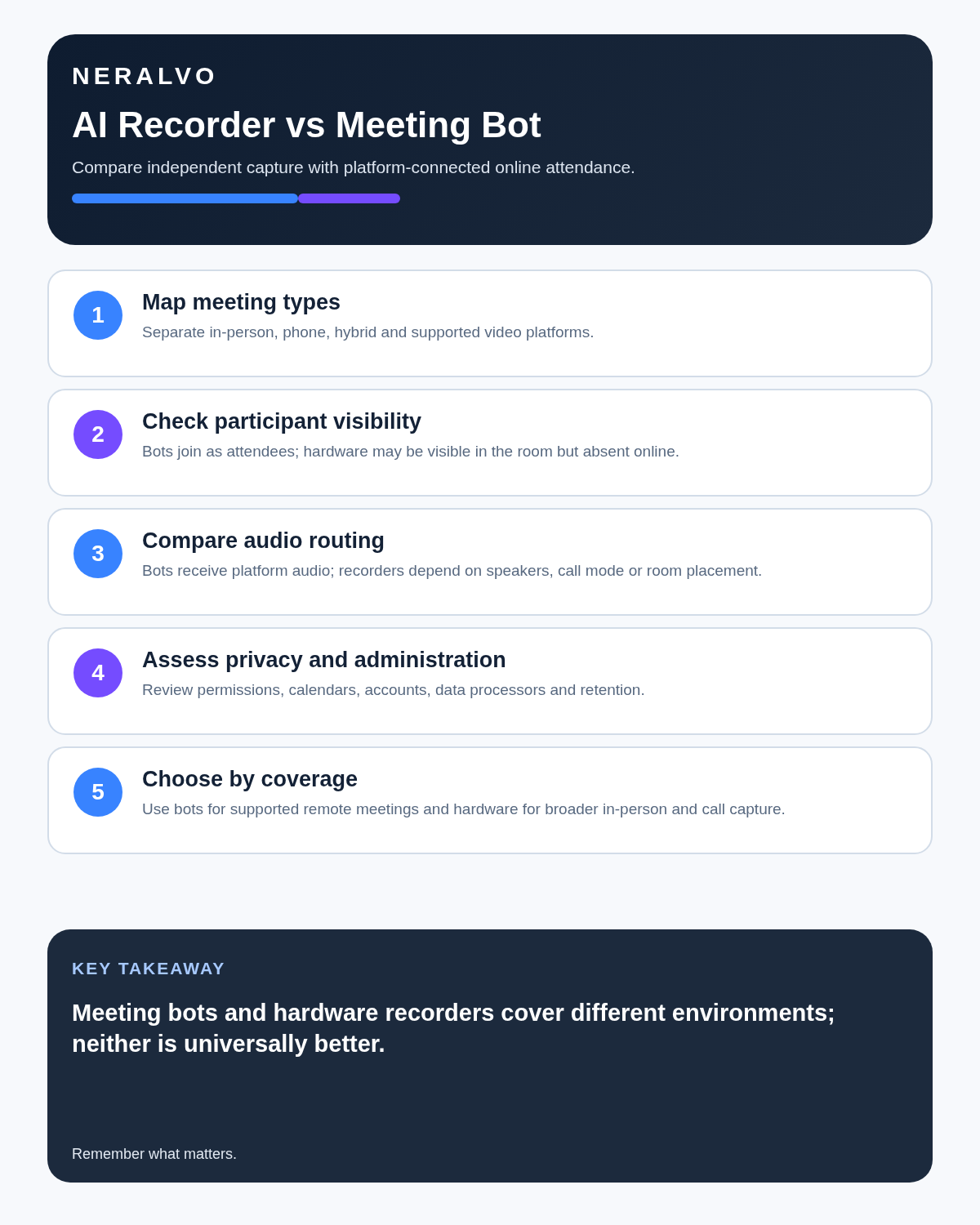
A meeting bot begins with the conferencing platform. A dedicated AI recorder begins with the physical conversation. Neither is universally better; the correct choice depends on where work occurs, how recording is authorised and which record must exist afterward.
What a meeting bot does
A meeting bot joins supported online meetings as a software participant. Depending on provider and plan, it may follow calendar events, receive platform audio, identify attendees and create transcripts, summaries or a shared searchable archive.
Its strengths are context, automation and central administration. Its risks include joining an excluded meeting, automatically creating a large cloud archive and depending on platform, calendar and provider access.
What a dedicated AI recorder does
A physical recorder captures sound in the user’s environment and may store audio locally before synchronisation and AI processing. It can follow the user through permitted room meetings, interviews, lectures, site visits, travel, supported phone workflows and private spoken notes.
Its strengths are portability, deliberate start and offline source capture. Its risks include placement, battery, wrong mode, missed remote voices and files remaining outside the business system.
Compare the two workflows
Balanced comparison matrix
Balanced decision rule: a cloud tool should win where automation and collaboration matter most; a dedicated recorder should win where independent capture and mobility matter most; manual notes should win when recording is inappropriate.
| Factor | Meeting bot | Dedicated recorder |
|---|---|---|
| Best source | Online platform audio | Physical-room audio |
| Automation | Calendar and auto-join | Manual deliberate start |
| Context | Meeting title, invitees and platform data | User-supplied labels and later routing |
| Offline use | Usually limited | Local capture may continue |
| Private voice notes | Usually not the main design | Natural use case |
| Main failure | Wrong meeting or excess archive | Placement, battery, wrong mode or forgotten transfer |
Meeting bots are strongest for online-first teams
- Scheduled Zoom, Teams or Google Meet calls.
- Direct remote-speaker audio.
- Automatic participant and calendar context.
- Central permissions, search and team templates.
- Automated note delivery.
Automation needs exclusions and audits. A bot should not join privileged, personal, HR or confidential meetings merely because they appear on a calendar.
Dedicated recorders are strongest when work leaves the laptop
- In-person meetings and interviews.
- Workshops, lectures and site visits.
- Travel and field debriefs.
- Private task lists and reflections.
- Offline capture before later synchronisation.
A room conversation does not need to become an online meeting merely to create a record.
Hybrid meetings expose both weaknesses
A bot may capture remote speakers clearly while blending several people through one conference-room microphone. A physical recorder may hear the room well but capture remote participants poorly through laptop speakers.
Test a realistic hybrid meeting with:
- At least two remote speakers.
- Three or more people in the room.
- One quiet in-room participant.
- A remote participant who disconnects and rejoins.
- Overlapping speech.
- A decision involving both locations.
- Actions assigned to remote and room owners.
Measure speaker attribution, missing speech, correction time and whether the final decision can be reconstructed reliably.
Do not confuse visibility with permission
A bot visible in the participant list is not automatic agreement. A small recorder is not sufficient notice. Explain what is recorded, why, which AI processing occurs, who can access it and how long it will be kept. Follow the laws, contracts, workplace policy and professional duties that apply.
Avoid uncontrolled duplicate capture
Running both systems may produce two audio files, transcripts, speaker maps, summaries and deletion duties. Use duplication only for a defined resilience or comparison purpose. Label each source, identify the authoritative output and delete redundant copies after verification.
Map the complete privacy path
- Who starts the recording?
- Where is the original audio created?
- When does it leave the device or platform?
- Where is transcription processed?
- Who can access source and output?
- Which copies are downloaded or shared?
- What is the authoritative business record?
- How are all temporary copies deleted?
Neither hardware nor software is automatically more private. Privacy depends on the complete route and its controls.
Use a practical decision tree
Choose a meeting bot when:
- Most important meetings are on supported platforms.
- The calendar is central to the workflow.
- Automatic joining provides genuine value.
- Team search and administration matter.
- The provider and recording process are approved.
Choose a dedicated recorder when:
- Important conversations frequently happen in person.
- Work spans offices, sites, lectures or travel.
- Private voice notes matter.
- Local capture before later processing is useful.
- One portable device must cover several approved settings.
Test both carefully when:
- Hybrid meetings are common.
- Room and remote speakers are equally important.
- A formal backup route is required.
- Some meetings are automated and others need deliberate capture.
Run a seven-day representative test
- Day 1: scheduled online meeting.
- Day 2: in-person one-to-one.
- Day 3: hybrid meeting.
- Day 4: permitted mobile or phone workflow.
- Day 5: private voice note converted into actions.
- Day 6: export source audio, transcript and summary.
- Day 7: review errors, administration, privacy, deletion and total cost.
Score missed meetings, source quality, speaker attribution, correction time, useful outputs, export, deletion and confidence in the final record.
Compare total annual cost
Meeting-bot cost may scale by seats, allowances, storage and advanced workspace features. Dedicated hardware adds device and replacement cost and may include an AI-processing plan. Include:
- Hardware and accessories.
- Software or processing subscriptions.
- Administration and integrations.
- Correction and quality-assurance time.
- Storage, retention and deletion.
- Support, incidents and migration.
The cheapest first month is not necessarily the least expensive verified workflow.
Where NERALVO Halo fits
Use the AI Voice Recorder vs Meeting Bot criteria to assess NERALVO Halo is dedicated hardware designed for portable capture rather than calendar-based attendance. It includes 64GB local storage, NOTE and supported CALL modes, up to 35 hours of recording and Bluetooth synchronisation with DOWAY.
DOWAY supports transcripts, summaries, speaker-separated notes, templates, translations and mind maps, with one year of DOWAY Max included. A platform-approved bot may remain more efficient for teams whose important work happens almost entirely inside scheduled online calls.
Is cloud software or a physical recorder right for this workflow?
- Choose the software-led option when automated remote-meeting capture and collaboration remove more work than they add.
- Choose the dedicated-recorder option when independent in-person capture, mobility and source recovery matter more.
- A governed hybrid can be best when the same team works both online and in person.
How community feedback is used
Public reviews can reveal recurring friction, but an anonymous anecdote is not treated as measured proof. A pull-quote should appear only when it links to the original post, identifies the relevant product version or date and is presented as one user’s experience—not as universal fact.
Frequently asked questions
Are bots automatically better for Zoom or Teams?
They may receive platform audio directly, but compatibility, plan limits, approval and configuration still need testing.
Are recorders better for in-person meetings?
Usually, because they can be positioned for the physical room without creating an online meeting.
Should both systems run together?
Only with a defined reason, one authoritative output and duplicate deletion.
Which is more private?
Privacy depends on processing, access, retention and use—not whether the tool is hardware or software.
Final comparison checklist
- Online, room and hybrid proportions measured.
- Platform and physical audio routes tested.
- Automatic joining controlled.
- Participant notice and alternatives defined.
- Duplicate sources avoided or governed.
- One final record selected.
- Exports and deletion verified.
- Correction time and total cost measured.
- Fallback method available.
Bottom line: choose the tool that follows the real conversation. Use a bot when the platform is where work begins and ends; use dedicated hardware when important conversations move through rooms, sites, calls and private notes.
Related AI voice recorder guides
Software-first route
Need Zoom, Teams, calendar or CRM automation?
Choose cloud software for that job. This page completes the software workflow and evidence first. NERALVO Halo remains an optional later route only when offline, in-person or phone-attached capture matters more than native integrations.
On this page
Related guides
Keep the solution aligned with your original intent
- Choose the reviewed cloud software when Zoom, Teams, calendar automation, CRM workflows or unattended bot capture are essential.
- Consider dedicated hardware later only when offline, in-person, mobile or phone-attached capture is the actual requirement.
- Use neither when permission, governance, compatibility or retention requirements cannot be met.
Verify the cloud workflow before comparing hardware
Use the official platform sources below for native Zoom, Teams, calendar, CRM and transcription capabilities. Consider Halo separately only when the workflow also needs offline or in-person capture.
Found an error or an out-of-date claim? Email support@neralvo.com with the article address and a supporting source.