The 60-second verdict
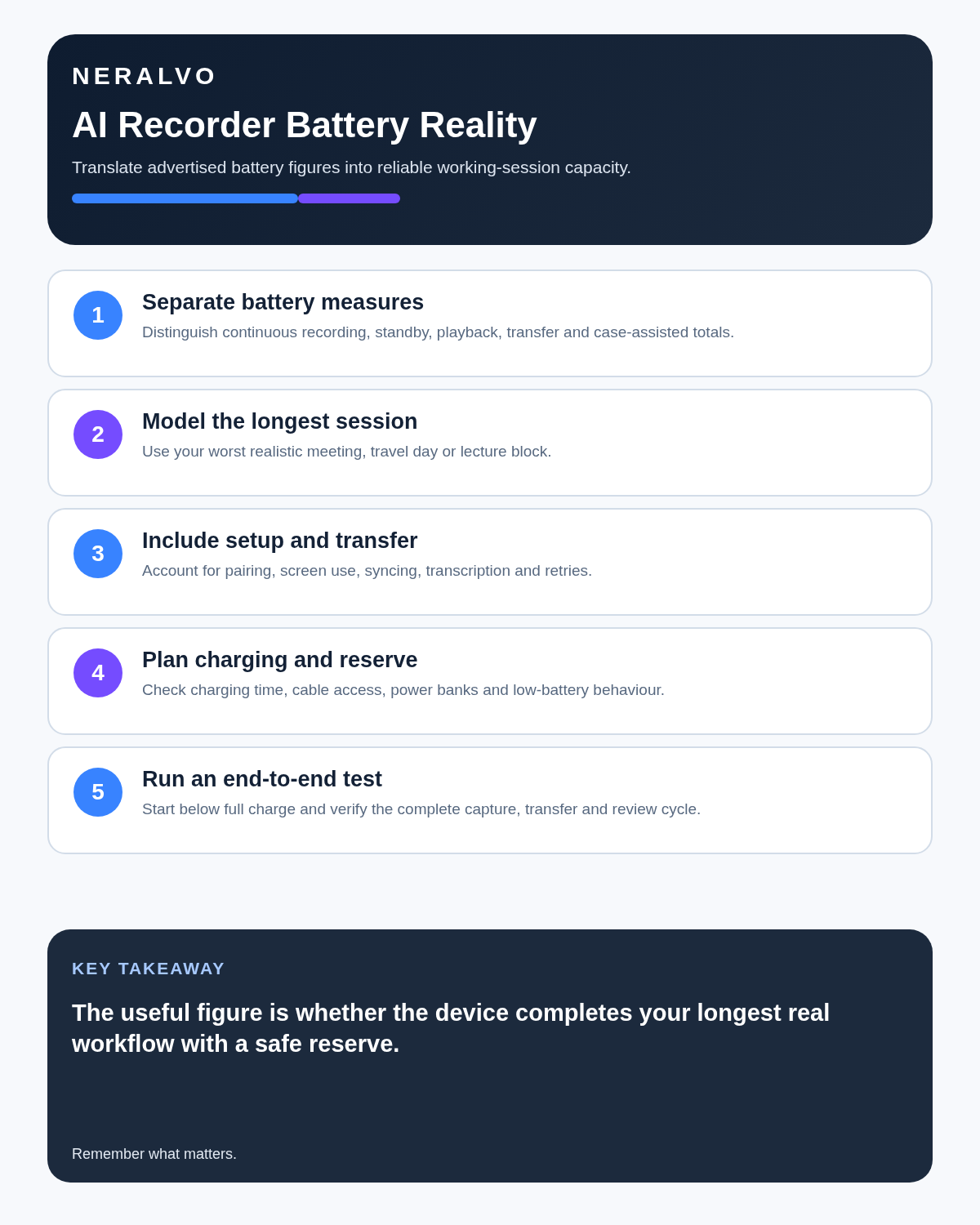
Choose recorder battery life from your longest realistic session, not your average one. A device that covers ordinary one-hour meetings can still fail during a training day, conference, inspection or long interview if the quoted runtime does not match real use.
Decision focus: use the method below only where it produces a recoverable source, a verifiable output and a clear next action. If one of those fails, change the workflow rather than trusting a polished summary.
Evidence basis and limits
- Decision factors covered: The minimum battery formula; Advertised runtime versus usable runtime; Battery needs by scenario.
- Evidence rule: Claims are weighted by consequence: capture failure, changed meaning, access and recovery matter more than polished wording.
- Boundary: Examples and workflow recommendations must be tested with representative recordings, the intended users and the actual approval process before rollout.
Battery claims are affected by recording mode, microphone processing, Bluetooth, screen use, temperature, battery age and whether files are being transferred. A practical test should include the complete workflow rather than recording an empty room until the device switches off.
The minimum battery formula
Use:
Required runtime = longest expected session + setup time + delay risk + 30% safety margin.
If the longest meeting is four hours, allow time for early setup, a late finish and interruptions. A six-hour tested runtime would be safer than a device rated for exactly four.
Advertised runtime versus usable runtime
An advertised figure is normally measured under specific conditions. Your usable figure may be lower when Bluetooth remains connected, the status display is checked frequently, higher-quality recording is selected, the device is used in cold conditions, files are transferred during the day, the battery has aged or call mode uses more processing than ordinary note mode.
For important work, build decisions around your own tested result.
Battery needs by scenario
| Scenario | Likely demand | Recommended planning |
|---|---|---|
| Short personal voice notes | Low | Weekly charging may be enough |
| Daily professional meetings | Moderate | Charge routinely and keep a multi-session buffer |
| Half-day workshop | High continuous use | Test a full rehearsal and bring power |
| Conference or training day | Several long sessions | Daily offload, charging breaks and backup power |
| Field inspection | Variable with no socket nearby | Start full and carry a suitable power bank |
| Travel interviews | Unpredictable | Use a large safety margin and verify charging access |
A proper battery test
- Charge the recorder fully using the normal cable and charger.
- Set the mode and quality you will actually use.
- Connect Bluetooth if it normally remains connected.
- Record real speech rather than silence.
- Pause, resume and check status as you would during work.
- Transfer at least one file during the test day.
- Continue until the low-battery warning appears.
- Confirm whether the final file saves correctly if power becomes critical.
Record the result and repeat after several months if the device becomes essential to work.
Charging time matters as much as runtime
A long battery can still be inconvenient if recharging is slow. Check how much runtime a 15-minute or 30-minute top-up provides. This matters during lunch breaks, travel connections and gaps between interviews.
Also check whether recording can continue while charging. Some devices can, but cable movement or electrical noise may affect placement and audio.
Low-battery warnings: test visibility
A warning that appears only inside an app is less useful when the phone is elsewhere. Confirm whether the recorder provides a light, vibration, sound or display indicator and how much time remains after the warning.
Do not assume “20% remaining” equals a predictable number of hours. Battery reporting can become less accurate as cells age.
How battery failure damages more than one meeting
A flat recorder can create a missing source recording, time spent reconstructing notes, uncertainty about commitments, lost confidence in the workflow and duplicate backup systems that increase complexity.
For high-value sessions, redundancy may be justified. That can mean a second approved recording method or a named human note-taker—not uncontrolled recording on several personal devices.
Battery care for long-term reliability
- Avoid leaving the recorder fully discharged for long periods.
- Use suitable charging equipment.
- Keep the device away from excessive heat.
- Check battery condition before travel or major events.
- Do not store it indefinitely at 0% or in a hot vehicle.
- Replace or retire the device if runtime becomes unpredictable.
Build charging into the workflow
The best battery is still useless if nobody remembers to charge it. Attach charging to an existing routine:
- Place the recorder on charge when the laptop is docked.
- Check battery every Friday.
- Charge before calendar events longer than two hours.
- Carry the cable in the same case as the recorder.
- Include battery status in a pre-meeting checklist.
Power-bank compatibility
Test the actual power bank and cable before travel. Some small devices draw little current and certain power banks may switch off automatically. Confirm that charging continues and that the recorder remains stable while connected.
Where NERALVO Halo fits
Check whether NERALVO Halo fits this workflow is specified for up to 35 hours of recording. Real runtime depends on mode, connection, use and battery condition, so the figure should be checked against the longest session in the buyer’s workflow.
The current specification also includes 64GB local storage, NOTE and CALL modes and Bluetooth transfer to DOWAY. DOWAY can create transcripts, summaries, speaker-separated notes, templates, translations and mind maps.
CALL mode compatibility varies by phone, operating system and call route. Test both call capture and battery behaviour using the exact setup used in practice.
Workflow choice matrix for How Long Should an AI Voice Recorder Battery Last
Choose the method that protects the source and reduces downstream correction. The table makes the non-hardware options explicit.
| Condition | Preferred route | Why |
|---|---|---|
| Repeatable remote work with approved integrations | Cloud software | Automation and central collaboration may outweigh device independence. |
| In-person, mobile or unreliable-connectivity work | Dedicated recorder | Independent capture and a recoverable local source are usually more resilient. |
| Recording is refused, prohibited or unnecessary | Manual notes / no recording | Respecting the boundary is the correct workflow, not a product failure. |
| High-risk or mixed work | Governed hybrid | Separate capture, review, approval and retention rather than trusting one tool. |
Frequently asked questions
How many hours of battery does a voice recorder need?
Enough for the longest realistic session plus at least a 30% safety margin. Frequent travellers and field users need more.
Does Bluetooth reduce battery life?
It can. Test with Bluetooth configured exactly as it will be used.
Can a recorder be used while charging?
Some can, but verify the device and check whether the cable affects placement or audio.
Will battery life decrease over time?
Yes. Rechargeable batteries gradually lose capacity, so retest an important device periodically.
Related guides
Bottom line
Plan battery around the longest session, add a safety margin and test with real settings, Bluetooth and file transfers. Charging time, warning visibility and safe file saving are as important as the headline runtime.
Workflow map
Visual map for How Long Should an AI Voice Recorder Battery Last?
- Define the decisionState the question, required output and acceptance rule.
- Capture the sourceUse the approved route and preserve context, identity and limitations.
- Verify material detailsReplay or check names, numbers, negatives, decisions and actions.
- Move into the real recordAssign an owner, retain evidence and apply the deletion rule.
On this page
Related guides
See whether Halo fits this workflow
Review the NERALVO Halo specifications, included services, delivery information and current offer only after completing the guide.
Found an error or an out-of-date claim? Email support@neralvo.com with the article address and a supporting source.