The 60-second verdict
Quick answer: drone operators should use AI voice recording only before flight, during an authorised safe pause or after the aircraft is secure. It can improve briefings and debriefs, but it must never distract the remote pilot, replace crew communication or become the official flight, maintenance or incident record.
Best fit: Drone Operators who need recoverable audio and human-verified notes in an authorised workflow. Use another method when: recording is prohibited, a participant declines or the approved process requires manual notes.
Evidence basis and limits
- Decision factors covered: Define the safe recording boundary; Create a structured pre-flight briefing; Preserve conditional decisions.
- Evidence rule: The decision is based on the complete capture-to-action workflow, not a single feature or marketing accuracy percentage.
- Boundary: Examples and workflow recommendations must be tested with representative recordings, the intended users and the actual approval process before rollout.
Drone operations create more information than a pilot can safely write down while working: site hazards, weather, permissions, crew roles, aircraft status, media references and deviations. A structured voice workflow preserves context without competing with operational control.

Define the safe recording boundary
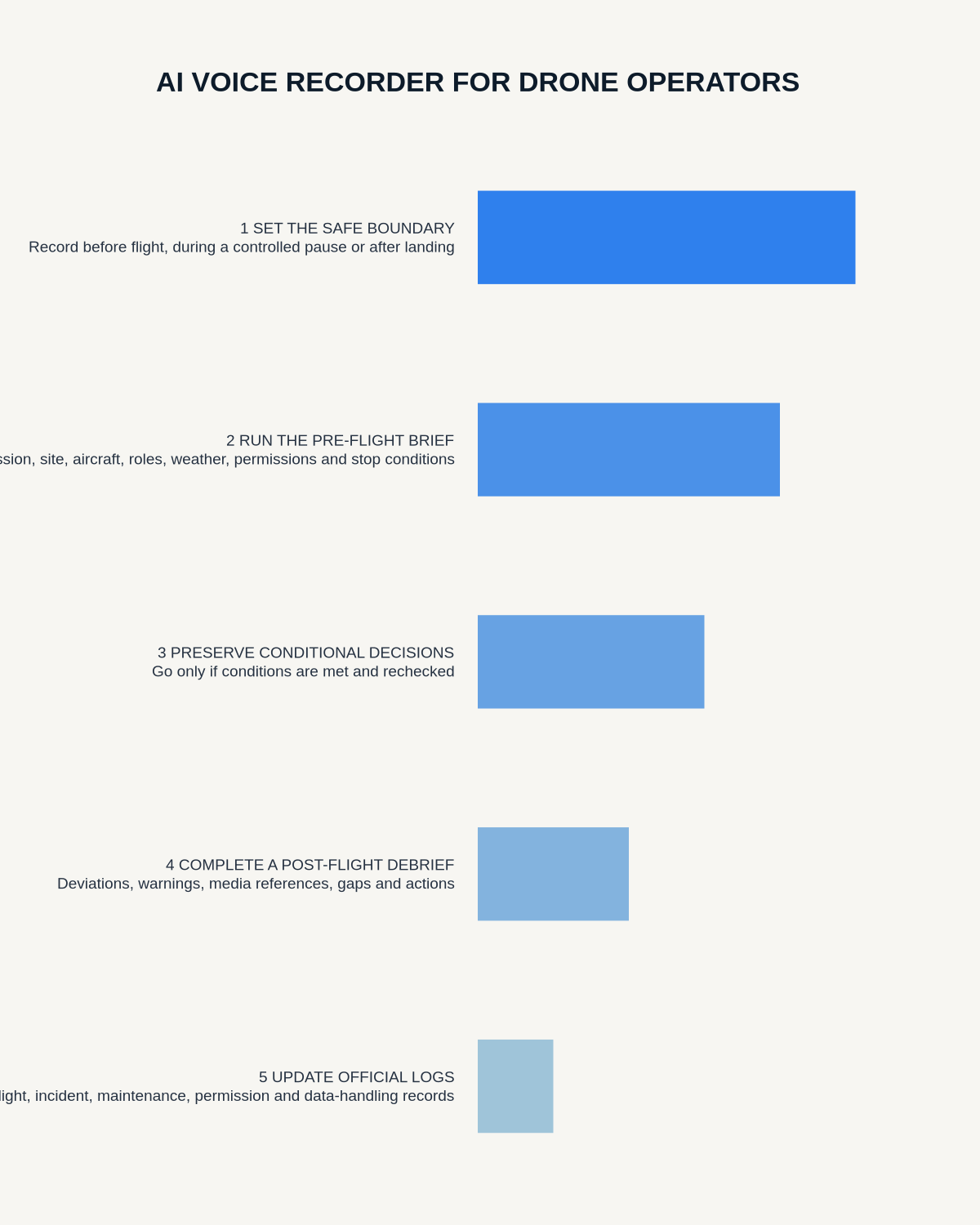
Decide in advance when voice capture may occur. Suitable points are usually the pre-flight briefing, an authorised controlled pause and the post-flight debrief after the aircraft and payload are secure. Do not manipulate a recorder while flying, maintaining visual awareness, operating near hazards or carrying out another safety-critical task.
Create a structured pre-flight briefing
- Mission, site and intended output
- Aircraft, payload and crew roles
- Operating area, people, obstacles and access
- Weather observations, limits and review time
- Communication, lost-link and stop conditions
- Permissions and controlled documents checked
- Privacy, security and media-handling controls
- Alternative, delay or cancellation plan
Verify aircraft identifiers, technical settings, site references and permissions against the controlled plan rather than relying on the transcript.
Preserve conditional decisions
Record the decision owner, evidence considered, decision time and every condition attached. “Proceed only if visibility improves before 14:00” must not become an unconditional “go” in the summary. Changed conditions should trigger the approved reassessment process.
Keep active flight free from recording tasks
The recorder must not replace direct crew communication, required call-outs, visual observation or official operational records. Where spoken markers are part of an approved multi-person method, the remote pilot should not be given an extra device-management task.
Run a structured post-flight debrief
- Actual operation and material deviations
- Technical warnings, aircraft, payload or battery issues
- Site findings and visibility limitations
- Image, video or dataset references
- Safety events, hazards and stop decisions
- Coverage gaps and repeat work required
- Actions, owners, deadlines and record destinations
Link notes to media and flight evidence
State the flight segment, location or media group, then verify it against file metadata, maps and the flight-management system. Audio is supporting context; it should not be the only identifier for imagery, datasets or technical events.
Transfer information into official records
Enter flight times, aircraft details, permissions, incidents, maintenance items and crew records into the authorised systems. Correct technical terms, timestamps and identifiers before relying on the note.
Protect site and personal information
Minimise unnecessary location, security and personal data in filenames and summaries. Restrict access to sensitive maps, imagery and client information. Apply the approved retention rule to temporary audio.
Handle incidents before documentation
Emergency action, people’s safety and required reporting take priority. Once the aircraft and people are safe, create a factual chronology that separates direct observations, system evidence, recollection and later interpretation.
Cloud software, a dedicated recorder or manual notes?
For Drone Operators, the right answer changes with the setting. This matrix deliberately gives each method a situation where it can be the strongest choice.
| Situation | Best starting point | Reason |
|---|---|---|
| scheduled remote meetings | Cloud meeting software | Native remote-meeting workflows can be more efficient here. |
| in-person or mobile work | Dedicated recorder | A separate battery and recoverable local source improve resilience. |
| recording is refused or prohibited | Manual notes or an approved alternative | Manual notes are the correct control when recording is unavailable. |
| mixed online and offline work | Governed hybrid | A hybrid can combine automation with reliable physical capture. |
Frequently asked questions
Can a remote pilot record notes while flying?
No recording task should interfere with aircraft control, visual awareness or crew communication.
Can AI make the go or no-go decision?
No. AI may help draft the record, but the authorised operator applies the approved criteria.
Can the transcript replace the flight log?
No. Required records must be completed in the approved operational system.
Useful resources
- UK Civil Aviation Authority drone guidance
- AI Voice Recorder for Site Visits
- How to Build an Incident Chronology from Recorded Debriefs
- View Halo specifications for drone operators use
Final operation checklist
- Recording kept outside active flight control
- Mission, aircraft, site and roles clear
- Conditional decisions preserved
- Media references verified
- Incidents and maintenance entered into official systems
- Every follow-up action has an owner
On this page
Related guides
See whether Halo fits this workflow
Review the NERALVO Halo specifications, included services, delivery information and current offer only after completing the guide.
Found an error or an out-of-date claim? Email support@neralvo.com with the article address and a supporting source.