The 60-second verdict
Quick answer: use an AI voice recorder on site visits only where the site, employer and client permit it. Observe first, move to a safe position, state the exact location and controlled reference, separate fact from interpretation, link evidence and convert questions, risks and actions into the formal project system.
Best fit: Site Visits who need recoverable audio and human-verified notes in an authorised workflow. Use another method when: recording is prohibited, a participant declines or the approved process requires manual notes.
Evidence basis and limits
- Decision factors covered: Complete the induction and follow site rules; Safety is a hard boundary; Prepare before arrival.
- Evidence rule: Claims are weighted by consequence: capture failure, changed meaning, access and recovery matter more than polished wording.
- Boundary: Examples and workflow recommendations must be tested with representative recordings, the intended users and the actual approval process before rollout.

Check whether NERALVO Halo fits site visits work can support approved field notes. It cannot replace photographs, calibrated measurements, drawings, inspection forms, permits, competent judgement or formal site controls.
Complete the induction and follow site rules
Site rules may cover mobile devices, personal protective equipment, restricted areas, traffic systems, pedestrian routes, permits and emergency arrangements. Complete the required induction and use the recorder only where the site, employer and client permit it.
Current HSE construction guidance should be checked alongside the project’s own procedures.
Safety is a hard boundary
- Do not record while driving or operating plant.
- Do not focus on the device while crossing traffic routes.
- Do not use it while climbing, working at height or entering a restricted area.
- Do not remove gloves, hearing protection or other PPE to operate it.
- Do not approach active machinery while looking at a recorder.
- Use a designated safe area or stable stop point for spoken notes.
- Report hazards and emergencies through the required process immediately.
Prepare before arrival
- Purpose and scope.
- Permission and local rules.
- Safety briefing and PPE.
- Areas, assets and documents to inspect.
- Questions and evidence required.
- Authorised site contacts.
- Final report destination.
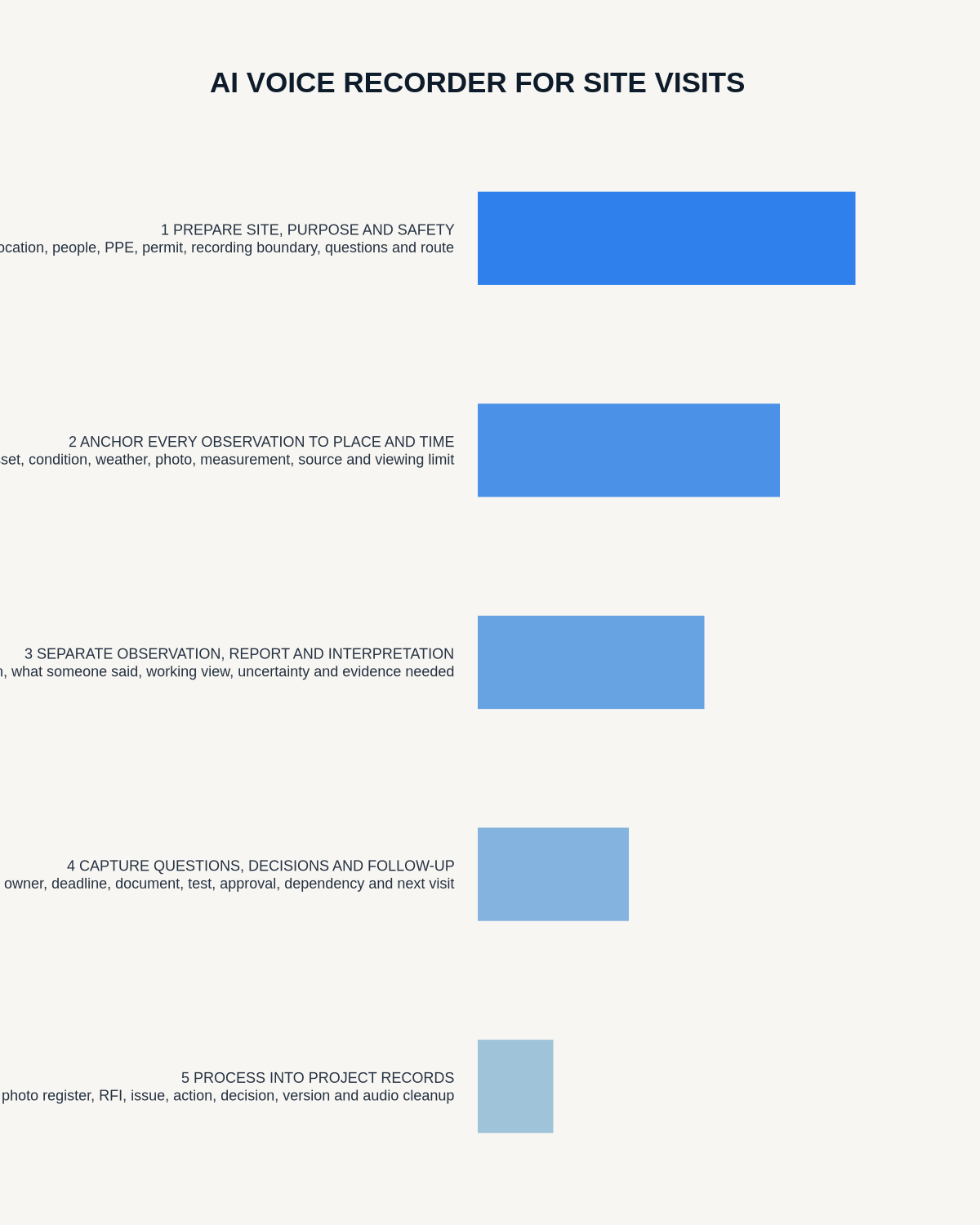
Start every note with a precise location anchor
- Project and date.
- Building, floor, room, grid, elevation, zone or asset.
- Drawing, specification and revision.
- Photograph, video or sample reference.
- Inspection, survey or meeting purpose.
- Conditions such as weather, lighting, occupancy or operating state.
Repeat the anchor after moving. A correct observation attached to the wrong room, asset or revision can still create a serious error.
Use a stable location code
Combine project, building, level, room or zone and asset. Example: PRJ24-B2-L03-R312-AHU04. Use the same code in audio, photographs, drawings and the final report.
Use clear information labels
- Observation: directly visible or measured.
- Photo reference: linked visual evidence.
- Reported explanation: attributed statement from a site contact.
- Interpretation: possible meaning requiring competent review.
- Question or RFI: information still required.
- Risk: issue needing assessment or control.
- Action: exact output, owner and deadline.
Do not let AI convert a possible explanation into a confirmed defect or design conclusion.
Link every statement to evidence
| Evidence type | What to state aloud |
|---|---|
| Photograph | Location code, direction and subject |
| Drawing | Number, title, revision and marked area |
| Measurement | Value, unit, method, datum and whether verified |
| Instrument | Device, reading and relevant calibration status |
| Sample | Sample ID and required custody record |
| Conversation | Speaker, role, status and whether written confirmation is required |
| RFI | Exact information needed, owner and due date |
Use a complete site-note template
- Context and exact location.
- Observed condition.
- Evidence reference.
- Measurement and verification status.
- Immediate safety or protection action already completed.
- Possible interpretation, clearly labelled.
- Limitation or inaccessible area.
- Design, quality, cost or programme implication requiring review.
- Question, owner and deadline.
- Formal record to update.
Verify measurements and document references manually
Speech recognition can confuse decimal points, units, directions and alphanumeric references. Check:
- Millimetres, metres, tolerances and datums.
- Left, right, north, south, east and west.
- Drawing and revision numbers.
- Asset tags and serial numbers.
- Times and sequence.
- Temperature, pressure, voltage or moisture readings.
- Whether a figure was measured, estimated or quoted by another person.
Use the instrument, controlled form or source document as the authority.
Do not record while unsafe
Stop moving and use a safe position before dictating detailed notes. Do not compromise traffic awareness, machinery exclusion zones, heights, contamination controls, lone-worker arrangements or PPE.
Reconcile after the visit
- Confirm every expected file exists.
- Secure and label recordings, photographs and documents.
- Match each note to visual and controlled evidence.
- Correct names, asset IDs, dimensions, units, dates and revisions.
- Separate observation from interpretation.
- Raise RFIs while context and access remain fresh.
- Escalate urgent risks separately.
- Move actions into the project system.
- Issue the verified visit report and action register.
- Delete temporary audio under policy.
Use the first-24-hours toolkit
- Secure and label all files.
- Match each note to photographs and drawings.
- Correct dimensions, names and references.
- Raise exact RFIs with owners and deadlines.
- Escalate urgent safety, design, quality or compliance risks.
- Issue the controlled report and action register.
Protect privacy, confidentiality and other people
Sites may contain workers, residents, customers, security arrangements, confidential designs and commercially sensitive discussion. Do not leave a recorder running continuously. Capture only what the visit purpose requires and follow restrictions on personal devices, photographs and connected applications.
Use approved accounts, minimise identifiers, restrict source access and distribute the verified project record rather than raw audio where possible.
How NERALVO Halo fits site visits
NERALVO Halo provides NOTE mode, 64GB local storage, up to 35 hours of recording and Bluetooth sync with DOWAY for transcripts, summaries, templates, translations, mind maps and exports, with one year of DOWAY Max included.
Record from safe stationary positions, use one file per zone where practical and say every evidence reference aloud. DOWAY can help draft the report, but all content must be reconciled against photographs and controlled project information before release.
Cloud software, a dedicated recorder or manual notes?
For Site Visits, the right answer changes with the setting. This matrix deliberately gives each method a situation where it can be the strongest choice.
| Situation | Best starting point | Reason |
|---|---|---|
| scheduled video briefings | Cloud meeting software | Calendar automation and shared integrations are usually the strongest advantage. |
| site visits, inspections or mobile calls | Dedicated recorder | Independent capture reduces reliance on an active phone or laptop. |
| a restricted site or participant prevents recording | Manual notes or an approved alternative | The boundary takes priority over convenience. |
| office-to-site work | Governed hybrid | Use each method only in the setting it actually fits. |
Frequently asked questions
Can a voice recording replace a site report?
No. It can support drafting, but the required report, evidence, approvals and signatures remain necessary.
Should the entire visit be recorded continuously?
Usually not. Short location-specific notes are easier to verify and create less unnecessary data.
Can the recorder replace photographs?
No. Use each evidence type for its proper purpose and link them clearly.
Can AI classify a defect?
It may suggest a category, but an authorised competent person must assess the evidence against the applicable requirements.
What if recording is prohibited in part of the site?
Follow the site rule and use the approved written or post-visit note method.
Final site-visit checklist
- Purpose, permission, induction and safety confirmed.
- Precise location anchors and codes used.
- Observations, reports and interpretations separated.
- Evidence references matched.
- Measurements, units and document revisions verified.
- Limitations and inaccessible areas recorded.
- RFIs, risks and actions assigned.
- Authoritative project systems updated.
- Privacy and confidentiality controlled.
- Source retained only as required.
Bottom line: site recording creates value only when it is safe, location-specific and tied to verified evidence, then transferred promptly into the project controls that own the observation and action.
Useful resources and related guides
On this page
Related guides
See whether Halo fits this workflow
Review the NERALVO Halo specifications, included services, delivery information and current offer only after completing the guide.
Found an error or an out-of-date claim? Email support@neralvo.com with the article address and a supporting source.