The 60-second verdict
Ecological surveys often require observations to be captured while the surveyor is moving, watching, listening or handling equipment. An AI voice recorder can reduce the delay between field observation and written note, but it must support—not replace—the survey method, species identification process and required field records.
Best fit: Ecologists who need recoverable audio and human-verified notes in an authorised workflow. Use another method when: recording is prohibited, a participant declines or the approved process requires manual notes.
Evidence basis and limits
- Decision factors covered: Use a standard observation phrase; Survey-note structure; Names are a transcription risk.
- Evidence rule: Claims are weighted by consequence: capture failure, changed meaning, access and recovery matter more than polished wording.
- Boundary: Examples and workflow recommendations must be tested with representative recordings, the intended users and the actual approval process before rollout.
Use a standard observation phrase
Record: time → location → species or feature → behaviour or condition → evidence → confidence → action.
Example: “06:42, eastern hedgerow, possible song thrush call from mature hawthorn, audio not independently captured, identification to confirm.”
Stating confidence prevents a tentative field impression from becoming a confirmed record in the transcript.
Survey-note structure
| Field | What to capture |
|---|---|
| Survey | Type, date, start and finish |
| Conditions | Weather, light, temperature or other required factors |
| Location | Grid reference, transect point or mapped feature |
| Observation | Species, sign, habitat or activity |
| Evidence | Photo, detector file, track, dropping or visual record |
| Confidence | Confirmed, probable, possible or to verify |
| Limitation | Access, noise, visibility or disturbance |
Names are a transcription risk
- spell unusual names aloud
- use a species code where the project requires one
- repeat the location
- check the transcript against field sheets and evidence
- never let AI choose between similar species from the words alone
Habitat notes
Describe the feature before interpreting its significance:
- structure and dominant vegetation
- condition
- management
- connectivity
- notable signs
- photograph reference
- uncertainty or seasonal limitation
Audio-heavy surveys
A general voice recorder should not be confused with specialist acoustic survey equipment. If the survey relies on calls or detector data, use the required equipment and retain its original files. Voice notes can add context such as location, conditions and observer comments.
Night and low-light work
Voice capture can reduce the need to look at a bright screen, but the device must not interfere with safety, awareness or survey behaviour. Practise controls before the survey and avoid handling that creates noise near specialist microphones.
Post-survey workflow
- Confirm the complete voice-note file.
- Secure specialist detector, image and field-sheet data.
- Generate a transcript.
- Extract observations by time and location.
- Check species names, codes and confidence.
- Link evidence files.
- Record limitations.
- Transfer verified data into the project system.
- Retain or delete the voice source according to project rules.
Stakeholder and landowner conversations
Local knowledge can be useful but should be clearly attributed. Capture when the person observed the species or event, where, how often and whether any photographs or records exist.
Where NERALVO Halo fits
Check whether NERALVO Halo fits ecologists work can support hands-free-style field dictation when placed or carried safely, plus landowner interviews and post-survey debriefs. Its current specification includes 64GB local storage, NOTE and CALL modes, up to 35 hours of recording and Bluetooth transfer to DOWAY.
DOWAY can generate transcripts, summaries, speaker-separated notes, templates, translations and mind maps. It is not a replacement for specialist ecological survey equipment or required data sheets.
Ecological-note quality check
- Are time and location present?
- Are species names and codes verified?
- Is confidence recorded?
- Are survey conditions and limitations complete?
- Are specialist evidence files linked?
- Is reported local knowledge attributed?
Bottom line
For ecologists, an AI recorder is a field-note accelerator. Its best output is a time- and location-linked observation log with confidence, conditions and evidence references. Identification and assessment remain part of the surveyor’s professional method.
Cloud software, a dedicated recorder or manual notes?
For Ecologists, the right answer changes with the setting. This matrix deliberately gives each method a situation where it can be the strongest choice.
| Situation | Best starting point | Reason |
|---|---|---|
| scheduled remote meetings | Cloud meeting software | Calendar automation and shared integrations are usually the strongest advantage. |
| in-person or mobile work | Dedicated recorder | Independent capture reduces reliance on an active phone or laptop. |
| recording is refused or prohibited | Manual notes or an approved alternative | The boundary takes priority over convenience. |
| mixed online and offline work | Governed hybrid | Use each method only in the setting it actually fits. |
Related AI voice recorder guides
Profession workflow
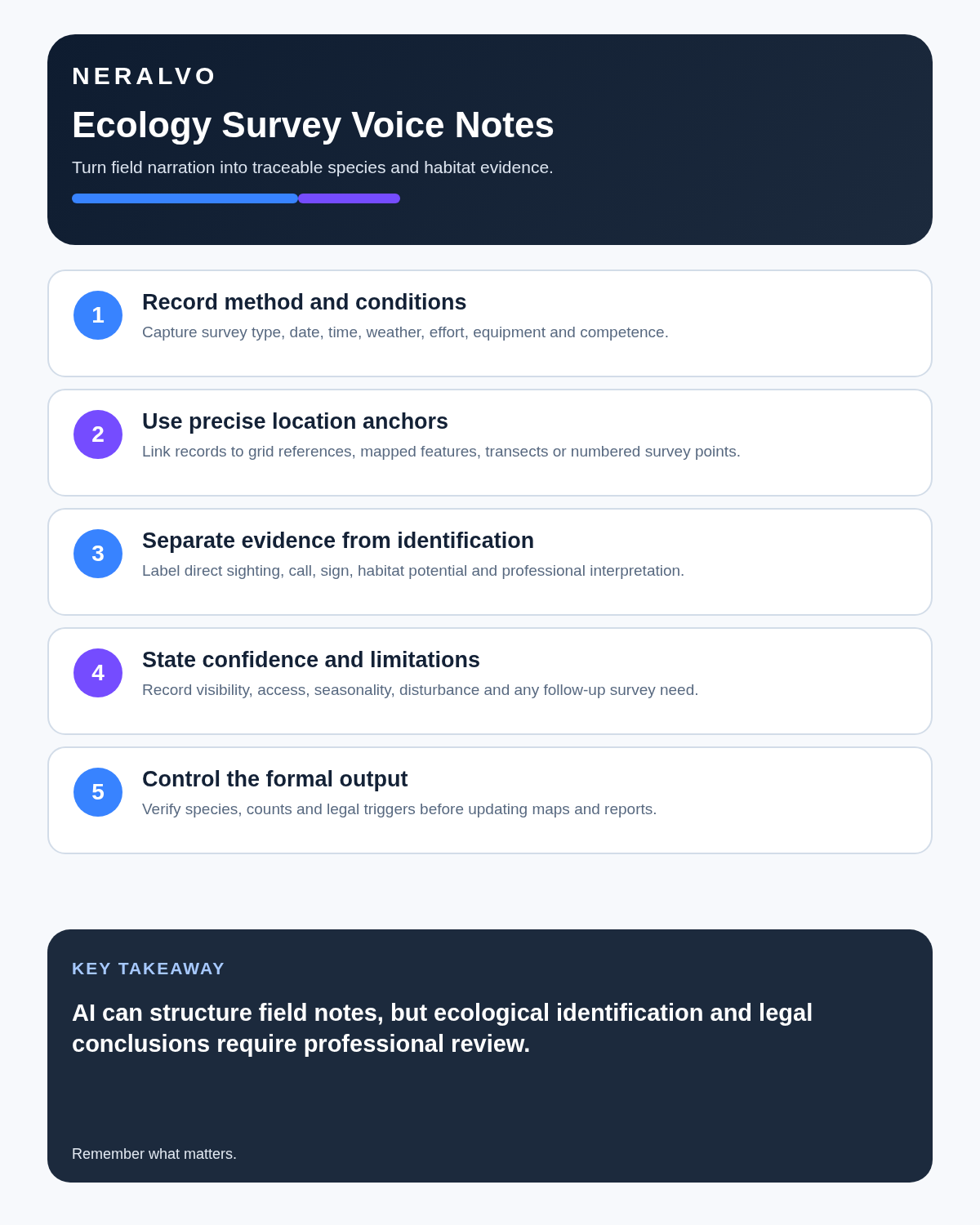
Visual map for AI Voice Recorder for Ecologists: Better Survey Notes and Species Evidence
- Prepare the approved useDefine purpose, safe position, permission and the required formal record.
- Capture context firstState the case, asset, person, location or event identifier before detail.
- Human-verify evidenceCheck technical terms, units, names, dates, decisions and uncertainty.
- Complete the formal recordTransfer only verified information and apply access and retention controls.
On this page
Related guides
See whether Halo fits this workflow
Review the NERALVO Halo specifications, included services, delivery information and current offer only after completing the guide.
Found an error or an out-of-date claim? Email support@neralvo.com with the article address and a supporting source.