The 60-second verdict
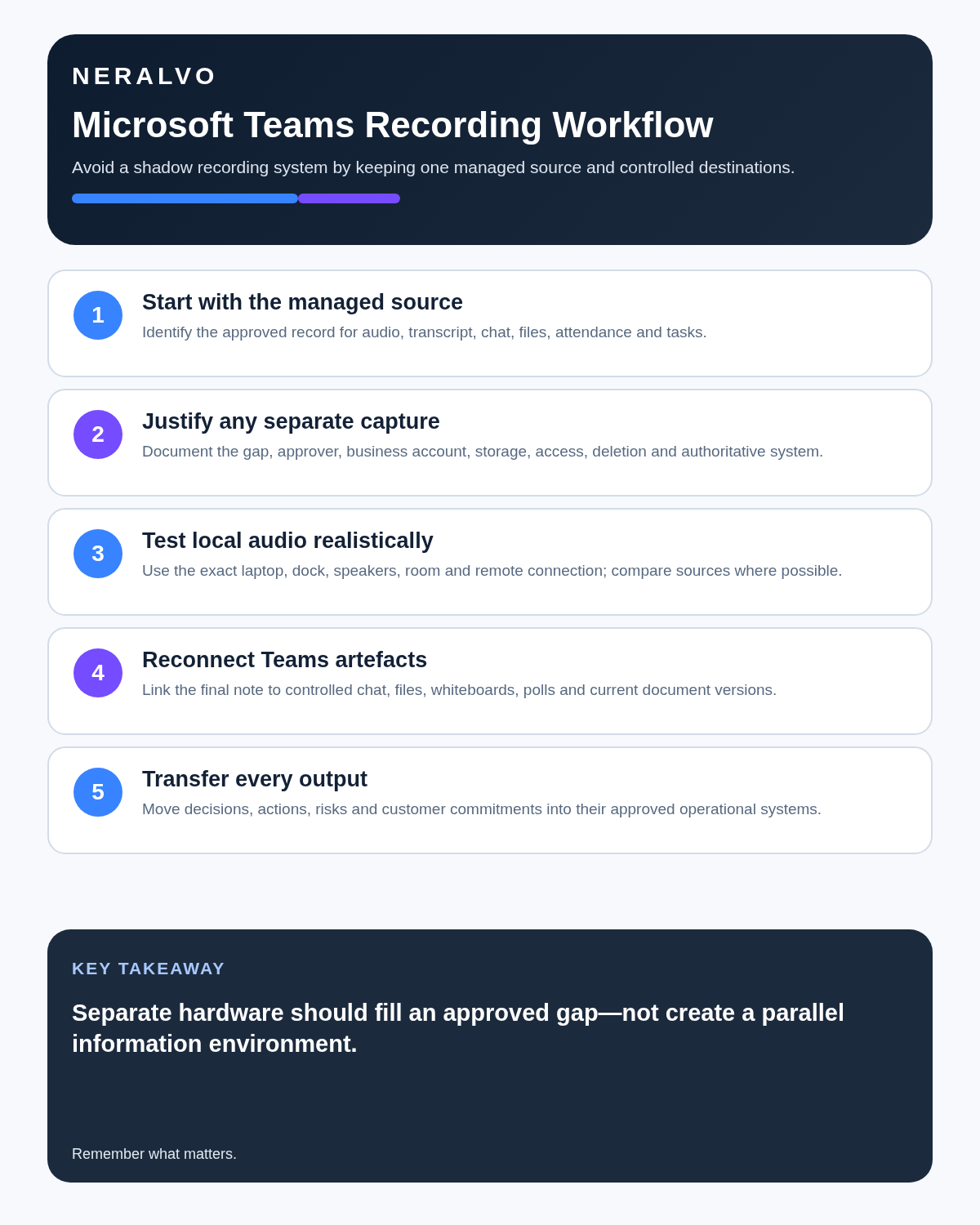
Quick answer: use a separate AI voice recorder for Microsoft Teams only when the organisation explicitly approves the device, account, purpose, access and deletion plan. Prefer the managed Teams source where it already meets the need.
Best fit: Microsoft Teams who need recoverable audio and human-verified notes in an authorised workflow. Use another method when: recording is prohibited, a participant declines or the approved process requires manual notes.
Evidence basis and limits
- Decision factors covered: Start with the managed meeting record; Prevent a shadow-recording system; Test local audio before relying on it.
- Evidence rule: A claim earns weight only when the source, date, configuration and limitation are clear enough for a reader to check.
- Boundary: Examples and workflow recommendations must be tested with representative recordings, the intended users and the actual approval process before rollout.

Microsoft Teams often sits inside an organisation’s wider identity, document, retention and security environment. A separate recorder can create a new copy outside that managed route, so the decision is primarily about governance rather than convenience.
An AI voice recorder for Microsoft Teams meetings should be used only when the organisation explicitly approves the device, processing account, purpose, access and deletion plan. Current Teams capabilities vary by licence, role, administrator settings and meeting type; check current Microsoft guidance and internal policy.
Start with the managed meeting record
Before adding hardware, identify the approved source for:
- audio or video
- transcript
- chat and shared files
- attendance or participant information
- meeting decisions
- tasks and document changes
Where Teams’ native tools meet the need, a separate local copy may add risk without adding value.
Prevent a shadow-recording system
| Question | Required answer before local capture |
|---|---|
| Why is another source needed? | A specific quality or workflow gap |
| Who approved it? | Named organisational authority |
| Which account processes it? | Approved business account |
| Where is it stored? | Known controlled location |
| Who can access it? | Role-based audience |
| When is it deleted? | Defined retention or duplicate-removal rule |
| What is the final record? | Named authoritative system |
When these answers are missing, use the managed Teams process or authorised written notes.
Test local audio before relying on it
A room recorder may capture local speech and remote voices through speakers, but it can miss headphone audio and lose quiet participants in a hybrid room. Test the exact laptop, dock, room speakers, fan noise and remote connection. Compare the result with the approved native source where available.
Use Teams artefacts as evidence, not transcript decoration
The meeting may depend on chat, shared files, screens, whiteboards, polls and task updates. A local audio transcript does not capture those artefacts. Link the final note to the controlled file and current version rather than copying fragments into a parallel record.
Reconcile outputs into their destination
| Output | Authoritative destination |
|---|---|
| Decision | Minutes, decision log or governance record |
| Action | Approved task or project system |
| Customer commitment | CRM or case record |
| Risk | Risk register or escalation route |
| Document change | Controlled repository and version |
A transcript should not become a second task list that quietly falls out of date.
Review in four passes
- Identity: attendee names and speaker attribution.
- Accuracy: dates, figures, codes and technical terms.
- Status: proposal, objection, decision or delegated action.
- Transfer: move each verified output into the correct system.
Then remove unnecessary duplicate or temporary audio under the approved policy.
How NERALVO Halo may support Teams meetings
Assess Halo against the microsoft teams workflow matrix provides NOTE recording for approved speaker-based meeting capture and supported CALL capture for compatible phone or social-app scenarios where recording is lawful, disclosed and permitted. It includes 64GB local storage, up to 35 hours of recording, Bluetooth sync with DOWAY and one year of DOWAY Max from activation.
Halo does not join Teams as a bot and does not automatically inherit Microsoft 365 governance. Its separate data path must be approved deliberately.
Teams meeting closeout
- One approved primary source is identified.
- Participants were informed.
- The separate audio path was tested.
- Chat and shared files were checked.
- Decisions and actions entered their destination systems.
- External-guest access was reviewed.
- Unnecessary duplicate audio was removed.
Official Microsoft guidance
- Start, stop and find Teams meeting recordings
- Start, stop and download Teams live transcripts
- Control access to Teams recordings and transcripts
The strongest Teams workflow keeps the final record inside the organisation’s controlled information system and uses separate hardware only for a clearly justified gap.
Cloud software, a dedicated recorder or manual notes?
For Microsoft Teams, the right answer changes with the setting. This matrix deliberately gives each method a situation where it can be the strongest choice.
| Situation | Best starting point | Reason |
|---|---|---|
| scheduled remote meetings | Cloud meeting software | Auto-join and central collaboration can remove routine admin. |
| in-person or mobile work | Dedicated recorder | Dedicated hardware suits movement, variable rooms and offline source capture. |
| recording is refused or prohibited | Manual notes or an approved alternative | A clear alternative respects policy and participant choice. |
| mixed online and offline work | Governed hybrid | One governed process prevents gaps between desk and field work. |
Related guides
Software-first route
Need Zoom, Teams, calendar or CRM automation?
Choose cloud software for that job. This page completes the software workflow and evidence first. NERALVO Halo remains an optional later route only when offline, in-person or phone-attached capture matters more than native integrations.
On this page
Related guides
Keep the solution aligned with your original intent
- Choose the reviewed cloud software when Zoom, Teams, calendar automation, CRM workflows or unattended bot capture are essential.
- Consider dedicated hardware later only when offline, in-person, mobile or phone-attached capture is the actual requirement.
- Use neither when permission, governance, compatibility or retention requirements cannot be met.
Verify the cloud workflow before comparing hardware
Use the official platform sources below for native Zoom, Teams, calendar, CRM and transcription capabilities. Consider Halo separately only when the workflow also needs offline or in-person capture.
Found an error or an out-of-date claim? Email support@neralvo.com with the article address and a supporting source.