The 60-second verdict
Quick answer: create a workplace AI voice-recording policy by defining when recording is allowed, who may approve it, what participants are told, which devices and accounts are authorised, how transcripts are reviewed, where the final record belongs and when temporary audio must be deleted.
Decision focus: use the method below only where it produces a recoverable source, a verifiable output and a clear next action. If one of those fails, change the workflow rather than trusting a polished summary.
Evidence basis and limits
- Decision factors covered: Begin with a clear default; Define the scope; Create three use categories.
- Evidence rule: The decision is based on the complete capture-to-action workflow, not a single feature or marketing accuracy percentage.
- Boundary: Examples and workflow recommendations must be tested with representative recordings, the intended users and the actual approval process before rollout.
A policy should control the complete workflow, not simply tell staff to “ask permission”. This is a practical drafting framework, not legal advice.

Begin with a clear default
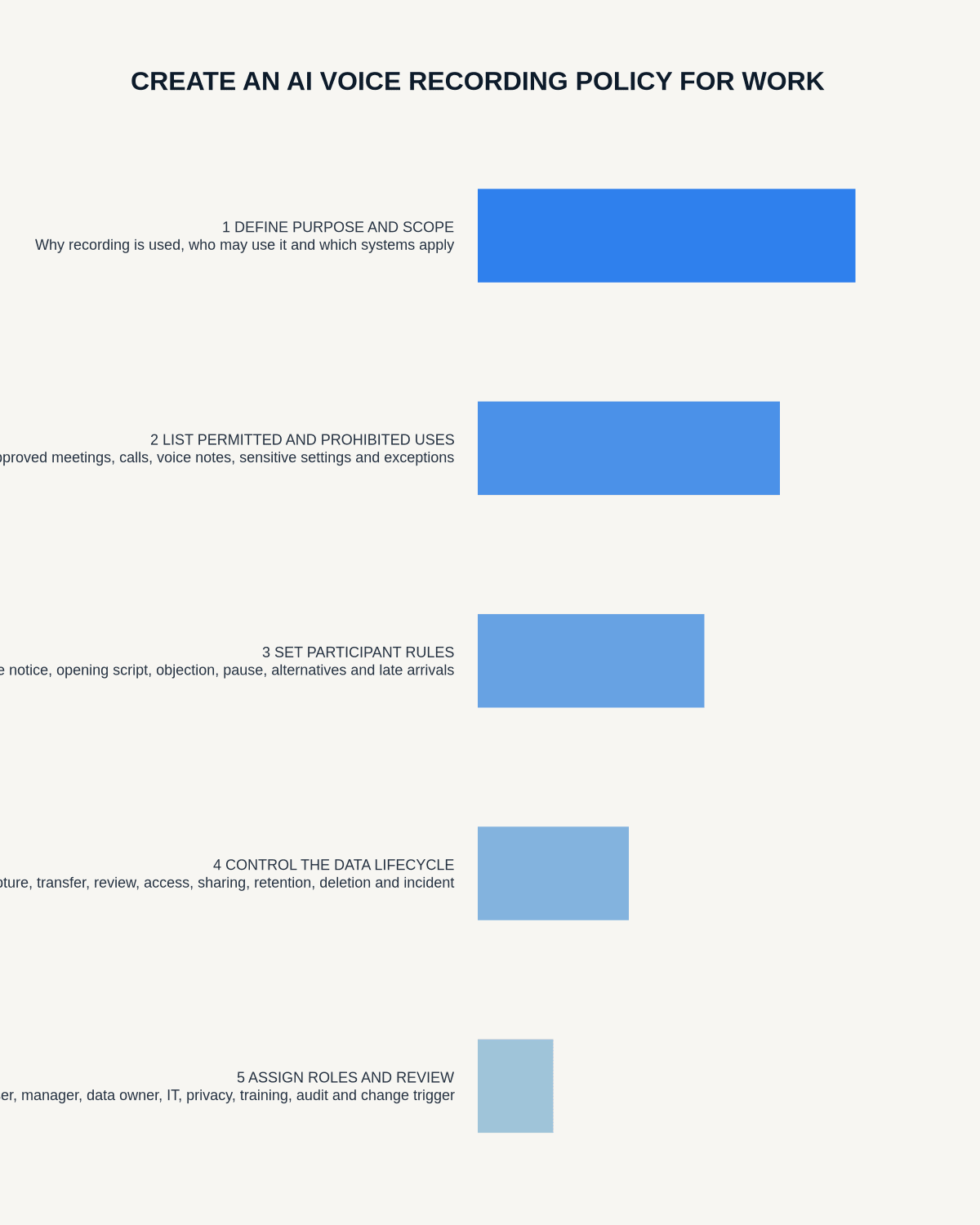
Conversations are not recorded by default. Recording occurs only for a specific approved purpose, through an approved workflow and with the required transparency and controls.
Define the scope
Cover employees, contractors and temporary staff; dedicated recorders, phones, laptops, meeting bots and wearables; meetings, calls, interviews, site visits and private notes; and audio, transcripts, summaries, exports and derivative documents.
State that approval for a meeting does not authorise an unapproved device, app, account or onward use.
Create three use categories
| Category | Meaning | Example route |
|---|---|---|
| Approved | May proceed after the standard checklist | Routine low-risk internal use |
| Approval required | Needs a named decision | Sensitive client, employee or formal process |
| Prohibited | Outside the authorised workflow | Restricted or uncontrolled recording |
Link the policy to How to Build an Approved-Use Matrix for Voice Recording.
Require a specific purpose
The user should identify the output needed, such as checked minutes, a transcript draft, inspection note or private task reminder. “It might be useful later” is too broad to govern access and retention.
Define participant transparency
- what participants are told before recording;
- how late joiners are informed;
- how objections and alternatives are handled;
- whether AI processing is involved;
- who will access the material;
- when recording must stop.
Control the complete data journey
- Capture on the approved device.
- Transfer through the approved phone and account.
- Process through the approved service.
- Correct the transcript against audio.
- Approve the required business record.
- Export to the authorised destination.
- Restrict access and sharing.
- Delete temporary audio and drafts at the approved point.
Name the authoritative record
Clarify whether the final record is approved minutes, a case note, CRM entry, report or corrected transcript. Raw audio and AI summaries should not silently become competing official records.
Assign responsibilities
Name duties for the recorder user, meeting owner, transcript reviewer, record owner, system administrator, retention owner and manager or governance contact. Include deputies and escalation routes.
Cover prohibited content, exceptions and incidents
Define controls for credentials, payment information, privileged material, restricted proceedings, protected commercial information and situations where recording may create safety or safeguarding risk.
Provide a rapid route for accidental capture, missed participant information, lost devices, wrong recipients, material transcript errors and access or deletion requests.
Train, audit and review
Require practical role-based training and audit a sample of actual recording journeys. Review the policy after incidents, supplier changes, significant new features, new uses or material legal and organisational changes.
Workflow choice matrix for How to Create an AI Voice Recording Policy for Work
Choose the method that protects the source and reduces downstream correction. The table makes the non-hardware options explicit.
| Condition | Preferred route | Why |
|---|---|---|
| High-risk or mixed work | Governed hybrid | Separate capture, review, approval and retention rather than trusting one tool. |
| Recording is refused, prohibited or unnecessary | Manual notes / no recording | Respecting the boundary is the correct workflow, not a product failure. |
| In-person, mobile or unreliable-connectivity work | Dedicated recorder | Independent capture and a recoverable local source are usually more resilient. |
| Repeatable remote work with approved integrations | Cloud software | Automation and central collaboration may outweigh device independence. |
Frequently asked questions
Is participant permission the whole policy?
No. Purpose, access, processing, review, destination, retention and incidents also need controls.
Can every internal meeting be recorded?
Only where the organisation has approved the use and required safeguards.
Who approves an exception?
The policy should name the authority according to risk, such as a manager, privacy, security, legal or professional owner.
How often should the policy be reviewed?
Use a regular schedule and review earlier after incidents, supplier changes or new uses.
Can a personal recording account be used for work?
Only if the organisation has explicitly approved that account and the complete data-handling route, which is uncommon for sensitive work.
Authoritative guidance and related reading
- ICO guidance on data protection and monitoring workers
- Acas guidance on workplace investigation meetings
- How to Train Staff to Use AI Voice Recorders Responsibly
Final policy checklist
- Default and scope clear
- Use categories defined
- Purpose specific
- Participant transparency documented
- Complete data route controlled
- Authoritative record named
- Roles and retention assigned
- Exceptions and incidents covered
- Training and audit scheduled
Related AI voice recorder guides
On this page
Related guides
Check permission, retention and access before choosing hardware
Once the policy requirements in this guide are satisfied, compare Halo’s specifications, local storage, included services and current offer against your approved workflow.
Found an error or an out-of-date claim? Email support@neralvo.com with the article address and a supporting source.