The 60-second verdict
Quick answer: compare AI transcript versions after reprocessing by preserving both outputs, linking them to the same source audio, classifying material differences, replaying the audio for high-impact changes and approving one controlled version only after downstream summaries and actions are checked.
Best fit: choose the option that passes your capture, recovery, privacy and total-cost gates. Do not decide on: price or a single accuracy claim in isolation.
Evidence basis and limits
- Decision factors covered: Preserve version identity; Classify material differences; Use a structured difference log.
- Evidence rule: The decision is based on the complete capture-to-action workflow, not a single feature or marketing accuracy percentage.
- Boundary: Examples and workflow recommendations must be tested with representative recordings, the intended users and the actual approval process before rollout.
Reprocessing may improve overall readability while making a critical sentence worse. A different model, language setting or speaker configuration can correct names yet alter a negative word, amount, owner or condition.

Preserve version identity
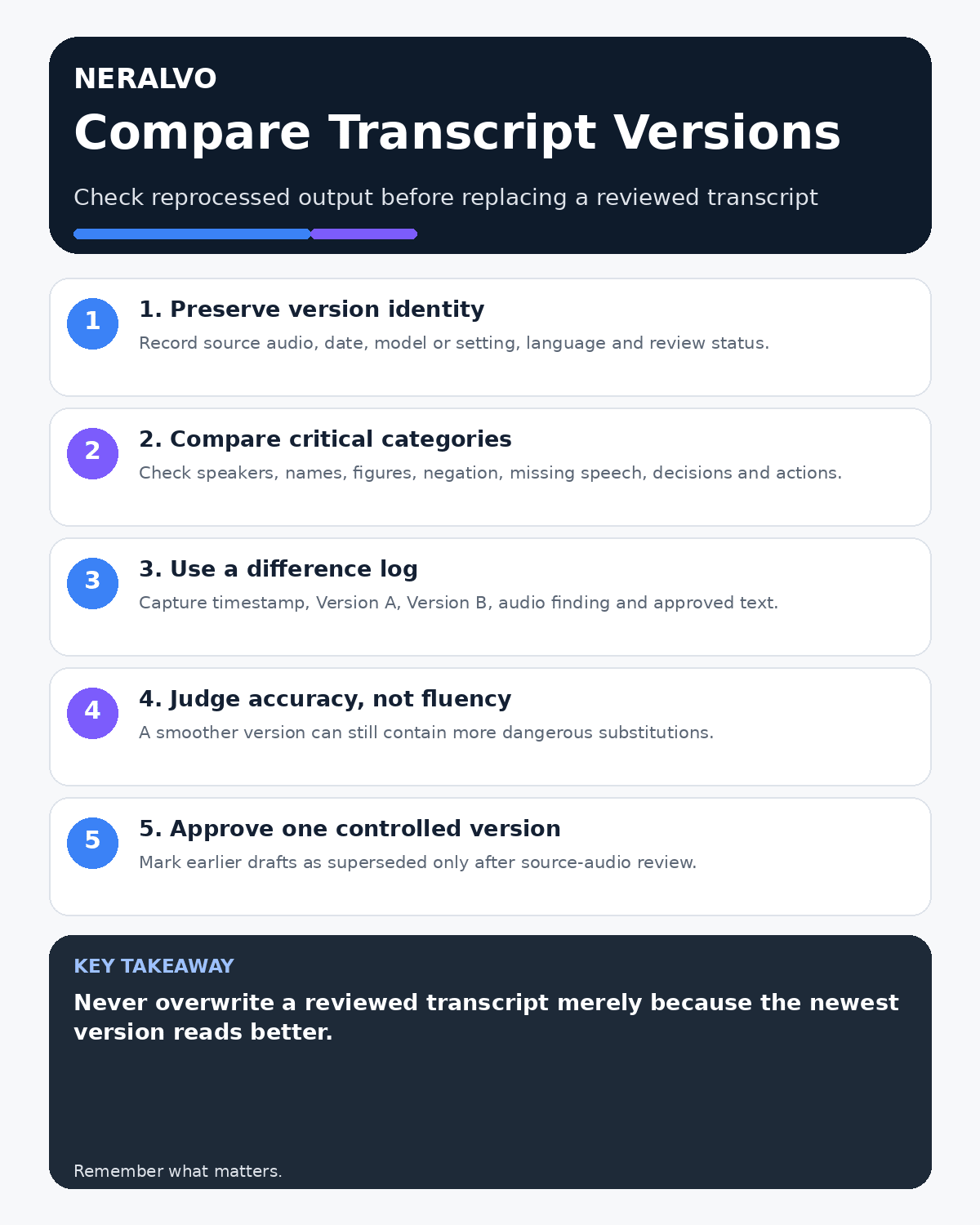
Name each transcript with the source-audio ID, processing date, system or model version where available, language, speaker settings and review status. Keep the previously reviewed version until the new output is approved.
Confirm the source is identical
Before comparing text, confirm both outputs came from the same complete audio file. Check duration, file identifier and any pre-processing. A different source cannot support a direct version comparison.
Classify material differences
- speaker labels and attribution;
- names and specialist terminology;
- numbers, dates and units;
- negative and conditional wording;
- missing or added speech;
- sentence boundaries that alter meaning;
- decisions, actions and ownership;
- uncertainty and inaudible markers.
Use a structured difference log
Balanced comparison matrix
Balanced decision rule: a cloud tool should win where automation and collaboration matter most; a dedicated recorder should win where independent capture and mobility matter most; manual notes should win when recording is inappropriate.
| Field | Record |
|---|---|
| Timestamp | Material passage location |
| Version A/B | Competing wording |
| Source finding | What the audio supports |
| Severity | Cosmetic, operational or high risk |
| Approved wording | Reviewer and final text |
Do not choose by fluency
A smoother transcript may contain more serious substitutions. Evaluate readability separately from names, figures, negations, conditions, decisions and attribution.
Check missing and invented content
Compare timestamp coverage and transcript length. A new version may omit quiet speech, merge passages or add plausible words not supported by the audio. Preserve honest uncertainty where neither version is reliable.
Prioritise high-impact changes
Replay passages affecting approval, refusal, contractual conditions, safety, legal or technical meaning, amounts, dates, ownership and deadlines. Use a second reviewer where the consequence justifies it.
Check derived outputs
Re-run or review summaries, minutes, action lists and CRM notes after approving the transcript. A corrected source does not automatically repair an earlier generated summary.
Approve one controlled version
Create or select the verified transcript, record reviewer and approval date, and mark earlier drafts as superseded rather than silently overwriting them. Preserve required audit history.
Is cloud software or a physical recorder right for this workflow?
- Choose the software-led option when automated remote-meeting capture and collaboration remove more work than they add.
- Choose the dedicated-recorder option when independent in-person capture, mobility and source recovery matter more.
- Re-test after any material plan, app, operating-system or policy change.
How community feedback is used
Public reviews can reveal recurring friction, but an anonymous anecdote is not treated as measured proof. A pull-quote should appear only when it links to the original post, identifies the relevant product version or date and is presented as one user’s experience—not as universal fact.
Frequently asked questions
Should the newest transcript automatically replace the old one?
No. Compare it against the source and approve it first.
Which differences matter most?
Attribution, negation, conditions, figures, dates, decisions, actions and missing speech.
Can old versions be deleted?
Follow the approved retention process and preserve any required audit history.
Useful resources
- UK government AI assurance techniques
- How to Benchmark AI Transcription Accuracy
- How to Correct Names and Technical Terms
- Compare Halo with the alternatives in this guide
Final comparison checklist
- Both versions linked to the same source
- Material categories compared
- High-impact changes replayed
- Fluency separated from accuracy
- Missing and unsupported content checked
- Derived outputs reviewed
- One controlled version approved
On this page
Related guides
See whether Halo fits this workflow
Review the NERALVO Halo specifications, included services, delivery information and current offer only after completing the guide.
Found an error or an out-of-date claim? Email support@neralvo.com with the article address and a supporting source.