The 60-second verdict
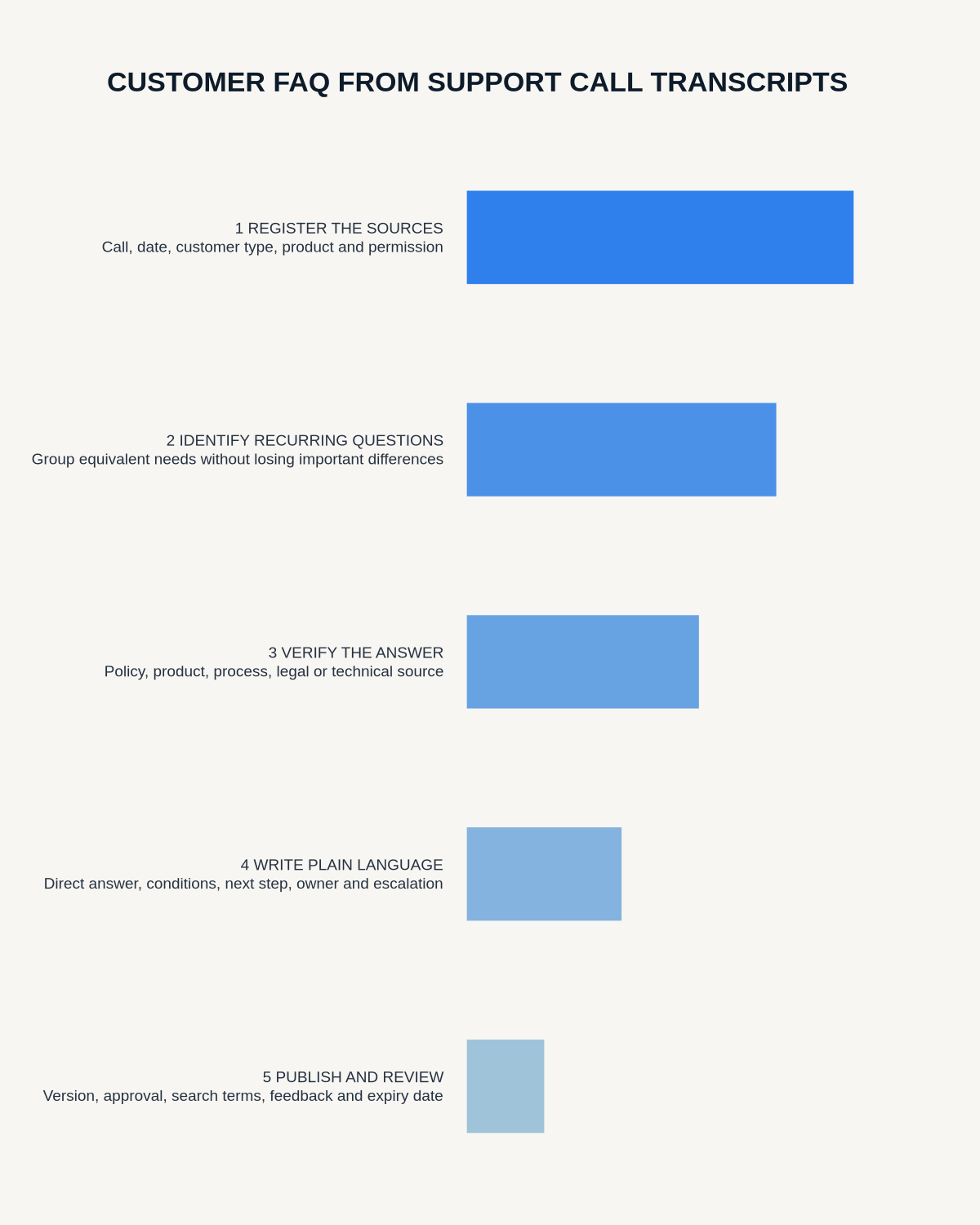
Quick answer: create a customer FAQ from support-call transcripts by grouping verified recurring questions, writing the shortest complete answer, linking it to the current authoritative source and testing whether customers can complete the task without contacting support again.
Decision focus: use the method below only where it produces a recoverable source, a verifiable output and a clear next action. If one of those fails, change the workflow rather than trusting a polished summary.
Evidence basis and limits
- Decision factors covered: Define the FAQ scope; Protect customer information; Verify the answer.
- Evidence rule: Claims are weighted by consequence: capture failure, changed meaning, access and recovery matter more than polished wording.
- Boundary: Examples and workflow recommendations must be tested with representative recordings, the intended users and the actual approval process before rollout.
Support transcripts reveal real customer language and failure points. They can also contain outdated guidance, personal data and one-off situations that should not become public instructions.

Define the FAQ scope
State the product, service, audience, market and support period. Exclude disputes, complaints, account-specific advice and sensitive cases that require individual handling.
Protect customer information
Use approved transcripts and remove names, contact details, account references, payment information and identifiable circumstances. Do not publish verbatim excerpts unless permission and context support it.
Group questions by customer intent
Customers may phrase the same task in several ways. Group by the outcome they need, such as changing an address, understanding billing or fixing a connection, rather than treating every wording variation as a new FAQ.
Verify the answer
Check the current product, policy, process and eligibility source. A support agent’s spoken workaround may be outdated or approved only for a specific case. Record source owner, version and review trigger.
Write a complete answer structure
- Direct answer in the first sentence
- Steps in the correct order
- Prerequisites or eligibility
- Important exceptions and limits
- Expected result
- Escalation route if the steps fail
Use customer language carefully
Use the words customers search for, then introduce the official term where needed. Avoid internal abbreviations and policy jargon. Keep link text descriptive.
Include exceptions without overwhelming readers
Put the common path first and use clear headings for exceptions. When a situation requires individual assessment, say so and provide the correct contact route rather than guessing.
Test with real tasks
Ask users who did not write the answer to complete the task. Measure search success, task completion, repeat contact, escalation and reports of outdated information.
Assign ownership and review
Every FAQ needs an owner, source, effective date and review trigger. Update or retire it after product, policy, price, system or legal changes.
Workflow choice matrix for How to Create a Customer FAQ from Support Call Transcripts
Choose the method that protects the source and reduces downstream correction. The table makes the non-hardware options explicit.
| Condition | Preferred route | Why |
|---|---|---|
| High-risk or mixed work | Governed hybrid | Separate capture, review, approval and retention rather than trusting one tool. |
| Recording is refused, prohibited or unnecessary | Manual notes / no recording | Respecting the boundary is the correct workflow, not a product failure. |
| In-person, mobile or unreliable-connectivity work | Dedicated recorder | Independent capture and a recoverable local source are usually more resilient. |
| Repeatable remote work with approved integrations | Cloud software | Automation and central collaboration may outweigh device independence. |
Frequently asked questions
Should every support question become an FAQ?
No. Prioritise recurring, suitable and safely generalisable questions.
Can AI publish answers automatically?
No. Product and policy owners should verify the content before publication.
How should account-specific issues be handled?
Explain the general route, then direct the customer to secure individual support.
Useful resources
- GOV.UK clear-content guidance
- AI Voice Recorder for Knowledge Management
- How to Build a Service Blueprint
- How to Create Accessible Notes
Final FAQ checklist
- Customer information removed
- Question grouped by real intent
- Answer checked against current authority
- Steps, limits and escalation clear
- Accessibility and search language reviewed
- Owner and review trigger assigned
On this page
Related guides
See whether Halo fits this workflow
Review the NERALVO Halo specifications, included services, delivery information and current offer only after completing the guide.
Found an error or an out-of-date claim? Email support@neralvo.com with the article address and a supporting source.