
The 60-second verdict
Quick answer: Fathom remains one of the strongest free AI meeting assistants for supported Zoom, Microsoft Teams and Google Meet workflows. The free tier can cover unlimited supported meeting recording, storage and transcription plus standard summaries, while advanced outputs, team controls, integrations and wider AI search are the main reasons to pay.
Best fit: readers comparing Fathom AI against the purchase, workflow and evidence factors below. Do not buy on: headline features alone; a failed compatibility, privacy, recovery or cost requirement should override the overall score.
Evidence basis and limits
- Decision factors covered: What the free plan is designed to cover; Understand the upgrade path; Account for the 1 August 2026 search change.
- Evidence rule: Claims are weighted by consequence: capture failure, changed meaning, access and recovery matter more than polished wording.
- Boundary: Manufacturer-controlled prices, plans, compatibility and specifications can change. Retain the article’s stated check date, verify the live supplier terms before purchase and treat community reports as leads unless the original source is linked.
Current plan check: documentation reviewed in July 2026 lists transcription support for 38 languages. Current public pricing is $15 per user per month for Premium, $19 for Team and $29 for Business before any applicable billing discounts. Verify the live page before purchase.
What the free plan is designed to cover
- Unlimited supported online meeting recording.
- Unlimited storage and transcription.
- Standard meeting summaries.
- A limited number of advanced summary outputs each month.
- Highlights, clips, search and basic sharing.
- Basic personal follow-up.
For an individual who mainly needs dependable online meeting notes, Free may be sufficient for real work rather than merely a short trial. Language support does not remove the need to verify names, figures, specialist terms and overlapping speech.
Understand the upgrade path
| Tier | Current monthly price | Main reason to choose it |
|---|---|---|
| Free | $0 | Core recording, transcription and standard summaries |
| Premium | $15 per user | Unlimited advanced summaries, actions, follow-up drafts and wider personal AI use |
| Team | $19 per user | Shared libraries, folders, comments, alerts and collaboration |
| Business | $29 per user | Administration, coaching, stronger controls and wider organisational intelligence |
Account for the 1 August 2026 search change
Fathom announced narrower Ask Fathom history for some lower tiers from 1 August 2026. This does not mean old recordings are deleted; it changes what the AI question feature can examine.
| Plan | Ask Fathom history from 1 August 2026 |
|---|---|
| Free | Personal meetings from the previous two weeks |
| Premium | Unlimited personal meeting history |
| Team | Team and wider workspace search limited to the previous two weeks |
| Business | Unlimited wider team and workspace history |
Before choosing a plan, test how far back search reaches, whether old meetings remain playable, what can be exported and what happens after downgrade.
Configure the meeting assistant safely
- Exclude confidential calendar categories.
- Decide whether the assistant may join external meetings automatically.
- Tell participants before recording.
- Restrict default sharing.
- Define who can download source audio or video.
- Set a retention period.
- Create an accidental-recording deletion process.
Understand bot-based and bot-free capture
Fathom has traditionally been associated with a visible meeting assistant, while bot-free experiences may be available in some supported configurations. Exact behaviour depends on platform, operating system and rollout. Test how the assistant appears to external participants before standardising the workflow.
Review every important output
Check names, figures, dates, negative wording, commitments, action owners and deadlines against the source. A polished summary can remove uncertainty or turn a suggestion into a decision.
Use CRM and team integrations carefully
Move only verified information into the CRM or project system. Restrict which fields can be updated automatically and keep a clear boundary between meeting evidence, AI inference and the final approved customer record.
Free does not solve every capture problem
Fathom is designed for supported online meetings. It does not independently record a lecture, site visit, walking interview or face-to-face conversation away from a computer. In-person use remains dependent on the connected device’s microphone, battery and placement.
Direct comparison matrix: Fathom AI and NERALVO Halo
How to read this matrix: it is not scored to force a Halo win. The competing option leads where its deployment, integrations, placement or ecosystem is stronger; Halo leads only where its dedicated capture workflow is the better fit.
Fathom handles online meetings from capture to follow-up. Compare NERALVO Halo with Fathom AI for this workflow handles portable physical capture when the conversation is outside a supported meeting platform. Halo provides 64GB local storage, up to 35 hours of recording and one year of DOWAY Max.
Is cloud software or a physical recorder right for this workflow?
- Choose Fathom AI when remote or desktop meetings, calendar automation and native workspace integrations are central—and its current plan covers the real team workload.
- Choose NERALVO Halo when in-person, mobile or offline source capture matters more than an auto-joining cloud workflow.
- Use neither when recording is not authorised or a mandatory privacy, compatibility or recovery gate fails.
One public user signal
“Fathom ticks all the boxes for me; the free version is more than adequate.”
Read the original Reddit discussion. This is one person’s public report, not a controlled test or community consensus.
Why it matters here: A generous free workflow may be enough for individuals, while deployment, administration and paid action-item features can change the team calculation.
How community feedback is used
Public reviews can reveal recurring friction, but an anonymous anecdote is not treated as measured proof. A pull-quote should appear only when it links to the original post, identifies the relevant product version or date and is presented as one user’s experience—not as universal fact.
Frequently asked questions
Is Fathom really free?
The core free offer is substantial, but advanced AI, broader search and team controls may require a paid tier.
Does Fathom keep every recording forever?
Check the current retention, storage and account terms. Do not assume unlimited storage means indefinite organisational retention.
Can Fathom join every calendar event automatically?
It can automate supported meetings, but exclusions should be configured to prevent accidental attendance.
Can its summary be used as formal minutes?
Only after accountable human review and transfer into the approved record system.
When is Premium worth it?
When advanced outputs, wider personal AI search and follow-up automation save enough time to justify the cost.
Official source and related reading
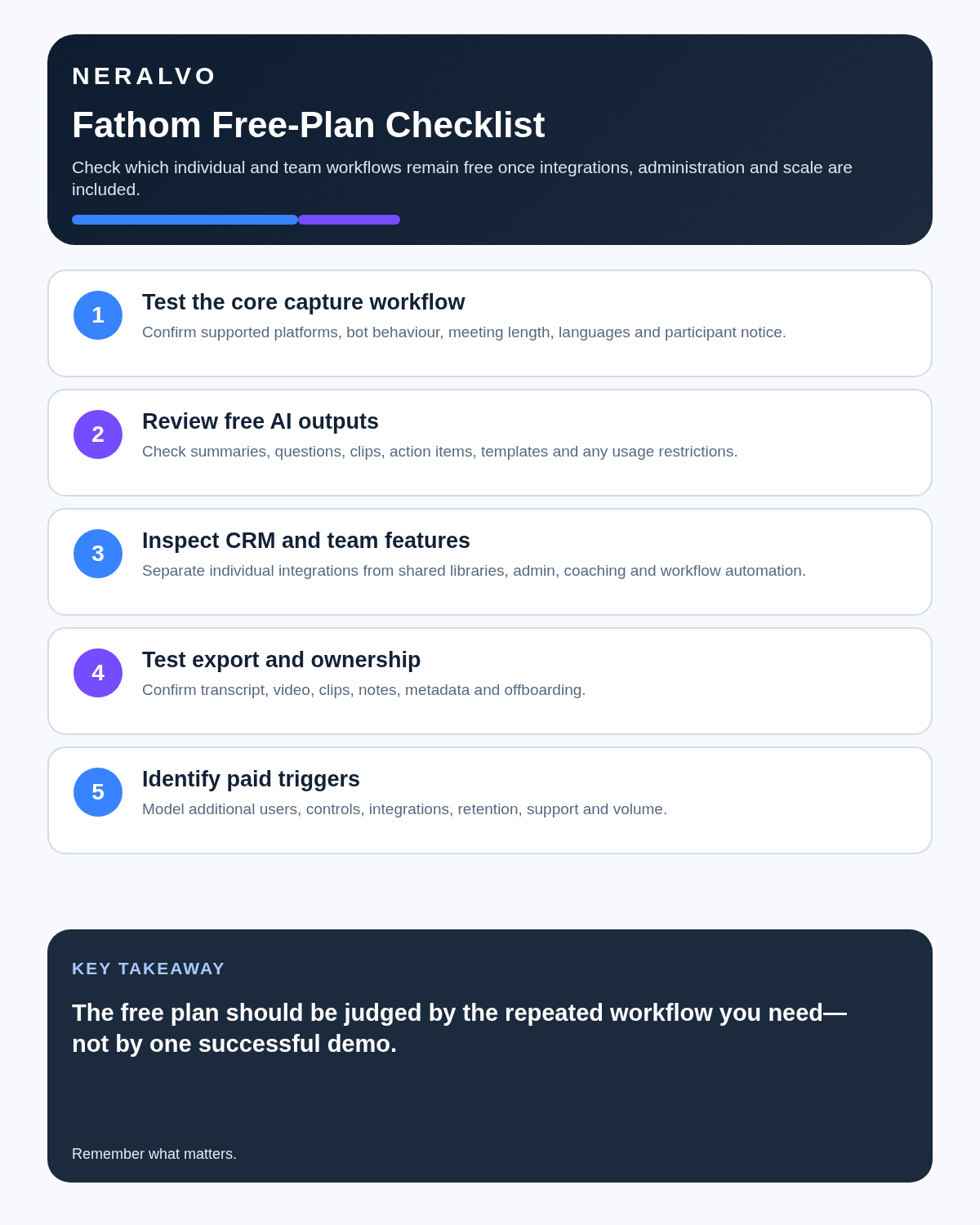
Final buying checklist
- Supported platforms and 38-language transcription scope confirmed
- Free advanced-output limits understood
- 1 August 2026 historical-search rules tested
- Current Premium, Team and Business prices confirmed
- Calendar exclusions configured
- Bot appearance and bot-free options tested
- Source playback and exports proven
- CRM updates reviewed
- Retention and deletion controlled
Verdict: Fathom Free is a strong online-meeting option. Upgrade only when advanced AI, team workflow or broader historical search produces clear operational value.
Software-first route
Need Zoom, Teams, calendar or CRM automation?
Choose cloud software for that job. This page completes the software workflow and evidence first. NERALVO Halo remains an optional later route only when offline, in-person or phone-attached capture matters more than native integrations.
On this page
Related guides
Keep the solution aligned with your original intent
- Choose the reviewed cloud software when Zoom, Teams, calendar automation, CRM workflows or unattended bot capture are essential.
- Consider dedicated hardware later only when offline, in-person, mobile or phone-attached capture is the actual requirement.
- Use neither when permission, governance, compatibility or retention requirements cannot be met.
Check current Fathom details at the official source
Verify current plans, compatibility, limits and integrations with Fathom before buying. Halo remains a separate optional comparison only for offline, in-person, mobile or phone-attached capture.
Found an error or an out-of-date claim? Email support@neralvo.com with the article address and a supporting source.