
The 60-second verdict
Quick answer: tl;dv offers a genuinely useful free plan for supported online meetings. Unlimited recording or transcription should not be read as unlimited AI notes, queries, uploads, simultaneous captures or permanent source retention.
Best fit: readers comparing tl;dv against the purchase, workflow and evidence factors below. Do not buy on: headline features alone; a failed compatibility, privacy, recovery or cost requirement should override the overall score.
Evidence basis and limits
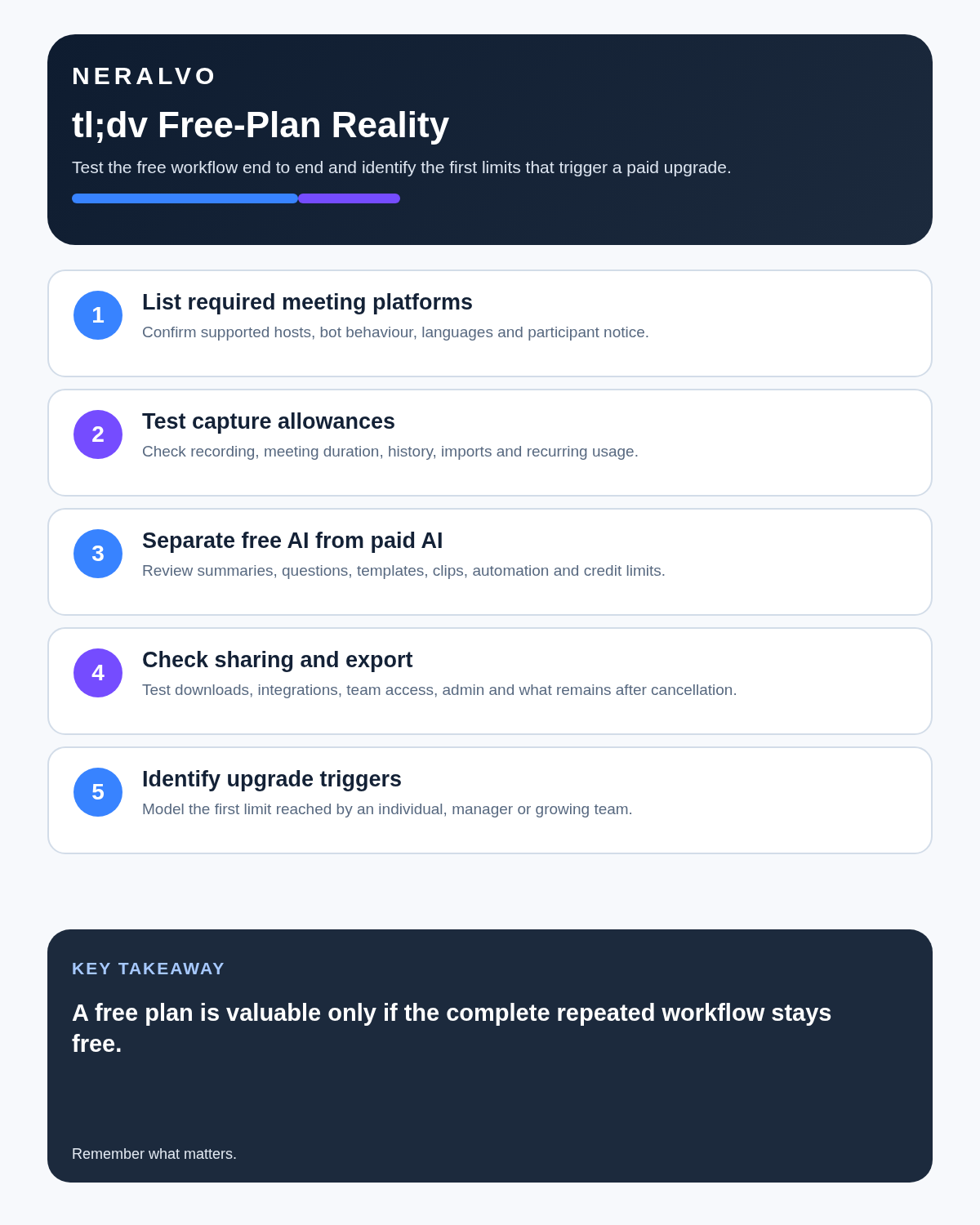
- Decision factors covered: What the free plan is good for; Read “unlimited” by category; Weekly fair-use and concurrency limits.
- Evidence rule: A claim earns weight only when the source, date, configuration and limitation are clear enough for a reader to check.
- Boundary: Manufacturer-controlled prices, plans, compatibility and specifications can change. Retain the article’s stated check date, verify the live supplier terms before purchase and treat community reports as leads unless the original source is linked.
Current plan facts checked in July 2026: Free supports transcription in more than 40 languages, AI notes for 10 meetings per month, a weekly fair-use threshold of 40 recordings and one simultaneous recording. Pro is $18 per seat per month annually or $29 monthly, raises the weekly threshold to 80 and supports two simultaneous recordings. Business is $29 per seat per month annually or $39 monthly, raises the weekly threshold to 120 and supports three simultaneous recordings. Enterprise is custom-priced.
What the free plan is good for
- Recording supported Zoom, Microsoft Teams and Google Meet sessions.
- Unlimited transcription in more than 40 languages under normal fair use.
- AI notes for up to 10 meetings per month.
- A limited number of Ask tl;dv queries and multi-meeting reports.
- Limited file uploads.
- Creating clips and shareable moments.
- Calendar, email and Slack connections.
- Testing bot-based and desktop bot-free capture.
For an individual with ordinary meeting volume, Free can be a serious working tier rather than a token trial.
Read “unlimited” by category
| Category | Question to verify |
|---|---|
| Recording | What weekly fair-use and simultaneous-meeting thresholds apply? |
| Transcription | Are all required languages and meeting lengths covered? |
| AI notes | How many meetings receive advanced notes? |
| AI queries | How many questions or multi-meeting reports are included? |
| Uploads | Can historical audio or video be imported, and how much? |
| Retention | How long are source recordings and searchable history available? |
| Automation | Which CRM and workflow integrations require a paid tier? |
Weekly fair-use and concurrency limits
| Plan | Current weekly recording threshold | Simultaneous recordings |
|---|---|---|
| Free | 40 | One at a time |
| Pro | 80 | Up to two |
| Business | 120 | Up to three |
These thresholds are generous for an ordinary individual and relevant for teams attempting to automate large numbers of overlapping meetings. Unlimited means generous normal use, not infinite automated capacity.
Current paid-plan position
| Plan | Annual-billing rate | Monthly-billing rate | Main reason to upgrade |
|---|---|---|---|
| Free | $0 | $0 | Core recording, transcription and limited AI |
| Pro | $18 per seat/month | $29 per seat/month | Unlimited AI notes, global search, uploads and CRM/workflow integrations |
| Business | $29 per seat/month | $39 per seat/month | Sales coaching, playbooks, speaker insights, team automation and greater concurrency |
| Enterprise | Custom | Custom | Advanced hosting, governance and support |
Verify current pricing and packaging before purchase because promotions and plan names can change.
AI notes are not unlimited on Free
The free plan currently includes AI notes for 10 meetings per month. A user may continue recording and transcribing after that allowance, but the richer automated note workflow becomes restricted.
Pro is the meaningful upgrade when every recorded meeting needs full AI notes, global transcript search, unlimited AI queries, CRM sync and wider integrations.
Choose between bot and desktop capture
Meeting bot
The assistant can join supported meetings, including sessions the user does not attend. It appears as a participant, requires notice and may need host admission. Calendar exclusions must prevent it from entering confidential or unsuitable events.
Desktop capture
The desktop app captures system audio without adding another participant. It can be useful when bots are blocked or inappropriate, but the user’s computer must remain active and correctly configured.
Test both modes rather than assuming the less visible option is always the more reliable one.
Retention needs a direct account check
tl;dv has published different free-plan retention descriptions across current pages and comparisons. Before treating it as a long-term record:
- Open the live workspace settings.
- Confirm source-video and transcript retention.
- Export an older meeting.
- Check whether older files are archived, inaccessible or deleted.
- Test what happens after downgrade.
- Delete a meeting and confirm all copies are removed.
Clips and reels are a genuine strength
Video-linked clips can help with customer research, coaching, recruitment review and product feedback. Keep surrounding context so a short extract does not misrepresent the full conversation.
Use a controlled online-meeting workflow
- Exclude confidential calendar categories.
- Tell participants before recording.
- Verify names, figures, actions and deadlines.
- Link important notes to the source timestamp.
- Move approved actions into the CRM or project system.
- Restrict sharing and downloads.
- Apply retention and offboarding rules.
Where Free becomes restrictive
- Every meeting needs full AI notes.
- The user regularly uploads existing recordings.
- Transcripts must be searched across a large historical library.
- CRM or workflow automation is central.
- Several meetings need recording at the same time.
- Sales coaching or playbook tracking is required.
Direct comparison matrix: tl;dv and NERALVO Halo
How to read this matrix: it is not scored to force a Halo win. The competing option leads where its deployment, integrations, placement or ecosystem is stronger; Halo leads only where its dedicated capture workflow is the better fit.
tl;dv is a computer-centred video-meeting platform. Check the Halo specification against the tl;dv decision matrix is portable hardware for face-to-face conversations and supported phone calls, with 64GB local storage and up to 35 hours of recording. The tools can complement each other: tl;dv for online video meetings and Halo for portable physical capture.
Is cloud software or a physical recorder right for this workflow?
- Choose tl;dv when remote or desktop meetings, calendar automation and native workspace integrations are central—and its current plan covers the real team workload.
- Choose NERALVO Halo when in-person, mobile or offline source capture matters more than an auto-joining cloud workflow.
- A governed hybrid can be best when the same team works both online and in person.
One public user signal
“TLDV has been terrible for us, unreliable and overall useless.”
Read the original Reddit discussion. This is one person’s public report, not a controlled test or community consensus.
Why it matters here: This is a strongly negative individual report, not a universal verdict. A short pilot should test join reliability, transcript access and exports on your actual stack.
How community feedback is used
Public reviews can reveal recurring friction, but an anonymous anecdote is not treated as measured proof. A pull-quote should appear only when it links to the original post, identifies the relevant product version or date and is presented as one user’s experience—not as universal fact.
Frequently asked questions
Is tl;dv Free really unlimited?
Core recording and transcription are generous, but Free currently has a 40-recording weekly threshold, one simultaneous recording, 10 AI-noted meetings per month and separate limits for queries, uploads and retention.
Does the bot need participant consent?
Recording rules vary, but participants should be clearly informed and the meeting should be authorised.
Can Free replace a paid plan?
Yes for some individuals. Upgrade when richer AI, historical search, integrations or administration produce measurable value.
Can tl;dv record in-person meetings?
It is primarily designed for online meetings. In-person quality depends on computer or phone microphones and placement.
Should clips be treated as complete evidence?
No. Keep access to the surrounding source context.
Official source and related reading
Final buying checklist
- Supported platform confirmed.
- More than 40-language coverage tested.
- 10-meeting Free AI-note allowance understood.
- Weekly fair-use and concurrency thresholds checked.
- Current Pro and Business prices confirmed.
- Bot and desktop capture tested.
- Retention and downgrade behaviour verified.
- Exports and deletion tested.
- Upgrade tied to a real workflow.
Verdict: tl;dv Free is genuinely generous. Judge it by the separate limits around AI notes, search, uploads, concurrency, fair use and retention—not by one headline use of the word unlimited.
Software-first route
Need Zoom, Teams, calendar or CRM automation?
Choose cloud software for that job. This page completes the software workflow and evidence first. NERALVO Halo remains an optional later route only when offline, in-person or phone-attached capture matters more than native integrations.
On this page
Related guides
Keep the solution aligned with your original intent
- Choose the reviewed cloud software when Zoom, Teams, calendar automation, CRM workflows or unattended bot capture are essential.
- Consider dedicated hardware later only when offline, in-person, mobile or phone-attached capture is the actual requirement.
- Use neither when permission, governance, compatibility or retention requirements cannot be met.
Check current tl;dv details at the official source
Verify current plans, compatibility, limits and integrations with tl;dv before buying. Halo remains a separate optional comparison only for offline, in-person, mobile or phone-attached capture.
Found an error or an out-of-date claim? Email support@neralvo.com with the article address and a supporting source.