Reviewed and updated: 21 July 2026.
The 60-second verdict
A meeting decision register should record what was decided, who authorised it, the conditions attached and where the supporting evidence can be found. An AI transcript can help locate the wording, but it cannot safely decide that a proposal became an approved decision without human review.
Decision focus: use the method below only where it produces a recoverable source, a verifiable output and a clear next action. If one of those fails, change the workflow rather than trusting a polished summary.
Quick verdict: use the recording as source evidence, extract candidate decisions, verify decision status and authority, then place only the approved entry into the controlled register.
Evidence basis and limits
- Decision factors covered: What a decision register should contain; Separate proposals from decisions; Use a decision-close script.
- Evidence rule: The decision is based on the complete capture-to-action workflow, not a single feature or marketing accuracy percentage.
- Boundary: Examples and workflow recommendations must be tested with representative recordings, the intended users and the actual approval process before rollout.
What a decision register should contain
| Field | Purpose |
|---|---|
| Decision ID | Stable reference |
| Date | When approval occurred |
| Meeting or source | Evidence location |
| Decision | Clear approved outcome |
| Decision-maker | Person or group with authority |
| Rationale | Why the option was selected |
| Conditions | Dependencies, limits or approvals |
| Alternatives rejected | Options considered but not chosen |
| Actions | Implementation work |
| Review trigger | When reconsideration is required |
| Status | Proposed, approved, superseded or withdrawn |
Separate proposals from decisions
Meeting language often includes:
- “We could…”
- “The preferred option is…”
- “Subject to legal approval…”
- “Let’s come back to this…”
- “Agreed.”
- “The board approves…”
Only the final authorised outcome belongs in the approved register. Preserve conditional or deferred status rather than simplifying it.
Use a decision-close script
“For the record, the approved decision is [decision]. It is authorised by [person or group], subject to [conditions]. [Owner] will complete [action] by [date]. We will review it if [trigger].”
Clear spoken closure improves both human understanding and later AI extraction.
Workflow from recording to register
- Record the authorised meeting.
- Generate the transcript and candidate summary.
- Search for decision language.
- Replay the relevant source section.
- Confirm the final decision and authority.
- Preserve conditions and dissent.
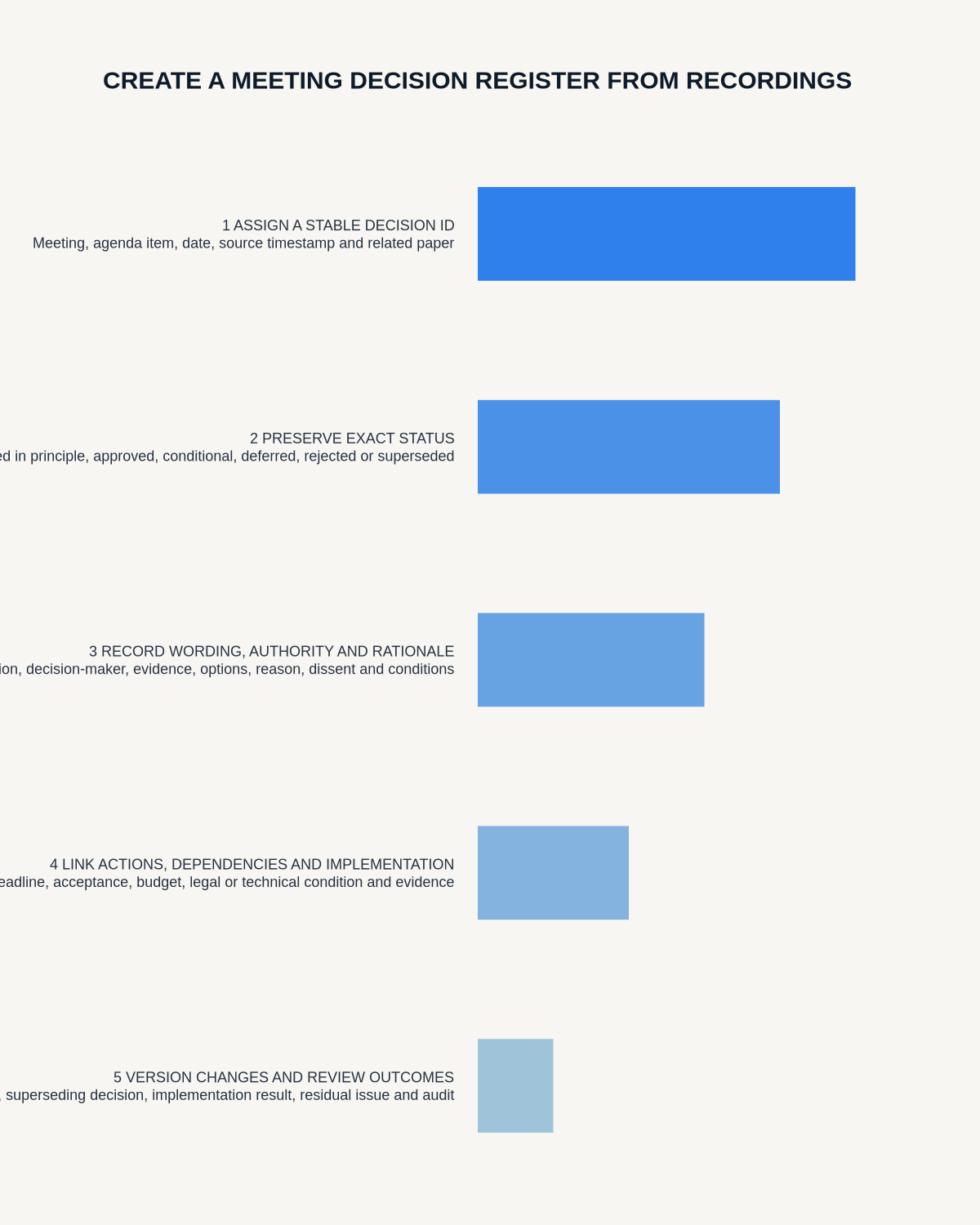
- Assign a decision ID.
- Enter the approved fields in the register.
- Link the source meeting or timestamp.
- Route implementation actions to the task system.
- Mark superseded decisions rather than deleting history.
Common AI errors
- A proposal becomes a decision.
- A preference becomes approval.
- A condition is removed.
- The wrong person is named as decision-maker.
- An action is confused with the decision itself.
- A later correction is ignored.
- Two separate decisions are merged.
- Dissent or uncertainty disappears.
Verify authority
The person speaking most confidently may not have authority to approve. Check:
- Governance rules
- Delegated authority
- Quorum
- Client or contract authority
- Budget approval
- Regulatory or legal review
- Whether the meeting only recommended an outcome
Preserve rejected alternatives
Recording why alternatives were rejected can prevent the same debate from restarting and explain the context if the decision is challenged. Keep the rationale concise and avoid unnecessary personal attribution.
Link actions without replacing the register
The decision register controls the approved outcome. The task system controls implementation. Link them, but do not rely on an action list as the only record of why and by whom a decision was made.
Handle superseded decisions
- Keep the original entry.
- Mark it superseded or withdrawn.
- Reference the new decision ID.
- Record the date and authority for change.
- Update dependent actions and documents.
- Preserve the audit trail.
Decision-register quality checks
- The wording describes one clear outcome.
- Status is explicit.
- Authority is confirmed.
- Conditions remain visible.
- Rationale is proportionate.
- Rejected alternatives are accurate.
- Actions are linked.
- Source evidence is traceable.
- Review trigger is defined.
- Superseded history is preserved.
Where NERALVO Halo fits
View Halo specifications against the evidence checklist can capture suitable meetings to 64GB local storage and synchronise recordings to DOWAY. DOWAY can create transcripts, summaries, speaker-separated notes and structured templates.
Use those outputs to identify candidate decisions, then verify the source and authority before creating the formal register entry. One year of DOWAY Max is included with the current Halo package.
Workflow choice matrix for How to Create a Meeting Decision Register from Recordings
Choose the method that protects the source and reduces downstream correction. The table makes the non-hardware options explicit.
| Condition | Preferred route | Why |
|---|---|---|
| Repeatable remote work with approved integrations | Cloud software | Automation and central collaboration may outweigh device independence. |
| In-person, mobile or unreliable-connectivity work | Dedicated recorder | Independent capture and a recoverable local source are usually more resilient. |
| Recording is refused, prohibited or unnecessary | Manual notes / no recording | Respecting the boundary is the correct workflow, not a product failure. |
| High-risk or mixed work | Governed hybrid | Separate capture, review, approval and retention rather than trusting one tool. |
Frequently asked questions
Can an AI summary become the decision register?
No. It can provide candidates, but decision status, authority and conditions require review.
Should every discussion point become a decision?
No. Record only authorised outcomes that need a controlled reference.
Should a superseded decision be deleted?
No. Mark it clearly and link the replacement so the audit trail remains understandable.
What is the most important field?
The decision itself must be precise, but authority, conditions and source evidence are essential to trust it.
Final checklist
- Candidate decision located
- Source wording replayed
- Status confirmed
- Authority verified
- Conditions preserved
- Rationale recorded
- Rejected alternatives checked
- Actions linked
- Review trigger assigned
- Source reference saved
- Superseded history retained
A reliable decision register turns a conversation into an accountable governance record without allowing AI to invent certainty.
Related AI voice recorder guides
Workflow map
Visual map for How to Create a Meeting Decision Register from Recordings
- Define the decisionState the question, required output and acceptance rule.
- Capture the sourceUse the approved route and preserve context, identity and limitations.
- Verify material detailsReplay or check names, numbers, negatives, decisions and actions.
- Move into the real recordAssign an owner, retain evidence and apply the deletion rule.
On this page
Related guides
See whether Halo fits this workflow
Review the NERALVO Halo specifications, included services, delivery information and current offer only after completing the guide.
Found an error or an out-of-date claim? Email support@neralvo.com with the article address and a supporting source.