Reviewed and updated: 21 July 2026.
The 60-second verdict
Recorded property-viewing notes can improve follow-up when they preserve what the buyer or tenant actually said, the questions that remain open and the actions promised. They should not turn casual reactions into formal offers, guarantees or undisclosed profiling.
Decision focus: use the method below only where it produces a recoverable source, a verifiable output and a clear next action. If one of those fails, change the workflow rather than trusting a polished summary.
Quick verdict: capture only authorised notes, separate observed property facts from customer comments and agent interpretation, verify every price, condition and promise, then send a concise follow-up from approved information.
Evidence basis and limits
- Decision factors covered: Define the viewing purpose; Separate four information types; Use a viewing anchor.
- Evidence rule: A claim earns weight only when the source, date, configuration and limitation are clear enough for a reader to check.
- Boundary: Examples and workflow recommendations must be tested with representative recordings, the intended users and the actual approval process before rollout.
Define the viewing purpose
A viewing follow-up may need to record:
- Property and appointment reference
- Attendees
- Buyer or tenant priorities
- Questions asked
- Features liked or disliked
- Repairs or documents to check
- Financial or chain position where appropriately provided
- Next step
- Responsible agent
Do not record unrelated personal conversation simply because the device is running.
Separate four information types
| Type | Example | Treatment |
|---|---|---|
| Observed fact | Visible damp mark in bedroom | Record neutrally and verify where required |
| Published property information | Asking price or tenure | Check against current listing or approved document |
| Viewer comment | “The kitchen feels small” | Attribute to the viewer; do not treat as fact |
| Agent interpretation | Viewer appears interested | Use cautiously and avoid unsupported profiling |
Use a viewing anchor
At the start of the note, state:
- Date and time
- Property reference
- Agent
- Viewing type
- Attendees
- Recording or note status
Use the minimum personal data needed and follow the organisation’s transparency process.
Capture useful questions
Common categories include:
- Tenure, lease or service charge
- Council tax or utilities
- Parking and access
- Alterations and planning
- Heating and insulation
- Condition and repairs
- Fixtures and fittings
- Chain or availability
- Move-in or completion timing
- Local services and transport
Mark questions as answered, to verify or outside the agent’s authority.
Do not invent answers
If information is unknown, record:
- Question
- Source required
- Owner
- Target response date
AI should not fill a missing lease term, service-charge figure, planning status or repair responsibility with plausible text.
Verify commercial and legal details
Check:
- Price or rent
- Deposit and fees
- Tenure and lease length
- Service charge and ground rent
- Availability
- Included items
- Offer conditions
- Viewing promises
- Documents to be supplied
- Any deadline
Use the approved listing, property file or responsible colleague as the source.
Create the follow-up structure
- Thank the viewer and identify the property.
- Recap the features or priorities they raised.
- Answer verified questions.
- List questions still being checked.
- Confirm documents or information to follow.
- State the next step.
- Provide the correct contact route.
Do not include unnecessary personal observations or an unedited transcript.
Workflow from viewing to follow-up
- Confirm the permitted note-taking process.
- Capture the authorised viewing notes.
- Confirm the source file or spoken recap is complete.
- Generate a transcript or structured draft.
- Correct names, property references and figures.
- Separate fact, viewer comment and interpretation.
- Verify unanswered property information.
- Create the concise follow-up.
- Update the CRM or property system.
- Assign and track promised actions.
- Apply retention and deletion rules.
Handle offers carefully
Separate:
- General interest
- Request for another viewing
- Indicative discussion
- Formal offer
- Offer conditions
- Proof-of-funds or chain information
- Seller or landlord response
Do not allow AI to convert “we might offer around…” into a formal unconditional offer.
Protect sensitive personal information
Viewers may mention finances, health, family circumstances, employment or reasons for moving. Include only what is necessary for the legitimate property workflow. Restrict access and avoid using personal characteristics to generate unfair scores or assumptions.
Measure follow-up quality
- Time from viewing to message
- Questions answered accurately
- Open questions assigned
- Incorrect promises removed
- CRM update completed
- Viewer correction requests
- Second-viewing or next-step conversion
- Source and duplicate files deleted appropriately
Where NERALVO Halo fits
Apply this guide before assessing NERALVO Halo can capture suitable property notes to 64GB local storage and synchronise recordings to DOWAY for transcripts, summaries and templates. One year of DOWAY Max is included with the current package.
Use Halo only under the organisation’s approved process. The device does not verify property facts or create authority to record clients or occupants.
Workflow choice matrix for How to Create Better Property Viewing Follow-Ups from Recorded Notes
Choose the method that protects the source and reduces downstream correction. The table makes the non-hardware options explicit.
| Condition | Preferred route | Why |
|---|---|---|
| High-risk or mixed work | Governed hybrid | Separate capture, review, approval and retention rather than trusting one tool. |
| Recording is refused, prohibited or unnecessary | Manual notes / no recording | Respecting the boundary is the correct workflow, not a product failure. |
| In-person, mobile or unreliable-connectivity work | Dedicated recorder | Independent capture and a recoverable local source are usually more resilient. |
| Repeatable remote work with approved integrations | Cloud software | Automation and central collaboration may outweigh device independence. |
Frequently asked questions
Should the whole viewing be recorded?
Usually a focused authorised note or immediate post-viewing recap is more proportionate than continuous capture.
Can AI draft the follow-up email?
Yes, but property facts, figures, promises and offer status must be checked.
Should viewer reactions be entered in the CRM?
Record relevant preferences and questions, not speculative personality or emotion labels.
Can a spoken price become an offer?
Not automatically. Use the organisation’s formal offer process and confirm conditions.
Final checklist
- Property and viewing identified
- Note-taking process authorised
- Facts, comments and interpretation separated
- Questions and unknowns listed
- Prices, tenure and promises verified
- Offer status handled correctly
- Follow-up concise and accurate
- CRM and actions updated
- Sensitive personal detail minimised
- Retention applied
A strong AI-assisted viewing follow-up is fast because the conversation has been organised, not because the system is allowed to guess property facts or customer intent.
Related AI voice recorder guides
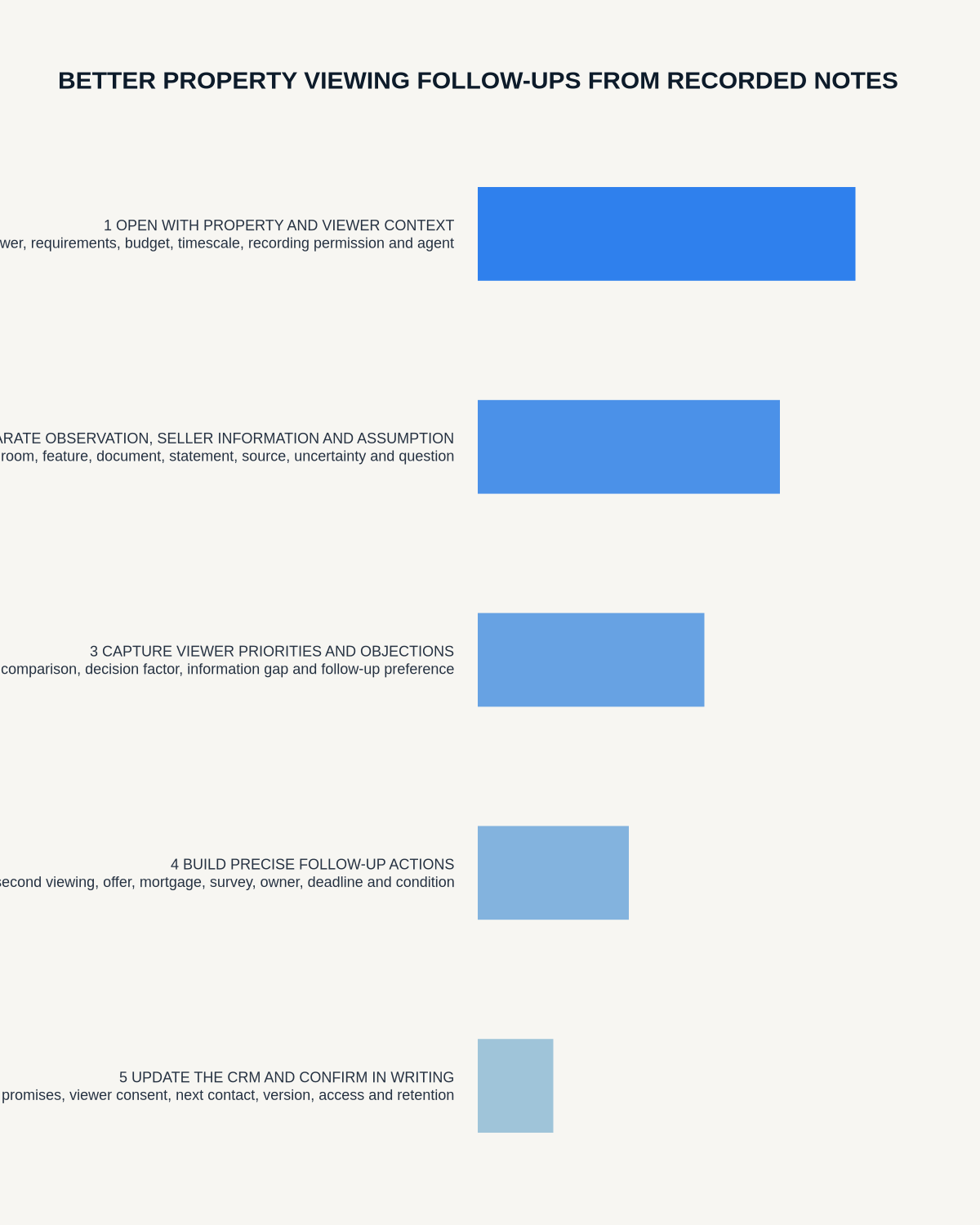
Workflow map
Visual map for How to Create Better Property Viewing Follow-Ups from Recorded Notes
- Define the decisionState the question, required output and acceptance rule.
- Capture the sourceUse the approved route and preserve context, identity and limitations.
- Verify material detailsReplay or check names, numbers, negatives, decisions and actions.
- Move into the real recordAssign an owner, retain evidence and apply the deletion rule.
On this page
Related guides
See whether Halo fits this workflow
Review the NERALVO Halo specifications, included services, delivery information and current offer only after completing the guide.
Found an error or an out-of-date claim? Email support@neralvo.com with the article address and a supporting source.