The 60-second verdict
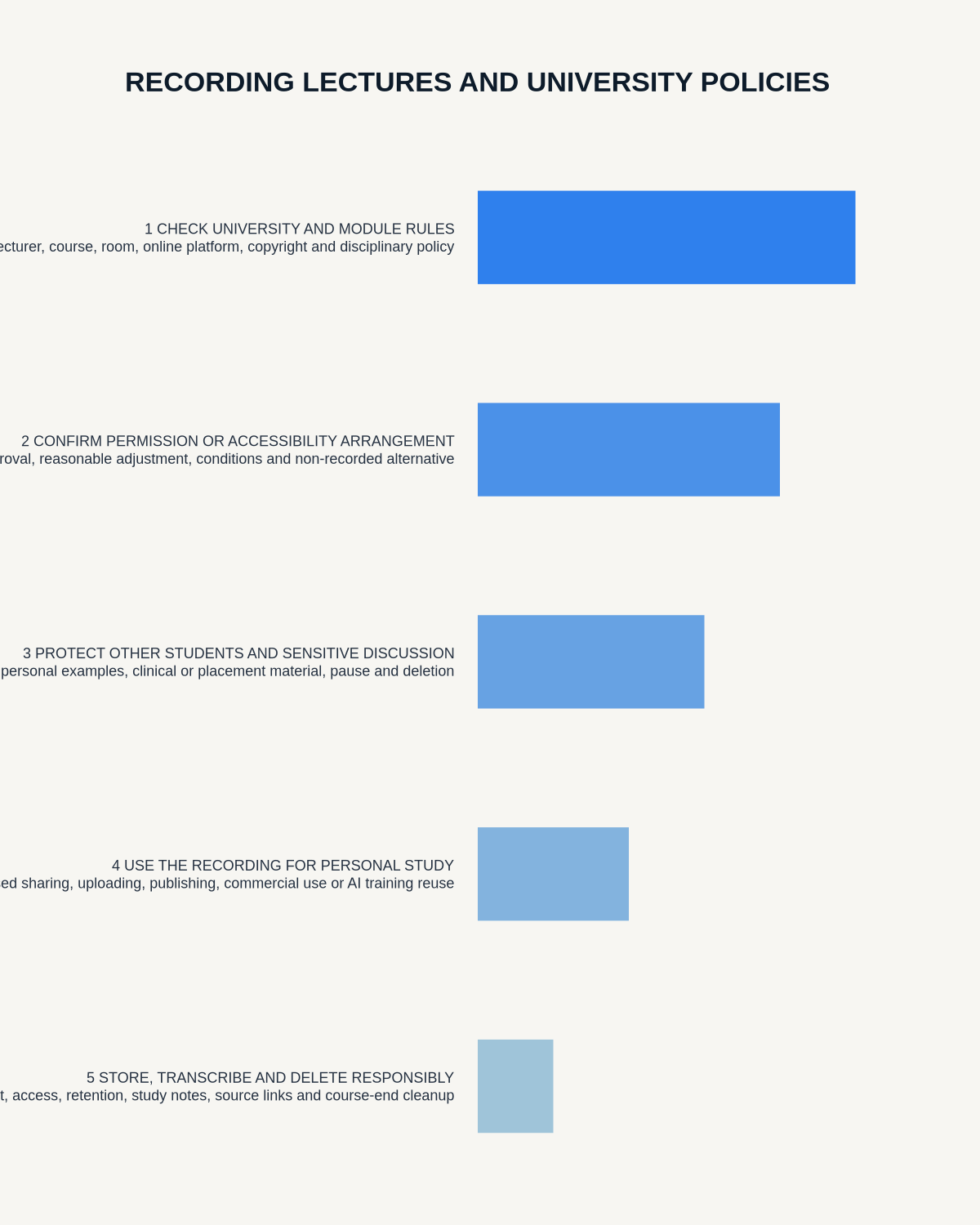
Quick answer: before recording a lecture, students should check the university’s policy, the lecturer’s instructions, disability or accessibility arrangements, copyright limits, participant privacy, storage rules and restrictions on sharing.
Decision focus: use the method below only where it produces a recoverable source, a verifiable output and a clear next action. If one of those fails, change the workflow rather than trusting a polished summary.
Evidence basis and limits
- Decision factors covered: Check the university’s policy first; Formal lectures and seminars are different; Accessibility adjustments need a defined process.
- Evidence rule: A claim earns weight only when the source, date, configuration and limitation are clear enough for a reader to check.
- Boundary: Examples and workflow recommendations must be tested with representative recordings, the intended users and the actual approval process before rollout.

Students should not assume that paying tuition or owning a recorder automatically gives permission to capture every lecture, seminar or tutorial. Rules can vary by university, course, lecturer, guest speaker, placement, professional body and individual accessibility arrangement.
This guide provides general information, not legal, copyright or disability advice. The university’s current policy and the student’s approved support plan take priority.
Check the university’s policy first
Look for rules covering:
- Personal audio recording.
- Institutional lecture capture.
- Seminars, tutorials and practical sessions.
- Guest speakers.
- Laboratories and placements.
- Professional or clinical courses.
- Disabled-student adjustments.
- Copyright and redistribution.
- Retention after the module ends.
Policies may be located in student regulations, accessibility guidance, the virtual learning environment or course handbook. Ask the lecturer or student-support team when wording is unclear.
Check six sources of authority
- University policy: general rules for teaching recordings.
- Module or course guidance: local restrictions and approved platforms.
- Lecturer instruction: whether the specific session may be recorded.
- Accessibility arrangement: individual reasonable adjustments or support plans.
- Copyright conditions: limits on reuse of slides, recordings and guest material.
- Placement or host rules: safety, confidentiality and capture of other people.
Formal lectures and seminars are different
A formal lecture may primarily capture the lecturer’s prepared teaching. A seminar may record identifiable student opinions, personal experiences, assessed contributions or confidential case discussion. Permission for one does not necessarily cover the other.
In interactive sessions, consider recording only the lecturer’s summary or pausing during student discussion.
Accessibility adjustments need a defined process
Students with a disability, long-term illness, mental-health condition or specific learning difficulty may be eligible for Disabled Students’ Allowance and institutional reasonable adjustments. Support is based on individual need and can include specialist equipment or note-taking assistance.
See the current GOV.UK Disabled Students’ Allowance guidance.
An approved adjustment should state where recording is permitted, how files may be used and whether restrictions apply to seminars, placements or confidential material. A personal learning plan does not automatically permit public sharing.
Understand copyright and performance rights
Lecture slides, readings, images, music, guest presentations and spoken delivery may be protected. A recording made for personal study does not automatically permit copying, uploading, selling or distributing the content.
Jisc identifies copyright, data protection, performer rights and accessibility as important lecture-capture considerations. See Jisc’s legal considerations for recording lectures.
Tell the lecturer and follow the agreed method
Where personal recording is authorised, use the institution’s specified process. This may involve advance permission, a visible device, an agreed seat, a standard declaration or an accessibility-plan reference.
Do not conceal the recorder or leave it unattended.
Protect classmates and guest speakers
- Avoid capturing names and personal disclosures.
- Pause during sensitive questions.
- Do not record private feedback or pastoral conversations.
- Do not upload seminar discussion to an unapproved public AI tool.
- Respect guest-speaker restrictions.
- Use a private study location when replaying audio.
Do not record restricted environments casually
Clinical placements, schools, courts, laboratories, counselling exercises, client clinics, fieldwork and commercially confidential visits can involve additional rules. A university adjustment does not override host-organisation policy, safeguarding, patient or client confidentiality, safety controls or professional duties.
Use AI transcription as a study aid
A transcript can support lecture outlines, revision summaries, terminology lists, questions to research, flashcards, mind maps and comparison with slides and reading.
It should not replace attendance, critical reading or understanding. AI can confidently mishear specialist terms, equations, names, citations and references.
Use a three-step study workflow
1. Before the lecture
- Confirm permission.
- Download slides and reading.
- Set the correct module and date.
- Check battery and storage.
- Choose NOTE mode.
2. During the lecture
- Start only when teaching begins.
- Mark key topics and questions.
- Pause for restricted discussion.
- Keep brief handwritten or typed cues for visual material.
- Stop at the formal end.
3. After the lecture
- Generate the minimum useful output.
- Check technical terms against slides and sources.
- Convert notes into active-recall questions.
- Store files privately.
- Delete raw audio when the approved study purpose ends.
Do not share transcripts by default
Sending a transcript to classmates can disclose lecturer content, student comments and personal data. The fact that somebody missed the lecture does not create permission to redistribute it. Use official module materials where available.
Check the AI supplier and account
A personal transcription app may upload audio to cloud services. Review whether the university approves the service, where data is processed, whether content may be used for model training, who can access files and how deletion works.
Avoid processing sensitive sessions through an unapproved account.
Use clear filenames without exposing sensitive detail
A simple structure such as Module-Date-Topic supports retrieval. Avoid including a student’s health condition, complaint or private circumstance in the filename.
Retention should follow the approved study purpose
Delete recordings after the module, assessment or accessibility need ends unless the university specifies another period. Remove duplicates from the recorder, phone, app, laptop, downloads and cloud storage.
How NERALVO Halo fits permitted study recording
Apply this guide before assessing NERALVO Halo includes NOTE mode, supported CALL mode, 64GB local storage, up to 35 hours of recording and Bluetooth connection to DOWAY. DOWAY supports transcripts, summaries, templates, translation, mind maps and exports, with one year of DOWAY Max included.
For lectures, NOTE mode is the relevant capture method. Permission or an accessibility arrangement must be established separately; Halo does not override university rules.
Workflow choice matrix for Can Students Record University Lectures? Policies and Rules to Check
Choose the method that protects the source and reduces downstream correction. The table makes the non-hardware options explicit.
| Condition | Preferred route | Why |
|---|---|---|
| Repeatable remote work with approved integrations | Cloud software | Automation and central collaboration may outweigh device independence. |
| In-person, mobile or unreliable-connectivity work | Dedicated recorder | Independent capture and a recoverable local source are usually more resilient. |
| Recording is refused, prohibited or unnecessary | Manual notes / no recording | Respecting the boundary is the correct workflow, not a product failure. |
| High-risk or mixed work | Governed hybrid | Separate capture, review, approval and retention rather than trusting one tool. |
Frequently asked questions
Can I record because the university already records lectures?
Not necessarily. Institutional lecture capture and personal recording may have different policies, access controls and purposes.
Can I share a transcript with a study group?
Only when university policy, copyright and participant permissions allow it.
What if recording is a disability adjustment?
Follow the exact approved plan and contact disability or student-support services if a lecturer or placement raises concerns.
Can I record a seminar?
Interactive seminars create greater privacy risk. Obtain specific permission and consider a non-recorded note-taking method.
Can I upload lecture audio to any AI tool?
No. Check university approval, supplier terms, copyright, classmates’ information and the intended purpose first.
Final student lecture-recording checklist
- University and course policy checked.
- Lecturer permission or adjustment confirmed.
- Session type assessed.
- Guest-speaker and placement rules checked.
- Classmates protected where required.
- Copyright and sharing limits understood.
- Approved AI service used.
- Specialist terms manually checked.
- Recordings kept private.
- Deletion date assigned.
Bottom line: responsible lecture recording respects the lecturer, classmates, teaching materials and the limits of the approved study purpose while turning captured information into active, checked revision.
Related guides
On this page
Related guides
See whether Halo fits long-form study capture
After checking permission and your institution’s rules, compare Halo’s stated battery, storage and export workflow with the way you actually study.
Found an error or an out-of-date claim? Email support@neralvo.com with the article address and a supporting source.