The 60-second verdict
Do not make an important client call, interview or meeting the first real test of an AI voice recorder. Reliability must be proven across audio capture, phone routing, battery, storage, transcription and export before the device becomes part of a working process.
Decision focus: use the method below only where it produces a recoverable source, a verifiable output and a clear next action. If one of those fails, change the workflow rather than trusting a polished summary.
Evidence basis and limits
- Decision factors covered: 1. Controls without the app; 2. The far-speaker test; 3. The overlap test.
- Evidence rule: The decision is based on the complete capture-to-action workflow, not a single feature or marketing accuracy percentage.
- Boundary: Examples and workflow recommendations must be tested with representative recordings, the intended users and the actual approval process before rollout.
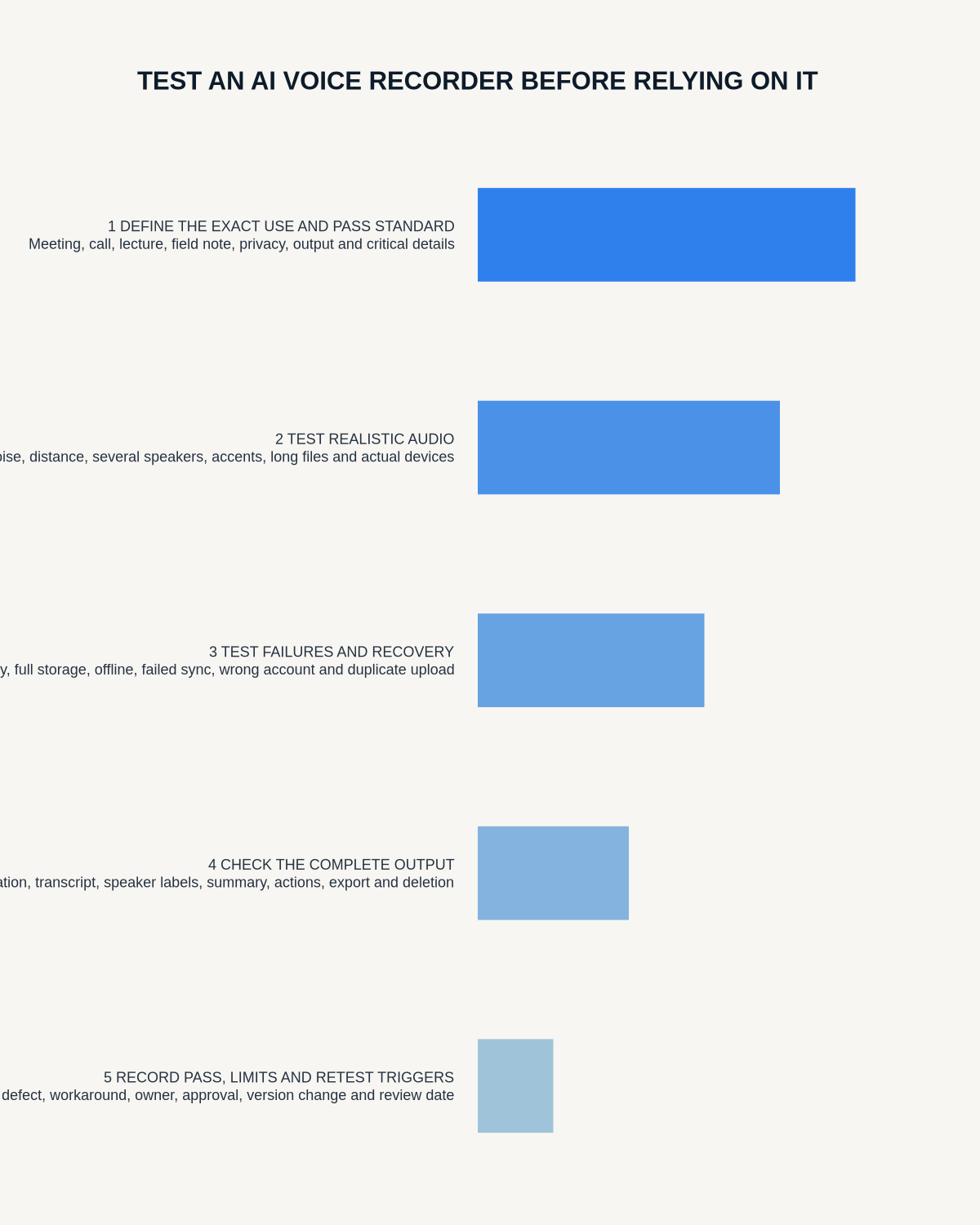
A recorder is ready only when the complete workflow can be repeated three times: start → confirm capture → stop → find file → process → verify → export → store → delete as required.
1. Controls without the app
Start and stop using the device controls and confirm status without relying on the phone.
2. The far-speaker test
Use the largest normal room with a distant quiet speaker, ventilation, paper movement and an interruption.
3. The overlap test
Include brief overlapping speech and check both transcript and speaker labels.
4. Names and numbers
Include unfamiliar names, a reference, price, deadline and specialist term.
5. Mobile-call routing
Test handset, speakerphone and Bluetooth states. Both voices must appear in the source audio.
6. Internet-call apps
Test every platform that matters and repeat after ending and starting a new session.
7. Low battery
Learn warning behaviour and confirm the active file saves safely.
8. Long-session file
Record for at least the longest normal meeting and check for gaps or split-file confusion.
9. Nearly full storage
Use disposable test files to learn warnings and overwrite behaviour.
10. Disconnection during recording
Disconnect Bluetooth or close the app and document expected behaviour.
11. Export and reopen
Export audio, transcript and summary and open them on another device.
12. Cancellation or expired plan
Confirm what remains available and export representative files before an included period ends.
13. Accidental activation
Carry the recorder for a normal day and test control locking or accidental-file detection.
14. Deletion
Delete a disposable synced recording and confirm which copies remain.
15. Workflow destination
Move the checked output into the actual CRM, client file, project tool, research folder or revision system.
Reliability scorecard
| Area | Pass | Fail |
|---|---|---|
| Capture | Complete source audio | Missing or corrupt section |
| Calls | Both voices repeatably captured | One side absent or unpredictable |
| Battery | Longest session plus margin | Warning or saving unclear |
| Storage | Capacity and warnings understood | Overwrite behaviour unknown |
| AI output | Critical errors easy to check | Polished but untraceable output |
| Exports | Audio and editable text open elsewhere | Locked inside app |
| Control | Copies and deletion understood | Unknown duplicates |
Document the working configuration
- phone and operating system
- app version
- recorder mode
- Bluetooth state
- room placement
- call platform and route
- export formats
- battery and storage behaviour
Where NERALVO Halo fits
View Halo specifications against the evidence checklist includes 64GB local storage, NOTE and CALL modes, up to 35 hours of recording and Bluetooth transfer to DOWAY. Complete all call-routing tests on the exact setup.
Trust a recorder only after it has survived deliberate failure tests and the working setup has been documented.
Workflow choice matrix for How to Test an AI Voice Recorder Before Relying on It
Choose the method that protects the source and reduces downstream correction. The table makes the non-hardware options explicit.
| Condition | Preferred route | Why |
|---|---|---|
| Repeatable remote work with approved integrations | Cloud software | Automation and central collaboration may outweigh device independence. |
| In-person, mobile or unreliable-connectivity work | Dedicated recorder | Independent capture and a recoverable local source are usually more resilient. |
| Recording is refused, prohibited or unnecessary | Manual notes / no recording | Respecting the boundary is the correct workflow, not a product failure. |
| High-risk or mixed work | Governed hybrid | Separate capture, review, approval and retention rather than trusting one tool. |
Related AI voice recorder guides
Workflow map
Visual map for How to Test an AI Voice Recorder Before Relying on It
- Define the decisionState the question, required output and acceptance rule.
- Capture the sourceUse the approved route and preserve context, identity and limitations.
- Verify material detailsReplay or check names, numbers, negatives, decisions and actions.
- Move into the real recordAssign an owner, retain evidence and apply the deletion rule.
On this page
Related guides
See whether Halo fits this workflow
Review the NERALVO Halo specifications, included services, delivery information and current offer only after completing the guide.
Found an error or an out-of-date claim? Email support@neralvo.com with the article address and a supporting source.