The 60-second verdict
A voice-to-text recorder captures speech and converts it into editable text. The useful products do more than produce a transcript: they preserve the source audio, make errors easy to correct and let the final text move into the systems where work is completed.
Decision focus: use the method below only where it produces a recoverable source, a verifiable output and a clear next action. If one of those fails, change the workflow rather than trusting a polished summary.
Evidence basis and limits
- Decision factors covered: What happens after you press record; Dedicated recorder, phone app or meeting bot?; Who benefits most?.
- Evidence rule: The decision is based on the complete capture-to-action workflow, not a single feature or marketing accuracy percentage.
- Boundary: Examples and workflow recommendations must be tested with representative recordings, the intended users and the actual approval process before rollout.
The category includes phone apps, meeting software and dedicated hardware recorders. Buyers should compare the whole route from spoken words to finished note rather than judging the first transcript alone.
What happens after you press record
- The microphone captures sound.
- The device saves the audio locally, uploads it or does both.
- Speech-recognition software converts the audio into words.
- The system may add punctuation, timestamps and speaker labels.
- AI may produce a summary, actions, translation or template.
- A human checks critical details and exports the result.
Each stage can introduce errors. Poor audio affects recognition; poor speaker separation affects attribution; an overconfident summary can change meaning even when the transcript is accurate.
Dedicated recorder, phone app or meeting bot?
| Option | Strength | Limitation |
|---|---|---|
| Dedicated voice-to-text recorder | Independent battery, controls and local capture | Extra hardware to carry and manage |
| Phone app | Low cost and always available | Shares battery, microphone and interruptions with the phone |
| Meeting bot | Easy calendar and platform integration | Limited to supported online meetings and may be visible as a participant |
| Laptop software | Convenient for desk-based calls | Less useful for field work and room placement |
Who benefits most?
Professionals with repeated meeting notes
Advisers, managers and sales teams can use a transcript as the source for checked decisions, actions and client requirements.
Students and researchers
Dense explanations and interviews become searchable, but the output should be reduced into purposeful study or research notes.
Journalists and content teams
Recordings can support quotation checking and theme extraction. Published quotations still need verification.
People who think aloud
Spoken ideas can be captured while walking or travelling, then converted into concise project notes.
What accuracy really means
Do not rely only on a general accuracy percentage. Test names and specialist terms, numbers, prices and dates, several speakers, overlapping speech, your normal phone-call route, room echo and background noise and correction time.
A transcript can be mostly correct while getting the one figure that matters wrong.
Local recording versus live text
Some systems show words while people speak. Others record first and process afterwards. Live text is useful for immediate captions. Recorder-first processing is often better when the source audio must be reviewed before the note is filed.
A hybrid workflow can use live captions for participation and a retained recording for verification where policy and permission allow.
Features that save real time
- Searchable transcript: locate a phrase without replaying the whole file.
- Speaker labels: separate voices, subject to checking.
- Timestamps: move directly to important passages.
- Editable summaries: reduce long discussions into usable context.
- Action extraction: identify tasks, owners and deadlines for review.
- Export: move audio and text into common formats.
- Templates: structure recurring outputs consistently.
Features that can create false confidence
Automatic summaries and action lists can sound authoritative. Treat them as drafts. The system may turn a proposal into a decision, drop a condition, assign a task to the wrong speaker, invent a clean sentence from unclear audio or omit disagreement.
A buyer’s ten-minute test
- Record two speakers in the room normally used.
- Include two names, three numbers and one specialist term.
- Interrupt once and speak over each other briefly.
- Generate the transcript and summary.
- Check critical details against the audio.
- Export the source audio and editable text.
- Move the final note into the real destination.
- Measure total time from recording end to usable output.
Privacy and file control
Recording rules depend on the situation, purpose and organisation. Make the recording decision clear, obtain any permission required and avoid collecting more information than necessary.
Know where files are stored, whether syncing creates duplicate copies and how audio, transcripts and backups are deleted.
Where NERALVO Halo fits
View Halo specifications against the evidence checklist is a dedicated voice-to-text recorder that captures audio locally and transfers recordings to DOWAY for AI processing. Its current specification includes 64GB local storage, NOTE and CALL modes and up to 35 hours of recording.
DOWAY can create transcripts, summaries, speaker-separated notes, templates, translations and mind maps. The current package includes one year of DOWAY Max from activation. Verify current allowances and export options before purchase.
CALL mode compatibility varies by phone, operating system and call route, so test the exact setup used.
Workflow choice matrix for What Is a Voice-to-Text Recorder
Choose the method that protects the source and reduces downstream correction. The table makes the non-hardware options explicit.
| Condition | Preferred route | Why |
|---|---|---|
| Repeatable remote work with approved integrations | Cloud software | Automation and central collaboration may outweigh device independence. |
| In-person, mobile or unreliable-connectivity work | Dedicated recorder | Independent capture and a recoverable local source are usually more resilient. |
| Recording is refused, prohibited or unnecessary | Manual notes / no recording | Respecting the boundary is the correct workflow, not a product failure. |
| High-risk or mixed work | Governed hybrid | Separate capture, review, approval and retention rather than trusting one tool. |
Frequently asked questions
Does voice-to-text work without the internet?
Recording may work locally, while transcription and AI processing may require an app and connection. Check the product’s exact workflow.
Can it record phone calls?
Some systems support call modes, but compatibility varies. Test the phone, operating system and call app used.
Can a transcript be used without checking?
Low-risk personal notes may need little review. Important names, figures, decisions and quotations should always be verified.
What is the most important feature?
Reliable source capture. Every later AI feature depends on a complete, intelligible recording.
Related guides
Bottom line
A voice-to-text recorder is valuable when it reduces the work between conversation and completed record. Prioritise reliable audio, critical-detail accuracy, editable exports and a review routine over headline AI features.
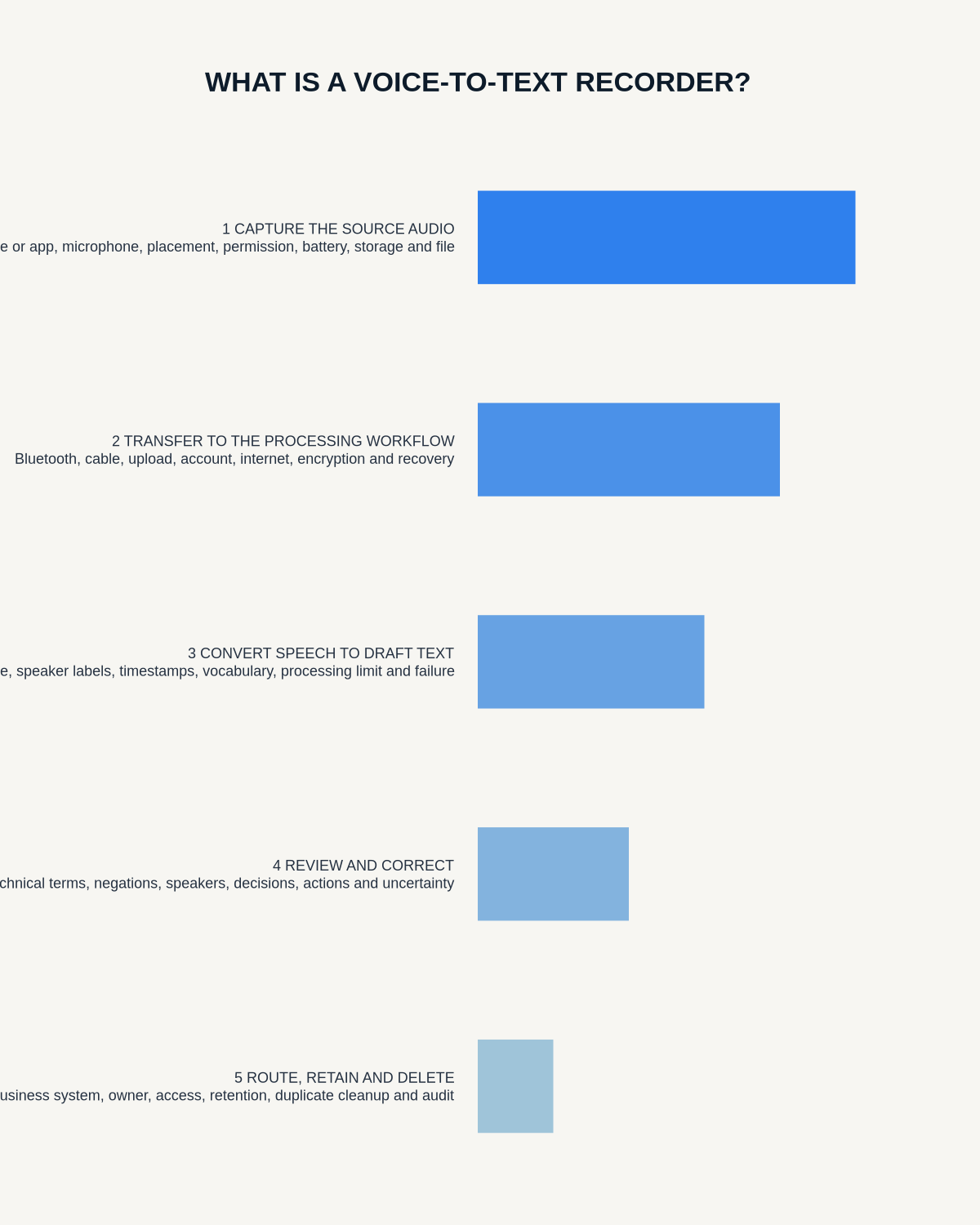
Workflow map
Visual map for What Is a Voice-to-Text Recorder?
- Define the decisionState the question, required output and acceptance rule.
- Capture the sourceUse the approved route and preserve context, identity and limitations.
- Verify material detailsReplay or check names, numbers, negatives, decisions and actions.
- Move into the real recordAssign an owner, retain evidence and apply the deletion rule.
On this page
Related guides
See whether Halo fits this workflow
Review the NERALVO Halo specifications, included services, delivery information and current offer only after completing the guide.
Found an error or an out-of-date claim? Email support@neralvo.com with the article address and a supporting source.