The 60-second verdict
Quick answer: record interruption-heavy meetings by giving the chair clear pause, redirect and read-back rules; separating the core meeting from side discussions; and confirming every material decision, objection and action after the interruption ends.
Decision focus: use the method below only where it produces a recoverable source, a verifiable output and a clear next action. If one of those fails, change the workflow rather than trusting a polished summary.
Evidence basis and limits
- Decision factors covered: Define the official meeting channel; Use a simple interruption protocol; Separate side conversations from the core record.
- Evidence rule: A claim earns weight only when the source, date, configuration and limitation are clear enough for a reader to check.
- Boundary: Examples and workflow recommendations must be tested with representative recordings, the intended users and the actual approval process before rollout.
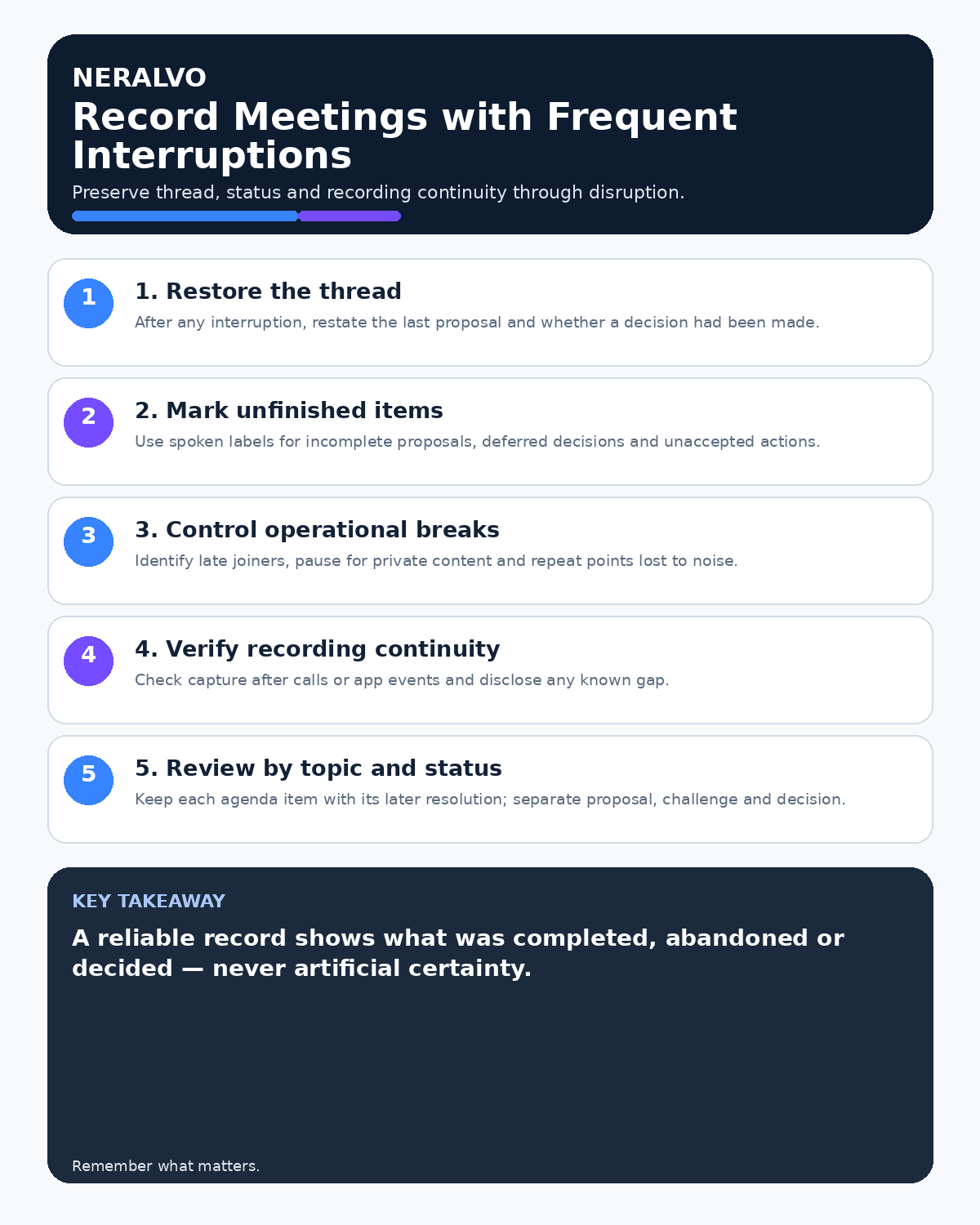
Interruptions are not only an audio problem. They can change who heard a proposal, whether a decision was actually reached and which version of an action is current. A reliable record must preserve those state changes instead of smoothing them into one continuous narrative.

Define the official meeting channel
Before recording, identify the chair, minute owner and the discussion that forms the official meeting record. Explain whether breaks, private consultations and side conversations will be excluded. Participants should know how recording will be paused and when it resumes.
Use a simple interruption protocol
- Pause: stop the official discussion when the interruption makes the record unclear.
- Identify: state the reason briefly, such as a technical issue, late arrival or private consultation.
- Resolve: deal with the interruption outside the main discussion where possible.
- Resume: announce that the official meeting has restarted.
- Restate: repeat the last material point, decision status and next speaker.
Do not rely on the transcript to infer where the official discussion stopped and informal conversation began.
Separate side conversations from the core record
Side conversations may be irrelevant, confidential or incomplete. If they affect the meeting, bring the result back into the main channel and state it clearly. For example: “The finance discussion has concluded. The revised proposal remains subject to budget approval.”
A private exchange should not silently change the official decision.
Track decision state after interruptions
- Proposed: option introduced but not approved.
- Interrupted: discussion paused before conclusion.
- Revised: wording changed after the interruption.
- Approved: authorised outcome confirmed in the main meeting.
- Deferred: no decision reached.
Read back the final wording, authority and conditions. This prevents an earlier proposal from appearing to be the outcome.
Handle late arrivals and re-joins
Give late participants the required recording notice before capturing their contribution. Briefly state the current agenda item and any decisions already made. Do not treat them as having approved matters they did not hear.
Control overlapping speech
When several people speak at once, the chair should stop, identify the speakers and invite each contribution separately. Mark genuinely unclear passages rather than guessing. Review how to handle overlapping speech in AI transcripts for a source-based correction process.
Use spoken markers for long or disrupted sessions
Markers such as “pause,” “resume,” “decision,” “action,” “owner,” “deadline” and “not agreed” create useful navigation points. A complete marker should state the subject and status, not only a keyword. See spoken markers for long recordings.
Verify the final note
Check interruptions that affected decisions, objections, figures, owners or deadlines against the audio. Confirm that the final note distinguishes official discussion, reported side-conversation outcomes, unresolved points and excluded sections.
Workflow choice matrix for How to Record Meetings with Frequent Interruptions
Choose the method that protects the source and reduces downstream correction. The table makes the non-hardware options explicit.
| Condition | Preferred route | Why |
|---|---|---|
| High-risk or mixed work | Governed hybrid | Separate capture, review, approval and retention rather than trusting one tool. |
| Recording is refused, prohibited or unnecessary | Manual notes / no recording | Respecting the boundary is the correct workflow, not a product failure. |
| In-person, mobile or unreliable-connectivity work | Dedicated recorder | Independent capture and a recoverable local source are usually more resilient. |
| Repeatable remote work with approved integrations | Cloud software | Automation and central collaboration may outweigh device independence. |
Frequently asked questions
Should recording continue during every interruption?
No. Pause for breaks, private consultations, unrelated discussion and any section that falls outside the approved purpose.
Can AI identify which conversation was official?
Not reliably. The chair should mark the boundary and restate the official outcome.
What if an interruption changes the decision?
Record the revised proposal and obtain a fresh confirmation in the main meeting.
Useful resources
- Association for Project Management meeting guidance
- How to Record Meetings While Presenting Slides
- Apply this guide before assessing NERALVO Halo
Final checklist
- Official meeting channel defined
- Pause and resume markers used
- Side conversations excluded or formally reported back
- Late arrivals informed
- Decision state confirmed after interruptions
- Overlapping speech reviewed honestly
- Actions, owners and deadlines read back
On this page
Related guides
See whether Halo fits this workflow
Review the NERALVO Halo specifications, included services, delivery information and current offer only after completing the guide.
Found an error or an out-of-date claim? Email support@neralvo.com with the article address and a supporting source.