Reviewed and improved: 4 August 2026.
The 60-second verdict
Quick answer: stop losing action items after meetings by making every commitment explicit, reading the final list back before the meeting ends, verifying the AI-generated draft against the source audio and moving approved tasks into one authoritative task system immediately.
Decision focus: use the method below only where it produces a recoverable source, a verifiable output and a clear next action. If one of those fails, change the workflow rather than trusting a polished summary.
An AI transcript can surface possible actions, but it cannot reliably decide whether a suggestion became a commitment, whether the named person accepted ownership or whether a deadline was final. The control point is human confirmation.
Evidence basis and limits
- Decision factors covered: Why action items disappear; Use a complete action-item standard; Separate actions from similar meeting content.
- Evidence rule: Claims are weighted by consequence: capture failure, changed meaning, access and recovery matter more than polished wording.
- Boundary: Examples and workflow recommendations must be tested with representative recordings, the intended users and the actual approval process before rollout.
NERALVO sells the Halo AI voice recorder. This guide explains a general action-management workflow and does not claim that AI can assign responsibility or create binding commitments without human confirmation.
Why action items disappear
Most lost actions are not caused by a lack of notes. They are caused by unclear ownership, vague wording, missing deadlines, hidden dependencies, delayed follow-up and several competing task lists.
Common failure patterns include:
- “We should look into that” being treated as an assigned task.
- Several people being named, so nobody is accountable.
- A deadline being implied but never agreed.
- An action remaining buried in minutes rather than entering the task system.
- A later correction not reaching everyone.
- An AI summary converting an idea into a commitment.
Use a complete action-item standard
Every approved action should contain five fields:
- Owner: one accountable person.
- Deliverable: the visible result required.
- Deadline or review trigger: when progress must be checked.
- Dependency: what must happen first.
- Evidence of completion: how the team will know it is done.
“Priya will send the revised campaign brief to the sales director by 3pm Friday, after finance confirms the budget, with the final PDF stored in the campaign workspace.”
That is far stronger than “Marketing will update the brief.”
Separate actions from similar meeting content
| Type | Meaning | Required treatment |
|---|---|---|
| Decision | An authorised conclusion | Record in the decision log |
| Action | Assigned work | Create a task with one owner |
| Question | Information still required | Assign research or leave explicitly open |
| Idea | A possibility not approved | Keep out of the action list |
| Risk | A possible event affecting the result | Record in the risk process |
| Waiting item | An external dependency | Assign a follow-up date and owner |
| Cancelled item | Work no longer required | Close it visibly; do not silently delete history |
Make commitments explicit during the meeting
When a possible action appears, the chair should confirm it in plain language:
- Who owns it?
- What exactly will be produced?
- When is it due?
- What must happen first?
- What result counts as complete?
- Was the owner present and did they accept it?
Use one accountable owner even where several contributors are involved. Contributors can be listed separately.
Close every meeting with a spoken read-back
Reserve the final minutes to read every proposed action aloud. Confirm owner, deliverable, deadline, dependency and completion evidence. Invite immediate correction.
Useful language includes:
- “Action A-17: Jordan owns the supplier comparison.”
- “Due date confirmed as 12 August.”
- “This remains conditional on legal approval.”
- “This suggestion was discussed but not assigned.”
- “The earlier action is cancelled and replaced by A-18.”
Use a controlled ten-minute post-meeting workflow
- Open the AI-generated action draft.
- Review the final read-back first.
- Replay uncertain sections.
- Correct names, dates, numbers and conditions.
- Remove ideas, duplicates and cancelled items.
- Flag genuinely missing fields rather than guessing.
- Create tasks in the official task system.
- Link each task to the relevant decision, document or source note.
- Send the checked action list only to people who need it.
- Apply the retention rule to the audio and working transcript.
Do not invent missing information
When no owner, date or deliverable was agreed, leave the field open and return it for decision. An AI-generated guess may sound reasonable while creating a false commitment.
Use explicit statuses such as:
- Owner required
- Deadline required
- Scope unclear
- Awaiting approval
- Not yet assigned
Choose one authoritative task system
Minutes, email, chat, spreadsheets and transcripts may all contain copies of actions, but only one system should control execution. That system should show:
- current owner;
- current status;
- deadline or review trigger;
- dependencies;
- latest approved wording;
- completion evidence;
- change history.
Every other copy should point back to the authoritative task record.
Manage changes without losing history
When ownership, deadline or scope changes, update the controlled task and record the reason. Do not silently overwrite important changes where accountability matters.
| Change | Minimum record |
|---|---|
| Owner changed | Previous owner, new owner, approval and date |
| Deadline moved | Old date, new date and reason |
| Scope changed | Old deliverable, new deliverable and decision reference |
| Task cancelled | Who cancelled it and why |
| Task completed | Completion date and evidence |
Track action-management quality
Measure the process, not only the number of tasks completed.
- Percentage of actions with one owner
- Percentage with a deadline or review trigger
- Time from meeting end to task creation
- Percentage with a linked decision or source
- Overdue rate
- Tasks reopened because wording was unclear
- Actions discovered late from old transcripts
- Duplicate tasks created across systems
Protect confidential information
Action lists may reveal personal data, legal matters, commercial plans or security-sensitive work. Record through an approved process, restrict access and transfer only the minimum necessary detail into the task system.
Where the task itself is sensitive, use a neutral title and keep detailed evidence in the controlled source system.
Where NERALVO Halo fits
Check whether NERALVO Halo fits this workflow provides NOTE recording, supported CALL capture, 64GB local storage, up to 35 hours of recording and Bluetooth transfer to DOWAY. DOWAY can generate transcripts, summaries, templates, mind maps and exports. One year of DOWAY Max is included from activation.
Use Halo to preserve the source conversation and identify candidate actions. Then verify the final wording, confirm ownership and move the approved task into the organisation’s official system.
Action-item template
| Field | Example |
|---|---|
| Action ID | A-204 |
| Owner | Priya Shah |
| Deliverable | Revised campaign brief |
| Deadline | Friday, 3pm |
| Dependency | Finance budget confirmation |
| Completion evidence | Approved PDF in campaign workspace |
| Status | Open |
| Source | Meeting decision D-41 |
| Review point | Monday stand-up |
Workflow choice matrix for How to Stop Losing Action Items After Meetings
Choose the method that protects the source and reduces downstream correction. The table makes the non-hardware options explicit.
| Condition | Preferred route | Why |
|---|---|---|
| Repeatable remote work with approved integrations | Cloud software | Automation and central collaboration may outweigh device independence. |
| In-person, mobile or unreliable-connectivity work | Dedicated recorder | Independent capture and a recoverable local source are usually more resilient. |
| Recording is refused, prohibited or unnecessary | Manual notes / no recording | Respecting the boundary is the correct workflow, not a product failure. |
| High-risk or mixed work | Governed hybrid | Separate capture, review, approval and retention rather than trusting one tool. |
Frequently asked questions
Can AI assign action owners automatically?
It can suggest likely owners from the discussion, but the responsible people must confirm ownership.
Should actions remain in meeting minutes?
They can be listed there for context, but execution should occur in the authoritative task system.
What if there is no deadline?
Use an agreed review trigger or leave the field open for decision. Do not invent a date.
How many people should own one action?
Use one accountable owner and list contributors separately.
Should cancelled actions be deleted?
No. Close them visibly where history matters, including who cancelled them and why.
What should happen when an action depends on someone outside the team?
Create a waiting item with an internal owner and a follow-up date.
Useful resources
- Association for Project Management: meetings
- How to Turn a Recording into Accurate Meeting Minutes with AI
- How to Build a Decision Log from Meeting Recordings
- How to Create an Issue Log from Meeting Recordings
Final action-control checklist
- One accountable owner confirmed
- Specific deliverable defined
- Deadline or review trigger agreed
- Dependency preserved
- Completion evidence stated
- Final read-back completed
- AI draft checked against source audio
- Official task created promptly
- Changes tracked transparently
- Confidential information controlled
Bottom line: recording preserves the conversation. Explicit commitments, a closing read-back, human verification and one authoritative task system prevent action items from disappearing.
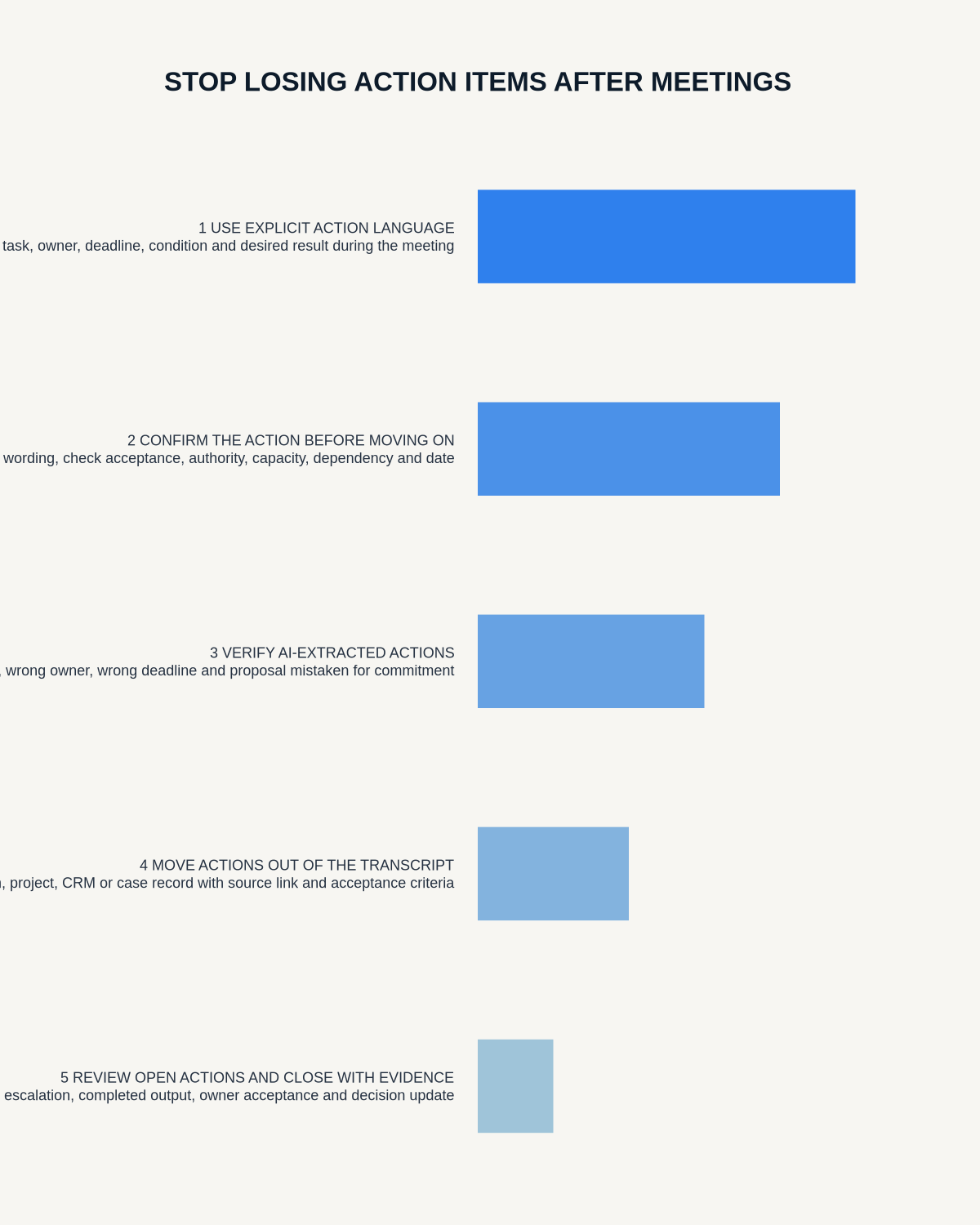
Workflow map
Visual map for How to Stop Losing Action Items After Meetings
- Define the decisionState the question, required output and acceptance rule.
- Capture the sourceUse the approved route and preserve context, identity and limitations.
- Verify material detailsReplay or check names, numbers, negatives, decisions and actions.
- Move into the real recordAssign an owner, retain evidence and apply the deletion rule.
On this page
Related guides
See whether Halo fits this workflow
Review the NERALVO Halo specifications, included services, delivery information and current offer only after completing the guide.
Found an error or an out-of-date claim? Email support@neralvo.com with the article address and a supporting source.