Reviewed and updated: 21 July 2026.
The 60-second verdict
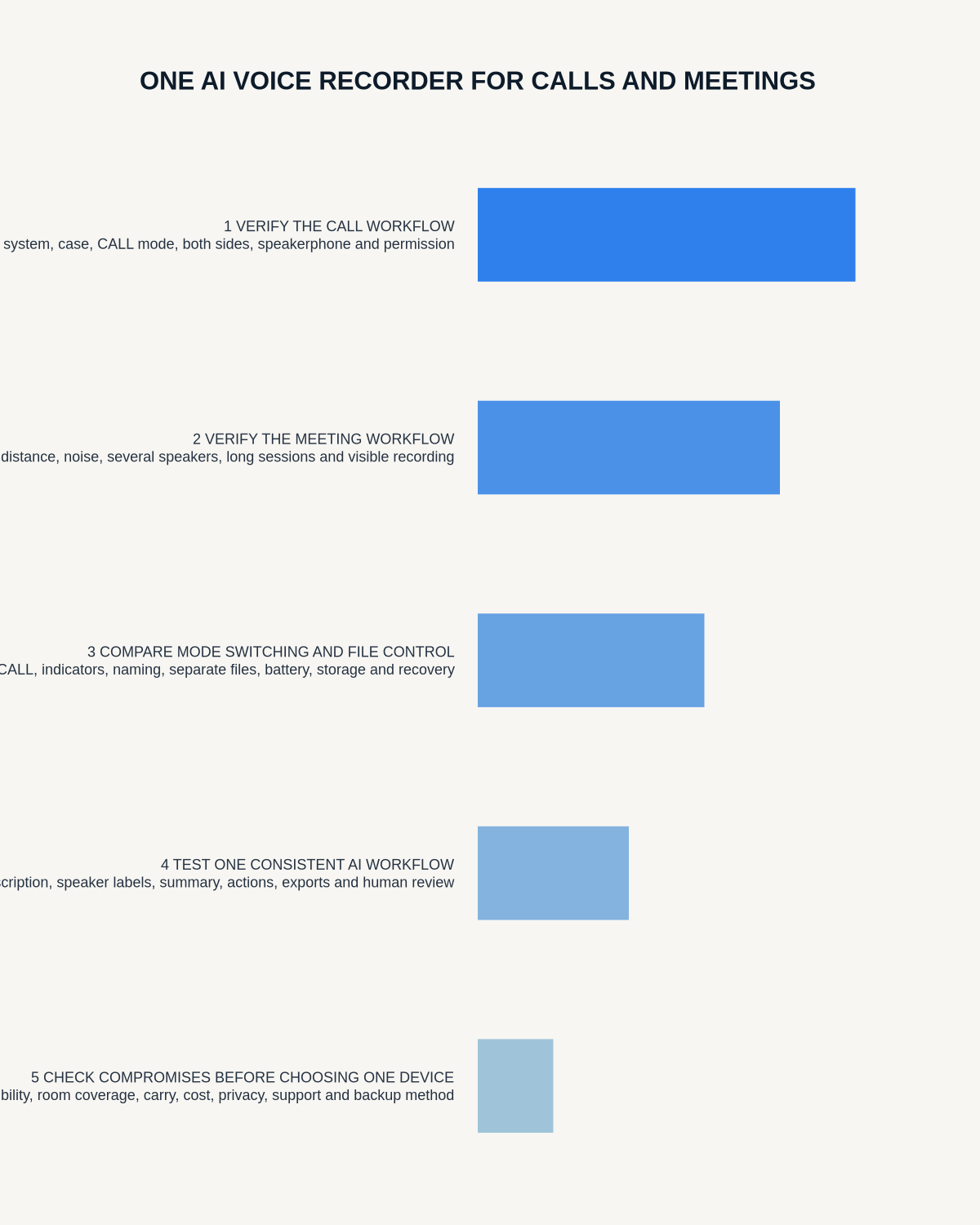
One AI voice recorder can support both calls and in-person meetings only when it passes two separate tests. A good room recording does not prove both sides of a call will be captured, and a successful call mode does not prove the device will hear a quiet person across a table.
Decision focus: use the method below only where it produces a recoverable source, a verifiable output and a clear next action. If one of those fails, change the workflow rather than trusting a polished summary.
Quick verdict: test room and call modes independently, verify both sides of every real call route, confirm source audio before trusting AI output and choose one workflow only when it meets both use cases without creating unsafe complexity.
Evidence basis and limits
- Decision factors covered: Map the two workloads; Run the room test; Run the call test.
- Evidence rule: A claim earns weight only when the source, date, configuration and limitation are clear enough for a reader to check.
- Boundary: Examples and workflow recommendations must be tested with representative recordings, the intended users and the actual approval process before rollout.
Map the two workloads
| Room meetings | Calls |
|---|---|
| Room size and table shape | Mobile, app or platform route |
| Number and distance of speakers | Phone and operating system |
| Quiet and overlapping speakers | Speakerphone, headset or Bluetooth |
| Meeting duration | Call waiting, transfer and reconnect |
| Placement and handling | Both-sided source capture |
Run the room test
- Use the normal meeting room.
- Place the recorder where it would normally sit.
- Include the largest normal group.
- Use one quiet and one distant speaker.
- Include names, figures, technical terms and actions.
- Add normal interruptions and limited overlap.
- Review source audio before the transcript.
- Check speaker labels and actions.
- Export the final note.
Run the call test
- Use the exact phone and case.
- Test ordinary mobile calling.
- Test speakerphone.
- Test Bluetooth connected and disconnected.
- Test each required social or business app.
- Include call waiting, hold, transfer and reconnect where relevant.
- Confirm both voices in the original audio.
- Check names, dates, amounts and conditions.
- Export the approved call note.
Score room and call modes separately
| Criterion | Room pass | Call pass |
|---|---|---|
| Source completeness | All relevant speakers intelligible | Both sides complete |
| Status | Start, active and stop obvious | Correct call mode obvious |
| Critical details | Names, figures and actions correct | Names, amounts and instructions correct |
| Failures | Movement and interruption manageable | Hold, transfer and reconnect manageable |
| Output | Meeting note reaches destination | Client or call note reaches destination |
Do not let one mode hide the other’s weaknesses
Common failures include:
- Excellent room audio but one-sided call capture
- Good call capture but poor distant-room speech
- Users choosing the wrong mode
- Phone attachment preventing central room placement
- Bluetooth changes affecting the call route
- Different app behaviour after updates
- Confusing or duplicated files after switching modes
Test mode switching
- Record a short room note.
- Switch to the supported call mode.
- Record a test call.
- Switch back to room mode.
- Confirm each file is separate and labelled correctly.
- Check that settings persist as expected.
- Confirm the next user can identify the current mode.
Use separate templates
Room meeting
- Purpose and attendees
- Decisions
- Actions with owners and deadlines
- Risks and open questions
Client or business call
- Identity or reference
- Purpose
- Verified instructions or facts
- Advice or response
- Commitments and conditions
- Next action and date
One generic summary should not control both workflows.
Calculate battery and storage for both
Room sessions may be long; call sessions may occur throughout the day. Include total recording time, mode-specific power use, Bluetooth and phone requirements, transfer time, unexpected-call margin and storage for unsynced files.
Check attachment and placement
A phone-mounted recorder may be ideal for supported calls and poorly positioned for a meeting if the phone remains near one person. Confirm that the device can be placed independently where required and that attachment or handling does not obstruct microphones.
Map the complete data route
- Source file on recorder
- Phone or app transfer
- AI processing
- Transcript and summary
- Meeting or call template
- Human verification
- Export to authoritative system
- Retention and deletion
Assess recording authority separately
Calls and room meetings may have different notice, consent, platform, workplace and professional requirements. Define the permitted use and non-recorded alternative for each.
Measure total cost
Include device, AI plan, phone compatibility, accessories, correction time, failed-call reconstruction, training, support and the cost of maintaining separate fallback methods if one mode is unreliable.
Where NERALVO Halo fits
Apply this guide before assessing NERALVO Halo provides NOTE mode for suitable room recording and CALL mode for supported phone and social-app calls, with 64GB local storage, up to 35 hours of recording and Bluetooth synchronisation with DOWAY. DOWAY supports transcripts, summaries, templates, translations, mind maps and exports, with one year of DOWAY Max included.
CALL compatibility varies by phone, operating system and app. Buyers should complete both the room and two-sided call tests before relying on one device for both purposes.
Calls-and-meetings buying checklist
- Room and call workloads mapped
- Room test completed
- Every call route tested
- Both sides verified in source audio
- Modes scored separately
- Mode switching tested
- Separate templates tested
- Attachment and placement assessed
- Battery and storage calculated
- Data routes mapped
- Authority and notice defined separately
- Total cost and fallbacks assessed
Workflow choice matrix for How to Choose One AI Voice Recorder for Calls and Meetings
Choose the method that protects the source and reduces downstream correction. The table makes the non-hardware options explicit.
| Condition | Preferred route | Why |
|---|---|---|
| High-risk or mixed work | Governed hybrid | Separate capture, review, approval and retention rather than trusting one tool. |
| Recording is refused, prohibited or unnecessary | Manual notes / no recording | Respecting the boundary is the correct workflow, not a product failure. |
| In-person, mobile or unreliable-connectivity work | Dedicated recorder | Independent capture and a recoverable local source are usually more resilient. |
| Repeatable remote work with approved integrations | Cloud software | Automation and central collaboration may outweigh device independence. |
Frequently asked questions
Can one recorder replace every meeting and call system?
Not automatically. Platform recording, room acoustics and call routing create different requirements.
Does successful speakerphone capture prove normal call capture?
No. Test every required call route separately.
Can the device stay attached to the phone during a room meeting?
Only if that position provides balanced tested coverage. Central independent placement may be better.
What is the most important dual-use test?
Complete a real room meeting and a real two-sided call on the same day, then process and export both.
Choose proven dual-mode performance
One recorder is convenient only when it performs reliably in both environments. Do not accept strong room performance as evidence of call compatibility or the reverse.
Related guides
Workflow map
Visual map for How to Choose One AI Voice Recorder for Calls and Meetings
- Define the decisionState the question, required output and acceptance rule.
- Capture the sourceUse the approved route and preserve context, identity and limitations.
- Verify material detailsReplay or check names, numbers, negatives, decisions and actions.
- Move into the real recordAssign an owner, retain evidence and apply the deletion rule.
On this page
Related guides
See whether Halo fits this workflow
Review the NERALVO Halo specifications, included services, delivery information and current offer only after completing the guide.
Found an error or an out-of-date claim? Email support@neralvo.com with the article address and a supporting source.