
Reviewed and differentiated: 22 July 2026.
The 60-second verdict
A dictaphone is best understood as part of a dictation-to-document workflow. One person speaks a controlled note, letter, report or file update. The audio then goes to a typist, secretary, speech-recognition system or document-production process.
Best fit: choose the option that passes your capture, recovery, privacy and total-cost gates. Do not decide on: price or a single accuracy claim in isolation.
Evidence basis and limits
- Decision factors covered: The two workflows at a glance; What classic dictation does particularly well; The speaker controls the structure.
- Evidence rule: Claims are weighted by consequence: capture failure, changed meaning, access and recovery matter more than polished wording.
- Boundary: Examples and workflow recommendations must be tested with representative recordings, the intended users and the actual approval process before rollout.
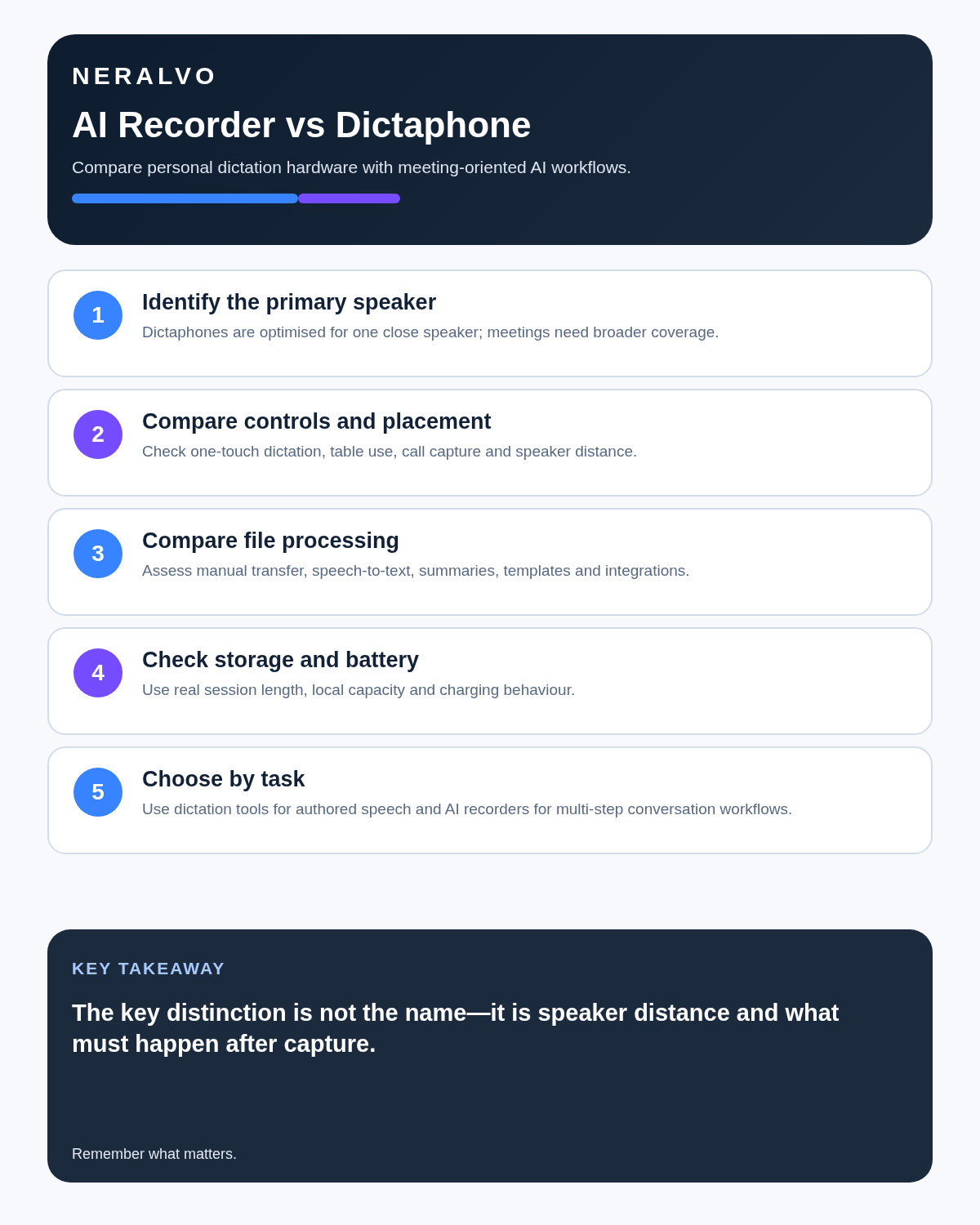
An AI voice recorder can also capture dictation, but it is normally built for a wider range of speech: meetings, interviews, lectures, calls and spontaneous notes. The important comparison is therefore not simply old hardware versus new hardware. It is structured single-speaker document production versus a broader conversation-to-notes workflow.
The two workflows at a glance
Balanced comparison matrix
Balanced decision rule: a cloud tool should win where automation and collaboration matter most; a dedicated recorder should win where independent capture and mobility matter most; manual notes should win when recording is inappropriate.
| Stage | Traditional dictaphone workflow | AI voice recorder workflow |
|---|---|---|
| Speaker | Usually one trained or regular dictator | One person or several natural speakers |
| Speech style | Deliberate dictation, often with punctuation and formatting instructions | Natural conversation, personal notes or structured spoken prompts |
| First output | Audio handed to a person or separate speech system | Audio plus an automated transcript or structured draft |
| Document control | Often tied to established templates and secretarial review | Depends on the app, export and user’s review process |
| Best use | Letters, reports and formal single-speaker drafting | Meetings, interviews, actions, summaries and mixed capture |
What classic dictation does particularly well
The speaker controls the structure
A skilled dictator does not merely talk. They may state the document type, recipient, heading, paragraph break, punctuation, reference and closing. The audio arrives with an intended structure already embedded.
For example:
“Letter to Mr Patel. New paragraph. Thank you for meeting with me on 18 July. Full stop. New paragraph. I confirm the following three actions…”
This may sound unnatural in a meeting, but it can be efficient when a secretary or specialist workflow knows exactly how to interpret it.
It fits established document-production teams
Many professional offices already have:
- Approved dictation devices.
- Secretarial or transcription staff.
- Document templates.
- Matter, patient or job references.
- Quality review and sign-off.
- Controlled storage and retention.
Replacing only the recorder may not improve the process when the surrounding system is already dependable.
It separates the author from the typist
The professional can focus on content while another person applies formatting, checks house style and prepares the document. That division of work may be valuable where the author’s time is expensive or administrative support is already available.
Where an AI recorder changes the dictation process
It can create the first text automatically
The speaker may receive a transcript or formatted draft without waiting for a typist. This can reduce turnaround for routine notes, personal drafts and straightforward reports.
The draft still needs review. Automated text can change names, amounts, dates, specialist terms and negations. The professional who approves the final document remains responsible for checking the content.
It can turn speech into several outputs
One spoken note may become:
- A full transcript.
- A concise summary.
- A task list.
- A follow-up email draft.
- A structured template.
- A searchable project note.
This is useful when the speaker does not need a fully formatted letter and instead wants several pieces of follow-up work.
It works with less formal speech
A user can record a natural explanation and organise it later. That is useful for ideas, project updates and post-meeting reflections, but it can also create rambling drafts. A dictation structure still improves the result.
Use a spoken document brief
Before dictating, state:
- Document type: letter, report, attendance note, email or internal memo.
- Reference: matter, client, project, property or case identifier.
- Audience: who will read it.
- Purpose: the outcome the document must achieve.
- Required structure: headings, sections or template.
- Status: draft, urgent review or final approval required.
- Destination: where the checked document must be stored.
This gives either a human typist or an AI system enough context to produce a more usable first draft.
Compare punctuation-led and meaning-led dictation
Punctuation-led dictation
The speaker says “comma”, “full stop”, “new paragraph” and formatting instructions. This can produce a document close to the intended layout, but it interrupts natural thought and requires consistent commands.
Meaning-led dictation
The speaker explains the content naturally and asks the AI workflow to structure it afterward. This can feel easier, but the system may choose headings, emphasis or wording that the speaker did not intend.
Test both methods. A hybrid approach often works well: state headings and key status labels aloud, but allow ordinary sentences to flow naturally.
A proper dictation test
Use the same five-minute document brief for the dictaphone process and the AI process. Include:
- Two names.
- A date and deadline.
- A currency amount.
- A reference number.
- Specialist vocabulary.
- One correction.
- One sentence containing “not” or “unless”.
- Three numbered actions.
- A confidentiality or approval instruction.
Measure from the start of recording until the document reaches the agreed review standard.
| Measure | What to record |
|---|---|
| Capture time | Length of the spoken dictation |
| Waiting time | Human queue or automated processing time |
| Active editing | Time spent correcting and formatting |
| Critical errors | Names, figures, negations, references and instructions |
| Formatting quality | How closely the draft follows the required template |
| Approval time | Total time to a checked document |
| Rework | Corrections required after first review |
Test a meeting separately
A dictaphone that performs well with one close speaker may perform poorly in a natural three-person discussion. If the intended workload includes meetings, run a separate test containing interruptions, quiet speakers, competing proposals and named actions.
Do not use the single-speaker result to claim that either device is better for all conversations.
Human transcription versus AI drafting
Human strengths
- Understanding a regular dictator’s style and vocabulary.
- Applying office templates and formatting.
- Recognising when wording appears inconsistent.
- Following established escalation and confidentiality procedures.
Human limitations
- Waiting queues and limited availability.
- Variable cost per minute or document.
- Ordinary listening and typing errors.
- Difficulty scaling sudden peaks in work.
AI strengths
- Rapid first drafts.
- Searchable text and reusable outputs.
- Availability outside office hours.
- Lower marginal processing effort for routine material.
AI limitations
- Confident-looking errors.
- Weakness with names, references and specialist language.
- Dependence on the selected app, account and processing route.
- Need for human checking before professional reliance.
The strongest workflow may combine AI for the first draft with a human reviewer who understands the document and professional context.
Professional dictation systems are more than recorders
Legal, medical and other professional environments may use specialist systems that include:
- Workflow queues and priorities.
- Author and typist identities.
- Approved templates.
- Audit logs.
- Role-based access.
- Matter or patient integration.
- Retention and deletion controls.
- Formal review and signature.
A consumer AI recorder should not be described as a complete replacement merely because it can produce text. The organisation must assess the full workflow and professional obligations.
Control author instructions separately from document content
A dictated file may contain instructions that should not appear in the final document, such as:
- “Check this figure against the invoice.”
- “Do not send until partner approval.”
- “Insert the standard confidentiality paragraph.”
- “Confirm the address before finalising.”
- “Leave this section as a placeholder.”
Use clear spoken labels such as “instruction to reviewer” and “document text”. Verify that the AI draft has not merged internal instructions into customer-facing wording.
Keep versions and approval status clear
An automated transcript, formatted draft and approved document are different records. Label them clearly:
- Raw dictation audio.
- Unverified transcript.
- AI or typist draft.
- Reviewed draft.
- Approved final document.
- Superseded version.
The final business, legal, medical or client record should enter the organisation’s authorised system rather than remain only inside the recording app.
Privacy and confidentiality
Map the complete route for both options:
- Where is the original audio stored?
- Who receives or processes it?
- Can the file be copied or exported?
- Which people can see drafts?
- How are temporary versions deleted?
- What happens when a staff member leaves?
- What remains after a subscription or supplier relationship ends?
A local dictaphone is not automatically secure if files are later emailed or copied without control. An AI recorder is not automatically unsuitable if the full processing route has been assessed and approved.
Calculate cost per approved document
Include:
- Device and accessories.
- Human transcription or AI processing.
- Secretarial review and formatting.
- Professional correction time.
- Administration and account management.
- Storage and retention.
- Failed or delayed work.
- Training and workflow change.
A device with a low purchase price can support an expensive document process. A subscription can still be economical when it consistently reduces total approved-document time.
Which workflow should you choose?
Keep or choose a traditional dictaphone workflow when:
- Most work is deliberate single-speaker dictation.
- A trusted typist or secretarial team already exists.
- Specialist templates and queues are essential.
- The approved process must remain local or within a controlled professional system.
- AI-generated summaries and actions add little value.
Choose an AI voice recorder when:
- Work includes meetings, interviews and personal notes as well as dictation.
- Rapid first drafts are valuable.
- Search, summaries and structured outputs reduce administration.
- The organisation can approve the processing route.
- Users will verify critical content before approval.
Use a hybrid workflow when:
- Routine drafts can use AI while high-risk documents follow the specialist system.
- AI produces the first text and a trained human applies professional review.
- Different meeting and dictation tasks require different tools.
Where NERALVO Halo fits
Check NERALVO Halo against this AI Voice Recorder vs Dictaphone framework can capture personal dictation as well as permitted meetings, interviews and supported calls. It includes 64GB local storage, NOTE and CALL modes, up to 35 hours of recording and Bluetooth transfer to DOWAY.
DOWAY can create transcripts, summaries, templates and other structured outputs. Halo’s advantage over a classic dictaphone is the broader capture-to-notes workflow. It is not presented as an automatic replacement for specialist legal, medical or enterprise dictation systems.
Is cloud software or a physical recorder right for this workflow?
- Choose the software-led option when automated remote-meeting capture and collaboration remove more work than they add.
- Choose the dedicated-recorder option when independent in-person capture, mobility and source recovery matter more.
- Use neither when recording is not authorised or a mandatory privacy, compatibility or recovery gate fails.
How community feedback is used
Public reviews can reveal recurring friction, but an anonymous anecdote is not treated as measured proof. A pull-quote should appear only when it links to the original post, identifies the relevant product version or date and is presented as one user’s experience—not as universal fact.
Related guides
Final checklist
- Is the main task single-speaker dictation or natural conversation?
- Does an established typist or document workflow already work well?
- Were both options tested with the same document brief?
- Were author instructions kept out of the final text?
- Were names, figures, references and negations checked?
- Is document status and approval clear?
- Does the data path meet confidentiality requirements?
- Was cost measured per approved document?
- Would a hybrid workflow preserve stronger controls?
Related comparison: use AI Voice Recorder vs Traditional Digital Recorder when your main question concerns source-audio control, specialist microphones or audio-first recording rather than dictation workflow.
On this page
Related guides
See whether Halo fits this workflow
Review the NERALVO Halo specifications, included services, delivery information and current offer only after completing the guide.
Found an error or an out-of-date claim? Email support@neralvo.com with the article address and a supporting source.