The 60-second verdict
Building control inspections often happen at the point where work, drawings and site reality stop matching neatly. An opening is formed differently from the approved detail. A product substitution is mentioned verbally. Part of the work is already covered. The contractor wants an immediate answer so the programme can continue.
Best fit: Building Control Inspectors who need recoverable audio and human-verified notes in an authorised workflow. Use another method when: recording is prohibited, a participant declines or the approved process requires manual notes.
Evidence basis and limits
- Decision factors covered: A site conversation can contain five different statuses; Use explicit status language while recording; Build the note around the inspection stage.
- Evidence rule: A claim earns weight only when the source, date, configuration and limitation are clear enough for a reader to check.
- Boundary: Examples and workflow recommendations must be tested with representative recordings, the intended users and the actual approval process before rollout.
An AI voice recorder for building control inspectors can help preserve what was visible, what was explained and what evidence remains outstanding. The central safeguard is status. The record must make clear whether a statement is an observation, a request for information, informal guidance, work requiring attention or a formal decision through the authorised process.
A site conversation can contain five different statuses
Consider a contractor asking whether a revised detail is “okay”. Several things may occur in the same exchange:
- The inspector observes the installed condition.
- The contractor explains why it changed.
- The inspector asks for calculations or product information.
- Possible ways forward are discussed.
- A formal outcome is issued later through the case system.
A short AI summary might compress all five into “revised detail accepted”. That is precisely what the final note must prevent.
Use explicit status language while recording
| Status marker | Use it for |
|---|---|
| Observed | A condition directly visible during the visit |
| Reported | Information supplied by the builder, owner or designer |
| Evidence requested | A calculation, drawing, certificate, photograph or product document still required |
| Informal discussion | An option considered without formal approval |
| Action required | Work, access or information needed before the matter can progress |
| Formal outcome pending | The decision will be recorded through the authorised route |
Speaking the marker aloud makes the transcript easier to review and reduces the risk of accidental approval language.
Build the note around the inspection stage
Start every recording with the application or site reference, plot or unit, inspection stage, date and people present. The stage determines what should reasonably be visible and what evidence is relevant.
Examples include:
- excavation or foundation stage
- below-ground drainage
- structural frame or masonry
- insulation before covering
- fire-stopping or compartmentation
- services and ventilation
- completion or final inspection
Do not describe the visit only as “site inspection”. A stage-specific record helps another reviewer understand what the inspector was able to assess.
One inspection item, fully recorded
A complete item should answer seven questions:
- Where? Exact plot, level, room, elevation or element.
- What was expected? Relevant drawing, detail, specification or stage.
- What was visible? Neutral observation.
- What was said? Attributed explanation from the site team.
- What evidence exists? Photograph, drawing, certificate or measurement.
- What remains unresolved? Information or work still needed.
- What happens next? Named action, owner and status.
“Plot 14, first-floor landing, service penetration through compartment wall. Seal visible on corridor face only; reverse face concealed. Contractor states proprietary system used, product and installer details not available during inspection. Photograph 42. Evidence requested: system specification, installation record and image of concealed face before closure. Formal outcome pending review.”
Record covered work as a limitation, not a guess
Where work is concealed, do not allow the transcript to imply it was inspected. State:
- what is covered
- when it was reportedly completed
- what supporting evidence has been offered
- what additional opening-up, photographs or certification may be required
- who will decide the next step
A confident explanation from the site team does not convert concealed work into observed work.
Measurements and product names need independent checking
Dimensions, falls, clearances, thermal values, model numbers and document revisions are vulnerable to transcription error. Repeat critical details, but verify them against the instrument, drawing or document.
Use the recording to preserve context: “Opening measured on site and recorded separately; compare with detail A-207 revision D.”
Do not let the AI fill missing measurements or select a regulation requirement from a partial conversation.
Informal advice must not look like a guarantee
Site teams often need practical direction. A useful note can preserve options discussed while maintaining the boundary between assistance and formal determination.
Record:
- the question asked
- the information available at that moment
- the options discussed
- any qualifications
- the evidence or design input still required
- the formal route for confirmation
Avoid rewriting “this may be acceptable subject to design evidence” as “accepted”.
Turn the visit into a reinspection plan
Not every issue is closed on the day. Create a reinspection or evidence list with:
- item reference
- location
- required work or document
- who must provide it
- latest useful inspection point
- whether work must remain exposed
- target date
- closure evidence
This prevents critical elements being covered before they can be checked and reduces repeated visits caused by vague actions.
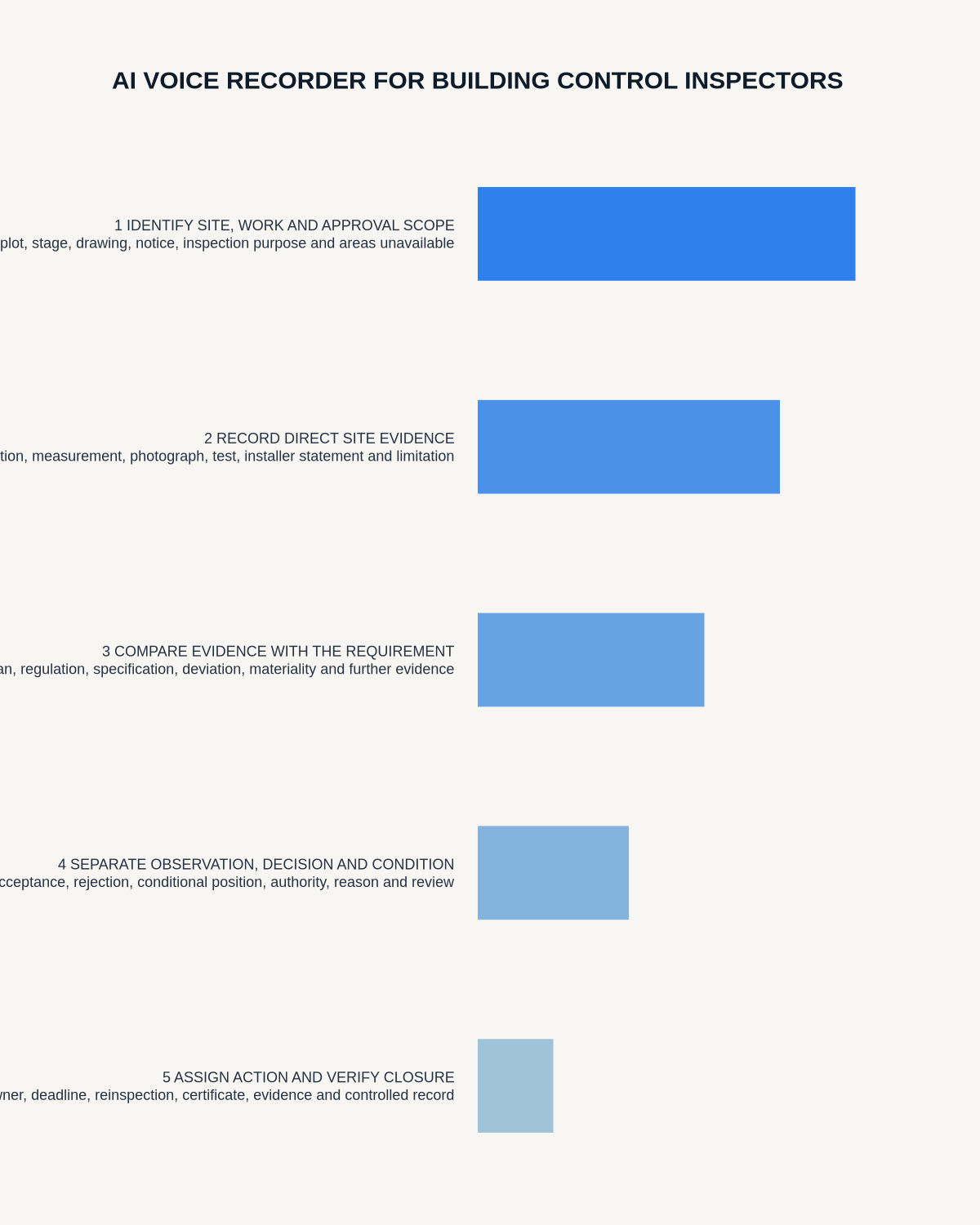
A disciplined post-visit process
- Confirm recording is permitted and safe on the site.
- State the site reference and inspection stage.
- Use location headers before each item.
- Apply status markers during the discussion.
- Reference photographs, drawings and separate measurements.
- Record inaccessible and covered work explicitly.
- Generate the transcript after the visit.
- Correct technical identifiers and remove irrelevant conversation.
- Transfer observations, evidence requests and actions into the case system.
- Issue formal outcomes through the authorised process.
Do not let recording interfere with site safety
The inspector must remain aware of vehicles, edges, lifting operations and other hazards. Where dictation is distracting or the environment is too noisy, use brief markers and complete a private debrief in a safe location immediately afterwards.
Do not record conversations from unrelated workers or members of the public simply because they are nearby.
How NERALVO Halo may support inspection capture
Assess Halo against the building control inspectors workflow matrix offers portable NOTE recording, 64GB local storage and DOWAY transcription and structured notes. It may support approved site narration and post-visit action drafting while leaving formal outcomes in the authority’s established system.
Test it around wind, machinery, PPE and echo. Agree a file-naming method linked to application and inspection stage. Structural defects requiring deeper engineering analysis are covered in the related structural engineer guide.
Before closing the inspection note
- Is the inspection stage clear?
- Can every item be located?
- Are observation and reported explanation separated?
- Is informal discussion clearly qualified?
- Are photographs, drawings and measurements referenced?
- Are covered and inaccessible areas recorded?
- Does each unresolved item identify the next evidence or inspection point?
- Was the formal outcome issued through the correct route?
An AI recorder can make building-control site notes more complete. Its best use is preserving evidence and status accurately—not creating an informal approval that the authorised record never gave.
Cloud software, a dedicated recorder or manual notes?
For Building Control Inspectors, the right answer changes with the setting. This matrix deliberately gives each method a situation where it can be the strongest choice.
| Situation | Best starting point | Reason |
|---|---|---|
| scheduled remote meetings | Cloud meeting software | Auto-join and central collaboration can remove routine admin. |
| in-person or mobile work | Dedicated recorder | Dedicated hardware suits movement, variable rooms and offline source capture. |
| recording is refused or prohibited | Manual notes or an approved alternative | A clear alternative respects policy and participant choice. |
| mixed online and offline work | Governed hybrid | One governed process prevents gaps between desk and field work. |
Related guides
Profession workflow
Visual map for AI Voice Recorder for Building Control Inspectors: Better Site Evidence and Clearer Decisions
- Prepare the approved useDefine purpose, safe position, permission and the required formal record.
- Capture context firstState the case, asset, person, location or event identifier before detail.
- Human-verify evidenceCheck technical terms, units, names, dates, decisions and uncertainty.
- Complete the formal recordTransfer only verified information and apply access and retention controls.
On this page
Related guides
See whether Halo fits this workflow
Review the NERALVO Halo specifications, included services, delivery information and current offer only after completing the guide.
Found an error or an out-of-date claim? Email support@neralvo.com with the article address and a supporting source.