The 60-second verdict
Language learners need space to experiment, hesitate, reformulate and make mistakes. Recording is most useful when it captures a short speaking task with a clear learning purpose—not when it turns the entire lesson into permanent surveillance.
Best fit: Language Tutors who need recoverable audio and human-verified notes in an authorised workflow. Use another method when: recording is prohibited, a participant declines or the approved process requires manual notes.
Evidence basis and limits
- Decision factors covered: The sample → verify → prioritise → reuse cycle; Stage 1: Record a purposeful sample; Stage 2: Verify what the system heard.
- Evidence rule: A claim earns weight only when the source, date, configuration and limitation are clear enough for a reader to check.
- Boundary: Examples and workflow recommendations must be tested with representative recordings, the intended users and the actual approval process before rollout.
An AI voice recorder for language tutors can support permitted speaking samples, private post-lesson reflection and vocabulary review. It cannot judge proficiency independently, understand every accent reliably, replace a professional interpreter or make safeguarding decisions.
The sample → verify → prioritise → reuse cycle
| Stage | Tutor action | Learner benefit |
|---|---|---|
| Sample | Record one short task linked to a stated objective | Focused evidence |
| Verify | Listen to the audio and correct the draft transcript | Fairer analysis |
| Prioritise | Select a small number of useful feedback points | Manageable practice |
| Reuse | Apply the target language in a new task | Transfer, not memorisation alone |
This cycle keeps technology subordinate to teaching. The transcript is evidence to inspect, not a score of the learner’s ability.
Stage 1: Record a purposeful sample
Define the question before recording. Examples include:
- Can the learner explain a process for two minutes?
- Can they distinguish and produce a target sound contrast?
- Can they use the week’s collocations naturally?
- Can they respond without translating every sentence first?
- Can they adjust register for a workplace scenario?
Explain which section will be recorded, how it will be used, who can access it and when it will be deleted. Offer an alternative such as tutor notes or a learner-created recording. Usually a short sample is more proportionate and easier to review than a complete lesson.
Stage 2: Verify what the system heard
Automatic transcription can struggle with developing pronunciation, regional accents, code-switching, names, background noise and less-resourced languages. A wrong transcript does not prove the learner used the wrong word.
Review:
- Omitted or substituted words.
- Names and specialist vocabulary.
- Code-switched phrases.
- Punctuation that changes meaning.
- False starts and self-correction.
- Unclear audio that should remain marked as uncertain.
Use the audio, task and learner’s intended meaning. Do not force an unclear utterance into a polished sentence the learner did not produce.
Stage 3: Prioritise feedback
Spontaneous speech may contain many possible corrections. Select what will most improve communication or support the current objective.
| Feedback area | Useful question |
|---|---|
| Task achievement | Did the learner communicate the intended message? |
| Intelligibility | Which sound, stress or rhythm pattern increased listener effort? |
| Vocabulary | Which phrase would make the meaning more precise or natural? |
| Grammar | Which recurring pattern affects meaning or the current goal? |
| Fluency | Which strategy could reduce avoidable stopping? |
| Register | Was the language suitable for the audience and situation? |
Avoid correcting every line. Separate a one-off slip from a repeated pattern and preserve successful communication as well as errors.
Stage 4: Reuse the language
Feedback becomes learning when the learner applies it again. Reuse may include:
- Repeating the task with one new constraint.
- Using selected vocabulary in a different scenario.
- Recording a shorter second attempt.
- Shadowing a model for stress and rhythm.
- Reformulating the same message for a new audience.
- Returning to the target after a suitable interval.
Compare samples only when the task and conditions are reasonably similar. Topic familiarity, anxiety and preparation can change performance without representing a general change in proficiency.
Focus pronunciation feedback on intelligibility
The goal is not automatically to remove a learner’s accent. Ask what the learner wants to achieve and focus on features that materially affect understanding or confidence.
Identify a specific sound, word stress, sentence stress, rhythm, linking or intonation pattern. Model it, check that the learner can hear the contrast and use a short practice phrase. Automated pronunciation scores may offer clues, but they should not become a judgement about identity or intelligence.
Build a checked vocabulary record
Use the transcript to find language that arose naturally, then select a limited number of items. For each one, verify:
- Meaning in this context.
- Pronunciation and word stress.
- Common collocations.
- Register and audience.
- Grammar pattern.
- A learner-relevant example.
Automatic translation can be too literal or choose the wrong sense. Check important explanations before sharing them.
Keep assessment separate from practice
One speaking sample cannot establish a final level or exam readiness. Formal or high-stakes assessment requires appropriate criteria and evidence across the relevant skills and tasks.
Tell the learner whether the recording is practice, diagnostic evidence or part of an approved assessment. Record the tutor’s judgement and limitations rather than relying on an automated score.
Protect children and remote learners
Schools and colleges in England should use the version of Keeping Children Safe in Education that is currently in force. Independent tutors should also maintain suitable safeguarding, communication and reporting procedures.
Remote lessons may capture a learner’s home, family members, usernames and personal information. Use neutral backgrounds where practical, secure platform settings and approved accounts. The Department for Education’s remote-education safeguarding guidance includes considerations for live and recorded lessons.
Do not leave a safeguarding disclosure in an ordinary lesson transcript. Follow the authorised reporting route promptly.
Do not use automatic translation for high-stakes communication
Legal, medical, immigration, safeguarding and other consequential communication may require a suitably qualified professional interpreter or verified translation process. The tutor should not present an AI translation as guaranteed accurate.
A concise language-lesson voice-note script
- Objective: identify the skill and task.
- Success: record what the learner communicated effectively.
- Transcript issue: note any recognition error that required correction.
- Priority: select one pronunciation, vocabulary or grammar target.
- Practice: state the reuse activity.
- Learner view: record confidence, question or preference.
- Review: define when comparable evidence will be collected.
How NERALVO Halo can support language tutoring
Assess Halo against the language tutors workflow matrix can support permitted speaking samples, learner reviews and private tutor notes. It includes NOTE mode, supported CALL capture, 64GB local storage, up to 35 hours of recording and Bluetooth sync with DOWAY. DOWAY can create transcripts, summaries, speaker-separated notes, templates, translations, mind maps and exportable files, with one year of DOWAY Max included from activation.
Transcription and translation quality varies by language, accent, environment and speech clarity. Halo is a drafting aid—not an examiner, interpreter or safeguarding system.
Language-note quality check
- Did the recording have a clear learning purpose?
- Was the sample proportionate rather than automatic whole-lesson capture?
- Was the transcript checked against the audio?
- Were recognition errors kept separate from learner errors?
- Was feedback limited to useful priorities?
- Does the learner reuse the target language?
- Is accent treated respectfully and intelligibility-focused?
- Are assessment claims supported by suitable evidence?
- Were child, remote-learning and sensitive-data safeguards applied?
A strong language-tutoring record turns a short speaking sample into verified, focused practice while preserving the learner’s confidence, identity and choice.
Cloud software, a dedicated recorder or manual notes?
For Language Tutors, the right answer changes with the setting. This matrix deliberately gives each method a situation where it can be the strongest choice.
| Situation | Best starting point | Reason |
|---|---|---|
| scheduled online lessons or staff meetings | Cloud meeting software | Auto-join and central collaboration can remove routine admin. |
| classroom, lecture or campus discussions | Dedicated recorder | Dedicated hardware suits movement, variable rooms and offline source capture. |
| recording is not permitted or a learner objects | Manual notes or an approved alternative | A clear alternative respects policy and participant choice. |
| mixed teaching and administrative work | Governed hybrid | One governed process prevents gaps between desk and field work. |
Related AI voice recorder guides
See the guides for private tutors, music teachers and teachers.
Related guides
Profession workflow
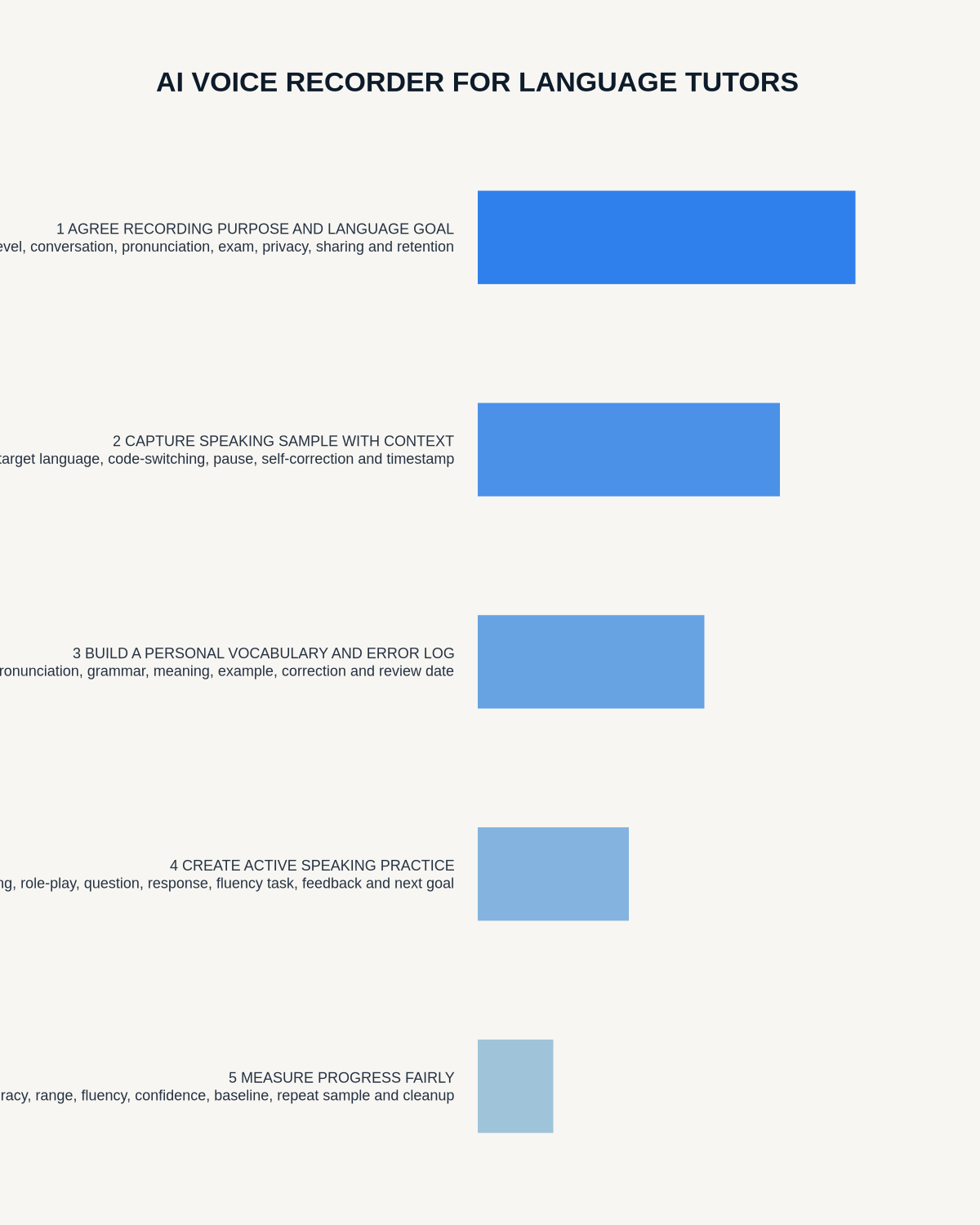
Visual map for AI Voice Recorder for Language Tutors: Speaking Practice, Vocabulary and Lesson Notes
- Prepare the approved useDefine purpose, safe position, permission and the required formal record.
- Capture context firstState the case, asset, person, location or event identifier before detail.
- Human-verify evidenceCheck technical terms, units, names, dates, decisions and uncertainty.
- Complete the formal recordTransfer only verified information and apply access and retention controls.
On this page
Related guides
See whether Halo fits this workflow
Review the NERALVO Halo specifications, included services, delivery information and current offer only after completing the guide.
Found an error or an out-of-date claim? Email support@neralvo.com with the article address and a supporting source.