The 60-second verdict
Quick answer: improve recording of quiet speakers by reducing microphone distance and competing noise, supporting inclusive turn-taking, confirming important details aloud and reviewing low-volume sections against the source before summarising.
Best fit: Quiet Speakers who need recoverable audio and human-verified notes in an authorised workflow. Use another method when: recording is prohibited, a participant declines or the approved process requires manual notes.
Evidence basis and limits
- Decision factors covered: Why quiet voices disappear; Start with distance, not demands; Test the quietest expected speaker.
- Evidence rule: A claim earns weight only when the source, date, configuration and limitation are clear enough for a reader to check.
- Boundary: Examples and workflow recommendations must be tested with representative recordings, the intended users and the actual approval process before rollout.

A quiet voice is not less important, less confident or less authoritative. Assess Halo against the quiet speakers workflow matrix can make deliberate placement easier, but the room and meeting process should be improved before asking the speaker to speak differently.
Why quiet voices disappear
| Cause | Effect on the recording |
|---|---|
| Long microphone distance | The voice reaches the recorder at a much lower level than nearby speakers |
| Background noise | Fans, traffic, typing and side conversations mask speech |
| Room echo | Reflections blur words and speaker boundaries |
| Overlapping speakers | A louder voice covers the quieter contribution |
| Uneven seating | A central recorder may still be far from one participant |
| Short contributions | Brief replies provide less audio for speaker attribution |
| Handling noise | Papers, cups or movement near the device overwhelm a low voice |
Start with distance, not demands
Repeatedly asking somebody to “speak up” may be uncomfortable and may not solve the underlying audio problem. Better first steps include:
- Move the recorder closer within permission and safety limits.
- Change the seating arrangement.
- Use a smaller or quieter room.
- Reduce side conversations and typing.
- Invite one speaker at a time.
- Use an approved microphone or specialist room system where needed.
Test the quietest expected speaker
- Place the recorder where it will remain.
- Ask the quietest expected participant to say a normal sentence.
- Include the actual fan, laptop and room noise.
- Listen to the sample through headphones where practical.
- Check names, figures, short replies and complete sentences.
- Move the device or change the room before the meeting starts.
Testing only the chair or loudest speaker creates false confidence.
Position the recorder deliberately
| Meeting shape | Useful starting position |
|---|---|
| Two-person interview | Between both people, slightly closer to the quieter voice |
| Small round table | Near the active centre, clear of papers and cups |
| Long table | Closer to the main decision area or use an approved wider-coverage setup |
| Presenter-led session | Near the presenter, with audience questions repeated or captured through a suitable system |
| Hybrid meeting | Where the room and remote speaker output are both audible after testing |
The visual centre of the table is not automatically the best acoustic position.
Reduce competing sound
- Turn off unnecessary fans, music and equipment.
- Close doors and windows where appropriate.
- Keep the device away from laptop cooling vents.
- Place phones on silent without allowing vibration against the table.
- Avoid typing directly beside the recorder.
- Keep papers, cups and bags away from the microphone area.
- Use soft furnishings or a smaller room to reduce echo.
Use inclusive facilitation
- Use a clear speaking order for important agenda items.
- Pause after questions rather than accepting the first interruption.
- Invite contributions appropriately.
- Stop interruptions and side conversations.
- Repeat a material comment and ask the speaker to confirm it.
- Allow written, chat or another approved contribution route.
- Allow extra processing time where needed.
Do not give more weight to the people captured most loudly. Decisions should reflect evidence, role and authority.
Confirm high-consequence details
When a quiet participant gives a decision, instruction, name, number or deadline, confirm it naturally:
- “To confirm, you approve option B?”
- “Was the figure £15,000?”
- “The deadline is Thursday at 4pm?”
- “Maya owns the action, with Daniel supporting?”
This improves the source and gives the speaker an immediate opportunity to correct a misunderstanding.
Review vulnerable sections first
After transcription, search for:
- Very short speaker segments.
- Abrupt changes in meaning.
- Missing responses after direct questions.
- Uncertain names and numbers.
- Speaker labels assigned to the wrong person.
- Actions without confirmed owners.
- Sections where a louder person interrupted.
Replay the surrounding passage. Do not infer words solely from what would make the sentence sound natural.
Use honest uncertainty markers
| Situation | Safer record |
|---|---|
| Speech cannot be understood | [inaudible 00:18:42] |
| Two words are possible | [unclear: fifteen or fifty] |
| Speaker cannot be confirmed | Unidentified speaker |
| Statement needs participant confirmation | Attribution pending verification |
An honest gap is safer than a confident invention.
Support accessibility and alternative participation
Speech differences, fatigue, anxiety, disability and language needs may require adjustments or alternative contribution routes. The recorder should not be used as a substitute for an accessible meeting. Consider approved written input, live captions, an interpreter, a designated note-taker or another reasonable adjustment where appropriate.
A practical quiet-speaker workflow
- Confirm the recording is approved and transparent.
- Identify the quietest important position.
- Run a real-room test.
- Move the device or improve the environment.
- Use inclusive turn-taking.
- Confirm material details aloud.
- Correct speaker labels and low-volume sections.
- Verify decisions, quotations and action owners.
- Create the concise final record.
- Apply access and retention rules to audio and drafts.
How NERALVO Halo fits
Halo supports portable NOTE capture, 64GB local storage, up to 35 hours of recording and DOWAY transcription. It should be positioned close enough to the intended voice and kept clear of obstructions. It cannot recover speech that was never captured clearly.
Cloud software, a dedicated recorder or manual notes?
For Quiet Speakers, the right answer changes with the setting. This matrix deliberately gives each method a situation where it can be the strongest choice.
| Situation | Best starting point | Reason |
|---|---|---|
| scheduled remote meetings | Cloud meeting software | Auto-join and central collaboration can remove routine admin. |
| in-person or mobile work | Dedicated recorder | Dedicated hardware suits movement, variable rooms and offline source capture. |
| recording is refused or prohibited | Manual notes or an approved alternative | A clear alternative respects policy and participant choice. |
| mixed online and offline work | Governed hybrid | One governed process prevents gaps between desk and field work. |
Frequently asked questions
Will placing the recorder in the middle always work?
No. The visual centre may be too far from the quietest important participant.
Should the speaker be asked to shout?
No. Improve distance, noise and facilitation first.
Can amplification recover missing speech?
It makes noise louder too and cannot recreate detail that was never captured.
Can a summary be trusted when quiet sections are unclear?
No. Verify the source and preserve uncertainty.
Does a louder speaker deserve more weight?
No. Significance should follow evidence, authority and the actual decision—not recording volume.
Quiet-speaker checklist
- Quietest position tested.
- Distance reduced.
- Background and handling noise controlled.
- Placement matched to the meeting shape.
- Inclusive turn-taking used.
- Material details confirmed.
- Low-volume sections reviewed.
- Uncertainty marked honestly.
- Accessibility and alternative contribution routes considered.
- Final record verified before circulation.
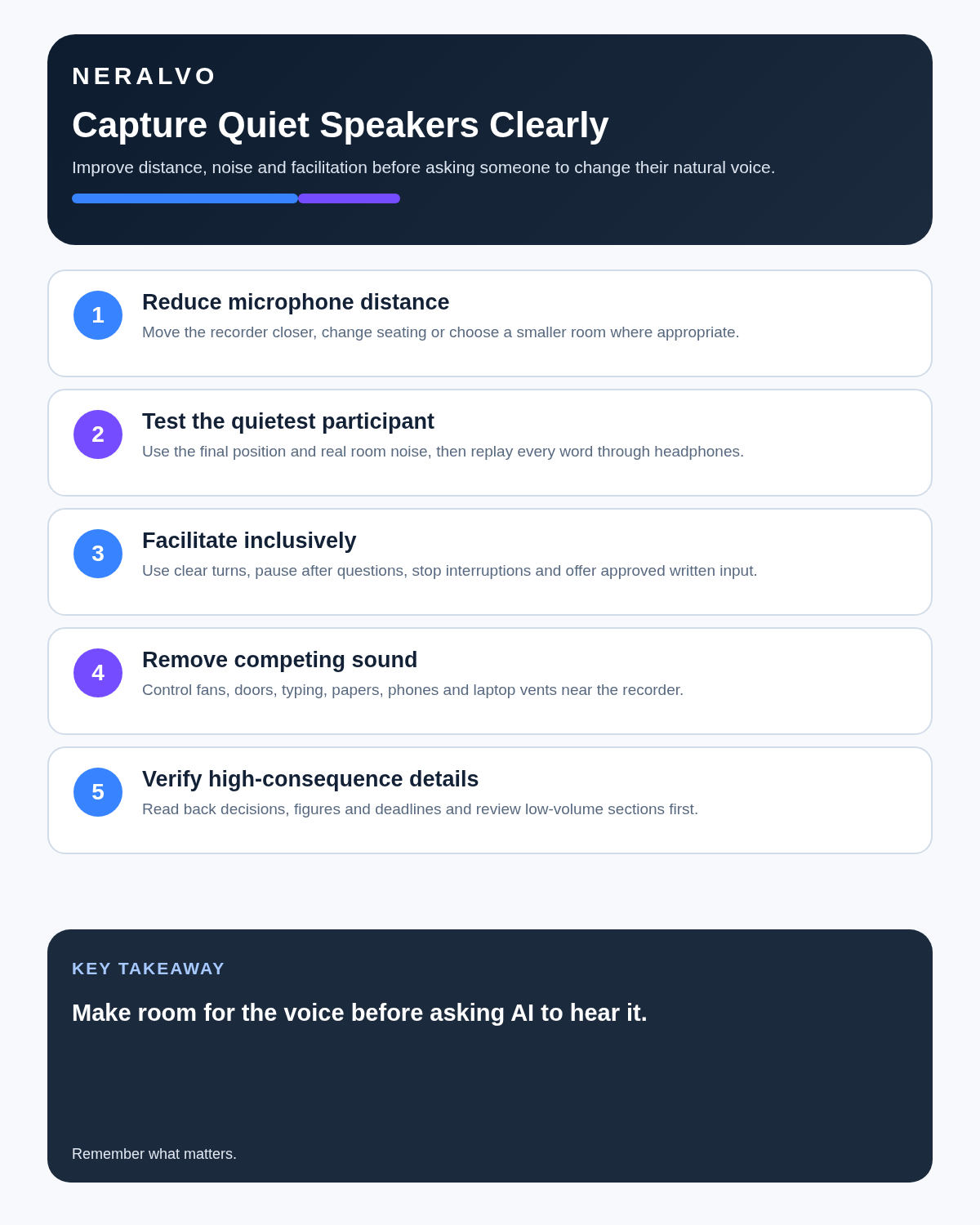
Bottom line: quiet-speaker accuracy improves through closer placement, lower noise and better facilitation. Make room for the voice before asking AI to hear it.
Related guides
On this page
Related guides
See whether Halo fits this workflow
Review the NERALVO Halo specifications, included services, delivery information and current offer only after completing the guide.
Found an error or an out-of-date claim? Email support@neralvo.com with the article address and a supporting source.