The 60-second verdict
Quick answer: university students can use an AI voice recorder for permitted lectures, seminars and personal study notes, but recording should feed a weekly learning pipeline rather than create an untouched audio archive. Correct the transcript, convert it into questions, apply the knowledge and delete source material when the approved purpose ends.
Best fit: University Students who need recoverable audio and human-verified notes in an authorised workflow. Use another method when: recording is prohibited, a participant declines or the approved process requires manual notes.
Evidence basis and limits
- Decision factors covered: Why recording can create an illusion of learning; The permission → anchor → capture → correct → retrieve → apply → retain workflow; Confirm permission before recording.
- Evidence rule: Claims are weighted by consequence: capture failure, changed meaning, access and recovery matter more than polished wording.
- Boundary: Examples and workflow recommendations must be tested with representative recordings, the intended users and the actual approval process before rollout.

Check whether NERALVO Halo fits university students work can support permitted study capture. It does not grant permission, verify academic content or replace attendance and active learning.
Why recording can create an illusion of learning
A complete lecture file feels reassuring, but stored information is not understood information. Students can postpone processing until revision week and discover that names, equations, cases and technical terms were transcribed incorrectly.
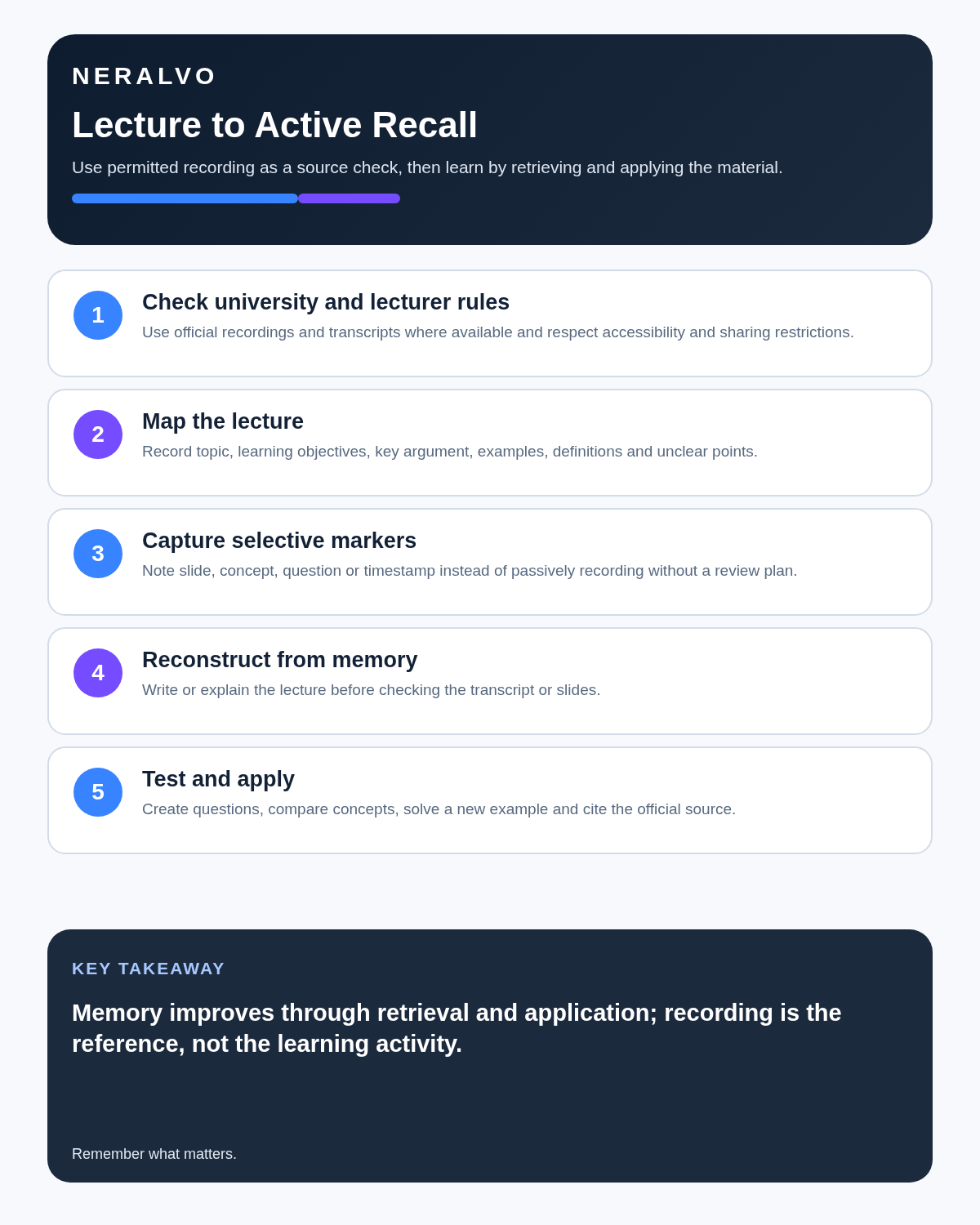
The permission → anchor → capture → correct → retrieve → apply → retain workflow
| Stage | Question | Output |
|---|---|---|
| Permission | Does the lecturer, institution and course process allow recording? | Authorised use |
| Anchor | Which module, week, topic and learning outcome? | Study context |
| Capture | What needs recording rather than live notes? | Selective source |
| Correct | Which terms, formulas and references need checking? | Reliable study note |
| Retrieve | Can the student answer without looking? | Active recall |
| Apply | Can the concept solve a problem or explain a case? | Transfer |
| Retain | Which files are still needed and permitted? | Controlled archive |
Confirm permission before recording
UK universities and individual modules can apply different rules. A lecturer may restrict recording where a session includes sensitive disclosures, confidential cases, patient or client information, unpublished research, performance, assessments or protected media.
- Read the university and module policy.
- Follow the lecturer’s notice or permission process.
- Confirm any disability adjustment with the accessibility service.
- Tell other participants where required.
- Understand limits on processing, storage and sharing.
Permission for personal study does not normally mean permission to circulate the recording or transcript.
Anchor every lecture
- Module and lecturer.
- Week, date and topic.
- Learning outcomes.
- Slide, reading or case reference.
- Assessment relevance where stated.
- Questions to resolve.
Use selective markers during capture
Mark definitions, worked examples, lecturer emphasis, disputed points, references, assessment guidance and questions. Write visual information that audio cannot capture. Avoid trying to transcribe every word manually while the recorder runs.
Use a 30-minute post-lecture conversion
Minutes 0–5: reconstruct from memory
Without opening the transcript, write the main question and three to seven key ideas. This exposes what you actually understood.
Minutes 5–15: repair specific gaps
Search the transcript or replay only marked sections. Do not listen to the whole lecture again without a defined reason.
Minutes 15–20: verify difficult facts
Check equations, medicine names, cases, quotations, dates, units and citations against slides, textbooks, primary sources or current approved materials.
Minutes 20–25: create retrieval questions
- What are the assumptions of this model?
- Why does the theory fail in this example?
- How does this case differ from the earlier case?
- What evidence supports the conclusion?
- Which step in the calculation changes the result?
Minutes 25–30: answer without notes
Close the source and answer one question aloud or in writing. Recognition while reading is not the same as recall.
Use active-recall formats
| Knowledge type | Best retrieval task |
|---|---|
| Definition | Explain in plain language without notes |
| Process | Reconstruct stages in order |
| Comparison | State similarities, differences and use cases |
| Equation | Derive, define variables and solve an example |
| Argument | Present claim, evidence, counterargument and limit |
| Case | Apply the concept to a new scenario |
Seminars and tutorials need more privacy
Seminars include other students’ voices, opinions and personal experiences. Even where recording is permitted, keep the file inside the approved personal-study workflow and pause or stop when the lecturer instructs the group to discuss sensitive material without recording.
Practical classes, laboratories and placements
A spoken note can help when hands are occupied, but safety, contamination and authorised record systems come first. Do not handle a device in a restricted area or use it as an unofficial replacement for laboratory, clinical, field or placement records.
Do not upload identifiable patient, client, school, workplace or research-participant information from placements to a personal AI account.
Group projects
A group can agree to record a planning meeting and create decisions, tasks, owners, deadlines and unresolved questions. The recording should support coordination, not monitor group members secretly or replace each student’s own assessed contribution.
Dissertations and research interviews
Research interviews are governed by the approved research process. Students may need ethics approval, participant information, consent documentation, anonymisation, secure storage and a deletion date. Do not introduce a consumer recorder or transcription application unless the protocol permits it.
Disabled Students’ Allowance
DSA can support study-related disability costs, including assessed specialist equipment and note-taking support. Support depends on individual need rather than household income.
Do not buy equipment before the needs assessment, because an unauthorised purchase may not be reimbursed. Discuss recording, transcription and suitable hardware with the assessor and university accessibility service. See the current Disabled Students’ Allowance guidance.
Copyright and sharing
UK copyright exceptions permit limited copying for genuine non-commercial research and private study where the use is fair dealing. They do not create a general right to distribute an entire protected lecture or work.
- Keep authorised recordings for the stated study purpose.
- Do not upload lectures or classmates’ contributions publicly.
- Do not share complete transcripts without permission.
- Acknowledge sources in assessed work.
- Follow licences for course readings and media.
See the government’s copyright-exceptions guidance.
Verify before memorising
Check terminology, quotations, dates, figures, formulas, references and speaker attribution. A clean-sounding transcript can preserve a serious technical error.
Maintain academic integrity
AI may help organise personal study, but assessed work must remain the student’s own and follow course rules. Do not fabricate citations, attendance, laboratory results, interviews or reflective evidence. Disclose AI use where required and retain evidence of your reading, drafts and reasoning.
Use a weekly learning routine
- Convert each permitted lecture within 24 hours.
- Review retrieval questions two or three days later.
- Attempt a problem or paragraph without notes.
- Link the lecture to one primary source or required reading.
- Delete or archive the source according to university rules when it no longer adds value.
How NERALVO Halo fits university students
NERALVO Halo includes NOTE mode, supported CALL mode, 64GB local storage, up to 35 hours of recording and Bluetooth sync with DOWAY. DOWAY provides transcripts, summaries, speaker-separated notes, templates, translations, mind maps and exports, with one year of DOWAY Max included. Permission and content accuracy remain the student’s and institution’s responsibility.
Cloud software, a dedicated recorder or manual notes?
For University Students, the right answer changes with the setting. This matrix deliberately gives each method a situation where it can be the strongest choice.
| Situation | Best starting point | Reason |
|---|---|---|
| scheduled remote consultations | Cloud meeting software | Calendar automation and shared integrations are usually the strongest advantage. |
| in-person consultations or ward handovers | Dedicated recorder | Independent capture reduces reliance on an active phone or laptop. |
| a patient declines or policy prohibits recording | Manual notes or an approved alternative | The boundary takes priority over convenience. |
| mixed remote and clinical work | Governed hybrid | Use each method only in the setting it actually fits. |
Frequently asked questions
Can students record every lecture automatically?
No. Permission and institutional rules apply to each context.
Is rereading a transcript effective revision?
It is weaker than retrieval practice. Convert notes into questions and answer from memory.
Should all lecture audio be kept until graduation?
No. Retain only what remains permitted and useful.
Can DSA reimburse equipment bought before assessment?
Students should not buy equipment before the needs assessment unless the approved process explicitly instructs them to do so.
Final student checklist
- Permission confirmed.
- Module and learning outcome anchored.
- Transcript checked against sources.
- Notes reduced to concepts and questions.
- Active recall completed weekly.
- Knowledge applied to new examples.
- Seminar, research and placement boundaries respected.
- DSA process followed before purchasing equipment.
- Copyright and academic integrity protected.
- Audio and duplicates deleted deliberately.
Bottom line: recording improves study only when every permitted lecture is converted into tested knowledge before the weekly pipeline closes.
Related guides
See the guides for lecturers, dental students and researchers.
On this page
Related guides
See whether Halo fits long-form study capture
After checking permission and your institution’s rules, compare Halo’s stated battery, storage and export workflow with the way you actually study.
Found an error or an out-of-date claim? Email support@neralvo.com with the article address and a supporting source.