Reviewed and updated: 21 July 2026.
The 60-second verdict
A voice-powered second brain should move useful ideas into a trusted system, not create an endless archive of recordings and transcripts. Capture is only the first step; value comes from clarification, connection, action and deliberate deletion.
Decision focus: use the method below only where it produces a recoverable source, a verifiable output and a clear next action. If one of those fails, change the workflow rather than trusting a polished summary.
Quick verdict: use one capture inbox, process it on a fixed schedule, convert every useful note into a project, area, resource or action and remove the source when it no longer serves a purpose.
Evidence basis and limits
- Decision factors covered: Define what belongs in the second brain; Use one spoken capture structure; Organise by use, not by recording date.
- Evidence rule: The decision is based on the complete capture-to-action workflow, not a single feature or marketing accuracy percentage.
- Boundary: Examples and workflow recommendations must be tested with representative recordings, the intended users and the actual approval process before rollout.
Define what belongs in the second brain
Use voice capture for:
- Project ideas
- Meeting reflections
- Questions to research
- Decisions and lessons
- Content ideas
- Study insights
- Useful references
- Tasks that cannot be completed immediately
Do not record passwords, payment credentials, unnecessary confidential information or third-party conversations without authority.
Use one spoken capture structure
- Type: task, project, idea, reference or reflection.
- Subject: a short searchable title.
- Context: why it matters.
- Meaning: the actual insight.
- Next action: what happens next.
- Destination: project, area or resource.
- Retention: temporary source or keep.
This reduces the work required to interpret the note later.
Organise by use, not by recording date
| Category | Use |
|---|---|
| Projects | Time-limited outcomes with active work |
| Areas | Ongoing responsibilities |
| Resources | Reference material for future use |
| Archive | Completed or inactive material retained for a reason |
The exact framework can vary. The important point is that a note reaches a useful destination instead of remaining only in the recorder app.
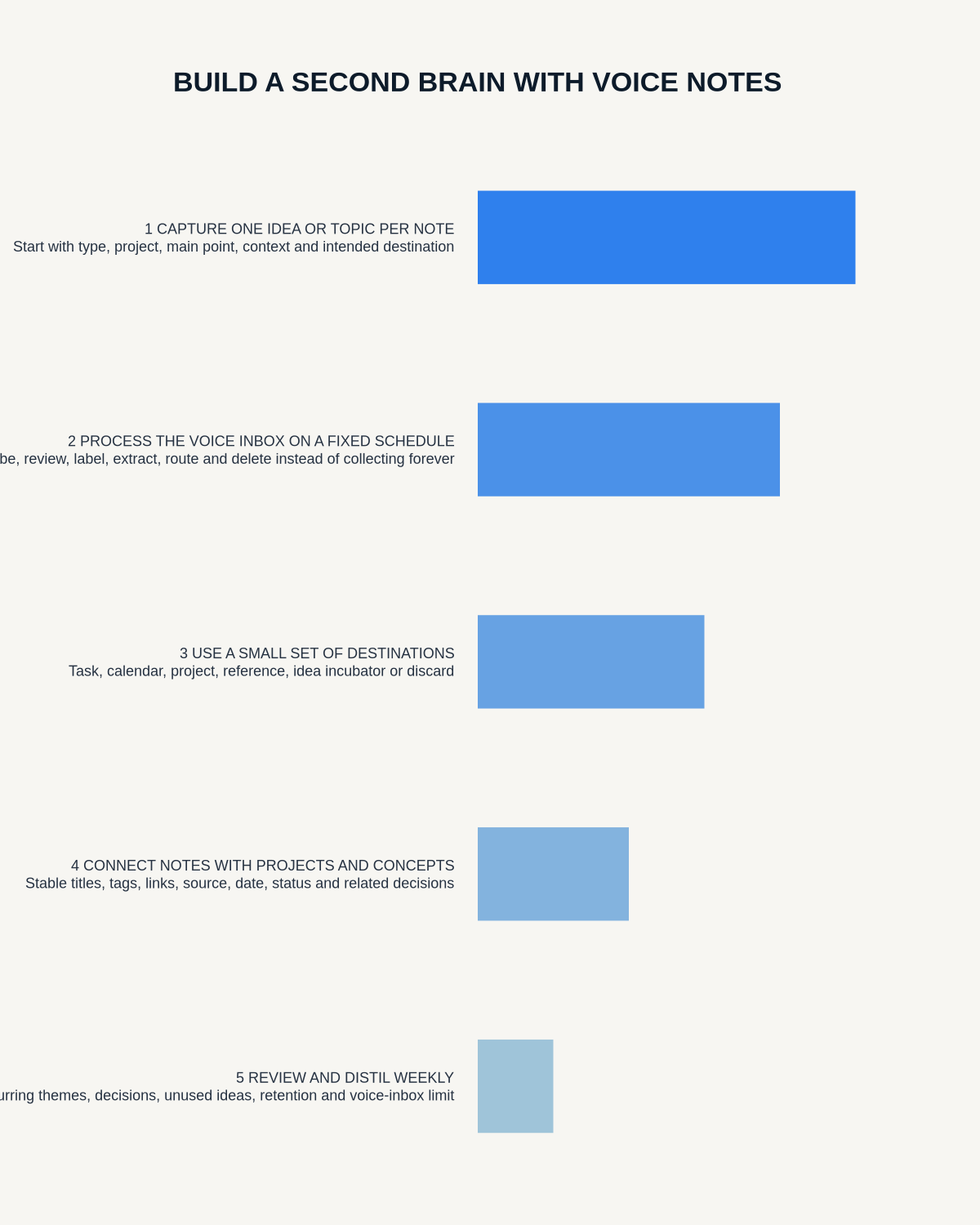
Process the voice inbox daily or several times a week
- Delete accidental and empty recordings.
- Rename useful notes.
- Correct only important transcript errors.
- Extract actions.
- Create or update the relevant project note.
- Link related ideas.
- Schedule or delegate tasks.
- Save useful references.
- Delete duplicate source copies where appropriate.
A second brain fails when the capture inbox becomes another place to avoid.
Distil rather than store everything
For a long reflection, keep:
- One-sentence insight
- Why it matters
- Evidence or example
- Connection to existing work
- Next experiment or action
The transcript can remain available temporarily for checking, but the distilled note should stand on its own.
Connect new notes to existing knowledge
Ask:
- Which project does this change?
- Which previous note supports or contradicts it?
- Is this a new pattern or a duplicate?
- Does it create a decision?
- Does it reveal a question?
- Should it update a checklist, brief or SOP?
Connection makes the system more valuable than a folder of searchable transcripts.
Use progressive summarisation carefully
Create layers:
- Source recording
- Checked transcript where needed
- Short note
- Highlighted key idea
- Project or decision update
Do not let repeated AI summarisation gradually remove conditions, uncertainty or source meaning.
Separate tasks from knowledge
A task should enter the task system with owner and date. A reference should enter the knowledge system. A project decision should update the project record. Keeping everything in one note makes retrieval harder.
Run a weekly review
- Clear the capture inbox.
- Review active projects.
- Promote useful notes into project plans or briefs.
- Merge duplicates.
- Archive completed material.
- Delete low-value recordings.
- Check sensitive information and access.
Measure system health
- Unprocessed recordings
- Average time from capture to destination
- Notes linked to active work
- Tasks created and completed
- Duplicate notes
- Source files retained without purpose
- Useful ideas retrieved later
Where NERALVO Halo fits
View Halo specifications against the evidence checklist can capture private spoken notes to 64GB local storage and synchronise recordings to DOWAY for transcripts, summaries, templates and mind maps. One year of DOWAY Max is included with the current package.
Use those outputs as an inbox, then move the useful result into the trusted project, task or knowledge system.
Workflow choice matrix for How to Build a Second Brain with Voice Notes
Choose the method that protects the source and reduces downstream correction. The table makes the non-hardware options explicit.
| Condition | Preferred route | Why |
|---|---|---|
| High-risk or mixed work | Governed hybrid | Separate capture, review, approval and retention rather than trusting one tool. |
| Recording is refused, prohibited or unnecessary | Manual notes / no recording | Respecting the boundary is the correct workflow, not a product failure. |
| In-person, mobile or unreliable-connectivity work | Dedicated recorder | Independent capture and a recoverable local source are usually more resilient. |
| Repeatable remote work with approved integrations | Cloud software | Automation and central collaboration may outweigh device independence. |
Frequently asked questions
Should every voice note be kept?
No. Keep the useful distilled result and retain the source only where it remains necessary.
Can AI organise the whole second brain automatically?
It can suggest titles and categories, but the user should decide meaning, destination and action.
What is the biggest failure?
Fast capture without a consistent processing habit.
Should private and work notes share one account?
Only where policy, access and separation are appropriate. Many users need distinct systems.
Final checklist
- Capture categories defined
- Spoken structure used
- One inbox established
- Processing schedule followed
- Useful notes distilled
- Projects, areas and resources updated
- Tasks routed separately
- Duplicates merged
- Sensitive information controlled
- Source retention reviewed
A useful second brain is not the system that remembers everything. It is the system that turns the right captured ideas into better decisions and completed work.
Related AI voice recorder guides
Workflow map
Visual map for How to Build a Second Brain with Voice Notes
- Define the decisionState the question, required output and acceptance rule.
- Capture the sourceUse the approved route and preserve context, identity and limitations.
- Verify material detailsReplay or check names, numbers, negatives, decisions and actions.
- Move into the real recordAssign an owner, retain evidence and apply the deletion rule.
On this page
Related guides
See whether Halo fits this workflow
Review the NERALVO Halo specifications, included services, delivery information and current offer only after completing the guide.
Found an error or an out-of-date claim? Email support@neralvo.com with the article address and a supporting source.