The 60-second verdict
Quick answer: Grain is strongest when a customer conversation contains evidence that other people need to see, not merely notes that the attendee needs to remember. It turns approved meetings into searchable transcripts, timestamped notes, clips and playlists that can support product, sales, customer-success and leadership decisions.
Best fit: readers comparing Grain AI against the purchase, workflow and evidence factors below. Do not buy on: headline features alone; a failed compatibility, privacy, recovery or cost requirement should override the overall score.

Evidence basis and limits
- Decision factors covered: The customer-evidence problem; Use a controlled evidence workflow; Free and paid roles should be separated.
- Evidence rule: A claim earns weight only when the source, date, configuration and limitation are clear enough for a reader to check.
- Boundary: Manufacturer-controlled prices, plans, compatibility and specifications can change. Retain the article’s stated check date, verify the live supplier terms before purchase and treat community reports as leads unless the original source is linked.
Current plan facts checked in July 2026: the Free plan includes one notetaker seat, unlimited live meetings with a current 45-minute limit per meeting, and free viewer access for colleagues. Personal-email users may be limited to twenty meetings captured through the Grain bot, and Free does not include file uploads. Paid plans currently start at $15 per recorder per month. All paid recorder seats in a workspace use the same paid tier, while free viewers can remain alongside them.
The customer-evidence problem
A researcher or salesperson hears an important comment and later paraphrases it in a message or presentation. By the time the statement reaches the decision-maker, the original wording, qualification and context may be lost.
Grain’s useful distinction is that a finding can link back to the exact source moment. A short clip can show what the customer said instead of asking colleagues to trust a second-hand summary.
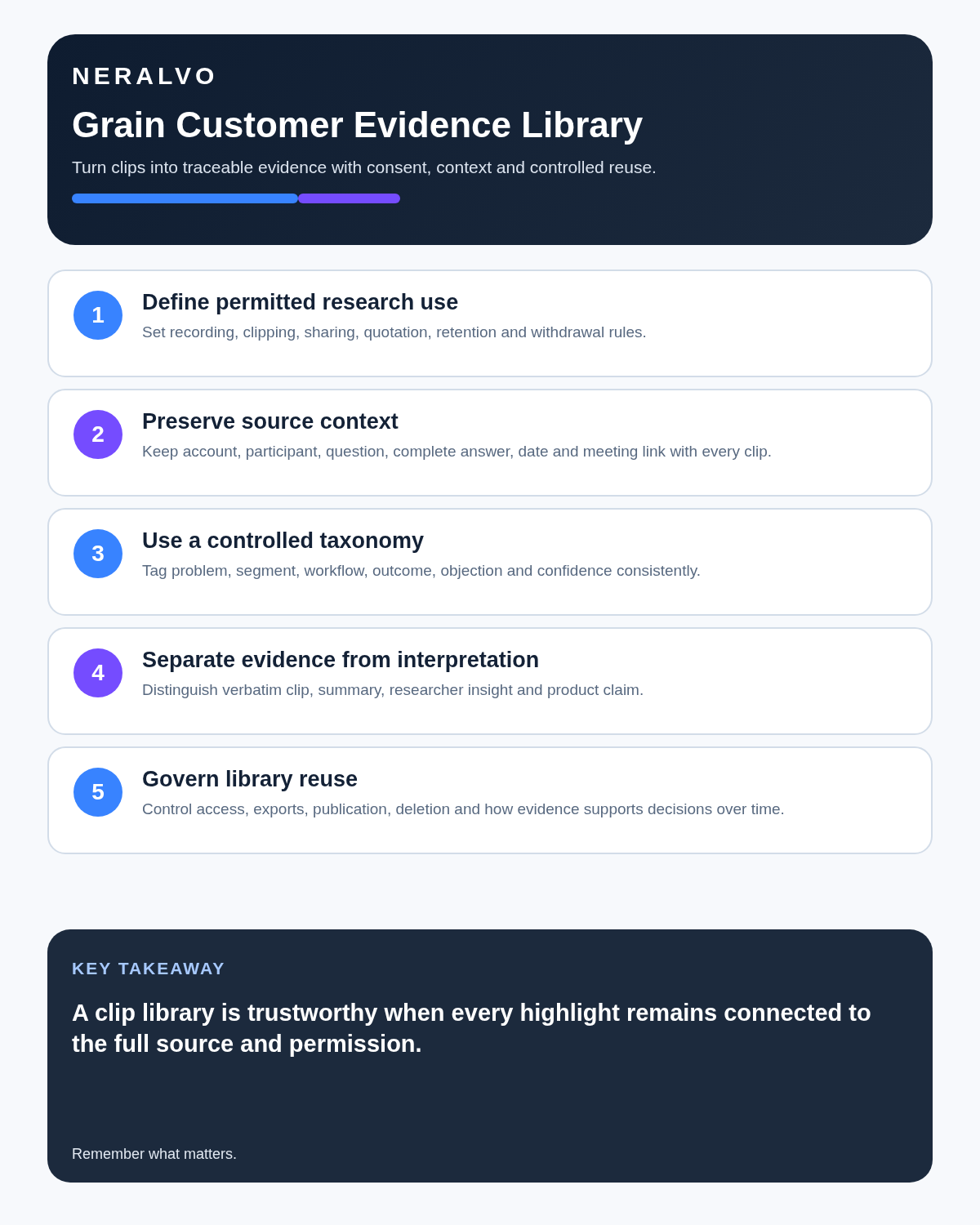
Use a controlled evidence workflow
- Capture an authorised customer meeting using the suitable route.
- Correct participant, product, organisation, number and date errors.
- Mark the exact source moment and surrounding context.
- Create a clip only where the stated use is permitted.
- Tag the evidence by account, segment, problem, feature or research theme.
- Add related clips to a controlled playlist or collection.
- Link the evidence to the product, sales or support decision.
- Retain or delete source material according to the agreed purpose.
Free and paid roles should be separated
| Role | Main need | Licensing question |
|---|---|---|
| Recorder | Captures and manages meetings | Does this person need a paid recorder seat? |
| Viewer | Watches, comments and follows evidence | Can a free viewer role cover this work? |
| Research or sales lead | Builds playlists and patterns | Which organisation or intelligence features are required? |
| Administrator | Controls sharing, retention and workspace access | Which plan provides the necessary governance? |
Do not assume everyone who needs to see evidence also needs a paid recording licence.
Understand free-plan boundaries
The current Free tier provides one recorder seat and can support unlimited live meetings, but each meeting is currently limited to 45 minutes. Personal-email users may also be capped at twenty meetings captured through the Grain bot. File uploads are not included.
- Number of recorder seats: one.
- Maximum live meeting duration: currently 45 minutes.
- Personal-email bot-capture limit: potentially twenty meetings.
- File uploads: not included on Free.
- Free viewers: available for shared playback and collaboration.
- AI prompts, templates and exports: confirm the live plan boundary.
Free is best treated as a live-workflow pilot, not an assumption that a historical archive can be imported or managed indefinitely.
What paid recorder seats unlock
Paid plans currently start at $15 per recorder per month and may add unlimited meeting duration, historical uploads, custom prompts, note templates, API access, coaching and team analytics.
- Starter: custom AI prompts, custom note templates, uploads and personal API access.
- Business: AI coaching, custom follow-up emails and team interaction insights.
- Enterprise: stronger security, SSO, account support and custom commercial arrangements.
All paid recorder seats in the workspace use the same paid tier, although free viewers can remain. Tie the upgrade to a named output: longer interviews, archive migration, research synthesis, coaching or controlled integration.
Choose between bot and bot-free capture
Meeting bot
A bot can join supported Zoom, Google Meet, Microsoft Teams, Webex and Slack huddles and preserve video and shared-screen context. It is visible to participants and must be controlled so it does not enter an excluded calendar event.
Desktop capture
Bot-free system-audio capture avoids another participant but depends on the user’s computer, permissions, headset route and active session.
Choose the route according to permission, reliability and whether visual evidence is necessary. Test both with external participants and the real platform configuration.
Keep AI notes traceable
Grain’s July 2026 update restored timestamps inside notes and action items. Material notes, actions and findings should link to the exact source moment so the reviewer can check whether the system preserved:
- The speaker’s qualification or uncertainty.
- The question that prompted the answer.
- Any contradiction later in the meeting.
- Who made a commitment.
- Whether the statement concerned current behaviour, a preference or a hypothetical idea.
Build a controlled taxonomy
Uncontrolled tags create a noisy library. Define:
- Account or participant segment.
- Research question or sales stage.
- Problem, need or objection.
- Product area or feature.
- Evidence status.
- Date or current-validity window.
- Owner and decision linked to the evidence.
Review the taxonomy so old labels, duplicates and biased categories do not distort later analysis.
Use clips without removing context
A clip is persuasive because it is short. That creates a risk that it excludes the preceding question, a later correction or a limitation that changes meaning.
- Verify the exact in and out points.
- Check the surrounding source.
- Confirm the clip’s intended audience and use.
- Preserve participant permission and restrictions.
- Label the clip with the relevant context and date.
- Do not present one vivid statement as population-level proof.
Playlists should support a decision
Useful playlists may group evidence around onboarding friction, a repeated objection, a customer segment, churn risk or an effective sales behaviour. State the decision or learning question at the top. A playlist without a defined purpose becomes another archive.
Exports and AI-tool connections
Grain may support transcript downloads, compatible AI-tool connections, MCP tools and API access. Current bulk download is limited to twenty selected meetings at a time, while playlists can offer a more organised export route.
- Check which meeting fields, notes and private comments are included.
- Restrict the destination workspace.
- Confirm whether source links remain functional.
- Test the twenty-meeting bulk-selection boundary and playlist export.
- Define deletion in both Grain and the receiving tool.
- Keep one authoritative customer or research record.
Where Grain fits best
Product research
Researchers can connect customer language and observed themes to roadmap decisions while preserving the source moment.
Sales coaching
Managers can provide timestamped feedback and build approved examples of discovery, demonstration or objection handling.
Customer success
Teams can preserve commitments, risks and feature requests across account conversations.
Leadership insight
Decision-makers can review selected evidence without attending every customer meeting.
Where Grain is a weaker fit
- Long face-to-face interviews without a suitable computer setup.
- Lectures, site visits or fieldwork requiring independent microphone placement.
- Users who only need a transcript and short summary.
- Organisations that cannot approve cloud meeting capture.
- Free users whose meetings regularly exceed 45 minutes.
- Workflows where clips cannot be shared beyond the original participants.
Protect customer and participant information
Configure workspace teams, automatic sharing, public links, downloads and retention carefully. Grain hosts data in the United States and publishes SOC 2 Type II information. Organisations should still review subprocessors, access, incident handling, deletion and recording permission rather than relying on a security badge alone.
Direct comparison matrix: Grain AI and NERALVO Halo
How to read this matrix: it is not scored to force a Halo win. The competing option leads where its deployment, integrations, placement or ecosystem is stronger; Halo leads only where its dedicated capture workflow is the better fit.
Grain organises and distributes online meeting evidence. Check the Halo specification against the Grain AI decision matrix captures local audio during face-to-face work and supported calls, with 64GB storage, up to 35 hours of recording and one year of DOWAY Max. A team may use Grain for online customer calls and approved hardware for real-world interviews.
Is cloud software or a physical recorder right for this workflow?
- Choose Grain AI when remote or desktop meetings, calendar automation and native workspace integrations are central—and its current plan covers the real team workload.
- Choose NERALVO Halo when in-person, mobile or offline source capture matters more than an auto-joining cloud workflow.
- A governed hybrid can be best when the same team works both online and in person.
One public user signal
“The transcripts are more accurate and the AI summaries are pretty good.”
Read the original Reddit discussion. This is one person’s public report, not a controlled test or community consensus.
Why it matters here: This favours Grain for that user’s calls, but does not replace testing with your speakers, conference platform and evidence-sharing requirements.
How community feedback is used
Public reviews can reveal recurring friction, but an anonymous anecdote is not treated as measured proof. A pull-quote should appear only when it links to the original post, identifies the relevant product version or date and is presented as one user’s experience—not as universal fact.
Frequently asked questions
Is Grain mainly a transcript tool?
No. Its stronger use case is creating a searchable, shareable customer-evidence library.
Does every viewer need a paid seat?
No. Current plans distinguish paid recorder seats from free viewers.
Can a customer clip prove a broad market need?
No. It is qualitative evidence from a particular participant and context.
Can Grain replace a research repository or CRM?
It can support those workflows, but the organisation should define the authoritative system and integration boundary.
Should clips be retained indefinitely?
No. Apply the approved purpose, participant terms and retention rule.
Official source and related reading
Final deployment checklist
- Evidence use and audience authorised.
- One free recorder seat and free viewer roles understood.
- Current 45-minute meeting and personal-email limits checked.
- Paid pricing and same-tier recorder rule confirmed.
- Bot and desktop routes tested.
- Material notes link to timestamps.
- Taxonomy controlled.
- Clips preserve context and permission.
- Export limits and connected tools governed.
- Retention and deletion tested.
Verdict: Grain is valuable when exact customer evidence must influence decisions. Its success depends on source traceability, controlled sharing and a clear route from the clip to accountable product or revenue work.
Software-first route
Need Zoom, Teams, calendar or CRM automation?
Choose cloud software for that job. This page completes the software workflow and evidence first. NERALVO Halo remains an optional later route only when offline, in-person or phone-attached capture matters more than native integrations.
On this page
Related guides
Keep the solution aligned with your original intent
- Choose the reviewed cloud software when Zoom, Teams, calendar automation, CRM workflows or unattended bot capture are essential.
- Consider dedicated hardware later only when offline, in-person, mobile or phone-attached capture is the actual requirement.
- Use neither when permission, governance, compatibility or retention requirements cannot be met.
Check current Grain details at the official source
Verify current plans, compatibility, limits and integrations with Grain before buying. Halo remains a separate optional comparison only for offline, in-person, mobile or phone-attached capture.
Found an error or an out-of-date claim? Email support@neralvo.com with the article address and a supporting source.