
The 60-second verdict
Quick answer: HiDock P1 is best suited to professionals whose conversations already pass through supported Bluetooth headsets, computers and phones. It offers 64GB local storage, multiple recording modes and around eight hours of continuous use, but exact compatibility must be proven before purchase.
Best fit: readers comparing HiDock P1 AI Voice Recorder against the purchase, workflow and evidence factors below. Do not buy on: headline features alone; a failed compatibility, privacy, recovery or cost requirement should override the overall score.
Evidence basis and limits
- Decision factors covered: Start with compatibility, not features; Current hardware position; Recording modes explained.
- Evidence rule: A claim earns weight only when the source, date, configuration and limitation are clear enough for a reader to check.
- Boundary: Manufacturer-controlled prices, plans, compatibility and specifications can change. Retain the article’s stated check date, verify the live supplier terms before purchase and treat community reports as leads unless the original source is linked.
Start with compatibility, not features
Write down the exact equipment used:
- Windows or macOS computer.
- iPhone model and connector.
- Android phone and OTG support.
- Bluetooth headset or earbuds.
- Video-meeting platform.
- Mobile and internet-calling apps.
Then compare the list with HiDock’s current guidance. A strong call-capture feature has no value when the user’s audio route is unsupported.
Current hardware position
| Feature | Published position | Practical implication |
|---|---|---|
| Storage | 64GB | Large capacity requires naming and retention rules |
| Continuous use | Around 8 hours | Suitable for many desk days; less headroom for travel |
| Modes | Call, Room and close-voice or Whisper modes | Each route needs a separate test |
| AI service | HiNotes transcription and summaries | Verify current plan and export terms |
| Format | Separate connected device | More desk-oriented than a magnetic card |
Recording modes explained
Call mode
This is the main reason to consider P1. Test both sides of the call, volume balance, reconnection behaviour and the exact headset or app route.
Room mode
P1 can capture ambient meetings. Place it near the discussion centre rather than beside one participant, and test the farthest quiet speaker.
Close-voice or Whisper mode
A close-speaking mode can support private dictation. It does not make the surrounding environment confidential or remove the need for secure handling.
Battery and storage
Around eight hours may cover an ordinary desk day, but long conferences and travel require charging access. Test recording while connected to power if that is part of the intended workflow.
64GB reduces pressure to transfer files immediately but increases the risk of retaining old calls indefinitely. Use a project reference, date, review status and deletion date.
HiNotes and the meaning of included transcription
HiDock has promoted generous transcription through HiNotes. Buyers should confirm:
- Current language support.
- Speaker separation.
- Summary and template limits.
- Maximum file length.
- Audio and text exports.
- Processing location.
- Cloud retention and deletion.
- What remains included after purchase.
Do not assume a historical “lifetime” or “free” claim includes every future advanced function.
Where P1 fits best
- Planned calls from a desk.
- Bluetooth-headset workflows.
- Computer-centred file management.
- Users wanting a dedicated call-capture bridge.
- Room meetings where central placement is possible.
Where P1 is less natural
- Walking meetings.
- Site visits and fieldwork.
- Long days without charging access.
- Phones or apps outside the supported route.
- Users wanting a recorder attached permanently to the phone.
Direct comparison matrix: HiDock P1 AI Voice Recorder and NERALVO Halo
How to read this matrix: it is not scored to force a Halo win. The competing option leads where its deployment, integrations, placement or ecosystem is stronger; Halo leads only where its dedicated capture workflow is the better fit.
| Priority | HiDock P1 | NERALVO Halo |
|---|---|---|
| Bluetooth-headset calls | Core strength | Not the main design |
| Phone attachment | Separate device | Magnetic card format |
| Local storage | 64GB | 64GB |
| Quoted continuous recording | Around 8 hours | Up to 35 hours |
| AI service | HiNotes | DOWAY |
| Best environment | Desk, headset and connected calls | Mobile meetings and supported phone capture |
Check the Halo specification against the HiDock P1 AI Voice Recorder decision matrix includes NOTE and supported CALL modes, 64GB storage, up to 35 hours of recording and one year of DOWAY Max. P1 may be stronger for a proven headset route; Halo is more mobile and offers longer endurance.
Three real-world scenarios
Sales manager on headset calls
P1 can fit well when the headset, computer and calling platform are supported and the desk workflow is stable.
Consultant moving between client offices
A phone-attached recorder may be easier to carry, while P1 can remain useful at the main desk.
Researcher conducting room interviews
Room mode may work, but P1’s Bluetooth strengths do not improve ambient placement automatically.
Run a pre-purchase test
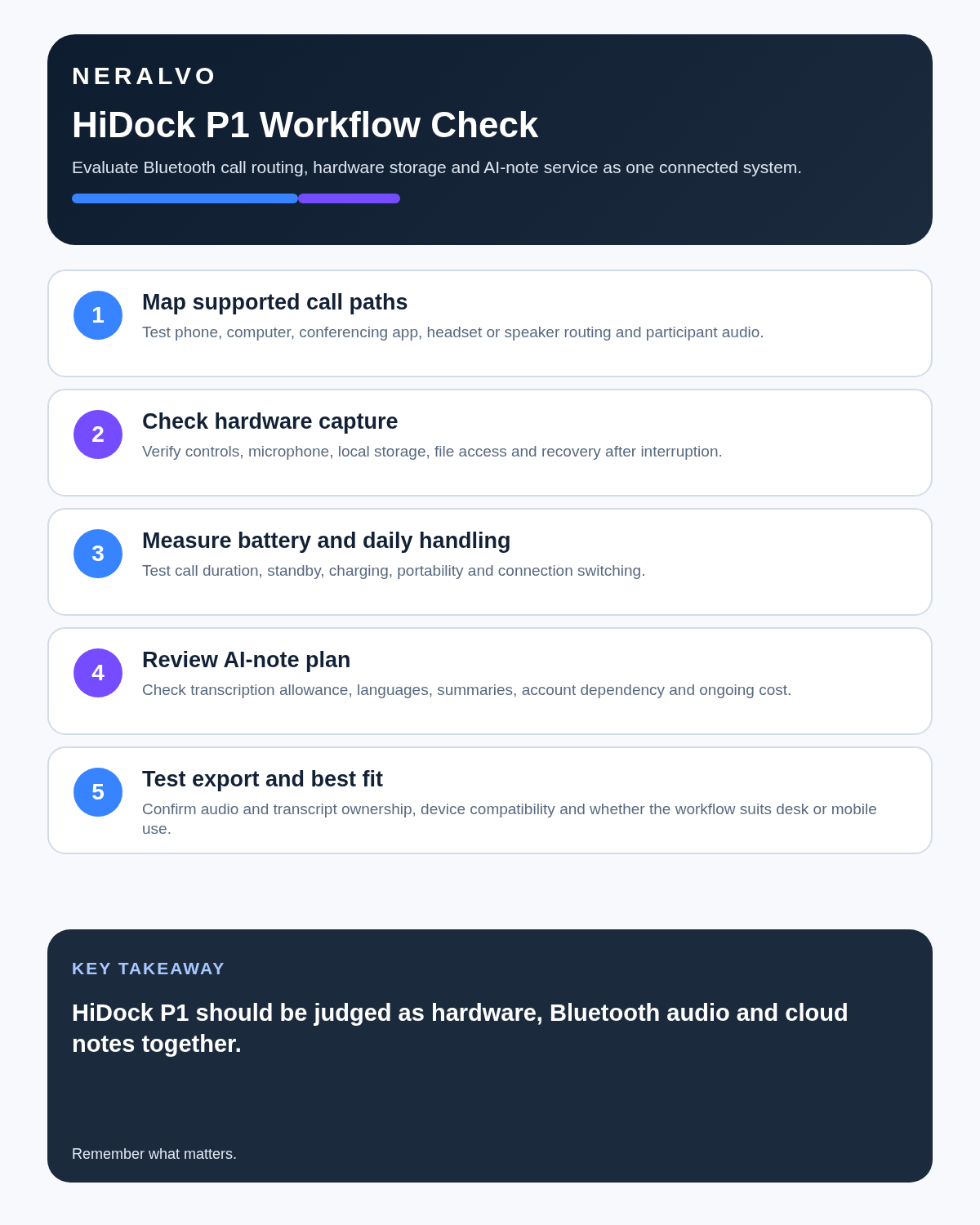
- Confirm computer and phone compatibility.
- Test the real Bluetooth headset.
- Record both sides of a call.
- Disconnect and reconnect during a test call.
- Run a room meeting with a quiet distant speaker.
- Measure battery over the real working day.
- Export audio and transcript.
- Delete all local and cloud copies.
Privacy and retention
Call recordings can contain confidential, personal or regulated information. Define who authorises recording, where local files are stored, what is uploaded to HiNotes, who can export it and when temporary copies are deleted.
Is cloud software or a physical recorder right for this workflow?
- Choose HiDock P1 AI Voice Recorder when desk and dock workflow is the stronger match and the current app, plan and compatibility tests pass.
- Choose NERALVO Halo when a magnetic card-style recorder, 64GB local storage and the Halo first-year package better fit the workflow.
- A governed hybrid can be best when the same team works both online and in person.
One public user signal
“Hardware is awesome. Solid, responsive buttons. Premium feel.”
Read the original Reddit discussion. This is one person’s public report, not a controlled test or community consensus.
Why it matters here: The same review criticises parts of the software workflow, showing why hardware quality and transcript usability must be scored separately.
How community feedback is used
Public reviews can reveal recurring friction, but an anonymous anecdote is not treated as measured proof. A pull-quote should appear only when it links to the original post, identifies the relevant product version or date and is presented as one user’s experience—not as universal fact.
Frequently asked questions
Does HiDock P1 work with every Bluetooth headset?
No. Check the exact supported audio route before buying.
Is eight hours enough for a full working day?
It may be, but calls, transfer and battery condition can reduce practical headroom.
Can P1 replace a room recorder?
It can use room mode, but placement and acoustics still determine the result.
Is HiNotes permanently free?
Verify the current written terms and which advanced functions are included.
Which is better for travel, P1 or Halo?
Halo is generally more portable and has longer quoted endurance; P1 is stronger for supported desk and headset calls.
Official source and related reading
- Official HiDock P1 product page
- Best AI Voice Recorders for Meetings
- iZYREC AI Mini Review
- Otter.ai Review
Final buying checklist
- Exact devices and apps supported
- Both call sides captured
- Room mode tested separately
- Battery covers the real day
- HiNotes terms understood
- Exports and deletion proven
- Return and warranty route confirmed
Verdict: HiDock P1 is a sensible specialist tool for headset-heavy professionals, not a universal pocket recorder. Buy it only after proving the complete connected-call workflow.
On this page
Related guides
See whether Halo fits this workflow
Review the NERALVO Halo specifications, included services, delivery information and current offer only after completing the guide.
Found an error or an out-of-date claim? Email support@neralvo.com with the article address and a supporting source.