The 60-second verdict
Quick answer: record a long meeting successfully by dividing it into clear agenda sections, announcing decisions and actions as they happen, pausing during breaks and producing a short verified record instead of expecting people to search an entire transcript.
Decision focus: use the method below only where it produces a recoverable source, a verifiable output and a clear next action. If one of those fails, change the workflow rather than trusting a polished summary.
Evidence basis and limits
- Decision factors covered: Define the meeting output before recording; Build the agenda for navigation; Record in manageable sections.
- Evidence rule: Claims are weighted by consequence: capture failure, changed meaning, access and recovery matter more than polished wording.
- Boundary: Examples and workflow recommendations must be tested with representative recordings, the intended users and the actual approval process before rollout.
Long meetings create two separate risks: attention falls during the session, and the resulting audio becomes too large to review properly. A dedicated recorder such as Check whether NERALVO Halo fits this workflow can preserve the discussion, but structure is what keeps the important parts visible.
Define the meeting output before recording
Decide whether the meeting must produce approved decisions, an action list, consultation notes, training material or a project record. A vague objective such as “capture everything” normally creates unnecessary audio and weak follow-up.
Build the agenda for navigation
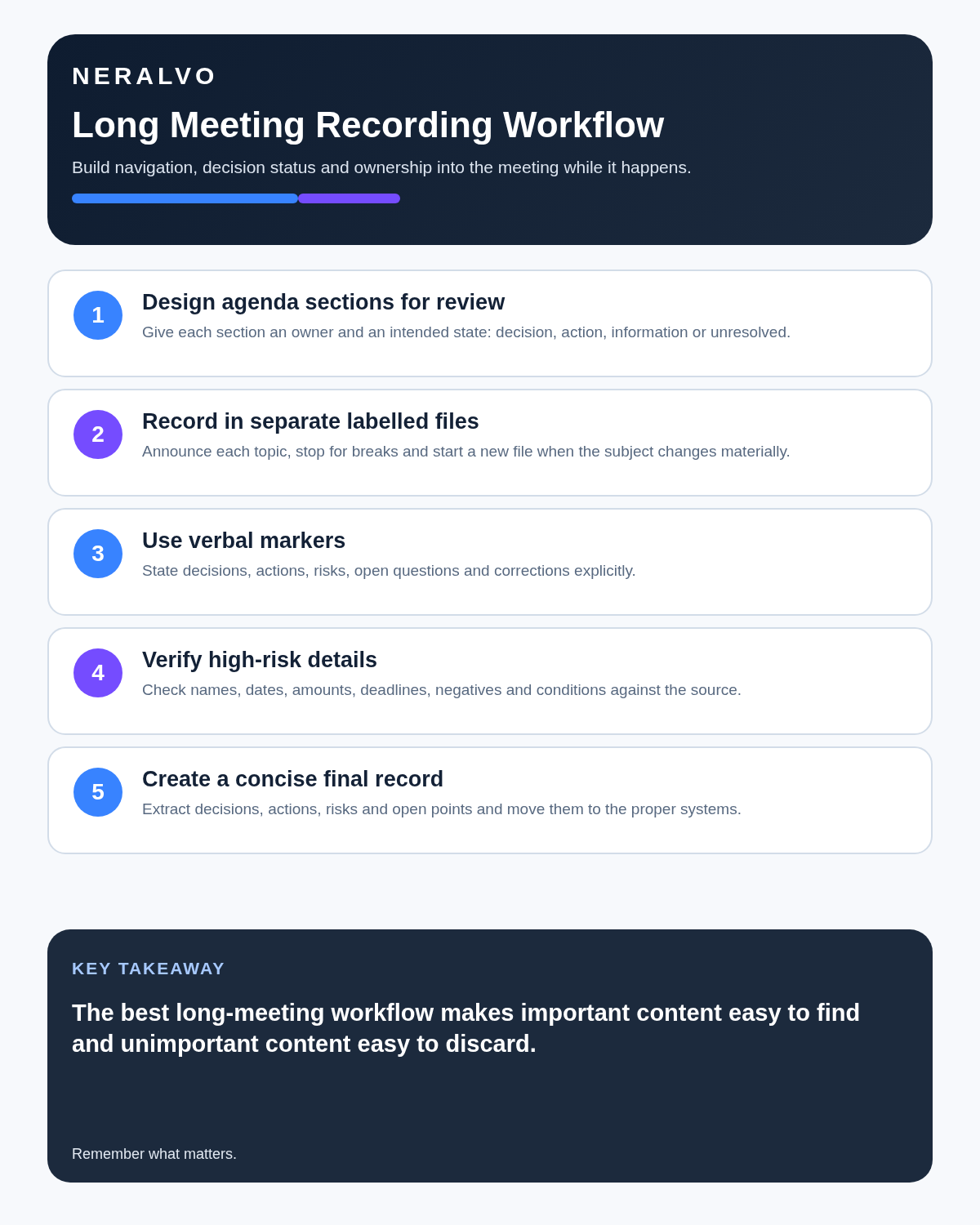
Give each agenda item an owner, time allowance and expected outcome. Useful outcome labels include:
- Decision: an authorised conclusion.
- Action: a task with one owner and a deadline.
- Information: an update that requires no immediate action.
- Open question: evidence or approval still required.
Record in manageable sections
- State the meeting title, date and purpose.
- Announce each agenda item when it starts.
- Start a new file when the subject changes materially.
- Pause for breaks, private consultations and excluded topics.
- Close each section with a short verbal recap.
Separate files are easier to label, review, retain and delete than one uninterrupted recording.
Use spoken markers
Say “decision,” “action,” “risk,” “correction,” “subject to approval” and “not agreed” aloud. These markers improve human understanding and make later transcript review faster.
Protect critical details
Names, dates, amounts, deadlines, negations and conditions should be repeated clearly. A proposal made in the first hour must not appear equal to the final decision made later.
Plan breaks deliberately
For meetings lasting more than an hour, schedule pauses. Stop recording during breaks so private conversations are not captured, then restart by stating the current participants and agenda item.
Create the final record
Review the closing recaps first, then verify them against the relevant audio. The approved record should include purpose, attendance, decisions, actions, risks, unresolved questions and the next review point. Move tasks into the organisation’s project or task system.
Workflow choice matrix for How to Record Long Meetings Without Losing the Important Parts
Choose the method that protects the source and reduces downstream correction. The table makes the non-hardware options explicit.
| Condition | Preferred route | Why |
|---|---|---|
| High-risk or mixed work | Governed hybrid | Separate capture, review, approval and retention rather than trusting one tool. |
| Recording is refused, prohibited or unnecessary | Manual notes / no recording | Respecting the boundary is the correct workflow, not a product failure. |
| In-person, mobile or unreliable-connectivity work | Dedicated recorder | Independent capture and a recoverable local source are usually more resilient. |
| Repeatable remote work with approved integrations | Cloud software | Automation and central collaboration may outweigh device independence. |
Frequently asked questions
Should one long meeting use one audio file?
Not necessarily. Separate files by agenda section can make review, retention and access control easier.
Can an AI summary replace approved minutes?
No. It can help draft them, but material decisions and actions need human verification and approval.
How soon should the recording be reviewed?
Review it while the context is fresh, ideally on the same day or within the organisation’s defined process.
Useful resources
- Association for Project Management: effective meetings
- ICO data-protection guidance
- Check whether NERALVO Halo fits this workflow
Long-meeting checklist
- Purpose and output defined
- Agenda divided into reviewable sections
- Participants appropriately informed
- Breaks and private sections excluded
- Decisions and actions read back
- Critical details verified
- Final record stored in the correct system
- Source audio retained only as long as needed
Related AI voice recorder guides
Workflow map
Visual map for How to Record Long Meetings Without Losing the Important Parts
- Define the decisionState the question, required output and acceptance rule.
- Capture the sourceUse the approved route and preserve context, identity and limitations.
- Verify material detailsReplay or check names, numbers, negatives, decisions and actions.
- Move into the real recordAssign an owner, retain evidence and apply the deletion rule.
On this page
Related guides
See whether Halo fits this workflow
Review the NERALVO Halo specifications, included services, delivery information and current offer only after completing the guide.
Found an error or an out-of-date claim? Email support@neralvo.com with the article address and a supporting source.