
The 60-second verdict
A magnetic phone recorder solves a carrying problem: the recorder travels with the phone. A handheld recorder solves a positioning problem: it can be placed or held wherever the sound is best. Neither format is automatically superior.
Best fit: choose the option that passes your capture, recovery, privacy and total-cost gates. Do not decide on: price or a single accuracy claim in isolation.
Evidence basis and limits
- Decision factors covered: Phone-mounted recording: the real advantages; Handheld recording: the real advantages; Four placements, four outcomes.
- Evidence rule: A claim earns weight only when the source, date, configuration and limitation are clear enough for a reader to check.
- Boundary: Examples and workflow recommendations must be tested with representative recordings, the intended users and the actual approval process before rollout.
The correct choice changes between a phone call, a table meeting, an interview and a field visit.
Begin with the sound source
For a phone conversation, the recorder may need a supported call-recording mode or physical connection to the phone setup. For a meeting, it needs to hear several people in a room. For a personal voice note, either device only needs to hear the user.
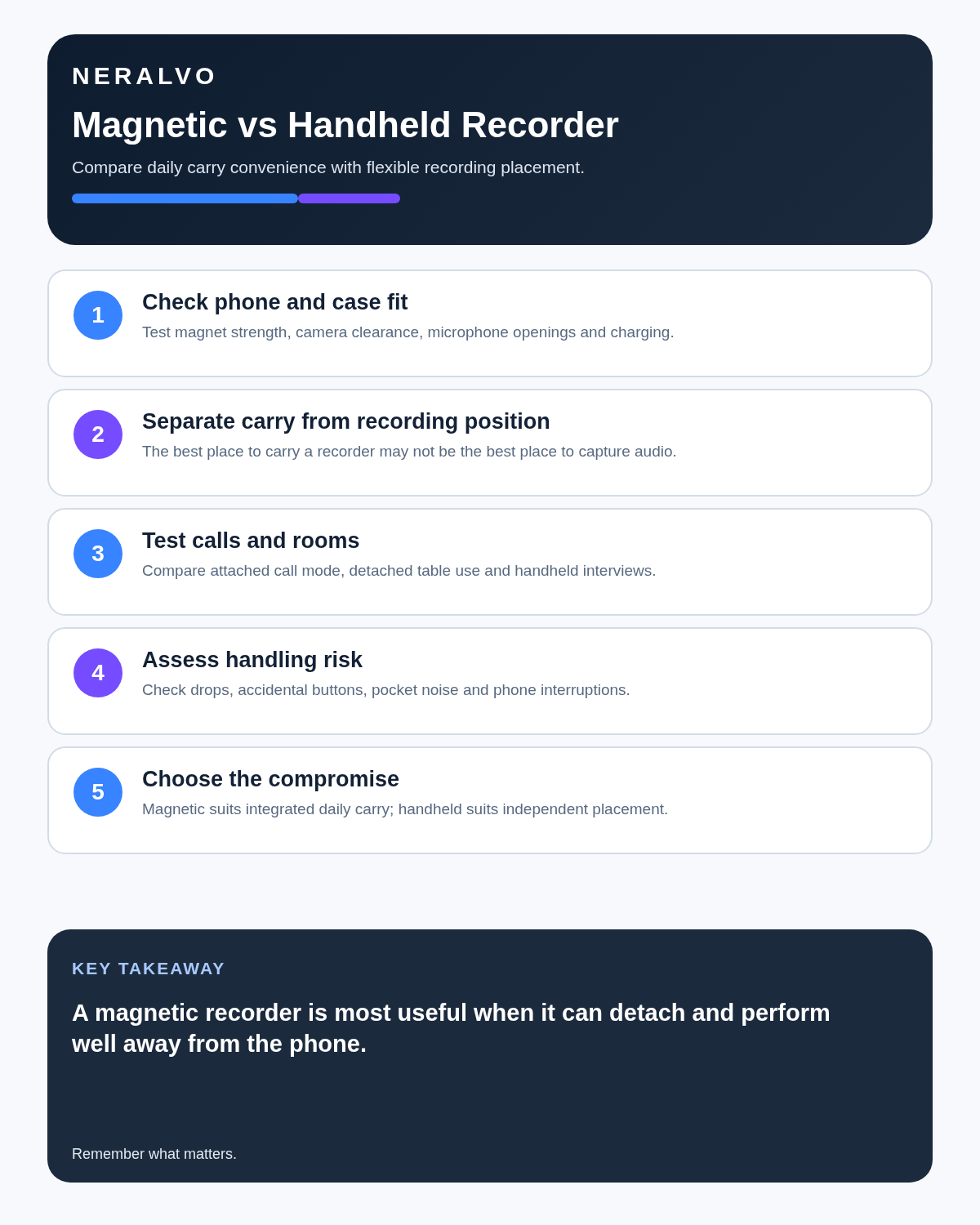
A magnetic design is useful when attachment keeps the recorder available and aligned with a supported phone workflow. The same attachment can be a disadvantage if the phone is in a pocket, vibrating on a table or positioned near only one speaker.
Phone-mounted recording: the real advantages
- One compact unit is easier to carry.
- The recorder is less likely to be forgotten when it remains with the phone.
- Supported call workflows can be quicker to start.
- The phone provides a familiar place for later app access.
These benefits are about convenience and workflow, not guaranteed audio quality.
Handheld recording: the real advantages
- The recorder can be placed near the speaker rather than the phone owner.
- It can be moved between an interview, lectern and meeting table.
- Phone notifications, charging and handling are less likely to disturb it.
- Recording remains visibly separate from ordinary phone use.
A traditional handheld unit may be larger, easier to leave behind and dependent on a separate cable or file-transfer process.
Four placements, four outcomes
Attached to a phone in the user’s hand
Suitable for a personal voice note or a supported phone workflow. Less suitable for a group if the phone is constantly moved.
Attached to a phone lying at one end of a table
Convenient but acoustically uneven. The nearest speaker may dominate while quieter people at the other end become difficult to understand.
Detached and placed centrally
A magnetic recorder that also works independently can gain the flexibility normally associated with a handheld unit.
Held close to an interviewee
A handheld device can improve voice level, but moving it back and forth may create handling noise and make the interview feel formal. A stable position between both people is often better.
Call capture needs separate scrutiny
Do not assume that any recorder attached to a phone can capture both sides of every call. Operating system behaviour, app permissions, phone model, connection method and the recorder’s supported mode all matter. Test the exact phone and calling method you use.
Recording calls may also be restricted by law, policy, professional duties or platform terms. Appropriate notice and purpose should be decided before the technical setup.
What to test in the first week
- Record a personal memo with the recorder attached.
- Record a two-person conversation with it placed between speakers.
- Try the supported call mode on the actual phone model.
- Include a quiet voice, an unusual name and a number.
- Check whether phone vibration or handling is audible.
- Confirm how the original file is retrieved if transcription fails.
- Export a reviewed note into the system where it will be used.
How NERALVO Halo crosses the categories
Use the Magnetic Phone Recorder vs Handheld Voice Recorder criteria to assess NERALVO Halo has a magnetic phone-friendly form but can also record independently. It offers NOTE and supported CALL modes, 64GB local storage and up to 35 hours of recording under stated conditions. It syncs by Bluetooth to DOWAY for transcripts and structured outputs.
CALL support should not be interpreted as universal compatibility with every phone, app or calling method. Verify the current product instructions for your setup. The current package includes one year of DOWAY Max from activation, subject to current terms.
Choose the format by behaviour
Choose a magnetic phone recorder when carrying convenience and a supported phone workflow are the main priorities. Choose a handheld recorder when independent placement, physical controls or a traditional file workflow matter more. A device that can attach to the phone and also be detached for room placement offers useful flexibility, but it still needs to pass real tests in each environment.
Balanced comparison matrix
Balanced decision rule: a cloud tool should win where automation and collaboration matter most; a dedicated recorder should win where independent capture and mobility matter most; manual notes should win when recording is inappropriate.
Workflow choice matrix for Magnetic Phone Recorder vs Handheld Voice Recorder
Choose the method that protects the source and reduces downstream correction. The table makes the non-hardware options explicit.
| Condition | Preferred route | Why |
|---|---|---|
| Repeatable remote work with approved integrations | Cloud software | Automation and central collaboration may outweigh device independence. |
| In-person, mobile or unreliable-connectivity work | Dedicated recorder | Independent capture and a recoverable local source are usually more resilient. |
| Recording is refused, prohibited or unnecessary | Manual notes / no recording | Respecting the boundary is the correct workflow, not a product failure. |
| High-risk or mixed work | Governed hybrid | Separate capture, review, approval and retention rather than trusting one tool. |
Is cloud software or a physical recorder right for this workflow?
- Choose the software-led option when automated remote-meeting capture and collaboration remove more work than they add.
- Choose the dedicated-recorder option when independent in-person capture, mobility and source recovery matter more.
- A governed hybrid can be best when the same team works both online and in person.
How community feedback is used
Public reviews can reveal recurring friction, but an anonymous anecdote is not treated as measured proof. A pull-quote should appear only when it links to the original post, identifies the relevant product version or date and is presented as one user’s experience—not as universal fact.
Related guides
On this page
Related guides
See whether Halo fits this workflow
Review the NERALVO Halo specifications, included services, delivery information and current offer only after completing the guide.
Found an error or an out-of-date claim? Email support@neralvo.com with the article address and a supporting source.