
The 60-second verdict
Quick answer: cafés and busy public spaces are suitable only for low-risk conversations where participants are informed, bystander capture is minimised and the audio is tested. Move confidential, personal or commercially sensitive discussions to a private controlled setting.
Best fit: Cafés and Busy Public Spaces who need recoverable audio and human-verified notes in an authorised workflow. Use another method when: recording is prohibited, a participant declines or the approved process requires manual notes.
Evidence basis and limits
- Decision factors covered: Start with the location decision; Participant agreement does not cover the whole room; Why cafés are difficult for transcription.
- Evidence rule: Claims are weighted by consequence: capture failure, changed meaning, access and recovery matter more than polished wording.
- Boundary: Examples and workflow recommendations must be tested with representative recordings, the intended users and the actual approval process before rollout.
Cafés and public spaces can work for informal planning, but they are poor environments for confidential subjects and accurate transcription. A compact recorder does not make a public place private.
Start with the location decision
Before recording, ask:
- Would I be comfortable if somebody at the next table heard this?
- Does the discussion involve personal, legal, health, employment, financial or confidential information?
- Could written notes achieve the purpose?
- Will music, machines or crowds make the recording unreliable?
- Could staff or bystanders be captured?
- Does the venue permit recording?
- Can participants speak freely?
- Is a private room or approved call available?
If the subject is sensitive or the answer is uncertain, change location.
Participant agreement does not cover the whole room
Agreement from the people at your table does not automatically justify capturing staff, bystanders or nearby conversations. Keep the recorder visible and close to the intended speakers, run it only for the necessary period and avoid continuous ambient recording.
For organisational use, explain the recording purpose, intended use, access and retention. Consider whether less intrusive notes would achieve the same result.
Why cafés are difficult for transcription
| Noise source | Effect | Practical control |
|---|---|---|
| Coffee grinder or blender | Sudden masking | Pause and repeat the affected point |
| Background music | Continuous competition with speech | Sit away from speakers or change venue |
| Nearby conversations | Speaker confusion and privacy intrusion | Choose a quiet corner and keep capture close |
| Cups, cutlery and plates | Impact noise through the table | Isolate the recorder from table activity |
| Doors and queues | Changing noise and interruption | Sit away from entrances and counters |
| Hard surfaces | Echo and blurred speech | Choose upholstered seating or a smaller area |
Choose the quietest seat, not the best view
- Sit away from the counter, kitchen, entrance and toilets.
- Avoid ceiling or wall-mounted speakers.
- Choose a corner, booth or upholstered area.
- Keep distance from queues and communal tables.
- Keep the recorder away from cups, plates and vibrating phones.
- Position participants close enough to speak normally.
- Leave if the environment becomes crowded or unsuitable.
Run a short privacy and audio test
- Explain that recording is proposed.
- Place the device between the intended speakers.
- Record 15–20 seconds at normal volume.
- Include the real music and machine noise.
- Play it back through headphones where practical.
- Check whether nearby voices dominate or are identifiable.
- Move, change seats or use written notes if the test fails.
Use only suitable topics
Potentially suitable:
- informal planning
- publicly shareable project ideas
- general networking
- low-risk creative brainstorming
- personal study discussion
Usually unsuitable:
- medical or health information
- legal advice or case details
- employee performance or disciplinary matters
- customer complaints containing personal data
- financial accounts or payment details
- confidential negotiations
- safeguarding concerns
- passwords, credentials or security incidents
Structure the conversation for clearer audio
- Use shorter questions.
- Allow one person to finish before another begins.
- Use names naturally when handing over.
- Pause during grinders, announcements or deliveries.
- Repeat key figures, names and deadlines.
- Summarise decisions before changing subject.
- Stop during unrelated interruptions.
- End recording when the relevant discussion ends.
Do not expect AI to isolate only your table
Nearby speech can enter the audio or transcript and may be assigned to the wrong speaker. Remove unrelated third-party material from working and final records unless a justified purpose requires otherwise.
A controlled public-space workflow
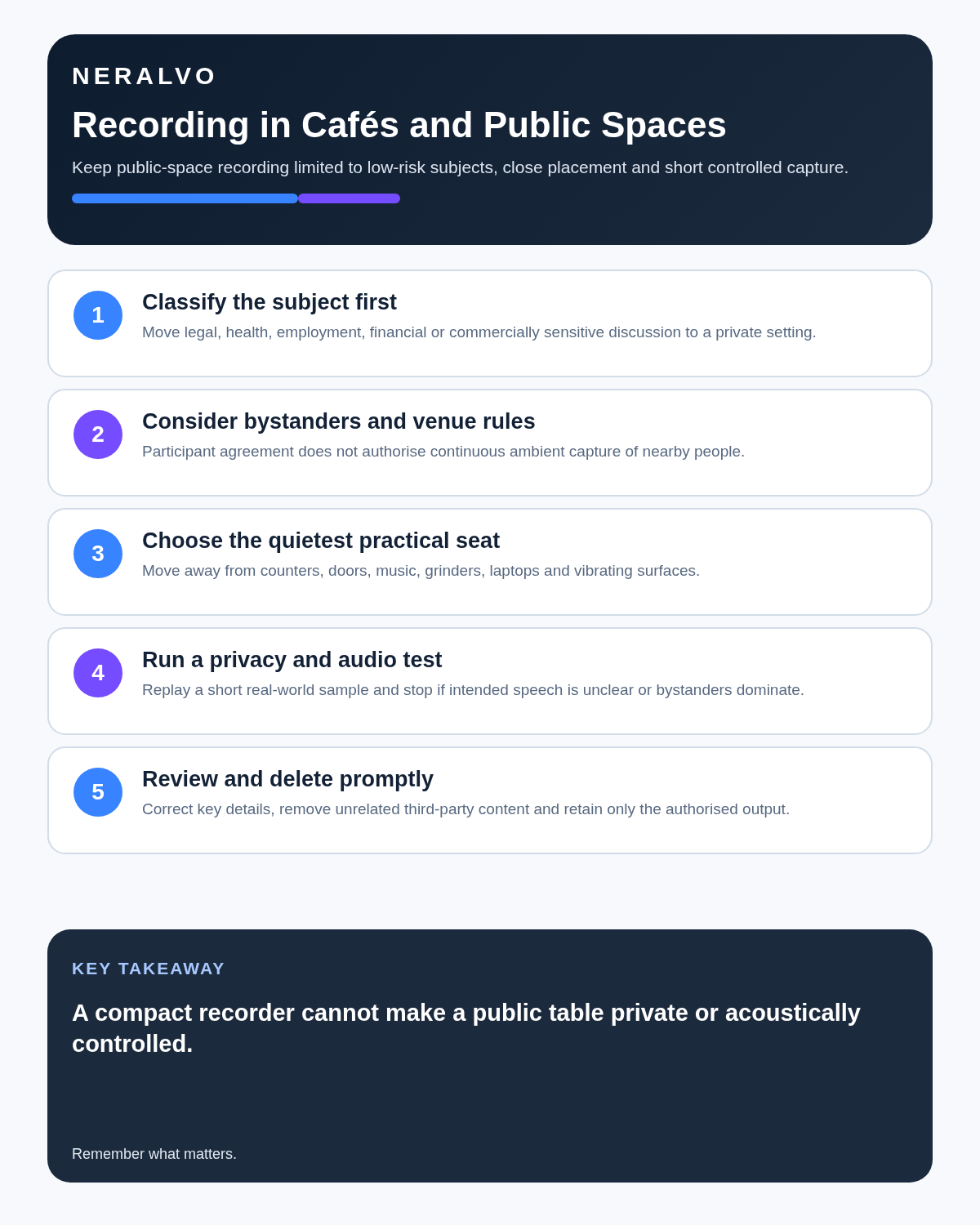
- Classify the subject and move sensitive work elsewhere.
- Explain purpose, use, access and retention.
- Select the least intrusive position.
- Test audio and bystander capture.
- Record only the necessary segment.
- Pause for interruptions and repeat material points.
- Review speakers, names, figures and decisions promptly.
- Remove unrelated third-party material.
- Move the checked output into the approved system.
- Delete temporary audio when the purpose ends.
How NERALVO Halo fits mobile conversations
Check whether NERALVO Halo fits cafés and busy public spaces work offers NOTE mode, supported CALL mode, 64GB local storage, up to 35 hours of recording, Bluetooth sync with DOWAY and one year of DOWAY Max. Its compact size supports close placement, but it cannot create acoustic privacy or prevent bystander capture automatically.
Safer alternatives
| Need | Better option |
|---|---|
| Confidential client discussion | Private office or approved secure call |
| Quick informal planning | Brief written notes |
| Interview requiring exact quotations | Quiet private room with controlled audio |
| Personal reflection after the meeting | Private voice note later |
| Busy coworking space | Bookable booth or meeting room |
Privacy and retention
Audio can contain voices, names, opinions and contextual identifiers. Organisational users should define a purpose, lawful basis, access group and retention period. Only people and systems that need the recording should have access, and the source should not be retained merely because storage is available.
Public-space recording deserves particular caution because continuous audio can be highly intrusive. Short, controlled capture for a clear purpose is safer than leaving a recorder active throughout a visit.
Common café-recording mistakes
- Discussing confidential matters because the table feels private.
- Recording without explaining the purpose.
- Placing the device at the table edge near strangers.
- Leaving it running during orders and breaks.
- Assuming noise reduction removes bystanders.
- Accepting speaker labels without checking.
- Sharing the complete recording when a short note would suffice.
- Keeping unrelated public conversation indefinitely.
Cloud software, a dedicated recorder or manual notes?
For Cafés and Busy Public Spaces, the right answer changes with the setting. This matrix deliberately gives each method a situation where it can be the strongest choice.
| Situation | Best starting point | Reason |
|---|---|---|
| scheduled remote meetings | Cloud meeting software | Calendar automation and shared integrations are usually the strongest advantage. |
| in-person or mobile work | Dedicated recorder | Independent capture reduces reliance on an active phone or laptop. |
| recording is refused or prohibited | Manual notes or an approved alternative | The boundary takes priority over convenience. |
| mixed online and offline work | Governed hybrid | Use each method only in the setting it actually fits. |
Frequently asked questions
Can AI isolate only the people at my table?
Not reliably. Nearby voices may still be captured, transcribed or assigned incorrectly.
Does participant consent make the whole café recording acceptable?
No. Consider bystanders, venue rules, necessity, confidentiality and less intrusive alternatives.
Should music be a concern?
Yes. Continuous music competes with speech and can reduce transcript quality.
Can I discuss client information quietly?
Low volume does not make the setting secure and may reduce audio quality. Use a private approved location.
Should the full café recording be retained?
Only for a justified purpose and period. A concise checked record is often more appropriate.
Final public-space checklist
- Topic is low risk
- Participants informed
- Bystander capture minimised
- Quietest practical position chosen
- Test recording passed
- Critical details verified
- Unrelated audio removed
- Temporary files deleted promptly
Related guides
Bottom line: convenience must not override privacy or accuracy. Use public-space recording selectively and move sensitive work to a controlled setting.
On this page
Related guides
Check permission, retention and access before choosing hardware
Once the policy requirements in this guide are satisfied, compare Halo’s specifications, local storage, included services and current offer against your approved workflow.
Found an error or an out-of-date claim? Email support@neralvo.com with the article address and a supporting source.