The 60-second verdict
Quick answer: volunteer coordinators can use an AI voice recorder to capture approved briefings, rota changes, role questions and post-event actions, but safeguarding, welfare, health and disciplinary concerns must be routed immediately through the organisation’s designated process. General coordination notes should contain only the information volunteers need.
Best fit: Volunteer Coordinators who need recoverable audio and human-verified notes in an authorised workflow. Use another method when: recording is prohibited, a participant declines or the approved process requires manual notes.
Evidence basis and limits
- Decision factors covered: Why one volunteer note can contain several record types; The role → shift → readiness → change → concern → closure workflow; Use a safeguarding and welfare fast lane.
- Evidence rule: A claim earns weight only when the source, date, configuration and limitation are clear enough for a reader to check.
- Boundary: Examples and workflow recommendations must be tested with representative recordings, the intended users and the actual approval process before rollout.

Assess Halo against the volunteer coordinators workflow matrix can support approved adult briefings and private coordinator notes. It is not a safeguarding, case, HR or rota system.
Why one volunteer note can contain several record types
A shift conversation may include availability, training, service-user information, a safeguarding concern and a personal health disclosure. These points should not remain together in one broadly accessible transcript.
The role → shift → readiness → change → concern → closure workflow
| Stage | Question | Output |
|---|---|---|
| Role | What is the volunteer authorised and trained to do? | Clear boundary |
| Shift | When, where and under whose supervision? | Confirmed assignment |
| Readiness | Are checks, training, equipment and access complete? | Safe start |
| Change | What absence, swap or task change occurred? | Updated rota |
| Concern | Does information require safeguarding, welfare or HR routing? | Restricted escalation |
| Closure | Were the shift, handover and follow-up completed? | Accountable record |
Use a safeguarding and welfare fast lane
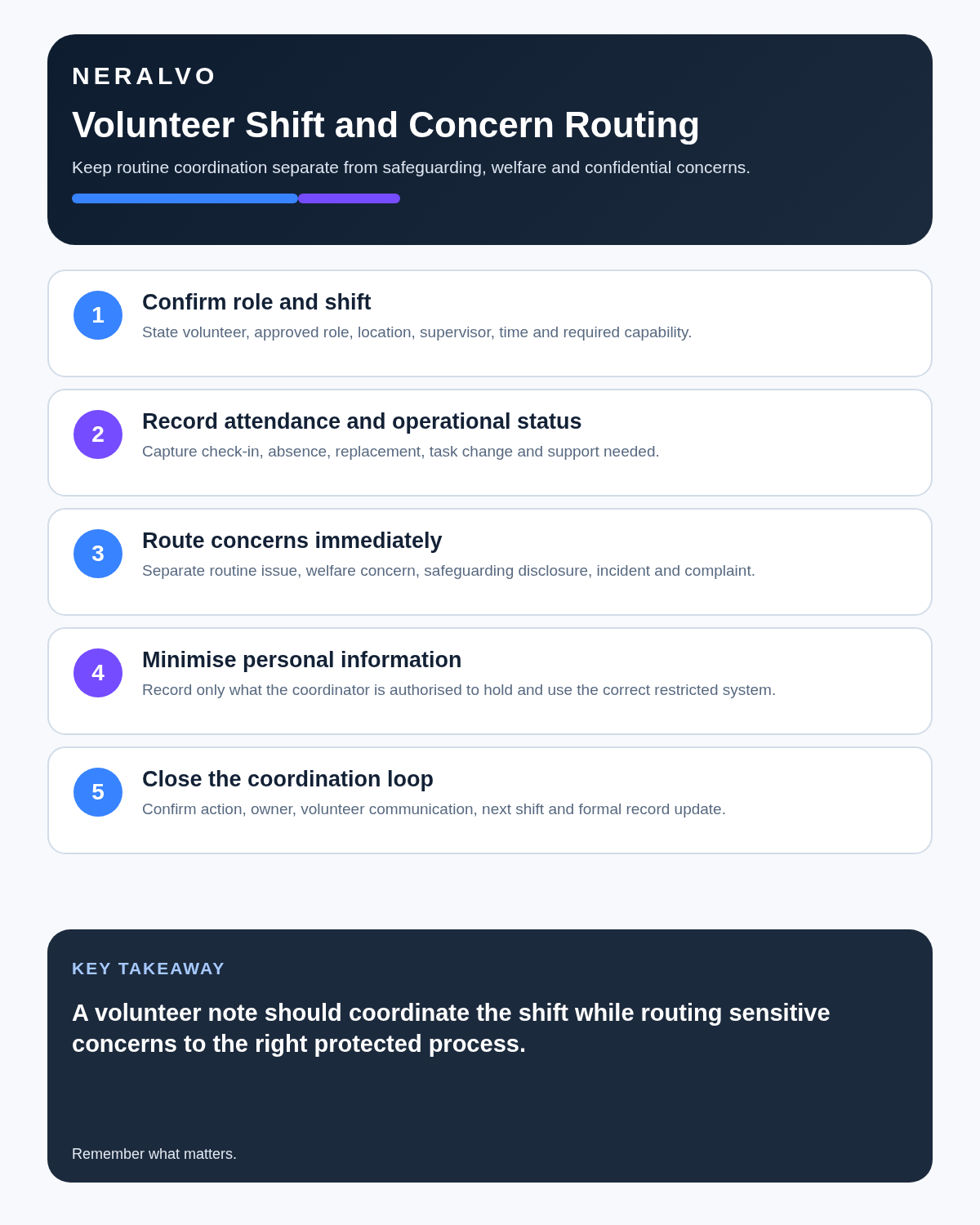
Immediate danger, abuse, exploitation, neglect, serious welfare risk or unsafe practice should enter the organisation’s designated response process without waiting for transcription. Preserve the person’s words accurately, do not investigate beyond the role and share only with authorised people.
Confirm the shift precisely
- Volunteer name or approved identifier.
- Role and task boundary.
- Date, time and location.
- Supervisor and contact route.
- Required training, checks and competence.
- Equipment, access and expenses arrangements.
- Service-user information genuinely needed.
- Start, finish and handover requirements.
Use clear attendance statuses
- Invited.
- Provisionally available.
- Confirmed.
- Checked in.
- Reassigned.
- Absent or cancelled.
- Shift completed.
- Follow-up required.
A message saying “should be fine” is not confirmation. Update the authorised rota.
Use approved induction recording carefully
An approved induction recording can support accessible notes, FAQs and later review, but it does not prove that the volunteer understood the role or completed required training. Keep the role description, checks, safeguarding training, competency evidence and completion status in the organisation’s authorised systems.
Provide an alternative format where needed and allow material inaccuracies in the generated notes to be corrected.
Keep role instructions proportionate
Brief volunteers on the purpose, task, limits, escalation, confidentiality, safety and support. Do not share an entire case history when the volunteer needs only a safe operational instruction.
Route information by category
| Information | Destination |
|---|---|
| Rota or absence | Volunteer-management system |
| Training need | Volunteer learning or supervision record |
| Safeguarding concern | Restricted safeguarding route |
| Health or adjustment | Confidential authorised process |
| Conduct concern | Volunteer-management or HR procedure |
| Service-user action | Approved case or service record |
| Operational improvement | Team action log |
Handle last-minute changes safely
- Confirm the original shift and responsibility.
- Check the replacement’s role, training and availability.
- Update the rota.
- Notify the supervisor and affected team.
- Transfer only necessary information.
- Confirm receipt.
- Record any remaining gap or risk.
Create a post-event debrief without exposing people
Focus on attendance, task completion, operational issues, support needed, incidents routed separately, positive learning and specific improvement actions. Avoid copying identifiable service-user or volunteer information into general minutes.
Protect volunteers from overreach
A recording should not create covert monitoring or pressure volunteers to disclose personal information. Explain purpose, access, AI processing and retention. Provide an appropriate non-recorded alternative where possible.
How NERALVO Halo fits volunteer coordination
NERALVO Halo includes NOTE mode, supported CALL mode, 64GB local storage, up to 35 hours of recording and Bluetooth sync with DOWAY. CALL mode is not universal, so test the exact phone, case and route. DOWAY provides transcripts, summaries, speaker-separated notes, templates, translations, mind maps and exports, with one year of DOWAY Max included.
Cloud software, a dedicated recorder or manual notes?
For Volunteer Coordinators, the right answer changes with the setting. This matrix deliberately gives each method a situation where it can be the strongest choice.
| Situation | Best starting point | Reason |
|---|---|---|
| scheduled remote meetings | Cloud meeting software | Auto-join and central collaboration can remove routine admin. |
| in-person or mobile work | Dedicated recorder | Dedicated hardware suits movement, variable rooms and offline source capture. |
| recording is refused or prohibited | Manual notes or an approved alternative | A clear alternative respects policy and participant choice. |
| mixed online and offline work | Governed hybrid | One governed process prevents gaps between desk and field work. |
Frequently asked questions
Can safeguarding information remain in a general shift transcript?
No. Route it into the restricted authorised process promptly.
Does a volunteer saying they are available confirm the shift?
Not until the assignment is confirmed and updated in the rota.
Should all briefings be recorded?
No. Use recording only where approved, proportionate and useful.
Final volunteer-coordination checklist
- Role and task boundary clear.
- Shift, location and supervisor confirmed.
- Training and checks complete.
- Safeguarding and welfare concerns routed immediately.
- Personal information minimised.
- Changes reflected in the rota.
- Handover and receipt confirmed.
- Source audio retained only as justified.
Bottom line: strong volunteer coordination gives people exactly what they need to help safely while sensitive concerns go directly to the people authorised to act.
Related guides
See the guides for charity managers, fundraisers and social workers.
On this page
Related guides
See whether Halo fits this workflow
Review the NERALVO Halo specifications, included services, delivery information and current offer only after completing the guide.
Found an error or an out-of-date claim? Email support@neralvo.com with the article address and a supporting source.