The 60-second verdict
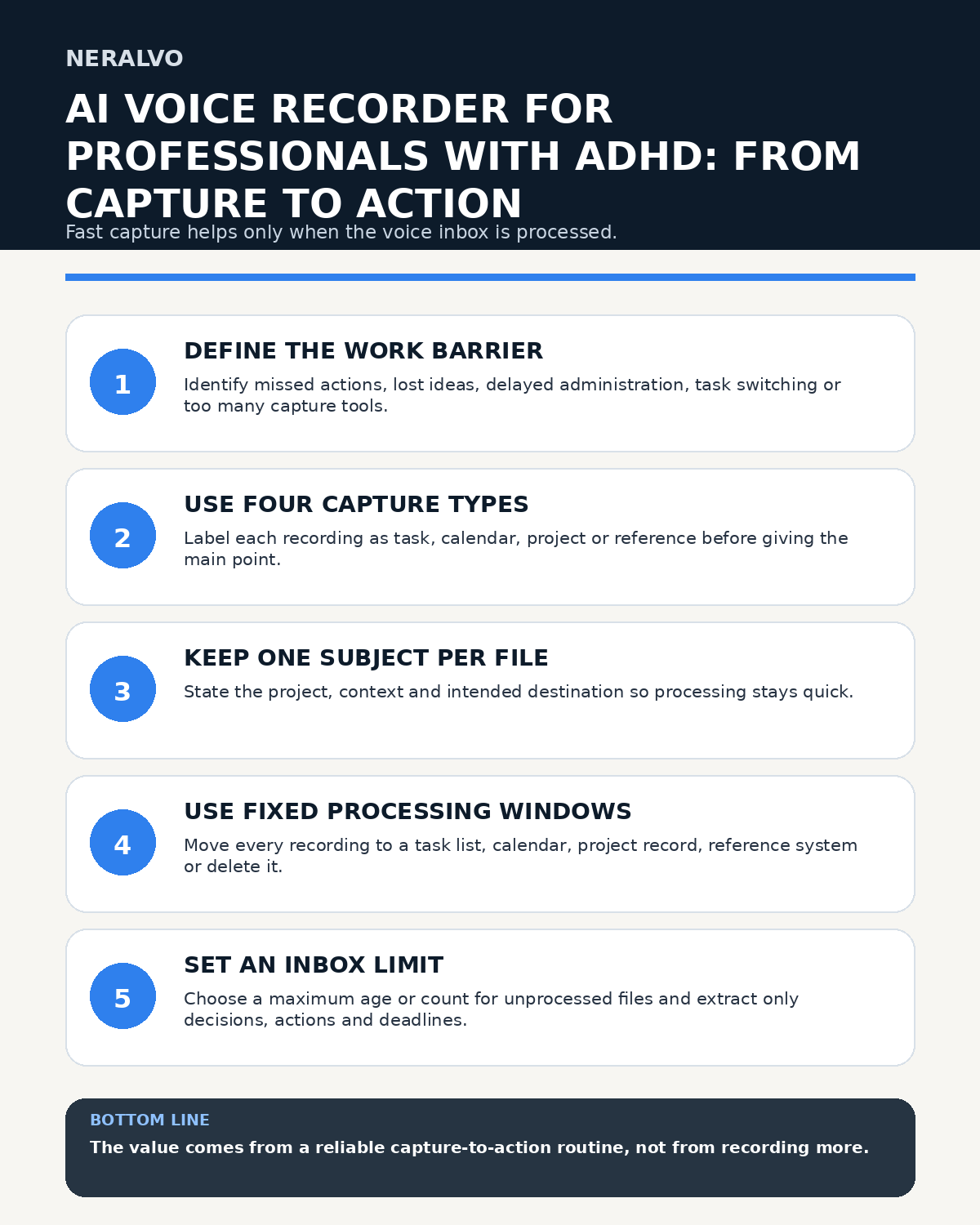
Quick answer: professionals with ADHD can use an AI voice recorder effectively by defining the specific work barrier, using one capture type and subject per recording, processing files during fixed review windows, setting a visible inbox limit and moving every useful item into the normal task, calendar, project or reference system.
Best fit: Professionals with ADHD who need recoverable audio and human-verified notes in an authorised workflow. Use another method when: recording is prohibited, a participant declines or the approved process requires manual notes.
Evidence basis and limits
- Decision factors covered: Start with the individual work barrier; Use four capture types; Keep one subject per file.
- Evidence rule: A claim earns weight only when the source, date, configuration and limitation are clear enough for a reader to check.
- Boundary: Examples and workflow recommendations must be tested with representative recordings, the intended users and the actual approval process before rollout.
Low-friction capture can preserve an idea or instruction before it disappears, but it can also create a second backlog. The value comes from the complete capture-to-action process rather than the number of recordings created.

Start with the individual work barrier
Describe the practical issue rather than assuming the same pattern applies to everyone. The barrier might involve losing ideas during task switching, missing actions in meetings, postponing written administration, forgetting where notes are stored or using too many capture tools.
Choose a measurable outcome such as fewer missed deadlines, a smaller note inbox, faster retrieval or reduced duplicate capture.
Use four capture types
- Task: a specific action requiring completion.
- Calendar: an event, appointment or time-based reminder.
- Project: an idea, decision, question or update linked to active work.
- Reference: useful information with no immediate action.
Say the type at the start so the processing step has a clear destination.
Keep one subject per file
End the recording when the subject changes. A useful opening formula is: capture type, project or context, main point and intended destination.
“Task. Riverside proposal. Confirm the revised cost with Sam by Thursday. Put this in the project task list.”
This does not complete the task, but it makes later routing simpler.
Separate urgent from interesting
Use a small number of defined urgency levels. A genuinely urgent item may involve immediate safety, a same-day deadline or an irreversible consequence. Everything else should enter the normal queue.
Move time-specific commitments to the calendar. The word “urgent” inside an audio file is not an alert.
Use fixed processing windows
Choose realistic review points, such as after key meetings, after a site visit or during a protected daily administration block. During processing, route each file to:
- task list;
- calendar;
- project record;
- reference system;
- delete.
Do not keep uncontrolled copies everywhere. Duplication makes it harder to know which version is current.
Set a visible inbox limit
Choose a maximum number or age for unprocessed files. When the limit is reached, pause non-essential capture and clear the queue. A perfectly organised archive of unprocessed ideas is still hidden work.
Process meetings into decisions and actions
Follow workplace policy and participant requirements. After the meeting, extract only confirmed decisions; actions, owners and deadlines; questions requiring follow-up; and essential reference information.
Check names, dates, amounts, terminology and negative wording. Do not use voice analysis to judge attention, motivation, honesty or performance.
Use reminders sparingly
Use a small number of prompts for the processing window, overdue confirmed actions or the inbox limit. A reminder for every recording may become background noise.
Reduce friction in the system
Use one naming pattern, one recording inbox and one trusted task system. Keep templates short. Avoid generating multiple summaries, mind maps and exports unless each has a clear purpose.
Build a recovery routine
When the backlog grows, process the oldest or highest-risk recordings first, delete duplicates and pause optional capture. Focus on decisions, commitments and deadlines before low-value reference notes.
Protect confidential information
Use approved storage and restrict access. Do not record passwords, payment details, access codes or unrelated personal information. Delete source audio after verified information has been transferred and the retention purpose ends.
Keep alternatives available
Some tasks may work better with a notebook, visual board, shared action log, captions, written instructions or designated note-taker. Voice capture can be combined with these methods or stopped when it creates distraction or overload.
Review the workflow
After a trial, measure the number and age of unprocessed recordings, whether actions reach the correct system, correction time, missed deadlines and whether the person wants to continue, simplify or replace the method.
Cloud software, a dedicated recorder or manual notes?
For Professionals with ADHD, the right answer changes with the setting. This matrix deliberately gives each method a situation where it can be the strongest choice.
| Situation | Best starting point | Reason |
|---|---|---|
| scheduled remote meetings | Cloud meeting software | Auto-join and central collaboration can remove routine admin. |
| in-person or mobile work | Dedicated recorder | Dedicated hardware suits movement, variable rooms and offline source capture. |
| recording is refused or prohibited | Manual notes or an approved alternative | A clear alternative respects policy and participant choice. |
| mixed online and offline work | Governed hybrid | One governed process prevents gaps between desk and field work. |
Frequently asked questions
Should everything be recorded?
No. Capture only information that has a clear purpose and destination.
Can AI decide which actions are urgent?
It can suggest labels, but the person should verify urgency, ownership and deadlines.
What is a sensible inbox limit?
Choose a number or age small enough to clear regularly. The right limit depends on the role and processing time.
Is this a treatment for ADHD?
No. It is a possible work-support method whose value depends on the person, task and workflow.
Useful resources
- NHS information about ADHD
- AI Voice Recording as a Workplace Reasonable Adjustment
- Assess Halo against the professionals with adhd workflow matrix
Capture-to-action checklist
- Individual barrier and outcome defined
- Capture type stated
- One subject per recording
- Urgency defined realistically
- Processing windows scheduled
- Inbox limit visible
- Actions moved into trusted systems
- Privacy and deletion controlled
- Results reviewed with the individual
Related AI voice recorder guides
On this page
Related guides
See whether Halo fits this workflow
Review the NERALVO Halo specifications, included services, delivery information and current offer only after completing the guide.
Found an error or an out-of-date claim? Email support@neralvo.com with the article address and a supporting source.