The 60-second verdict
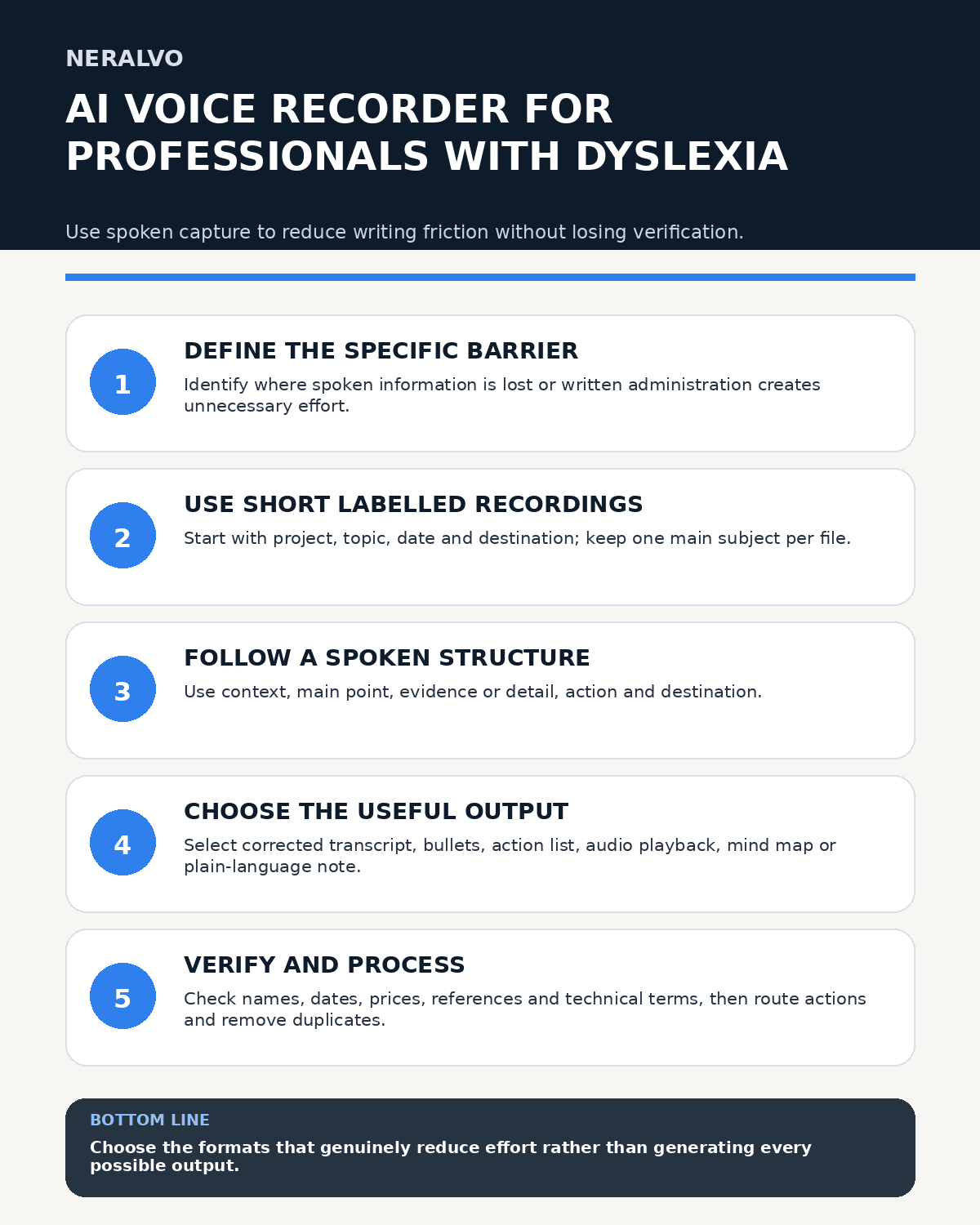
Quick answer: professionals with dyslexia can use AI voice recording by defining the specific task and barrier, keeping recordings short and clearly labelled, choosing only useful output formats, verifying high-risk terms and figures, and processing every file into an accessible note, action or deletion.
Best fit: Professionals with Dyslexia who need recoverable audio and human-verified notes in an authorised workflow. Use another method when: recording is prohibited, a participant declines or the approved process requires manual notes.
Evidence basis and limits
- Decision factors covered: Identify the task and barrier; Use short, clearly labelled recordings; Use a simple spoken structure.
- Evidence rule: The decision is based on the complete capture-to-action workflow, not a single feature or marketing accuracy percentage.
- Boundary: Examples and workflow recommendations must be tested with representative recordings, the intended users and the actual approval process before rollout.
Spoken capture may reduce the effort of handwriting, spelling or simultaneous listening and note-taking for some people. It is not a universal solution, and a readable transcript still needs checking.

Identify the task and barrier
Define where information is lost or written administration creates unnecessary effort. This may occur during fast meetings, initial drafting, site observations, multi-step instructions or converting conversation into actions.
Agree the intended result: a reliable first draft, action list, audio reference, structured project note or document suitable for text-to-speech.
Use short, clearly labelled recordings
Start each file with project, topic, date and intended destination. Keep one main subject per file so it is easier to title, correct, retrieve and delete.
Use a simple spoken structure
- Context: what the note relates to.
- Main point: the idea, observation or instruction.
- Evidence or detail: facts, examples and sources.
- Action: what needs doing, by whom and when.
- Destination: task list, calendar, project note, draft or reference.
Use verbal punctuation only when it helps the individual. Too many commands can interrupt thinking.
Choose the output around the user
Possible outputs include:
- corrected transcript with headings;
- concise bullet summary;
- decisions and actions only;
- audio playback with timestamps;
- mind map;
- plain-language version;
- text compatible with read-aloud tools.
Do not create every format by default. Extra outputs can produce clutter.
Verify high-risk details
Check:
- people, organisations and places;
- dates, times, prices, quantities and references;
- technical, medical, legal or industry terms;
- acronyms and product names;
- negations such as “not,” “never” and “cannot”;
- commitments and deadlines.
Use a personal vocabulary list for recurring names and technical terms where supported, but continue checking critical information.
Create accessible notes
Break long paragraphs into short sections with descriptive headings. Put decisions and actions near the top. Use bullets and numbered steps, expand acronyms on first use and use meaningful link text.
Keep tables simple. A list may be easier to navigate than a complex action grid.
Build a consistent processing routine
- Transfer to the approved workspace.
- Generate the transcript or chosen output.
- Correct critical details against audio.
- Apply accessible structure and formatting.
- Move actions into task or calendar systems.
- Save the verified note in the project location.
- Delete duplicate or unnecessary audio.
Set a realistic limit for unprocessed files so capture does not create another barrier.
Use a personal glossary
Keep approved spellings for names, abbreviations and recurring project language. Record the preferred pronunciation or context where useful. Update the glossary when the same recognition error recurs.
Separate drafting from checking
Capture ideas freely, then review in a separate step. Use audio playback, text-to-speech or another preferred method to verify content without interrupting the first draft.
Use recording appropriately at work
Follow workplace policy and participant requirements. Sensitive meetings may need specific approval or another method. Do not record passwords, payment information, security answers or unrelated personal data.
Review the arrangement
After a trial, assess whether the workflow reduces the original barrier without creating excessive correction or overload. Ask which output is actually used and whether another support method should be added or substituted.
Cloud software, a dedicated recorder or manual notes?
For Professionals with Dyslexia, the right answer changes with the setting. This matrix deliberately gives each method a situation where it can be the strongest choice.
| Situation | Best starting point | Reason |
|---|---|---|
| scheduled remote meetings | Cloud meeting software | Native remote-meeting workflows can be more efficient here. |
| in-person or mobile work | Dedicated recorder | A separate battery and recoverable local source improve resilience. |
| recording is refused or prohibited | Manual notes or an approved alternative | Manual notes are the correct control when recording is unavailable. |
| mixed online and offline work | Governed hybrid | A hybrid can combine automation with reliable physical capture. |
Frequently asked questions
Does every professional with dyslexia prefer audio?
No. The workflow should be chosen with the individual and task.
Can a personal glossary eliminate checking?
No. It may reduce repeated errors, but critical details still require verification.
Should the raw transcript be the final note?
Usually not. Structure it around the audience and work purpose.
Can recording form part of a workplace adjustment?
Potentially, through an individual reasonable-adjustment process with clear boundaries and review.
Useful resources
- British Dyslexia Association
- AI Voice Recording as a Workplace Reasonable Adjustment
- View Halo specifications for professionals with dyslexia use
Spoken-capture checklist
- Task and individual barrier defined
- Recording short and labelled
- One main subject captured
- Useful output formats selected
- Critical details verified
- Accessible structure applied
- Actions routed to trusted systems
- Duplicate files removed
- Workflow reviewed with the individual
Related AI voice recorder guides
On this page
Related guides
See whether Halo fits this workflow
Review the NERALVO Halo specifications, included services, delivery information and current offer only after completing the guide.
Found an error or an out-of-date claim? Email support@neralvo.com with the article address and a supporting source.