The 60-second verdict
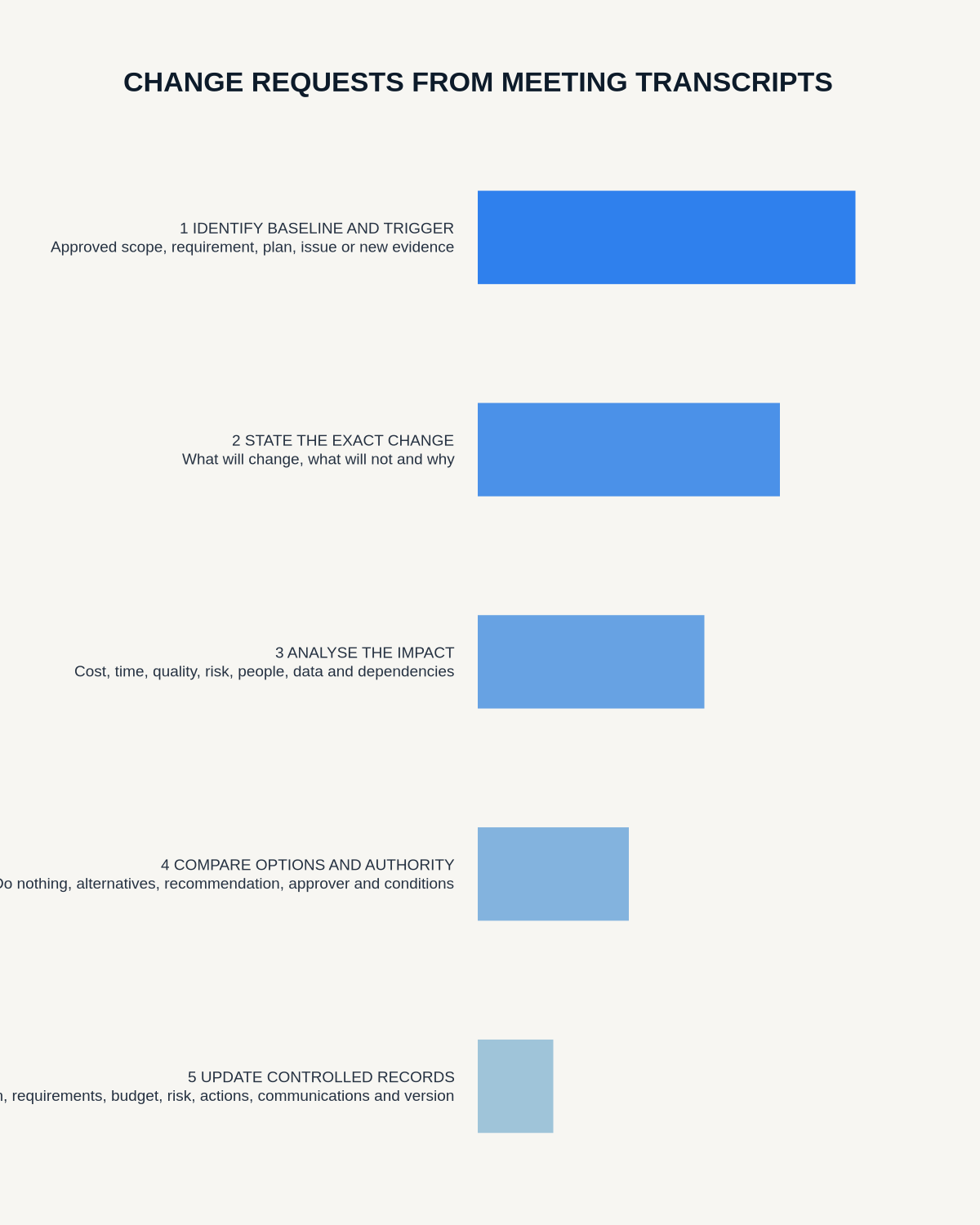
Quick answer: draft a change request from a meeting transcript by identifying the current approved baseline, the exact requested change, evidence and reason, affected requirements and systems, cost, schedule, risk, benefits, options and decision authority. The transcript supports the request but does not approve it.
Decision focus: use the method below only where it produces a recoverable source, a verifiable output and a clear next action. If one of those fails, change the workflow rather than trusting a polished summary.
Evidence basis and limits
- Decision factors covered: Identify the controlled baseline; Extract the request accurately; Create a complete change record.
- Evidence rule: The decision is based on the complete capture-to-action workflow, not a single feature or marketing accuracy percentage.
- Boundary: Examples and workflow recommendations must be tested with representative recordings, the intended users and the actual approval process before rollout.
Meeting language often makes a change sound agreed before impact analysis has occurred. A controlled request preserves the difference between an idea, recommendation, request, approval and implemented change.

Identify the controlled baseline
State the current approved scope, requirement, design, process, contract, budget or schedule and its version. A change cannot be assessed without knowing what it changes.
Extract the request accurately
Record the requested outcome, requester, date, source meeting and reason. Verify important wording against the audio. Keep proposal, requested, under assessment, approved, rejected and implemented status separate.
Create a complete change record
- Change ID and source
- Baseline affected
- Requested change and exclusions
- Business or user reason
- Evidence and urgency
- Requirements, systems and stakeholders affected
- Cost, schedule, resource and supplier impact
- Safety, security, compliance and quality impact
- Options, recommendation and authority
- Implementation, test, rollback and closure
Analyse dependencies and side effects
Use the requirements matrix, architecture, process map, contract and risk register to identify secondary impacts. A small wording change may affect training, reporting, data, suppliers or acceptance criteria.
Compare options consistently
Include no change, partial change, staged implementation and alternative solutions where relevant. Apply the same criteria to each option and preserve uncertainty.
Verify decision authority
Record the person or body permitted to approve the change, evidence considered, conditions and date. Seniority or meeting attendance alone does not prove authority.
Plan implementation and rollback
Define work packages, owners, dependencies, communication, training, migration, test evidence and rollback or contingency. Update controlled baselines only after approval.
Verify benefits and closure
Confirm implementation against the approved request, test acceptance criteria and review whether the intended result occurred. Preserve residual issues and superseded versions.
Workflow choice matrix for How to Draft Change Requests from Meeting Transcripts
Choose the method that protects the source and reduces downstream correction. The table makes the non-hardware options explicit.
| Condition | Preferred route | Why |
|---|---|---|
| Repeatable remote work with approved integrations | Cloud software | Automation and central collaboration may outweigh device independence. |
| In-person, mobile or unreliable-connectivity work | Dedicated recorder | Independent capture and a recoverable local source are usually more resilient. |
| Recording is refused, prohibited or unnecessary | Manual notes / no recording | Respecting the boundary is the correct workflow, not a product failure. |
| High-risk or mixed work | Governed hybrid | Separate capture, review, approval and retention rather than trusting one tool. |
Frequently asked questions
Does an agreed meeting action approve the change?
Only if the authorised process says so. Otherwise it may be an action to assess or submit the request.
Should a minor change use the same process?
Use the organisation’s proportionate route, but preserve baseline, authority and verification.
Can a rejected request be deleted?
Keep the decision and rationale according to the controlled records process.
Useful resources
- Association for Project Management change-control guidance
- How to Build a Requirements Traceability Matrix
- How to Build a Decision Audit Trail
- How to Update a Risk Register
Final request checklist
- Baseline and requested change exact
- Evidence and reason traceable
- Impacts and options assessed
- Authority confirmed
- Implementation and rollback planned
- Acceptance and outcome verified
On this page
Related guides
See whether Halo fits this workflow
Review the NERALVO Halo specifications, included services, delivery information and current offer only after completing the guide.
Found an error or an out-of-date claim? Email support@neralvo.com with the article address and a supporting source.