
The 60-second verdict
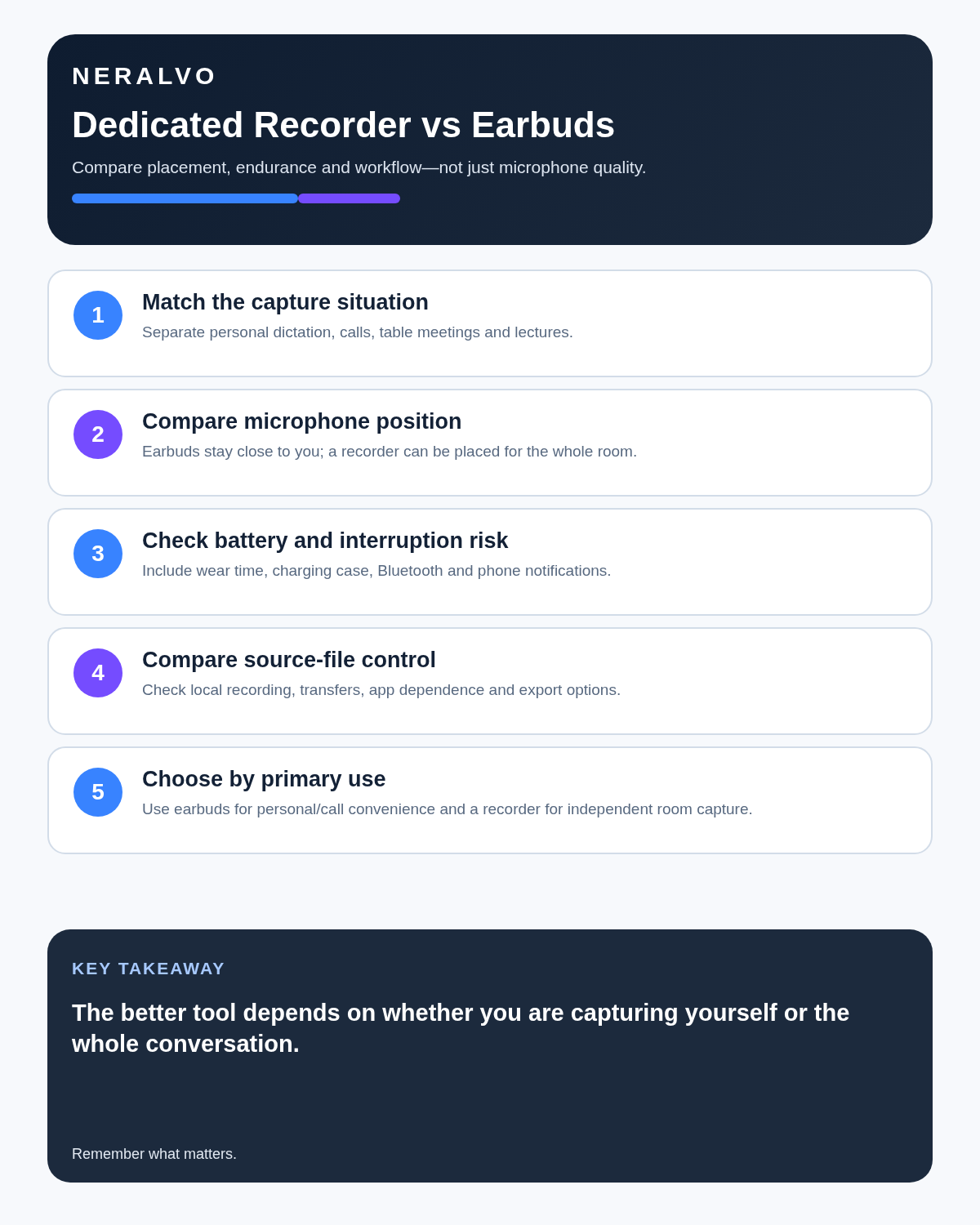
Earbuds are designed to put microphones near the wearer’s mouth and sound in the wearer’s ears. A dedicated recorder is designed to capture an event from wherever it is placed. That makes earbuds convenient for some online calls but a poor default for many in-person meetings.
Best fit: choose the option that passes your capture, recovery, privacy and total-cost gates. Do not decide on: price or a single accuracy claim in isolation.
Evidence basis and limits
- Decision factors covered: Microphone geometry decides the result; Scenario 1: a private video call; Scenario 2: six people around a table.
- Evidence rule: A claim earns weight only when the source, date, configuration and limitation are clear enough for a reader to check.
- Boundary: Examples and workflow recommendations must be tested with representative recordings, the intended users and the actual approval process before rollout.
Microphone geometry decides the result
For an online call, the earbud microphone is close to one participant and the platform supplies the other voices electronically. For a meeting around a table, the same microphone may capture the wearer clearly and everyone else at a distance.
A dedicated recorder can be placed between speakers. It will not eliminate echo or overlapping speech, but its position can be chosen for the room rather than fixed to one person’s head.
Scenario 1: a private video call
Earbuds can be the simplest option. They reduce speaker feedback, keep the other person’s voice private and provide a close microphone for the wearer. Recording capability, permissions and available tracks depend on the calling platform and device.
A separate recorder may be unnecessary unless the user needs an independent source recording and the workflow is authorised.
Scenario 2: six people around a table
A single pair of earbuds is not a room microphone. If the wearer turns away, speaks quietly or leaves the table, capture changes. A dedicated recorder near the centre generally offers a more balanced starting position.
For a large or acoustically difficult room, neither option may be enough. A conferencing microphone or multi-microphone system may be more appropriate.
Scenario 3: hybrid meeting
Hybrid meetings create two sound environments: people in the room and people on the call. Earbuds can isolate the remote audio from the room, making an external recording incomplete. Playing remote participants through speakers can improve room capture but may introduce echo.
The better solution is often to use the meeting platform’s authorised recording for remote tracks and a room device only when a separate in-person source is genuinely needed. The files then require careful alignment and review.
Interruptions and ownership
Earbuds share duties with calls, notifications, media playback and battery management. An incoming call, Bluetooth reconnection or device switch can interrupt the workflow. A dedicated recorder separates capture from personal audio, although it introduces another device to charge and manage.
Compare the operational burden
Balanced comparison matrix
Balanced decision rule: a cloud tool should win where automation and collaboration matter most; a dedicated recorder should win where independent capture and mobility matter most; manual notes should win when recording is inappropriate.
| Factor | Earbuds | Dedicated recorder |
|---|---|---|
| Online one-to-one call | Often convenient | May add unnecessary complexity |
| In-person group | Biased toward wearer | Can be placed centrally |
| Remote audio privacy | Strong for listening | Depends on playback and placement |
| Independent battery | Shared with listening and calls | Dedicated to recording |
| Visible recording boundary | May be unclear | Device can be placed deliberately |
| Original file control | Depends on platform or app | Depends on recorder storage and export |
A meeting-room test that exposes weak capture
- Seat four people at realistic distances.
- Put the earbud wearer at one end rather than the centre.
- Ask the quietest speaker to state a name, a number and a deadline.
- Include one interruption and two people speaking briefly at once.
- Repeat with the dedicated recorder placed centrally.
- Check the original audio before judging the transcript.
- Measure how long it takes to produce a checked action list.
Where NERALVO Halo is useful
Use the Dedicated Recorder vs Earbuds for Meeting Capture criteria to assess NERALVO Halo is a compact dedicated recorder with 64GB local storage and up to 35 hours of recording under stated conditions. It can be placed in the room, then sync by Bluetooth to DOWAY for transcription, summaries and speaker-separated notes. The current package includes one year of DOWAY Max from activation, subject to current terms.
Halo does not turn a poor room position into studio audio, and it is not automatically the right choice for a private headset call. It is most relevant when the user needs a separate capture device that is not tied to wearing earbuds throughout the meeting.
The practical answer
Use earbuds for personal online calls where the platform provides the recording or transcript workflow you need. Use a dedicated recorder for authorised in-person capture where central placement and separation from personal audio matter. For hybrid meetings, design the audio path first; adding more recording devices without a plan can create two incomplete records instead of one good one.
Is cloud software or a physical recorder right for this workflow?
- Choose the software-led option when automated remote-meeting capture and collaboration remove more work than they add.
- Choose the dedicated-recorder option when independent in-person capture, mobility and source recovery matter more.
- A governed hybrid can be best when the same team works both online and in person.
How community feedback is used
Public reviews can reveal recurring friction, but an anonymous anecdote is not treated as measured proof. A pull-quote should appear only when it links to the original post, identifies the relevant product version or date and is presented as one user’s experience—not as universal fact.
Related guides
On this page
Related guides
See whether Halo fits this workflow
Review the NERALVO Halo specifications, included services, delivery information and current offer only after completing the guide.
Found an error or an out-of-date claim? Email support@neralvo.com with the article address and a supporting source.