The 60-second verdict
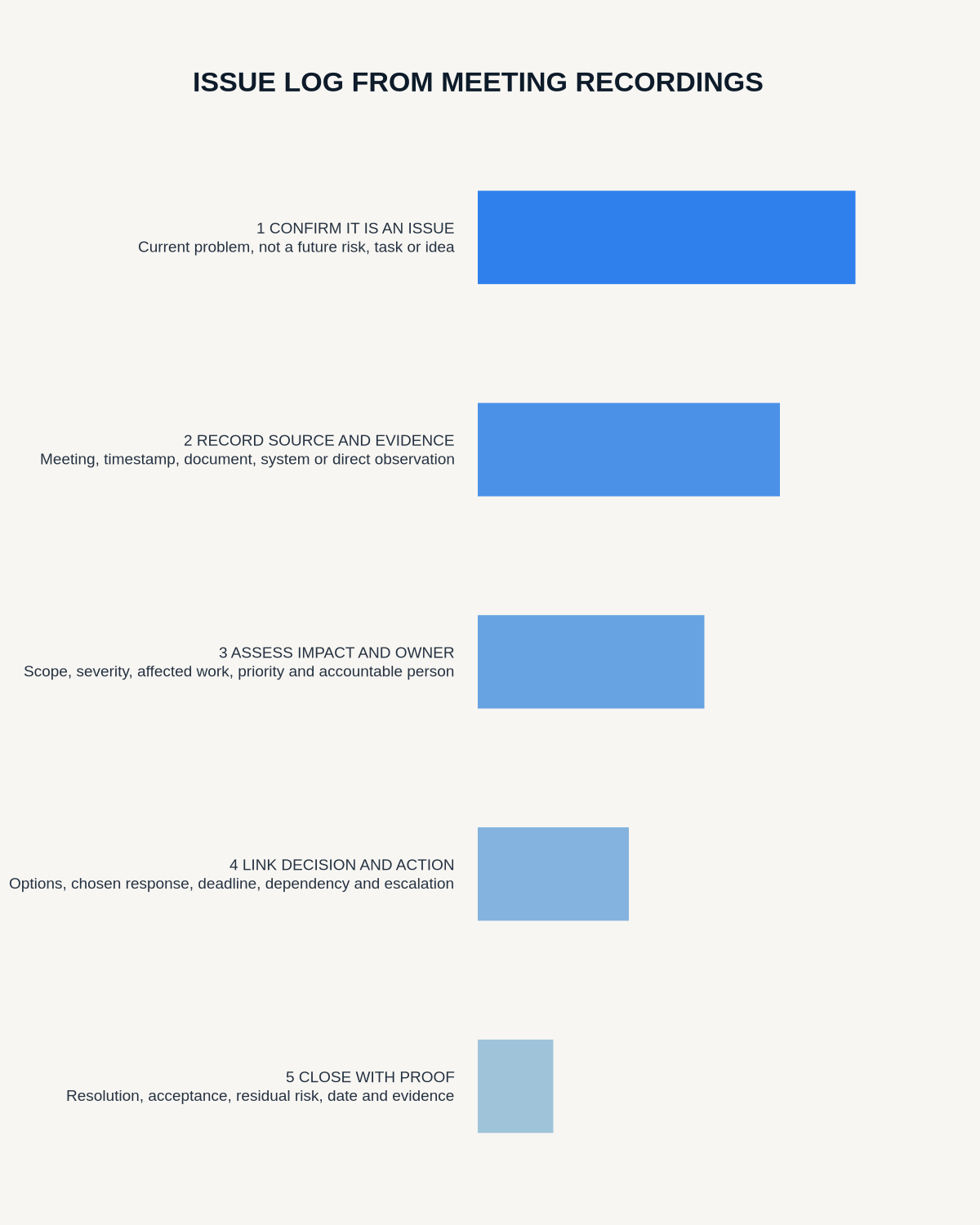
Quick answer: create an issue log by recording the current problem, evidence, impact, immediate control, owner, target date, decision route and closure test. Keep issues separate from future risks, tasks, decisions and assumptions so each item receives the right management response.
Decision focus: use the method below only where it produces a recoverable source, a verifiable output and a clear next action. If one of those fails, change the workflow rather than trusting a polished summary.
Evidence basis and limits
- Decision factors covered: Decide whether it is an issue; Create a precise issue statement; Use a complete issue record.
- Evidence rule: A claim earns weight only when the source, date, configuration and limitation are clear enough for a reader to check.
- Boundary: Examples and workflow recommendations must be tested with representative recordings, the intended users and the actual approval process before rollout.
Meeting transcripts contain complaints, questions and blockers in the same stream. The issue log should contain only present problems that require resolution and a controlled status.

Decide whether it is an issue
- Issue: a problem exists now.
- Risk: an uncertain future event may occur.
- Action: work to complete.
- Decision: an authorised choice.
- Assumption: an unverified belief.
- Question: information still required.
One meeting statement may create several linked records, but they should not be merged.
Create a precise issue statement
Describe the current condition, affected scope and observable impact. Avoid assigning cause or blame before evidence supports it. “Supplier API unavailable since 09:10, blocking new orders” is more useful than “supplier failure.”
Use a complete issue record
- Unique ID and date raised
- Issue statement and affected scope
- Source evidence
- Impact and urgency
- Immediate containment
- Owner and decision authority
- Actions, dependencies and dates
- Status and escalation trigger
- Closure evidence and acceptance
Verify evidence from the meeting
Check names, systems, dates, figures and status against the recording and operational sources. Preserve whether information was observed, reported or inferred.
Prioritise transparently
Use the organisation’s impact and urgency method. Consider safety, customer, legal, operational, financial and programme consequences. A loud discussion should not automatically create the highest priority.
Link corrective work and decisions
Move tasks into the project or operational system and link them to the issue ID. Record the decision authority for workarounds, extra spend, scope change or risk acceptance.
Escalate using defined triggers
Triggers may include increased impact, missed target date, failed containment, repeated recurrence or authority limits. Name the escalation route rather than writing “escalate if needed.”
Close on evidence
Closure should show that the issue no longer affects the required outcome or has been formally transferred or accepted. A meeting statement that the work is complete is not enough without the agreed test or evidence.
Workflow choice matrix for How to Create an Issue Log from Meeting Recordings
Choose the method that protects the source and reduces downstream correction. The table makes the non-hardware options explicit.
| Condition | Preferred route | Why |
|---|---|---|
| Repeatable remote work with approved integrations | Cloud software | Automation and central collaboration may outweigh device independence. |
| In-person, mobile or unreliable-connectivity work | Dedicated recorder | Independent capture and a recoverable local source are usually more resilient. |
| Recording is refused, prohibited or unnecessary | Manual notes / no recording | Respecting the boundary is the correct workflow, not a product failure. |
| High-risk or mixed work | Governed hybrid | Separate capture, review, approval and retention rather than trusting one tool. |
Frequently asked questions
Can one issue have several actions?
Yes, but each action should have one owner and remain linked to the issue.
When should an issue become a change request?
When resolution alters an approved baseline, scope, cost, design or controlled process.
Can a recurring issue be closed?
Only after the current occurrence is resolved and any systemic follow-up is separately owned.
Useful resources
- Association for Project Management issue guidance
- How to Update a Risk Register
- How to Draft a Change Request
- How to Build a Decision Audit Trail
Final issue checklist
- Present problem defined
- Evidence and impact clear
- Containment recorded
- Owner and escalation route named
- Actions linked
- Closure supported by evidence
On this page
Related guides
See whether Halo fits this workflow
Review the NERALVO Halo specifications, included services, delivery information and current offer only after completing the guide.
Found an error or an out-of-date claim? Email support@neralvo.com with the article address and a supporting source.