The 60-second verdict
Quick answer: when a phone-call recording contains only one side, preserve the original file, identify whether the local or remote speaker is missing, document the exact phone, app, call route and recording mode, then run controlled tests that change one variable at a time. Do not assume the transcript is the problem until the source audio has been checked.
Decision focus: use the method below only where it produces a recoverable source, a verifiable output and a clear next action. If one of those fails, change the workflow rather than trusting a polished summary.
Evidence basis and limits
- Decision factors covered: Confirm whether the audio or transcript is incomplete; Identify exactly which side is missing; Document the complete call setup.
- Evidence rule: The decision is based on the complete capture-to-action workflow, not a single feature or marketing accuracy percentage.
- Boundary: Examples and workflow recommendations must be tested with representative recordings, the intended users and the actual approval process before rollout.
One-sided call audio is usually caused by compatibility, audio routing, permissions, mode selection or an incomplete transfer—not by a single universal fault. A room recording that works perfectly does not prove that the same device can capture both sides of every phone or social-app call.

Confirm whether the audio or transcript is incomplete
Listen to the original recording with headphones before reading the transcript. Check the beginning, middle and end of the file. If both voices are audible in the source but one is absent from the transcript, the problem is transcription or speaker separation. If one voice is absent from the source, the failure occurred during capture or routing.
| Finding | Likely layer | Next check |
|---|---|---|
| Both voices in audio, one missing from text | Transcription or diarisation | Reprocess and review speaker labels |
| Only local voice in audio | Remote-call routing | Call mode, app and output route |
| Only remote voice in audio | Local microphone path | Microphone access, obstruction and mode |
| Complete local file, partial app file | Transfer or display | Sync status, file duration and export |
Identify exactly which side is missing
Use neutral labels rather than “my side” and “their side”:
- Local speaker: the person using the phone.
- Remote speaker: the person heard through the call connection.
Record whether the missing voice is completely absent, very quiet, intermittent or present only when speakerphone is used. That distinction narrows the likely cause.
Document the complete call setup
Write down the conditions before changing anything:
- phone make and model;
- operating-system version;
- call app and version;
- ordinary mobile call, internet call or social-app call;
- NOTE, CALL or other recording mode;
- handset, speakerphone, wired headset, Bluetooth earbuds or vehicle audio;
- recorder attachment and position;
- permissions and account used;
- whether the phone or app changed recently.
A problem limited to one app or one audio route is different from a failure across every call type.
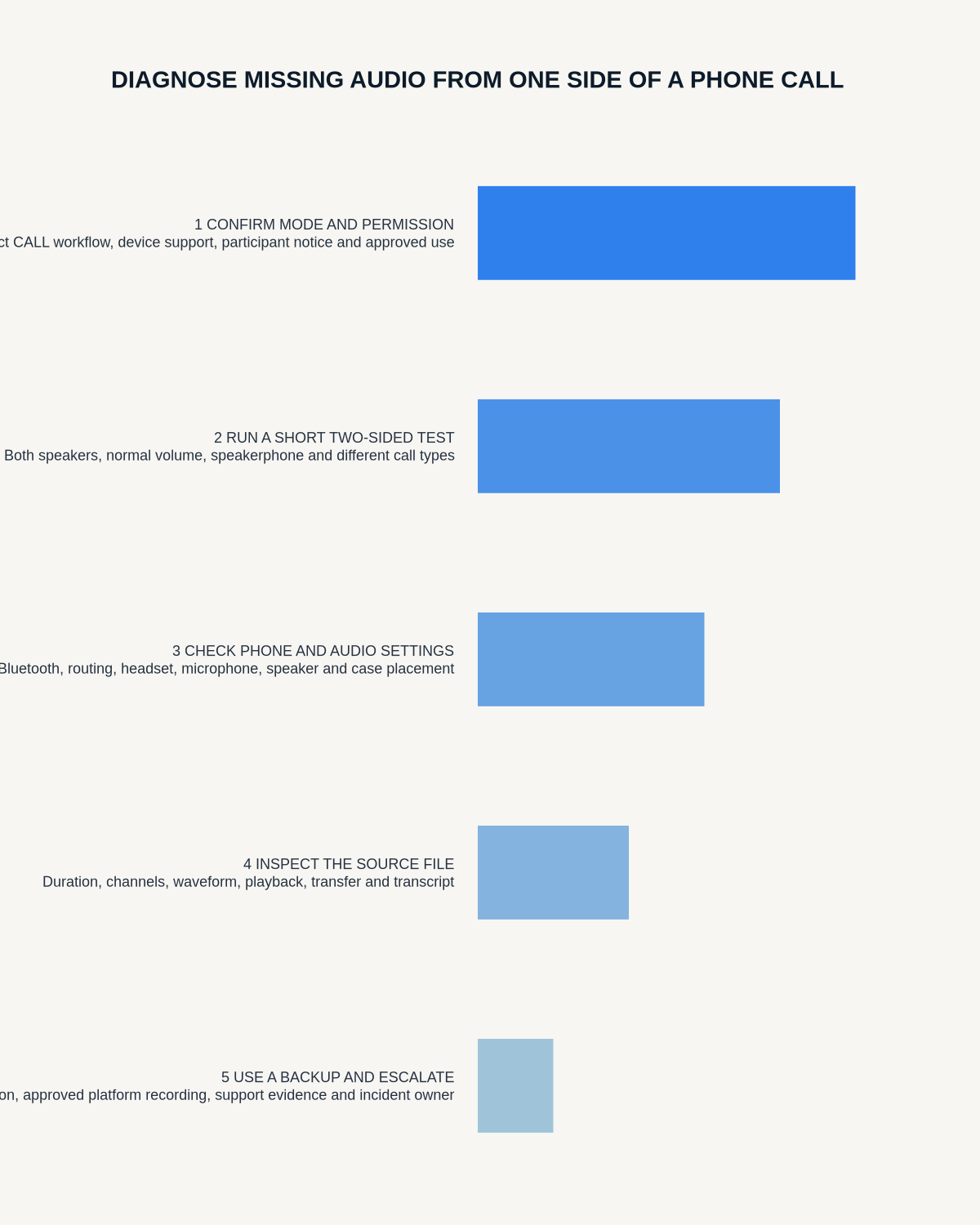
Run a controlled test matrix
Use a consenting test participant and a short non-sensitive script. Change one variable per test:
- Ordinary mobile call using the intended call-recording mode.
- The same call on speakerphone, where lawful and appropriate.
- The same phone without Bluetooth accessories.
- The same app after confirming microphone and Bluetooth permissions.
- A room-recording test to confirm the local microphone still works.
- A second supported phone or operating-system version, if available.
For each sample, note which voices are audible, file duration, mode, route and whether the source transferred completely.
Check recording mode and call routing
Room capture and call capture use different signal paths. Confirm that the recorder is in the intended mode before the call begins and that the selected method supports the exact phone and app. A call routed to Bluetooth earbuds or a vehicle may bypass the path the recorder expects.
Disconnect unnecessary Bluetooth devices and repeat the safe test. Use How to Prevent Bluetooth and App Interruptions During Recording for a more detailed connection checklist.
Review permissions, updates and compatibility
Operating-system and app updates can change microphone access, background behaviour and call routing. Confirm the relevant permissions and test again after any major update. Do not grant unrelated permissions merely to make the workflow function.
Record the working phone, app and version combination so future failures can be compared against a known baseline.
Separate a capture failure from a sync failure
If the complete source remains on the recorder but the app contains a shorter or incomplete copy, preserve the local file and follow How to Recover from a Failed AI Recorder Sync. Do not reset the recorder while the source is still needed.
Use a verified fallback, not an improvised workaround
If representative testing shows that the intended route cannot capture both sides reliably, use an approved alternative such as:
- the platform’s built-in disclosed recording function;
- an authorised conferencing recording;
- speakerphone in a private controlled room, where lawful and suitable;
- a written note confirmed immediately after the call;
- a follow-up email summarising decisions and actions.
The fallback must be tested, disclosed and compatible with organisational policy. Never conceal recording or bypass platform restrictions.
Protect privacy and obtain appropriate permission
Call-recording rules depend on purpose, location, sector and organisational policy. Tell participants what is being recorded, why, how it will be used and who can access it. Avoid using sensitive live calls as troubleshooting material.
Workflow choice matrix for How to Diagnose Missing Audio from One Side of a Phone Call
Choose the method that protects the source and reduces downstream correction. The table makes the non-hardware options explicit.
| Condition | Preferred route | Why |
|---|---|---|
| High-risk or mixed work | Governed hybrid | Separate capture, review, approval and retention rather than trusting one tool. |
| Recording is refused, prohibited or unnecessary | Manual notes / no recording | Respecting the boundary is the correct workflow, not a product failure. |
| In-person, mobile or unreliable-connectivity work | Dedicated recorder | Independent capture and a recoverable local source are usually more resilient. |
| Repeatable remote work with approved integrations | Cloud software | Automation and central collaboration may outweigh device independence. |
Frequently asked questions
Why does speakerphone sometimes capture both sides?
Speakerphone converts the remote voice into room sound that a microphone can hear. That may work as a fallback, but it also increases privacy, room-noise and bystander risks and should be tested in a controlled setting.
Can AI reconstruct the missing speaker from the remaining side?
No. It may infer likely context, but that is not a reliable record of words that were never captured.
Why does one call app work while another fails?
Different apps use different audio-routing and privacy controls. Compatibility must be tested for the exact app, phone and operating-system version.
Should I factory-reset the recorder?
Not while an important source file may still be present. Preserve the file, collect diagnostics and follow the documented support process first.
Useful resources
- NCSC mobile-device security guidance
- How to Stop Recordings Being Cut Off or Split
- View Halo specifications against the evidence checklist
Final diagnostic checklist
- Original source preserved
- Audio checked separately from transcript
- Missing side identified
- Phone, app, route and mode documented
- One-variable test matrix completed
- Sync failure ruled in or out
- Fallback verified and disclosed
- Privacy requirements followed
On this page
Related guides
See whether Halo fits this workflow
Review the NERALVO Halo specifications, included services, delivery information and current offer only after completing the guide.
Found an error or an out-of-date claim? Email support@neralvo.com with the article address and a supporting source.