
The 60-second verdict
Quick answer: use an AI voice recorder for client onboarding to capture authorised objectives, scope, responsibilities, assumptions and next steps, then verify the transcript and move contractual, CRM and delivery information into the correct controlled systems.
Best fit: Client Onboarding who need recoverable audio and human-verified notes in an authorised workflow. Use another method when: recording is prohibited, a participant declines or the approved process requires manual notes.
Evidence basis and limits
- Decision factors covered: Define the onboarding outcome; Use an agenda that exposes gaps; Confirm recording and data boundaries.
- Evidence rule: Claims are weighted by consequence: capture failure, changed meaning, access and recovery matter more than polished wording.
- Boundary: Examples and workflow recommendations must be tested with representative recordings, the intended users and the actual approval process before rollout.
Client onboarding creates the operating foundation for a commercial relationship. Misunderstood scope, missing access, unclear responsibilities and unstated assumptions can remain hidden until delivery is already late. The transcript is not the contract, and an AI summary should never silently create commitments.
Define the onboarding outcome
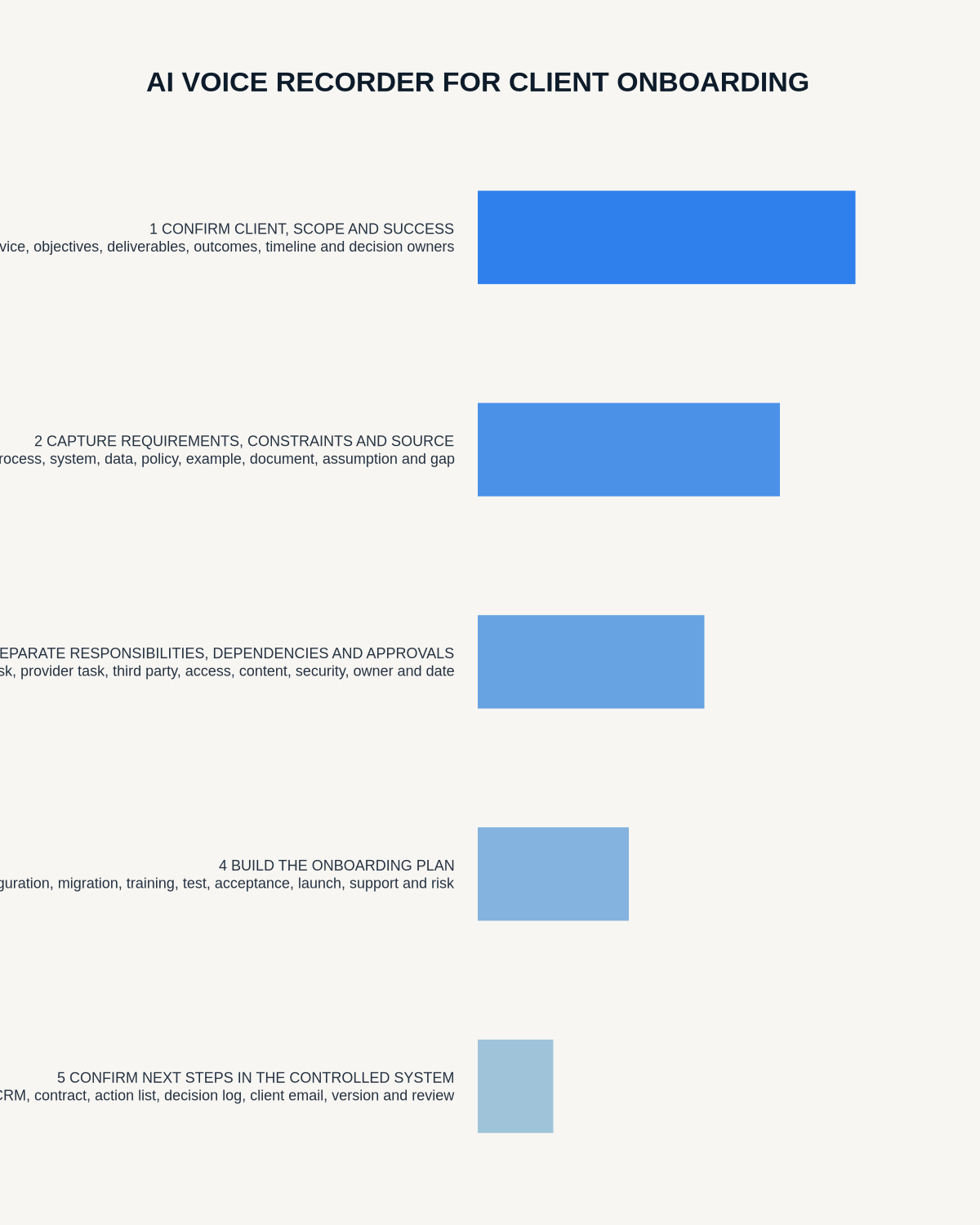
By the end of the meeting, both sides should understand:
- the client’s objectives and success measures
- agreed scope and exclusions
- who can make decisions
- required information and access
- dependencies and constraints
- key risks and assumptions
- communication and escalation routes
- immediate actions, owners and dates
Use an agenda that exposes gaps
| Section | Questions to answer |
|---|---|
| Business objective | What result is the client trying to achieve? |
| Success | How will both sides know the work succeeded? |
| Scope | What is included, excluded and still undecided? |
| Stakeholders | Who approves, contributes and receives updates? |
| Data and systems | What access, formats and controls are required? |
| Dependencies | What must happen before delivery proceeds? |
| Risks | What could delay, restrict or change the work? |
| Communication | Which channel, rhythm and escalation path apply? |
| Actions | Who does what, by when and in which system? |
Confirm recording and data boundaries
Before starting, explain:
- the purpose of the recording;
- who can access audio and transcript;
- whether an external AI service is used;
- which records will be shared with the client;
- how corrections work;
- how long source and drafts will be retained;
- which subjects must not be spoken into the recording.
Never record passwords, authentication codes, payment-card data or unnecessary personal information.
Use verbal markers to prevent ambiguity
- Requirement: a confirmed need.
- Preference: desirable but not mandatory.
- Assumption: something requiring validation.
- Exclusion: explicitly outside scope.
- Dependency: something another person or system must provide.
- Risk: an issue affecting outcome or timing.
- Decision: an authorised choice.
- Action: owner, task and deadline.
- Contract point: wording requiring formal documentation.
Confirm rather than infer
Read back material points:
- “To confirm, phase one includes sites A and B, but not site C?”
- “The client will provide access by 4 August?”
- “Success means reducing response time below two working days?”
- “This is a preferred launch date rather than a guaranteed contractual date?”
- “Only Maya and Oliver can approve a scope change?”
This gives the client an immediate opportunity to correct the record.
Separate facts, assumptions and commitments
| Statement | How to record it |
|---|---|
| Confirmed requirement | Requirement with source and acceptance criteria |
| Client preference | Preference, not mandatory scope |
| Supplier idea | Option proposed; approval pending |
| Unverified technical belief | Assumption with validation owner |
| Commercial promise | Commitment requiring authorised confirmation |
| Future possibility | Out-of-scope opportunity or later phase |
Capture roles and authority
Clarify:
- executive sponsor;
- day-to-day client lead;
- contract or procurement contact;
- technical owner;
- data or security approver;
- billing contact;
- delivery lead;
- final decision maker;
- escalation route.
A meeting attendee may not have authority to approve price, scope or deadlines.
Record access requirements without credentials
Create an access checklist containing:
- system or data source;
- reason access is required;
- minimum permission level;
- named approver;
- secure delivery method;
- target date;
- test or acceptance step;
- removal date at project closure.
Passwords, recovery codes and private keys belong in approved secure channels, never in the audio.
Create three separate outputs
- Client-facing summary: shared objectives, scope, decisions, actions and open questions.
- Internal delivery note: capacity, dependencies, risks and preparation work.
- Action tracker: one owner, deadline, status and destination system for every action.
Do not expose internal commercial judgement or confidential risk commentary in the client-facing document unless intentionally approved for sharing.
Do not let the transcript become the statement of work
Transcripts contain exploratory ideas, unapproved options, incomplete descriptions, informal dates, attribution errors, missing visual context and statements made without authority. Formal documents require deliberate drafting, review and approval.
Correct the transcript in priority order
- Confirm attendees, roles and authority.
- Correct names, systems and technical terms.
- Verify figures, dates and quantities.
- Label requirements, assumptions and exclusions.
- Confirm decisions and commercial commitments.
- Check action owners and deadlines.
- Link visual documents and shared screens.
- Create the controlled outputs.
- Apply retention rules.
Close with a structured read-back
- Primary client objective.
- Agreed initial scope.
- Material exclusions.
- Outstanding assumptions.
- Key risks or dependencies.
- Every immediate action and owner.
- Next meeting or review trigger.
- Where the checked summary will be shared.
Move information into the right systems
| Output | Destination |
|---|---|
| Client relationship details | CRM |
| Delivery tasks | Project or task system |
| Scope and acceptance criteria | Statement of work or requirements record |
| Security requirements | Approved security workflow |
| Commercial decisions | Contract or deal record |
| Risks | Risk register |
| Access requests | Identity or service-management process |
A transcript should not become a parallel CRM, task manager or contract repository.
Client-onboarding checklist
| Before | During | After |
|---|---|---|
| Confirm purpose and permission | Use requirement markers | Secure the source |
| Prepare gap-finding agenda | Read back commitments | Correct high-risk details |
| Identify decision makers | Separate scope and ideas | Create client summary |
| Set data boundaries | Assign owners and dates | Update CRM and project tools |
| Define final records | Avoid credentials | Delete redundant drafts |
How NERALVO Halo fits
Check whether NERALVO Halo fits client onboarding work provides NOTE mode, supported CALL capture, 64GB local storage, up to 35 hours of recording and DOWAY transcription and structured notes, with one year of DOWAY Max included. It can preserve an approved onboarding conversation, but the authoritative client, contract and delivery records must remain in controlled systems.
Cloud software, a dedicated recorder or manual notes?
For Client Onboarding, the right answer changes with the setting. This matrix deliberately gives each method a situation where it can be the strongest choice.
| Situation | Best starting point | Reason |
|---|---|---|
| scheduled remote meetings | Cloud meeting software | Calendar automation and shared integrations are usually the strongest advantage. |
| in-person or mobile work | Dedicated recorder | Independent capture reduces reliance on an active phone or laptop. |
| recording is refused or prohibited | Manual notes or an approved alternative | The boundary takes priority over convenience. |
| mixed online and offline work | Governed hybrid | Use each method only in the setting it actually fits. |
Frequently asked questions
Can the transcript become the contract or statement of work?
No. It can support drafting, but formal documents require review and authorised approval.
Should the client receive the raw transcript?
Usually a concise checked summary is more useful and proportionate.
Can AI identify scope automatically?
It can suggest sections, but humans must distinguish requirements, preferences, assumptions and exclusions.
Who approves the final notes?
The meeting owner and relevant client or delivery lead should verify material scope, dates and responsibilities.
Should passwords be recorded during onboarding?
No. Use an approved secure credential-sharing method.
Final onboarding checklist
- Purpose and permission confirmed
- Success and scope clear
- Authority mapped
- Requirements and preferences separated
- Assumptions and exclusions visible
- Actions owned and dated
- Credentials excluded
- CRM, contract and project systems updated
Bottom line: a reliable onboarding record makes objectives, authority, scope and next steps visible before delivery pressure begins.
Related guides
On this page
Related guides
See whether Halo fits this workflow
Review the NERALVO Halo specifications, included services, delivery information and current offer only after completing the guide.
Found an error or an out-of-date claim? Email support@neralvo.com with the article address and a supporting source.