
The 60-second verdict
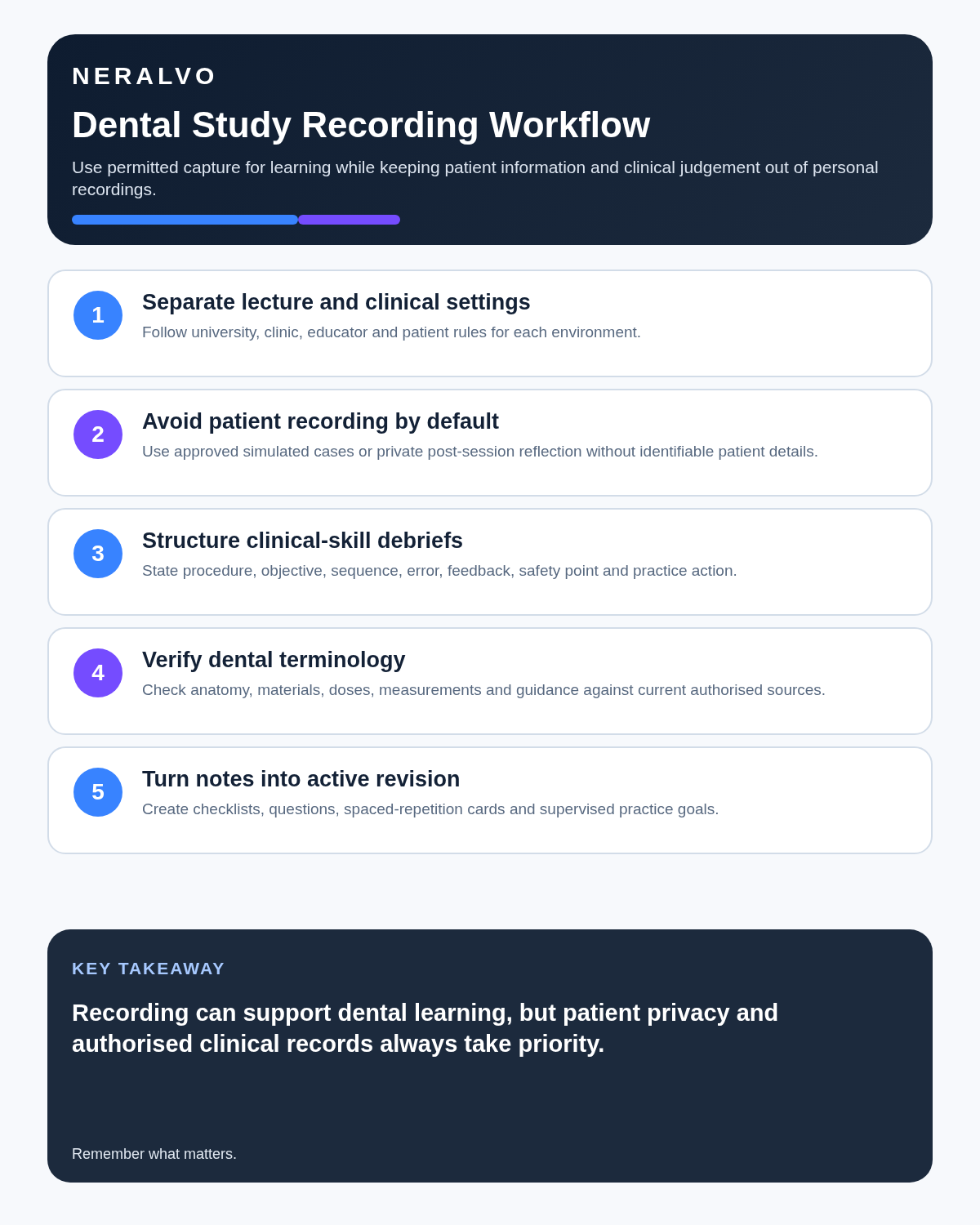
Quick answer: dental students can use an AI voice recorder for permitted lectures, consenting peer practice, approved simulation and private revision. They should not record real patients, clinical records or restricted assessments on a personal device unless the dental school and care provider have authorised the complete workflow.
Best fit: Dental Students who need recoverable audio and human-verified notes in an authorised workflow. Use another method when: recording is prohibited, a participant declines or the approved process requires manual notes.
Evidence basis and limits
- Decision factors covered: The explain → sequence → verify → demonstrate framework; Set a hard boundary around real patient information; Use recording only in approved learning settings.
- Evidence rule: The decision is based on the complete capture-to-action workflow, not a single feature or marketing accuracy percentage.
- Boundary: Examples and workflow recommendations must be tested with representative recordings, the intended users and the actual approval process before rollout.
Dental education combines anatomy, pathology, materials, communication, consent, clinical sequences and practical competence. Recording can reduce frantic note-taking, but a transcript is only study material. It cannot provide treatment advice, prove competence or become a parallel patient record.
The explain → sequence → verify → demonstrate framework
| Stage | Learning question | Useful output |
|---|---|---|
| Explain | Can the student communicate the condition, options and risks clearly? | Patient-centred explanation |
| Sequence | Can the student organise the clinical or laboratory stages correctly? | Structured procedure note |
| Verify | Are notation, measurements, materials and medicines accurate? | Checked technical record |
| Demonstrate | Can the student perform safely under approved observation? | Competence evidence |
This framework prevents fluent spoken revision from being mistaken for safe clinical performance.
Set a hard boundary around real patient information
Do not record patient consultations, histories, treatment discussions, clinical teaching or identifiable dental records on a personal consumer device unless the dental school or care provider has approved the device, account, processing route, access, retention and patient-information process.
The General Dental Council explains that patient information must remain confidential, records must be complete and accurate, and recordings of consultations require permission. Review the GDC’s patient-information standards.
Removing a name does not automatically anonymise audio. Voice, treatment history, rare conditions, dates and context can identify a patient.
Use recording only in approved learning settings
- Lectures where the lecturer and institution permit recording.
- Consenting peer role-play.
- Approved simulation and communication practice.
- Private explanations recorded by the student after teaching.
- Structured feedback debriefs where the educator has approved capture.
- Personal revision notes containing no patient information.
Do not record restricted assessments, OSCE stations, examination content or another student’s performance unless the programme explicitly allows it.
Practise patient-centred explanations
In an approved simulation, structure an explanation around:
- Role and purpose.
- The finding or condition in plain language.
- Realistic treatment or management options.
- Benefits, material risks and uncertainty.
- Time, cost or follow-up implications where relevant.
- A check of understanding.
- Questions from the simulated patient.
- The next authorised step.
AI may improve the organisation of a transcript, but it cannot decide whether valid consent was obtained. The GDC’s valid-consent standards remain the relevant professional reference.
Build clinical sequences without treating them as instructions
For a condition, procedure or laboratory process, record:
- Indication or purpose.
- Pre-procedure checks.
- Equipment and materials.
- Key stages in order.
- Safety and infection-control points.
- Complications or stop conditions.
- Post-procedure advice.
- Documentation and follow-up.
Then compare the sequence with current programme teaching, manufacturer instructions and supervisor guidance. Never use an AI-generated sequence to guide real patient treatment.
Verify high-risk dental terminology
| Detail | Check against |
|---|---|
| Tooth and surface notation | Approved charting system |
| Measurements | Original diagram, instrument or source |
| Material and product names | Manufacturer and programme guidance |
| Medicine, concentration and dose | Current approved prescribing or teaching source |
| Anatomical terminology | Authoritative course material |
| Contraindication or clinical risk | Supervisor and current guidance |
Mark uncertain transcript passages rather than correcting them from context alone.
Turn tutor feedback into deliberate practice
For an approved simulated session, create a feedback note with:
- The skill or communication objective.
- What the student did.
- What the educator directly observed.
- The standard or checklist used.
- What should change next time.
- The next supervised practice activity.
- How improvement will be demonstrated.
Keep educator feedback separate from the student’s interpretation. A transcript cannot replace direct observation or an authorised assessment decision.
Use active revision rather than transcript rereading
- Generate the transcript in the approved environment.
- Correct terminology against official teaching material.
- Reduce the lesson to concepts, sequences, warnings and uncertainties.
- Create short-answer and oral-explanation questions.
- Close the notes and answer from memory.
- Check the response against the authoritative source.
- Record errors and schedule another retrieval session.
A full transcript should be a checking source, not the object being memorised.
Create a privacy-safe reflection
A useful reflection focuses on the student’s learning rather than reconstructing a patient story. Include the learning theme, student role, communication or technical issue, attributed feedback, required supervised practice and evidence of improvement. Exclude patient identifiers and distinctive combinations of facts.
Escalate urgent concerns immediately
Clinical safety, safeguarding or wellbeing concerns must follow the supervisor and authorised escalation route without waiting for transcription or summarisation.
Maintain academic and professional integrity
AI must not fabricate patient encounters, procedures, feedback, assessment outcomes, quotations, references or technical data. Assessed work and portfolio entries must remain truthful, understood and attributable, with AI assistance disclosed where required.
Where NERALVO Halo fits
View Halo specifications for dental students use can support permitted lectures, consenting peer practice, approved simulation and private revision. It includes NOTE mode, supported CALL capture, 64GB local storage, up to 35 hours of recording and Bluetooth sync with DOWAY. DOWAY can create transcripts, summaries, speaker-separated notes, templates, translations, mind maps and exports, with one year of DOWAY Max included from activation.
These features do not make Halo or DOWAY approved for patient information. The dental school and care provider control the permitted hardware and processing route.
Cloud software, a dedicated recorder or manual notes?
For Dental Students, the right answer changes with the setting. This matrix deliberately gives each method a situation where it can be the strongest choice.
| Situation | Best starting point | Reason |
|---|---|---|
| scheduled remote consultations | Cloud meeting software | Native remote-meeting workflows can be more efficient here. |
| in-person consultations or ward handovers | Dedicated recorder | A separate battery and recoverable local source improve resilience. |
| a patient declines or policy prohibits recording | Manual notes or an approved alternative | Manual notes are the correct control when recording is unavailable. |
| mixed remote and clinical work | Governed hybrid | A hybrid can combine automation with reliable physical capture. |
Frequently asked questions
Can dental students record lectures?
Only where the lecturer, university and applicable course rules permit it. Accessibility arrangements should use the institution’s approved process.
Can a student record a patient consultation for revision?
Not on a personal device by default. Patient recording requires explicit authorisation, appropriate permission and clinical governance.
Can AI check tooth notation or medicine details?
It can flag candidate terms, but the student must verify them against approved sources.
Does a clear spoken explanation prove competence?
No. Competence requires authorised observation, evidence and educator judgement.
Should every recording be retained until graduation?
No. Keep each file only for the approved purpose and retention period.
Useful resources
- GDC learning outcomes and behaviours
- AI Voice Recorder for Medical Students
- AI Voice Recorder for Nursing Students
- How to Choose an AI Voice Recorder
Final dental-study checklist
- Recording setting approved
- Real-patient information excluded
- Technical terms verified
- Feedback attributed correctly
- Competence assessed through authorised methods
- Revision converted into active recall
- Urgent concerns escalated immediately
- Retention and deletion controlled
Bottom line: use recording to improve explanation, sequencing and revision while keeping patient information, clinical decisions and competence assessment inside authorised systems.
On this page
Related guides
See whether Halo fits long-form study capture
After checking permission and your institution’s rules, compare Halo’s stated battery, storage and export workflow with the way you actually study.
Found an error or an out-of-date claim? Email support@neralvo.com with the article address and a supporting source.