
The 60-second verdict
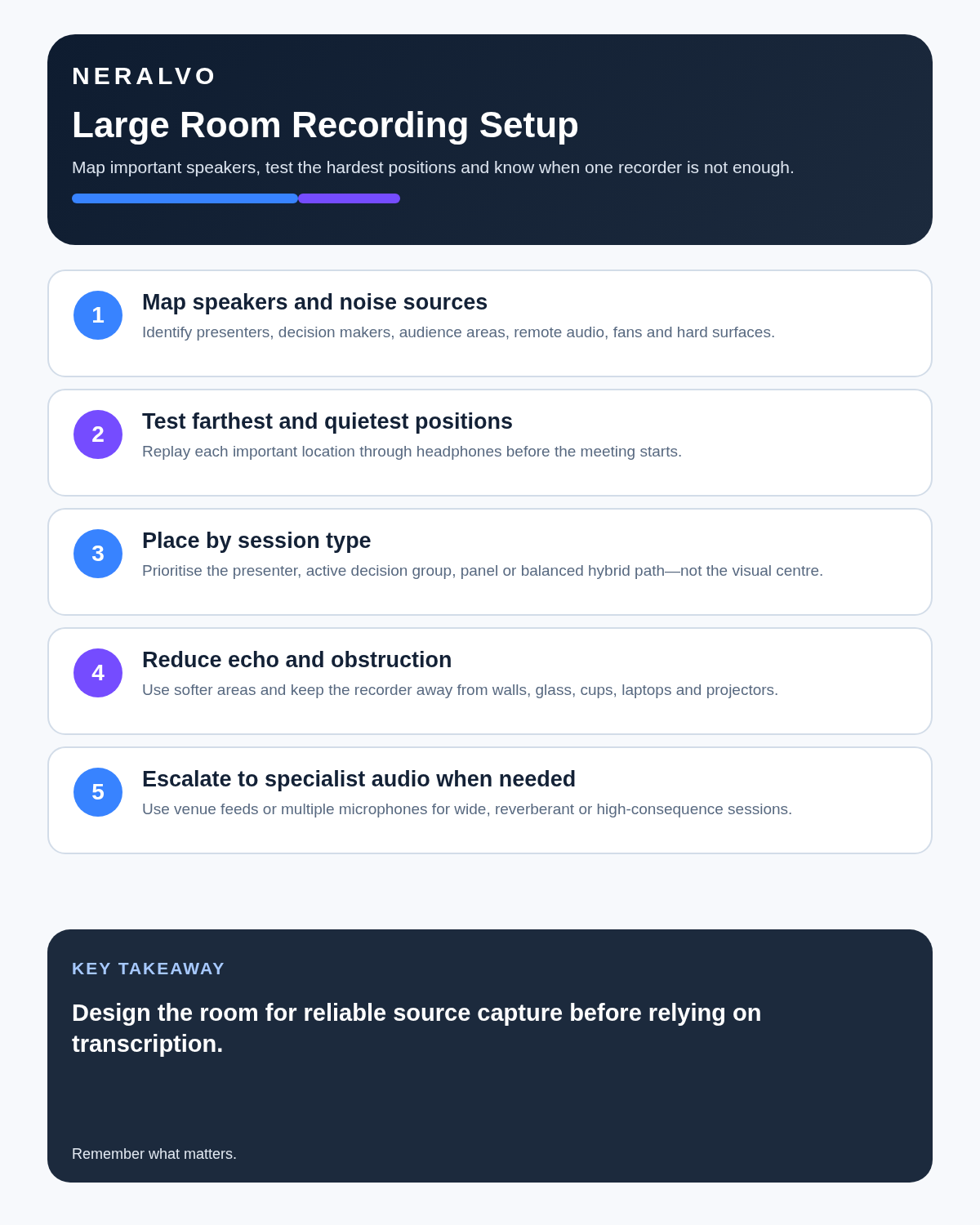
Quick answer: to record a large room accurately, map the important speakers, test the farthest and quietest positions, place the recorder for the main sound sources rather than visual symmetry, reduce echo and mechanical noise, control overlapping speech, and use a venue feed or multi-microphone system when one compact recorder cannot cover the room reliably.
Best fit: Large Rooms who need recoverable audio and human-verified notes in an authorised workflow. Use another method when: recording is prohibited, a participant declines or the approved process requires manual notes.
Evidence basis and limits
- Decision factors covered: Why large rooms are difficult to record; Map the room before choosing the recorder position; Test the hardest positions, not the easiest.
- Evidence rule: A claim earns weight only when the source, date, configuration and limitation are clear enough for a reader to check.
- Boundary: Examples and workflow recommendations must be tested with representative recordings, the intended users and the actual approval process before rollout.
Why large rooms are difficult to record
Large rooms create three connected problems: distance, reverberation and uneven speaker coverage. As the recorder moves farther from a speaker, direct speech becomes weaker while room noise and reflected sound remain strong. The result can sound acceptable to people in the room but produce unreliable names, figures, action owners and speaker labels in a transcript.
| Problem | What it does to the recording | Best first control |
|---|---|---|
| Long microphone distance | Quiet voices lose detail and become masked by room noise | Move the recorder closer or use additional approved microphones |
| Room echo | Reflections blur words and speaker boundaries | Use a smaller or softer room and avoid reflective positions |
| Uneven seating | Nearby voices dominate while distant speakers disappear | Map the important positions before placement |
| Overlapping speech | Words and attribution become difficult or impossible to recover | Use clear turn-taking and active chairing |
| Mechanical noise | Projectors, ventilation and laptops mask speech continuously | Reduce, relocate or switch off unnecessary sources |
| Hybrid audio | Remote voices may be too loud, too quiet or merged through one speaker | Test the room and conferencing system together |
| Audience questions | Distant comments may not reach the recorder clearly | Use a roving microphone or repeat and confirm the question |
Map the room before choosing the recorder position
Create a simple room plan that identifies:
- The chair, decision makers and principal speakers.
- Presenters, panel members and note owners.
- The quietest likely participant.
- The farthest relevant seat.
- Where audience questions will come from.
- Remote-speaker output and conference-room hardware.
- Fans, projectors, ventilation and laptop clusters.
- Hard walls, glass, high ceilings and reflective tables.
- Doors, corridors and interruption points.
- Restricted areas, cables and safe equipment positions.
The geometric centre of the room is not automatically the best acoustic position. Place the device for the people and sounds that matter most to the final record.
Test the hardest positions, not the easiest
- Place the recorder in the proposed position.
- Ask the nearest speaker to talk normally.
- Test the farthest relevant participant.
- Test the quietest expected participant.
- Test a likely audience-question position.
- Play remote audio through the actual room speaker.
- Include ventilation, projector and laptop noise.
- Listen back through headphones where practical.
- Check names, figures, short replies and specialist terminology.
- Change the placement or equipment if any important voice is unclear.
A successful test with the loudest person sitting beside the device proves very little.
Choose placement by meeting type
| Meeting type | Useful starting strategy | Main limitation |
|---|---|---|
| Presenter-led talk | Place near the presenter or use the approved venue audio feed | Audience questions may remain weak |
| Boardroom discussion | Place near the active decision area with balanced distance | Long tables may exceed one-device coverage |
| Panel discussion | Place centrally in front of the panel or use individual microphones | Side conversations and audience speech remain difficult |
| Training room | Prioritise the trainer and structure participant turns | Breakout groups need separate authorised capture |
| Hybrid meeting | Balance room voices with conference-speaker output after testing | One position may not serve both sources well |
| Lecture hall | Use the venue's approved lecture or PA feed where available | A compact recorder at the back is usually inadequate |
Reduce echo before relying on software
- Choose a smaller room when attendance allows.
- Prefer carpet, curtains, acoustic panels and soft furnishings.
- Avoid placing the recorder directly beside glass or a hard wall.
- Keep it off hollow furniture that transmits vibration.
- Close unused doors and reduce corridor noise.
- Move away from corners where reflections accumulate.
- Use the venue's treated recording position where available.
- Lower unnecessary loudspeaker volume to reduce room reflections.
AI may improve intelligibility, but heavy reverberation can permanently obscure word endings, names and speaker boundaries.
Keep the microphone area clear
- Do not place the recorder behind laptops, folders or bottles.
- Keep papers, cups and cables away from the microphone area.
- Avoid positions beside keyboard impact or laptop cooling fans.
- Do not place it directly beside a projector or speakerphone fan.
- Prevent sleeves, bags and table movement from rubbing against it.
- Use a stable surface or approved mount.
- Do not move the recorder while somebody is speaking unless the process requires it.
Structure the meeting to improve attribution
In a large room, facilitation becomes part of the recording system:
- Introduce attendees and roles clearly.
- Ask one person to speak at a time for important points.
- Use names before questions and responses where appropriate.
- Repeat distant audience questions through the chair or presenter.
- Restate decisions, figures, owners and deadlines.
- Announce when participants join, leave or move.
- Stop side conversations from continuing over the main speaker.
- Separate breakout discussions from the plenary recording.
- Confirm whether a statement is a proposal, question or final decision.
Handle audience questions deliberately
Audience questions are one of the weakest parts of many large-room recordings. Use one of these controlled methods:
- A roving microphone connected to the approved room system.
- A fixed question microphone in a known position.
- The chair repeats the question and asks the original speaker to confirm the wording.
- Written questions are read aloud and attributed appropriately.
- Unclear questions are marked as such rather than reconstructed from context.
Do not present a chair's paraphrase as a direct quotation from the audience member.
Plan hybrid-room audio separately
Remote participants often arrive through one room loudspeaker, which can make several people sound like one source. At the same time, the meeting platform may capture remote speakers clearly but miss quiet in-room comments.
Choose one approved primary source and document any secondary source. Before combining files, check:
- Time alignment and duplicated speech.
- Whether remote speakers have separate channels.
- Whether in-room comments are audible on the platform recording.
- Speaker-name accuracy.
- Participant notice and organisational permission.
- Storage, access and retention for each file.
Know when one compact recorder is not enough
Use specialist or venue-approved equipment when:
- Important speakers are widely separated.
- The room is highly reverberant.
- Audience questions must be captured exactly.
- Several breakout groups speak at once.
- Exact quotations or evidential quality are required.
- Accessibility depends on the audio system.
- The event will be broadcast or published as audio.
- A failure would create legal, safety, regulatory or major commercial consequences.
- The organisation mandates an approved recording platform.
Do not create uncontrolled duplicate recordings
Additional microphones can improve coverage, but several personal devices create more files, more personal data and more opportunities for mismatch. Use one approved recording plan with clear ownership, common timestamps, secure transfer and a defined authoritative source.
Participants should not create personal copies unless that is specifically authorised and governed.
Verify the transcript by room zone
- Confirm the file, date, purpose and room layout.
- Separate presenter, panel, audience and remote sections.
- Correct speaker labels using the seating plan and introductions.
- Review the farthest and quietest voices first.
- Check all audience questions and repeated versions.
- Verify names, figures, dates, negatives and specialist terms.
- Confirm decisions, owners and deadlines against the source.
- Mark inaudible or disputed attribution honestly.
- Create the concise approved minutes or record.
- Apply retention and deletion rules to every source file and working draft.
Use honest uncertainty markers
- [inaudible 00:24:18] where speech cannot be understood.
- [speaker uncertain] where identity cannot be confirmed.
- [audience question unclear] where the original wording is not recoverable.
- [decision status requires confirmation] where discussion may not have reached a final decision.
- [remote audio interruption] where the conferencing system affected the source.
Privacy, confidentiality and governance
Large meetings can contain personal data, commercially sensitive information, complaints, health information and third-party allegations. Inform participants, limit recording to the defined purpose, restrict access and keep source audio only for a justified period.
For organisational use, define the lawful basis or other applicable authority, authorised audience, storage route, retention period, response process for access requests and any legal-hold requirements.
How NERALVO Halo fits
Assess Halo against the large rooms workflow matrix provides NOTE mode for suitable room meetings, supported CALL capture for compatible lawful workflows, 64GB local storage, up to 35 hours of recording and Bluetooth transfer to DOWAY for transcripts, summaries, templates, translations and structured notes. One year of DOWAY Max is included from activation.
Halo may suit small-to-medium structured meeting areas after realistic testing. It should not be described as guaranteed coverage for lecture halls, long boardrooms, several simultaneous groups or high-consequence evidential capture.
Common mistakes
- Placing the recorder in the visual centre without testing.
- Testing only the nearest and loudest speaker.
- Ignoring ventilation, projector and laptop noise.
- Allowing several people to speak at once.
- Failing to repeat distant audience questions.
- Assuming remote speaker labels are automatically correct.
- Using one compact recorder where the room clearly requires several microphones.
- Keeping multiple duplicate recordings indefinitely.
- Circulating AI-generated minutes without source verification.
Cloud software, a dedicated recorder or manual notes?
For Large Rooms, the right answer changes with the setting. This matrix deliberately gives each method a situation where it can be the strongest choice.
| Situation | Best starting point | Reason |
|---|---|---|
| scheduled remote meetings | Cloud meeting software | Auto-join and central collaboration can remove routine admin. |
| in-person or mobile work | Dedicated recorder | Dedicated hardware suits movement, variable rooms and offline source capture. |
| recording is refused or prohibited | Manual notes or an approved alternative | A clear alternative respects policy and participant choice. |
| mixed online and offline work | Governed hybrid | One governed process prevents gaps between desk and field work. |
Frequently asked questions
Should the recorder always sit in the middle of the room?
No. Place it for the important sound sources, not visual symmetry.
Can AI remove all room echo?
No. Processing may improve intelligibility, but strong reverberation can permanently obscure words.
Can one compact recorder cover a lecture hall?
Not reliably in every case. Use the approved venue audio feed or professional equipment where coverage matters.
Should audience questions be repeated?
Yes, where the original question may be too distant or unclear. The original speaker should confirm the repeated meaning where possible.
Can several personal recorders solve the problem?
Not safely without governance. Multiple authorised devices require clear ownership, synchronisation, security and retention controls.
What should happen when a speaker cannot be identified?
Use a neutral uncertainty marker and seek confirmation. Do not guess.
Final large-room checklist
- Room and speaker map completed.
- Farthest and quietest positions tested.
- Remote audio tested in the real setup.
- Placement selected for the important sources.
- Echo and mechanical noise reduced.
- Audience-question process agreed.
- Turn-taking and decision read-back established.
- Specialist-equipment threshold assessed.
- Primary recording source defined.
- Transcript reviewed by room zone.
- Access, retention and deletion rules documented.
Bottom line: accurate large-room transcription depends on room mapping, realistic testing, deliberate placement and disciplined speaker behaviour. When one compact recorder cannot capture every important voice clearly, the correct solution is better coverage—not greater confidence in AI.
Related guides
On this page
Related guides
See whether Halo fits this workflow
Review the NERALVO Halo specifications, included services, delivery information and current offer only after completing the guide.
Found an error or an out-of-date claim? Email support@neralvo.com with the article address and a supporting source.