The 60-second verdict
Quick answer: lecturers can use an AI voice recorder for permitted teaching capture, course-development notes and private post-session reflection, but the workflow should improve teaching rather than build an indefinite archive. Student information, research data, accessibility, copyright and institutional policy require separate controls and authorised destinations.
Best fit: Lecturers who need recoverable audio and human-verified notes in an authorised workflow. Use another method when: recording is prohibited, a participant declines or the approved process requires manual notes.
Evidence basis and limits
- Decision factors covered: Why a permanent lecture archive is not automatically valuable; The purpose → permission → capture → classify → verify → improve → route → retain workflow; Start with the least intrusive capture method.
- Evidence rule: A claim earns weight only when the source, date, configuration and limitation are clear enough for a reader to check.
- Boundary: Examples and workflow recommendations must be tested with representative recordings, the intended users and the actual approval process before rollout.

Assess Halo against the lecturers workflow matrix can support approved lectures, seminars, meetings and private reflections. It does not grant recording rights or replace institutional lecture capture, research systems, accessibility tooling, academic judgement or authorised student records.
Why a permanent lecture archive is not automatically valuable
Recordings can contain student voices, outdated explanations, copyrighted material, unpublished research and off-the-cuff discussion. Keeping every session indefinitely increases risk without guaranteeing that anyone learns from it.
The purpose → permission → capture → classify → verify → improve → route → retain workflow
| Stage | Question | Output |
|---|---|---|
| Purpose | Accessibility, student review, staff development, research or course improvement? | Defined use |
| Permission | Which institutional, copyright, ethics and participant rules apply? | Authorised workflow |
| Capture | What is the least intrusive source needed? | Proportionate audio |
| Classify | Is this teaching, student, research, partner or governance information? | Risk and destination decision |
| Verify | Are terminology, attribution, quotations and actions correct? | Checked draft |
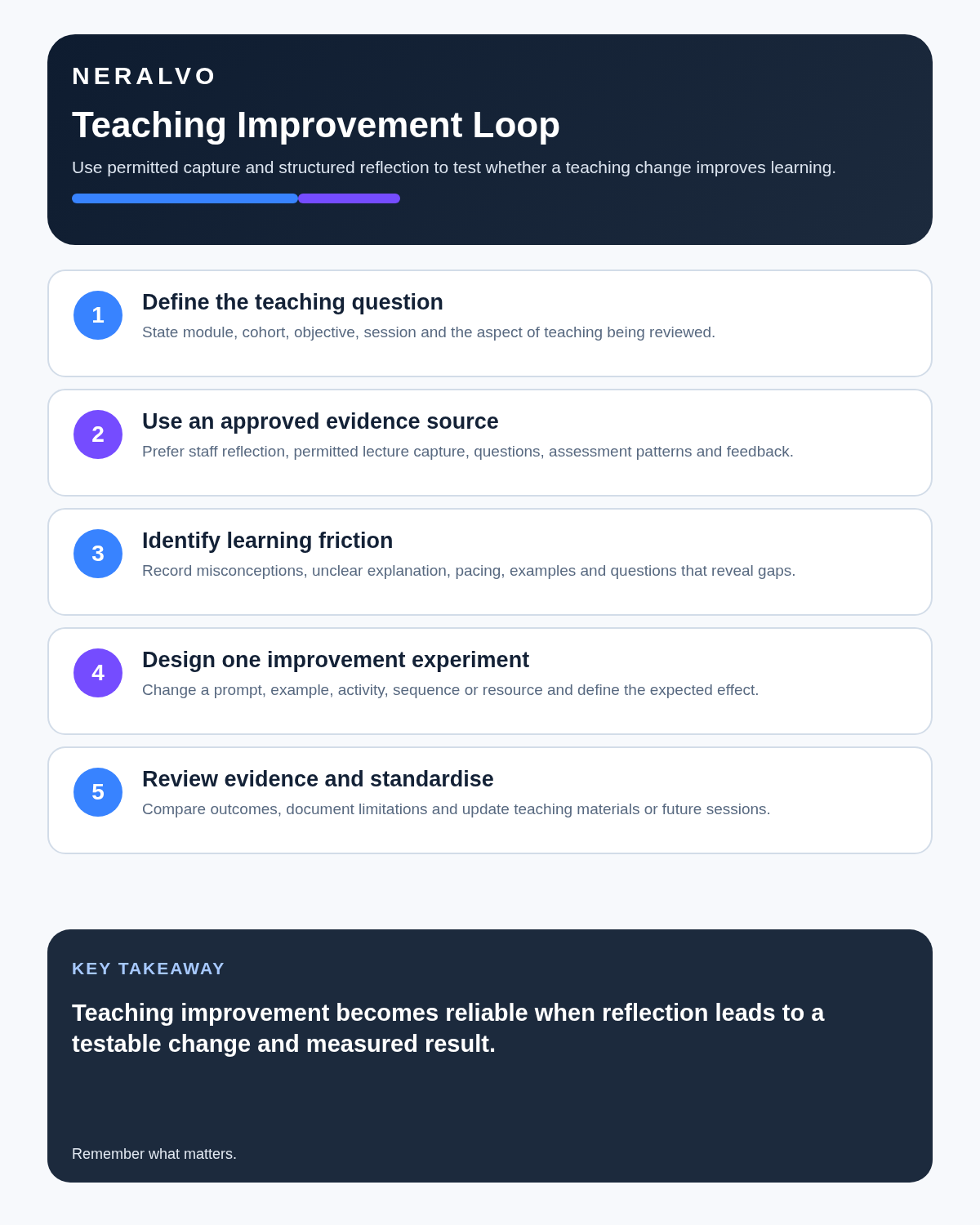
| Improve | Which learning friction or misconception will be addressed? | Evidence-based change |
| Route | Which authorised university system becomes the source of truth? | Controlled record |
| Retain | How long are source audio, working text and final resources needed? | Closed lifecycle |
Start with the least intrusive capture method
Private post-session reflection should normally come before direct recording of students or participants. After a lecture or seminar, a lecturer can record:
- Which explanation worked.
- Which question exposed a conceptual gap.
- Where timing or sequencing failed.
- Which reading or example should be added.
- What should change before the next delivery.
This preserves teaching insight without capturing student voices, names or performance information. Record other people only through the institution’s approved process and for a defined purpose.
Classify information before using AI
| Information class | Examples | Authorised destination |
|---|---|---|
| Teaching reflection | Pacing, explanation and seminar design | Module or personal teaching record |
| Student information | Supervision, support, assessment or conduct | Authorised student system |
| Research information | Participant data, unpublished findings or field notes | Approved research environment |
| Partner information | Confidential collaboration or commercial detail | Contract-approved system |
| Governance information | Committee decisions, risks and actions | Formal minutes and action log |
A consumer recorder should not be assumed suitable for every class merely because it can transcribe speech.
Protect student participation and personal data
Explain recording clearly and provide a route for questions or disclosures that should not enter the recording. Avoid identifiable student contributions unnecessarily, particularly in sensitive seminars, tutorials, assessment, welfare or conduct discussions.
The institution should define purpose, lawful basis, transparency, access, correction, retention and deletion. Do not reuse audio for assessment, monitoring, publicity or research simply because the original file exists. Review the ICO’s recording and data-sharing advice alongside the university’s approved policy before deployment.
Correct academic content before release
Verify names, equations, symbols, dates, references, quotations, specialist terminology, figures and speaker attribution. Remove accidental personal information and identify content superseded by later correction. A polished transcript can still be academically wrong.
Create a teaching-improvement note
| Field | Question |
|---|---|
| Learning outcome | What should students be able to do? |
| Evidence | Which questions, errors or responses show difficulty? |
| Possible cause | Was the explanation, sequence, example or prerequisite unclear? |
| Change | What will be altered next time? |
| Measure | How will improvement be assessed? |
| Destination | Which module plan, VLE or controlled document must be updated? |
Turn permitted recordings into active learning
Transform checked material into short explanations, retrieval questions, worked examples, comparisons and application tasks rather than posting a raw transcript. Clearly label AI-assisted study aids and verify them against current course sources.
Support accessibility through approved systems
Automated captions and transcripts can contain consequential errors. Use the institution’s accessibility route, meaningful headings, corrected speaker labels, text alternatives for diagrams and a correction mechanism. Machine output is a draft, not proof that accessibility duties have been met.
Keep assessment and feedback accountable
AI should not independently mark work, decide progression or generate feedback the lecturer has not reviewed. Record the authorised criteria, evidence considered, academic judgement, moderation or reasonable-adjustment process and the version placed in the official record.
A seminar recording should not quietly become assessment evidence unless the institution has explicitly approved that purpose and informed students.
Use a research-ethics gate
Research interviews, fieldwork, supervision and partner meetings may involve participant consent, special-category data, confidential intellectual property and contractual controls. Recording must not bypass:
- Ethics approval.
- Participant information and consent arrangements.
- The data-management plan.
- Approved storage and transfer.
- Anonymisation or pseudonymisation rules.
- Funder or partner requirements.
Where direct recording is not approved, create a limited private reflection that excludes identifiable or confidential information.
Control copyright and third-party material
Slides, guest content, clips, readings, performances and licensed material may have limited permissions. Recording a session does not automatically grant rights to publish, transcribe, translate or reuse every element.
Route verified information into official systems
- Teaching changes to the module plan or VLE.
- Student actions to the authorised student record.
- Research ideas or evidence to the approved research notebook or repository.
- Committee decisions to formal minutes and the action log.
- Accessible learning resources to the approved publishing workflow.
The recording and AI output remain working materials. Once the authorised record is complete, apply the institution’s retention rule to source audio and drafts.
A post-seminar voice-note script
- Module and objective: identify the session and intended learning.
- Evidence: describe the question or misunderstanding without unnecessary student identity.
- Interpretation: state what may need clarification or verification.
- Change: name the example, reading, pacing or activity to adjust.
- Destination: identify the university system to update.
- Deadline: state who will complete the change and when.
How NERALVO Halo fits lecturers
NERALVO Halo includes NOTE mode, supported CALL mode, 64GB local storage, up to 35 hours of recording and Bluetooth sync with DOWAY. DOWAY provides transcripts, summaries, speaker-separated notes, templates, translations, mind maps and exports, with one year of DOWAY Max included. Institutional policy controls whether it may be used and how outputs are processed, published and deleted.
Cloud software, a dedicated recorder or manual notes?
For Lecturers, the right answer changes with the setting. This matrix deliberately gives each method a situation where it can be the strongest choice.
| Situation | Best starting point | Reason |
|---|---|---|
| scheduled online lessons or staff meetings | Cloud meeting software | Auto-join and central collaboration can remove routine admin. |
| classroom, lecture or campus discussions | Dedicated recorder | Dedicated hardware suits movement, variable rooms and offline source capture. |
| recording is not permitted or a learner objects | Manual notes or an approved alternative | A clear alternative respects policy and participant choice. |
| mixed teaching and administrative work | Governed hybrid | One governed process prevents gaps between desk and field work. |
Frequently asked questions
Should every lecture be recorded?
No. Use a clear purpose, the least intrusive method and the institution’s approved process.
Can raw AI transcripts be released to students?
They should be reviewed, corrected and converted into an accessible controlled resource first.
Can a teaching recording be reused for research?
Not automatically. Research use may require separate ethics, participant and data-management approval.
Should lecture recordings be retained forever?
No. Define separate retention for source audio, working transcript and approved learning resources.
Final lecturer checklist
- Purpose and least intrusive method selected.
- Institutional, copyright and ethics rules checked.
- Information class and destination identified.
- Students and participants informed and protected.
- Academic details and attribution verified.
- Accessibility route followed.
- Assessment and research controls maintained.
- Teaching reflection linked to a measurable improvement.
- Official university system updated.
- Audio and drafts deleted under rule.
Bottom line: lecture recording creates value when it improves access and teaching quality through a controlled lifecycle, while student, research and governance information stays inside the university’s authorised systems.
Related guides
On this page
Related guides
See whether Halo fits long-form study capture
After checking permission and your institution’s rules, compare Halo’s stated battery, storage and export workflow with the way you actually study.
Found an error or an out-of-date claim? Email support@neralvo.com with the article address and a supporting source.